


Timing even automatically detects when you stop using your Mac, letting you exclude idle time.
Track time without lifting a finger.
Never worry about forgetting to start or stop a timer again. Timing automatically records which apps, documents and websites you use, so you always know where your time went!
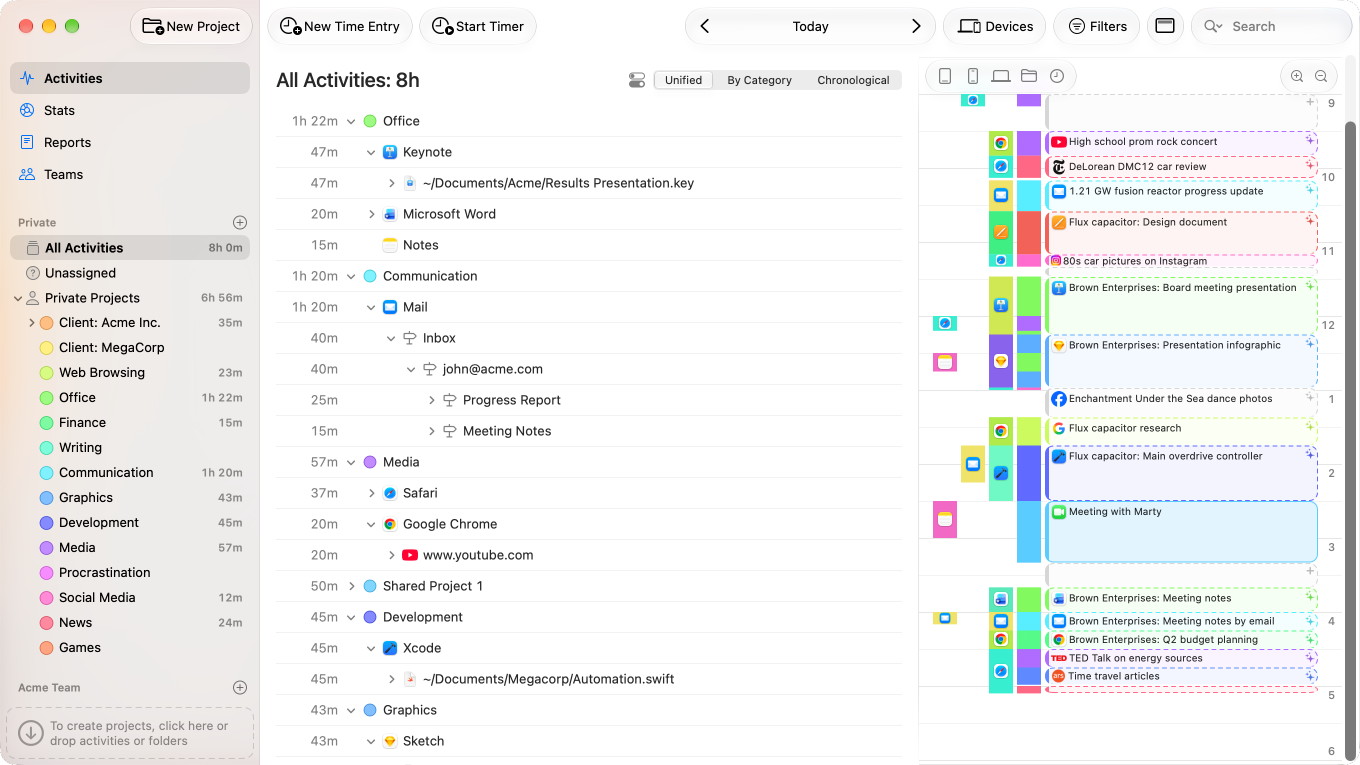
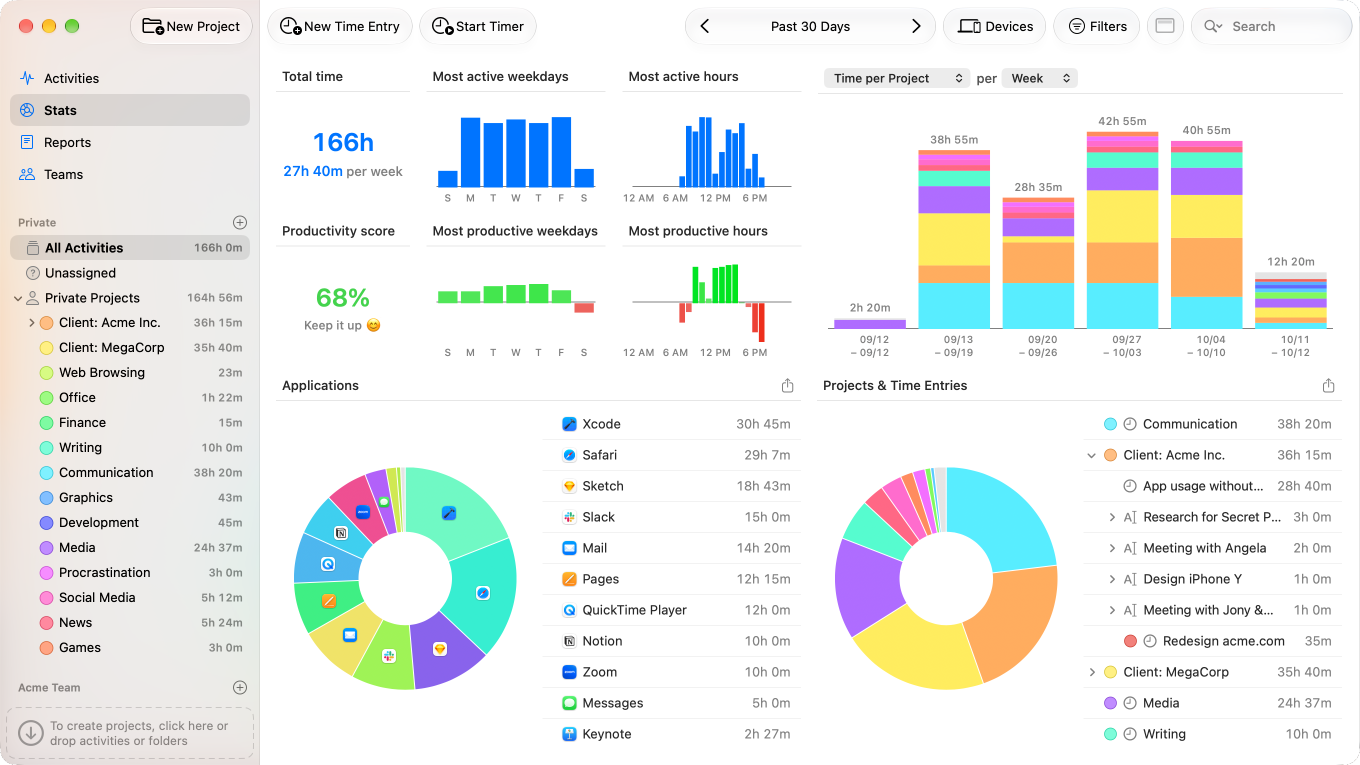
Understand your productivity patterns instantly
Timing's AI summaries transform raw activity data into actionable insights — understand what you accomplished at a glance!
Get intelligent summaries that automatically group related activities and highlight key topics. Create time entries faster and more accurately than ever before with just a few clicks!
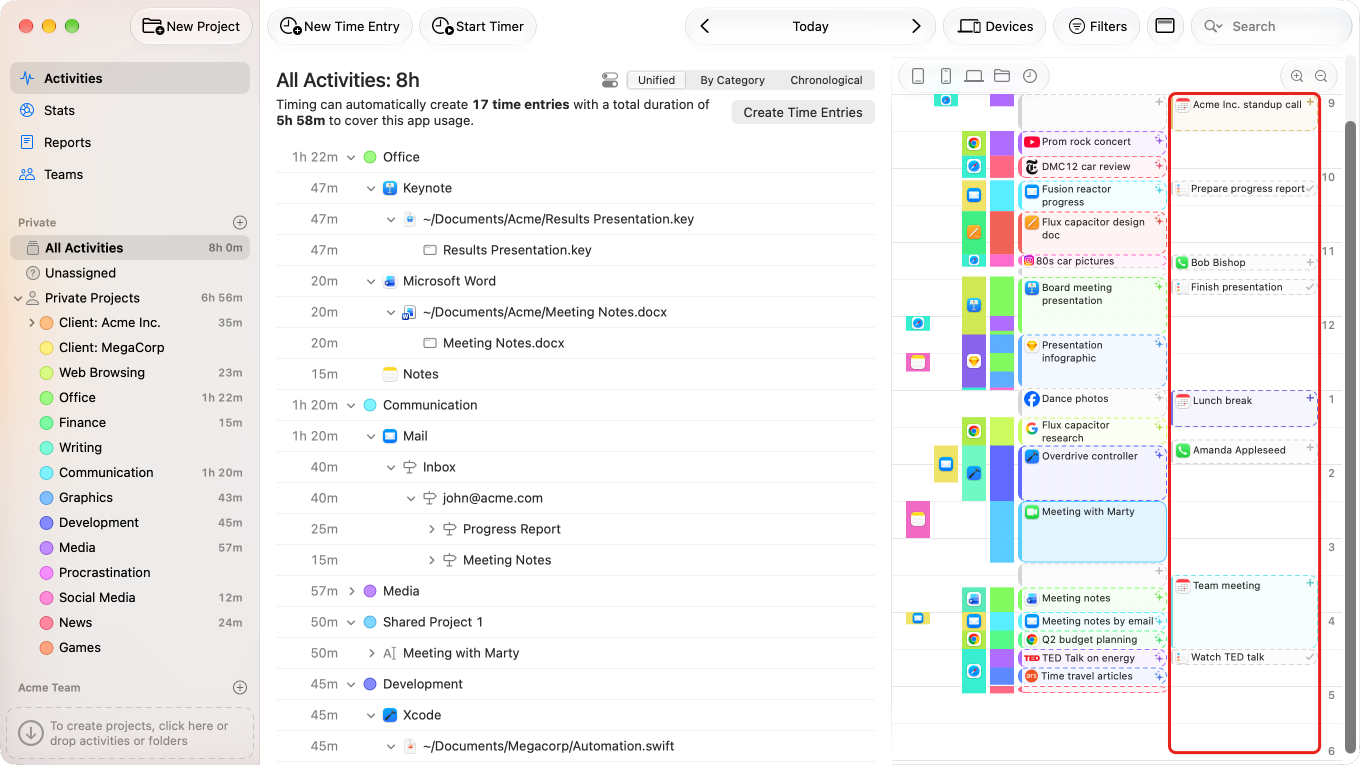
Never miss a minute of billable work
Work doesn't just happen in front of your computer. That's why Timing also tracks time spent on phone calls, meetings, calendar events, and reminders!
Timing is the only time-tracking software with innovative features like this!
Supports all popular call apps, including:


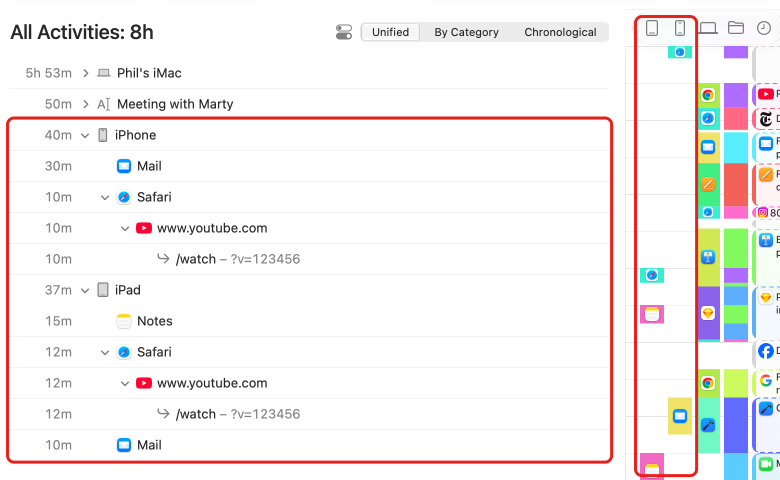
See your time across every device
Timing can import your mobile app usage from Screen Time, giving you a complete picture of all your work — regardless of which device you used.
Timing is the only third-party solution for viewing Screen Time data in this way.
Full control when you need it
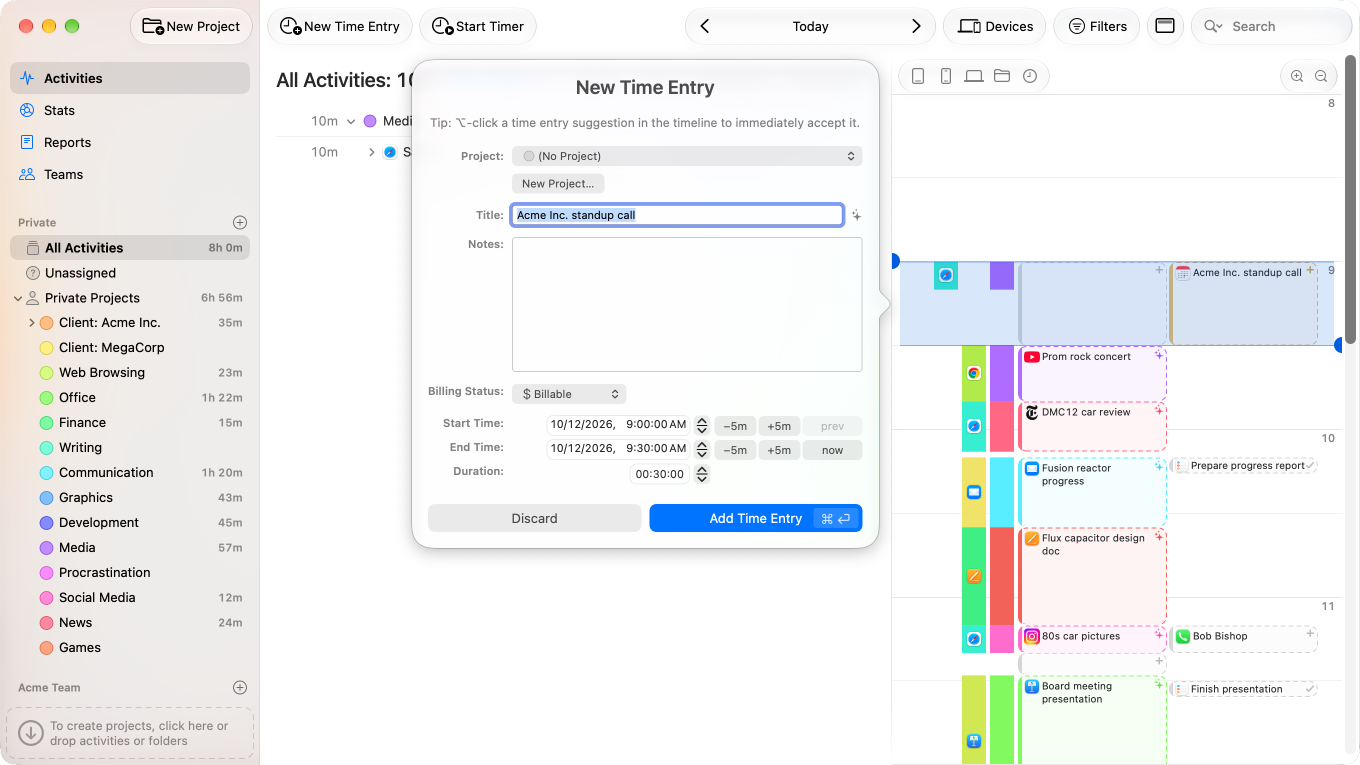
Not all your work happens in front of the computer. Timing's interactive timeline makes it easy to add “offline time” such as meetings with just a few clicks.
And when you want to focus on a specific task, Timing lets you start and stop timers just like any other time tracking app.
Timing supports tracking all your favorite apps:
… and many more!

Never forget to record time for a meeting again
Timing automagically asks you to enter time right after each video or voice call.
Timing is the only time-tracking software with innovative features like this!
Supports all popular call apps, including:
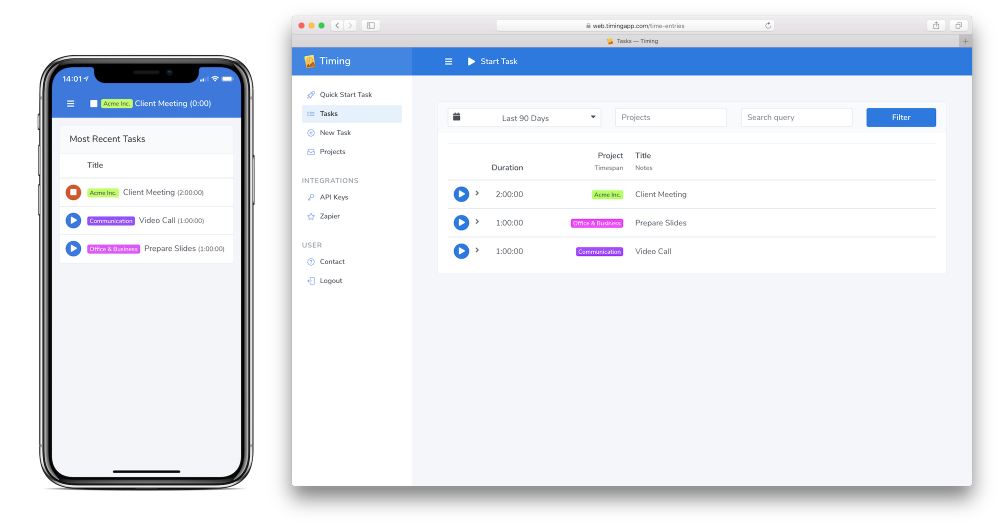
Track time from anywhere — even your phone
Today's work happens across many devices. That's why Timing's web app can be installed on your phone, letting you start and stop timers from anywhere.
Alternatively, you can retroactively assign times imported from Screen Time or record time based on calendar events back when you are on your Mac.
In addition, all data is synced across all your Macs.
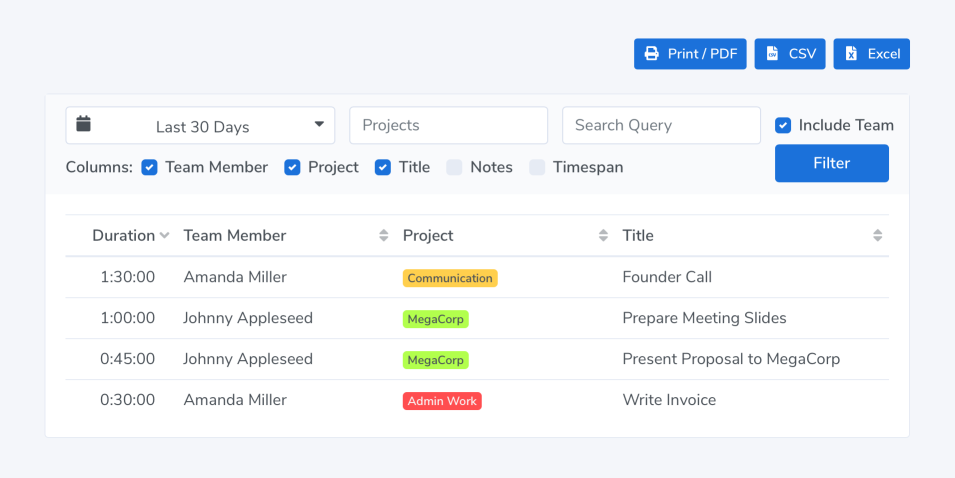
Keep your team on track — without micromanaging
Timing's team functionality lets you invite team members and share projects with them.
Team members report time towards these projects as usual; you view their reports in the Timing web app.
Team members' privacy is protected: Team admins only see aggregate times associated with team projects. No personal times or private details are shared.
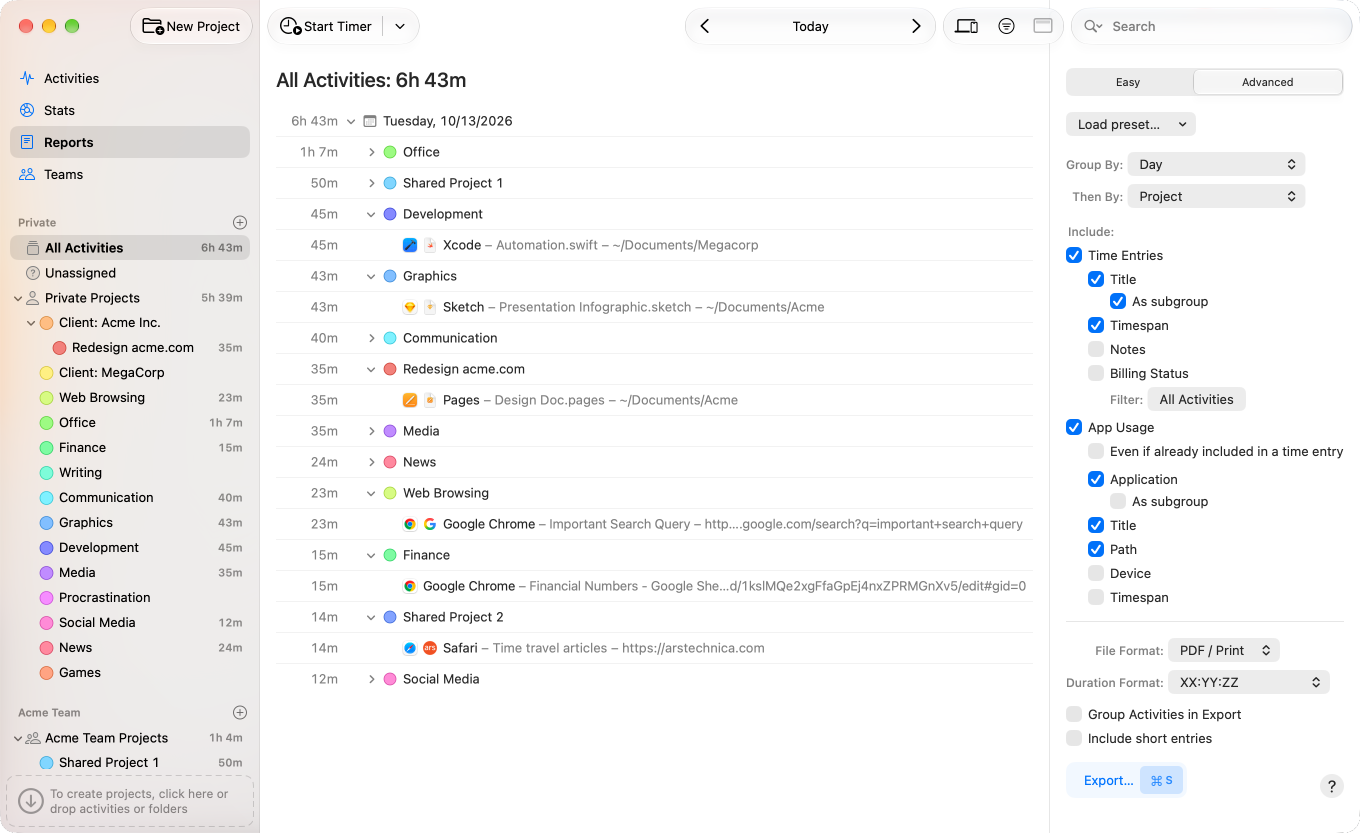
Turn time data into professional reports
No matter how your clients need you to report your time, Timing can do it.
Report data as PDF, XLSX, CSV or HTML to create timesheets and invoices. Freelancers and contractors will love this, but Timing's smart reporting capabilities benefit everyone else, too. For example, team managers can view reports of their team's work time.
Record time for calendar events with a single click
You have already entered your time into your calendar; why enter it again?
Timing's timeline shows all your calendar events, so you can record time for them with a single click.
Save time with advanced automation capabilities
Time tracking is not an end in itself.
Luckily, our integrations enable a variety of uses for your data. Here are a few examples:
- Start and stop timers via AppleScript.
- Send time entries to your billing software with our Zapier integration.
- Export data for further processing with our Web API.
The first time-tracking app that saves you time
Everything in Timing is built to help you get the job done super quickly, saving you lots of time in the process.
For example, our extensible rules system can automatically categorize almost all of your activities – simply ⌥-drag an activity to permanently assign it to a project.
Over time, Timing will save you hours of manual categorization effort, not to mention all the time you'd normally spend starting and stopping manual timers.
Features:
No More Start / Stop Timers
Don't worry about forgetting to start or stop a timer for billing your clients – Timing is automatic timekeeping at its best.
Improve Your Productivity
Timing has automatic productivity tracking built right in.
You can assign productivity scores to all your projects and track how your productivity improves over time. If you need an app to improve your time management, Timing is the app to get.
Document-Based Tracking
Timing automatically tracks every app, document and website you use – including the full file path or URL. This makes assigning activity log data much easier and more accurate.
Manual Hours Tracking Included
When you spend time away from your Mac, you can still add it in Timing – in fact, Timing's timeline makes it super easy to add those times retroactively! You can even keep a manual timer running during your work, for maximum accountability.
Sync Your Data
Timing can optionally sync tracking data across all your Macs, so you'll never forget to log hours spent on the go.
CLOUD SYNC
And should your Mac ever break, all your data is stored safely in the cloud.
Calendar Integration
Timing's calendar integration lets you assign any calendar event in a heartbeat, so you'll never forget billing that client meeting again. In addition, Timing automatically asks you to record time after each video or audio call, making sure that all time gets accounted for.
As Many Projects As You Need
Simply drag and drop your activities into projects to categorize the time you spent, for super-accurate time management.
And if you ⌥-drag, Timing will create a rule to save you even more time.
⌥
drag to create rules
Track Time on the Go
Timing comes with a web app that syncs with the Mac app, letting you start and stop timers on the go – even on your iPhone.
WEB APP
Web API
Timing's Web API lets you connect Timing to your existing billing and project management systems.
Zapier Integration
Our Zapier integration makes it easy to integrate with third-party services – no code required.
Supports Safari, Chrome and Firefox
Mostly working in the browser? No problem!
Websites you visit are tracked as well –
as are chat apps like Messages, Slack, WhatsApp, and others.
Protects Your Privacy
Your privacy is very important to us. That's why Timing keeps all your data private:
PRIVACY FIRST
- Tracked times are stored locally and never leave your Mac (unless you opt into sync).
- Private/incognito browser tabs will automatically have their information discarded.
- You can add any activities to the exclusion list to prevent them from being tracked altogether.
Avoid Procrastination
Timing's time tracker widget can always show your productivity score in the menu bar, so you get real-time feedback on how you are doing. Challenge yourself to keep getting better and better scores over time!
Native macOS Application
Timing is a native Mac time tracker.
NATIVE
Not a slow web (or Electron) app that hogs your memory – just blazing speed.
Detailed Reporting: Ideal for Freelancers and Agencies
See what you did in any week, day, or hour.
And when you are finished, export the data as PDF, XLSX, CSV or HTML to create timesheets and invoices.
We also offer a plug-in that lets you automatically import tracked hours as billable items in the GrandTotal invoicing app for Mac.
If you are freelancing, you'll love it.