
Automatic Time Tracking for Codex…
…and all other apps!
Timing tracks every second you spend coding with AI assistance in the terminal, without having to start and stop timers.
You see exactly how much time was spent on each individual individual code file, and can easily categorize
that time using drag-and-drop.
Download the Timing app and start tracking your time in OpenAI Codex CLI today!
Try Timing free for 30 days. No credit card required.
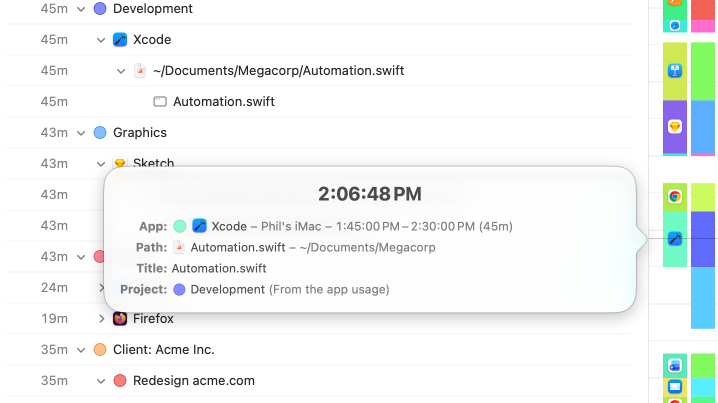
Track all your Codex coding time.
Here's an example of the information Timing records for your coding sessions. Because Codex runs inside your terminal, Timing automatically captures which project and code file you focused on during each AI-assisted session — without having to install a plugin.
Other AI coding tools such as Claude Code, Cursor, and Windsurf are also supported, as are the terminal apps Codex runs in — iTerm2, Terminal.app, and Warp. And all of this information is only visible to you, of course.
You can even connect Timing to Codex via MCP, so Codex can review your tracked activities and manage your projects directly from a conversation.
In fact, we have a dedicated page on why Timing is the ideal time-tracking app for developers!
Assign your time to projects.
Simply assign your time via drag and drop, then use the timeline's smart suggestions to combine blocks of time that belong together.
You have never accounted for so much time with so few clicks!
Manual time entries: Giving you full control.
Not all your work happens in front of the computer. Timing’s interactive timeline makes it easy to add “offline time” such as meetings with just a few clicks.
And when you want to focus on a specific task, Timing lets you start and stop timers just like any other time tracking app.
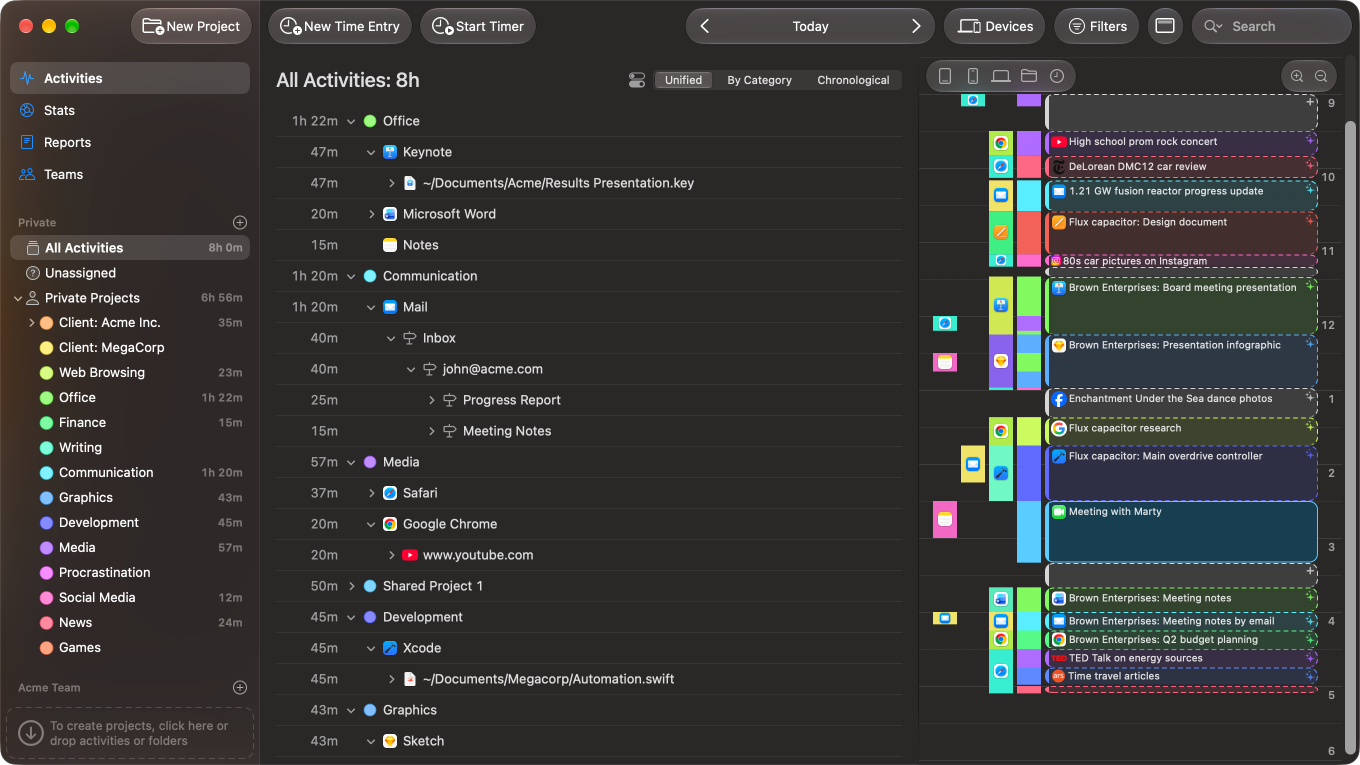
You like Dark Mode?
So do we!
Timing fully supports Dark Mode, so it will blend right in with your other professional tools.
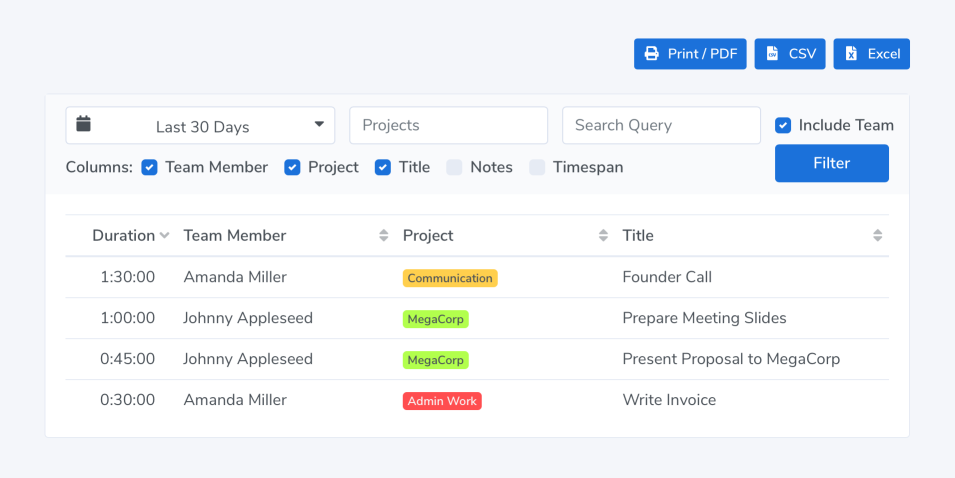
Privacy-friendly time tracking for teams.
Timing also supports working in groups. Your team members can report time towards shared projects; you view their reports in the Timing web app. No personal times or private details are shared.
Save time with advanced automation capabilities.
As a programmer, you probably are very keen on optimizing your workflow with automation.
Besides its time tracking already being automatic, Timing supports this by offering various automation facilities, integrations and APIs. Here are a few examples:
- Automate your time categorization using rules.
- Generate dozens of time entries at once using the Entry-O-Matic.
- Start and stop timers via AppleScript.
- Send time entries to your billing software with our Zapier integration.
- Export data for further processing with our Web API.
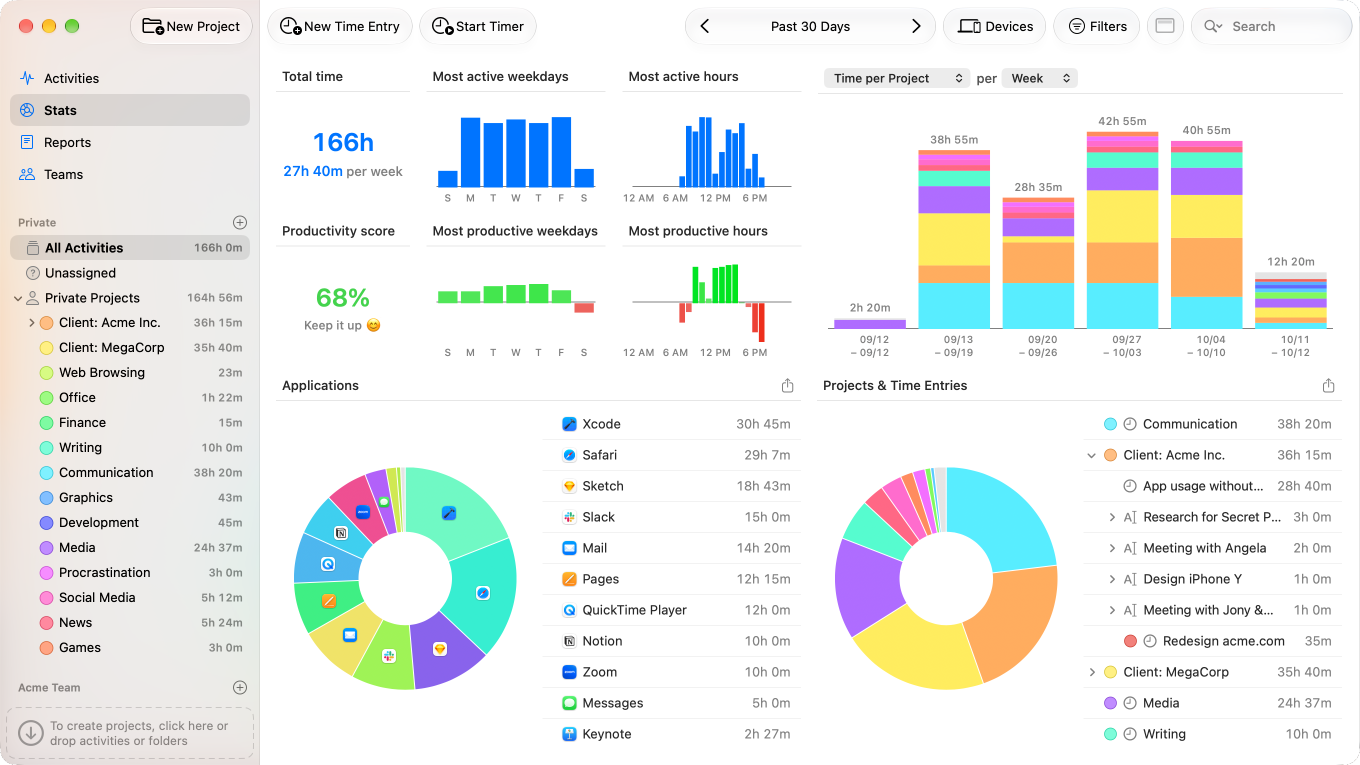
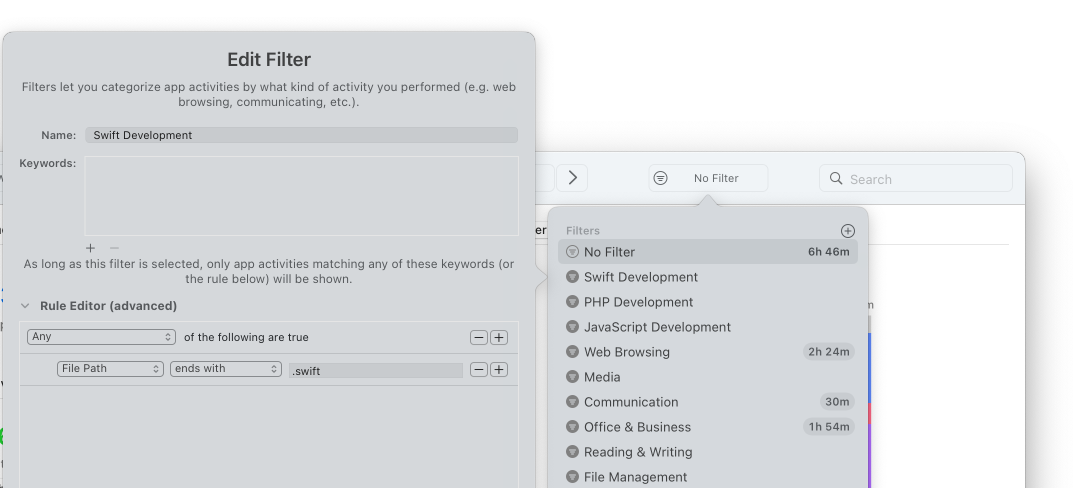
Stats for all your programming languages.
Timing's built-in filters let you slice and dice your data as needed, for example to find out how much time you spend programming in different languages.
Try the leading OpenAI Codex time tracker!
Stop stressing about time. Focus on your best work.
Free DownloadTry Timing free for 30 days. No credit card required.