


Timing even automatically detects when you stop using your Mac, letting you exclude idle time.
Stay on Top of Your Time.
Without Timers.
Just keep focusing on your work while Timing records your time automatically, then review your time when you want to.
Record time faster than ever with just a few clicks.
See when you worked on what and how productive you were.
30-day free trial, no credit card needed.
Timing tracks your time in all the apps you love:
… and many more!
Understand your day at a glance
Stop reviewing raw activity logs. Timing's AI summaries instantly reveal what you worked on and highlight key patterns — so you always know where your time went.
Create accurate time entries in just a few clicks, powered by AI that automatically groups related activities and surfaces the topics that matter most.
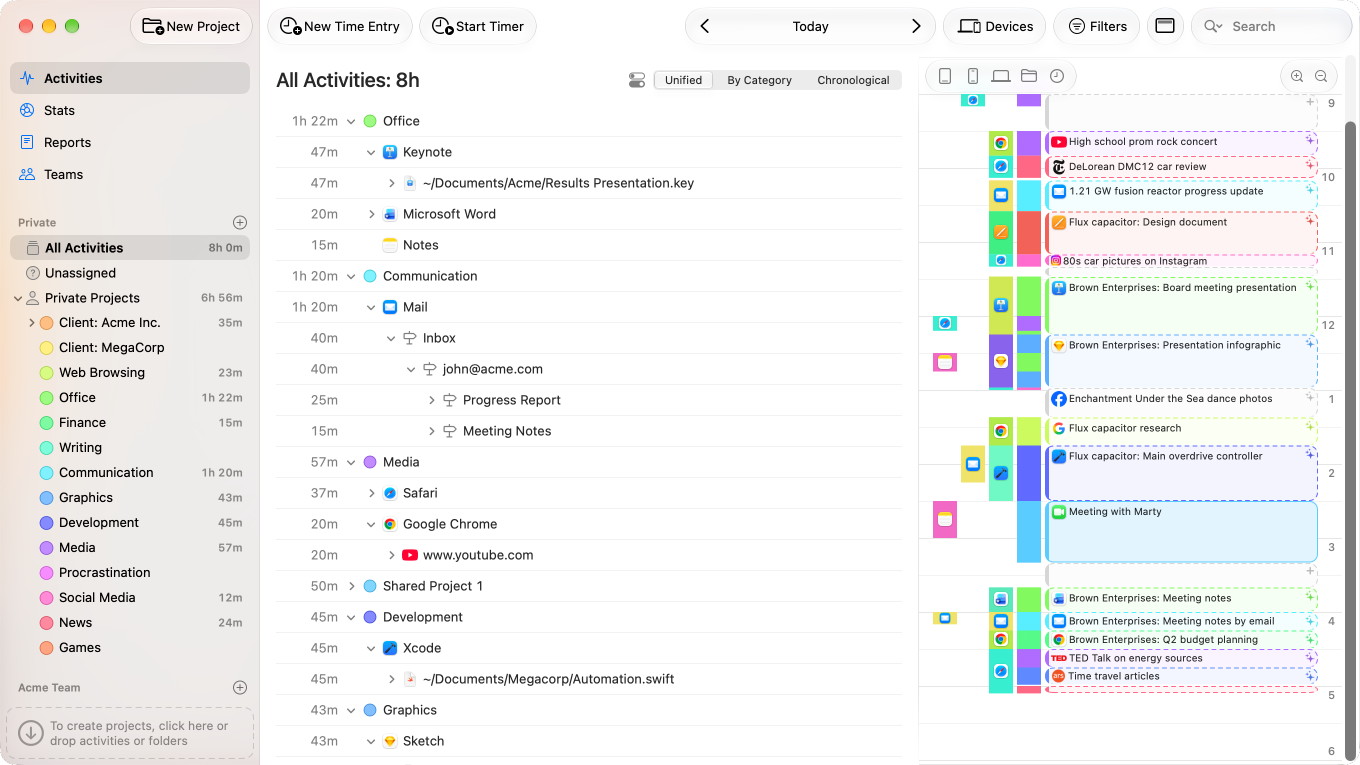
Save hours every week on time tracking
Timing is built from the ground up to eliminate busywork. Automatic tracking, smart suggestions, and customizable rules mean you spend less time logging and more time doing.
Create rules by ⌥-dragging to permanently automate assignments. Over time, Timing saves you hours of manual categorization — not to mention the time you'd normally spend starting and stopping timers.
Or let your AI agent do the sorting. Through MCP, agents like Claude Code and Codex can file your activities into projects and set up rules for you.
Stay organized without the effort
Assign time with simple drag and drop while Timing's intelligent timeline keeps everything organized for you.
Timing automatically combines related time blocks, giving you a clear, organized view of your day — more accurate tracking with less effort.
What Our Users Say
“One of my favorite tools… Timing tracks every second in all your apps, windows and websites on your Mac… the data can be sorted and organized by project and context and I find it extremely useful for multiple applications. ”
“At the end of a day, you can see how everything has gone: what apps you used, what documents, what websites and always how long you spent in each. If you want to, you can go through the list and assign everything to projects.
It's detailed enough that it will track different email threads in Mail and rather than saying you spent five hours using Safari, it will see that ten minutes was on your online banking and the rest was Facebook.”
“Timing 2 does a brilliant job of grouping tasks together and automatically assigning "keywords" to add new tasks to groups. [...] As a result, you can easily see what activities you spent the most time on – and possibly realize that you're not focusing on what you thought you were. [...] It makes it easy to group activities and reap the benefits of manual time tracking with the ease of automation.”
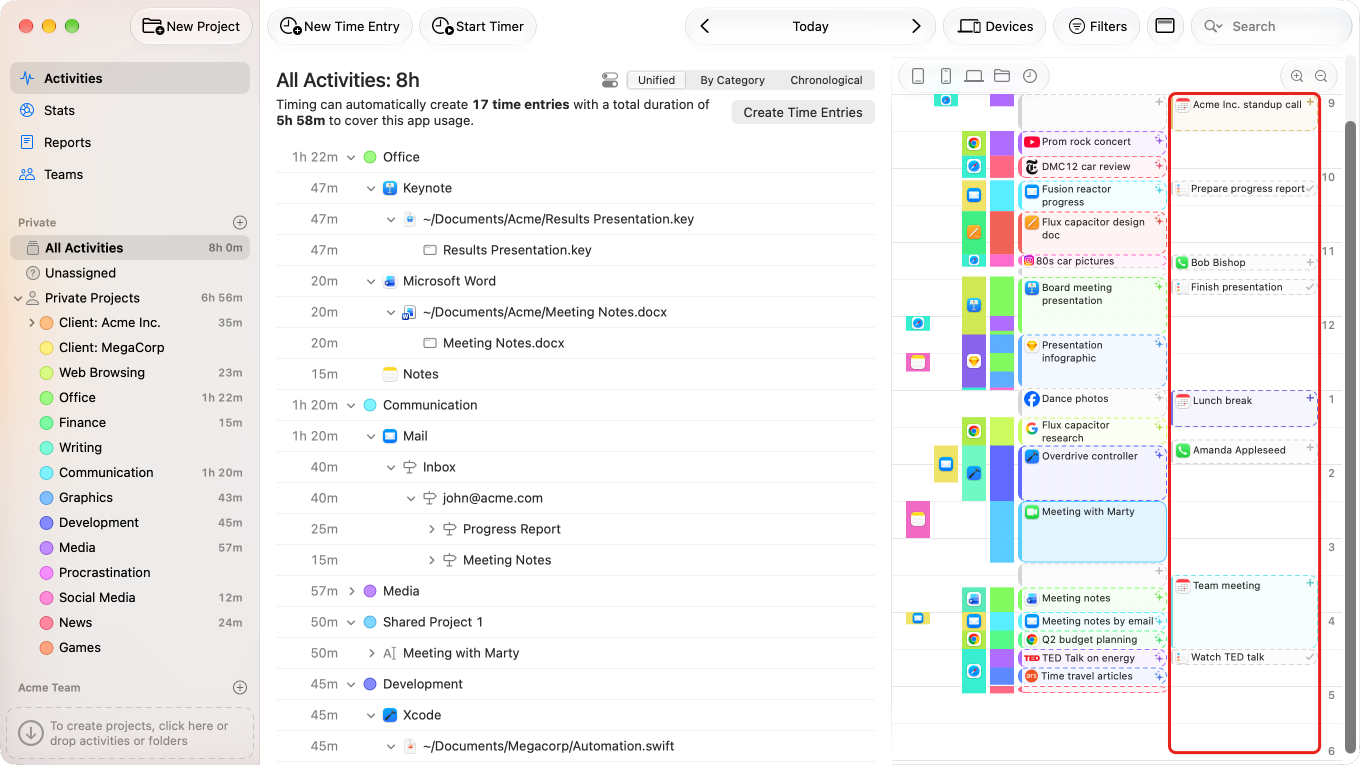
Never miss a minute of billable work
Work doesn't just happen in front of your computer. Timing also tracks time spent on phone calls, meetings, calendar events, and reminders — so nothing slips through the cracks.
Timing is the only time-tracking software with innovative features like this!
Supports all popular call apps, including:


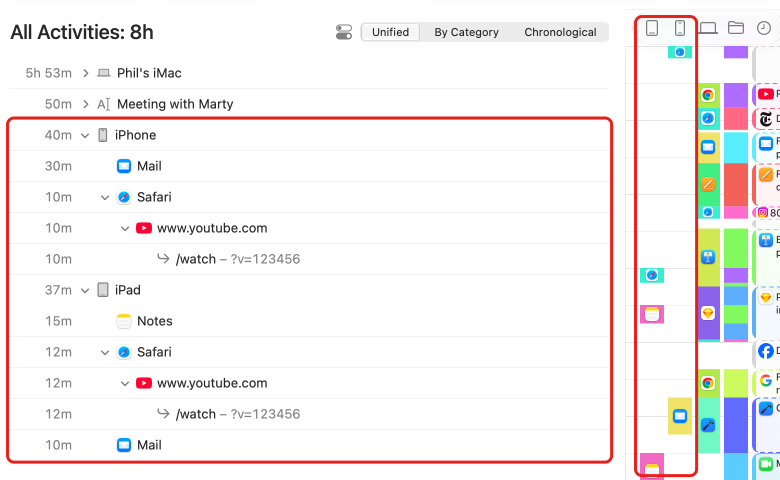
See your time across every device
Timing can import your mobile app usage from Screen Time, giving you a complete picture of all your work — regardless of which device you used.
Timing is the only third-party solution for viewing Screen Time data in this way.
Timesheets you can actually trust
Timing automatically captures every minute of your work, so you can reproduce exactly what you did at any given time.
Bill with confidence — even when you forget to start a timer, your timesheets will be accurate and complete.
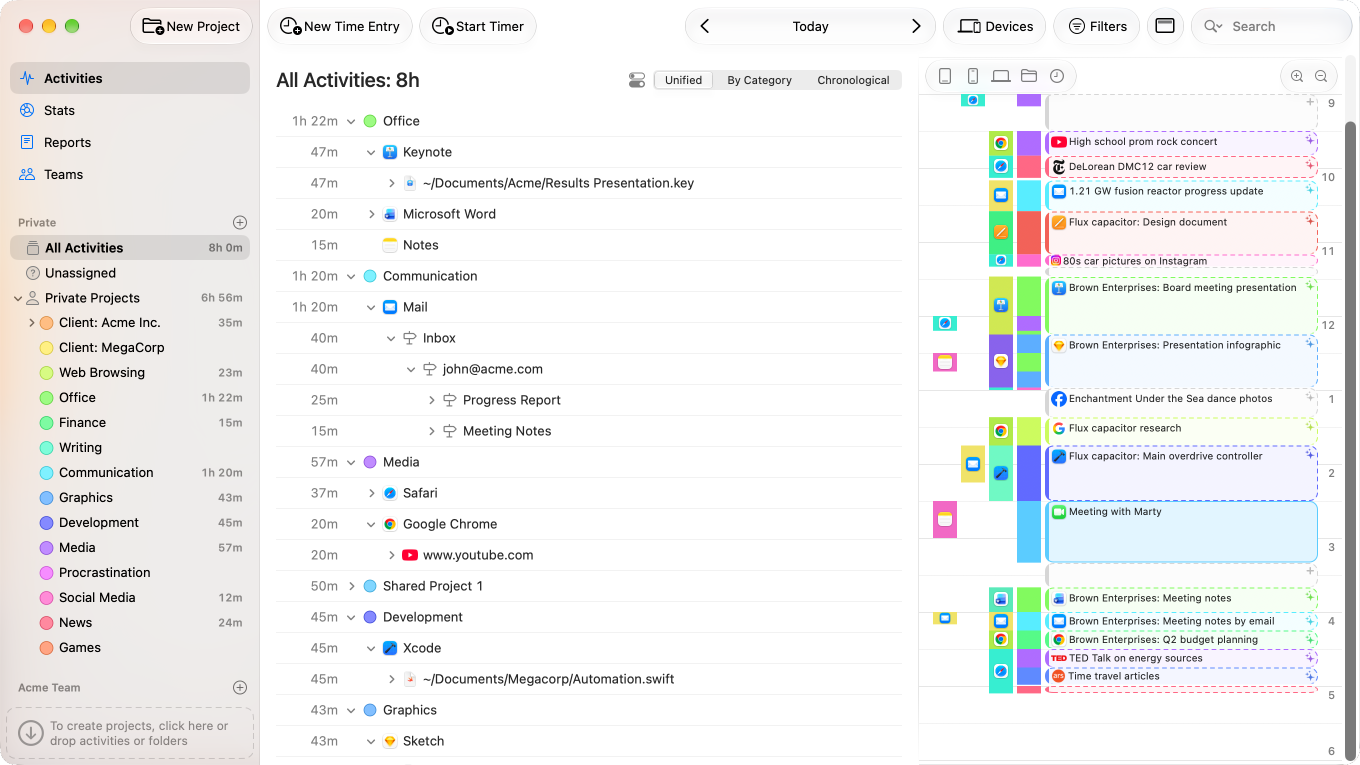
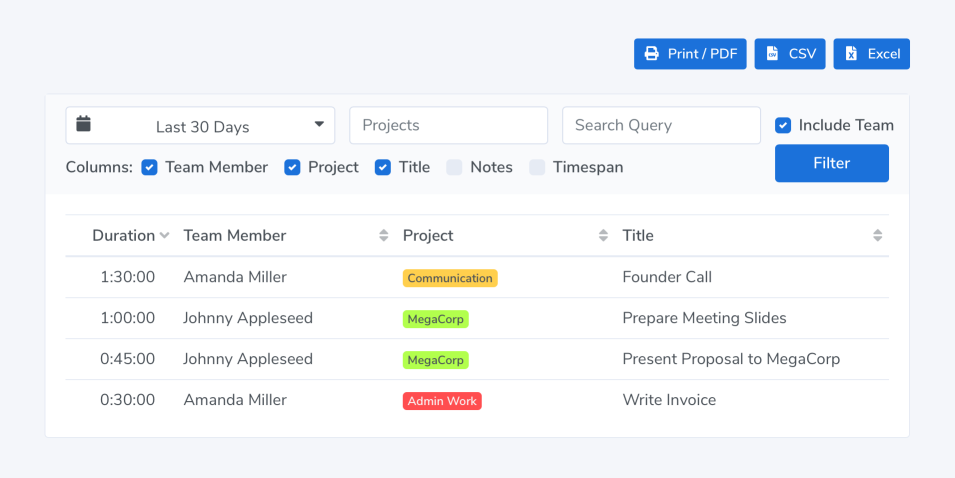
Keep your team on track — without micromanaging
Your team members report time towards shared projects; you view their reports in the Timing web app.
Team admins only see aggregate times associated with team projects. No personal times or private details are shared.
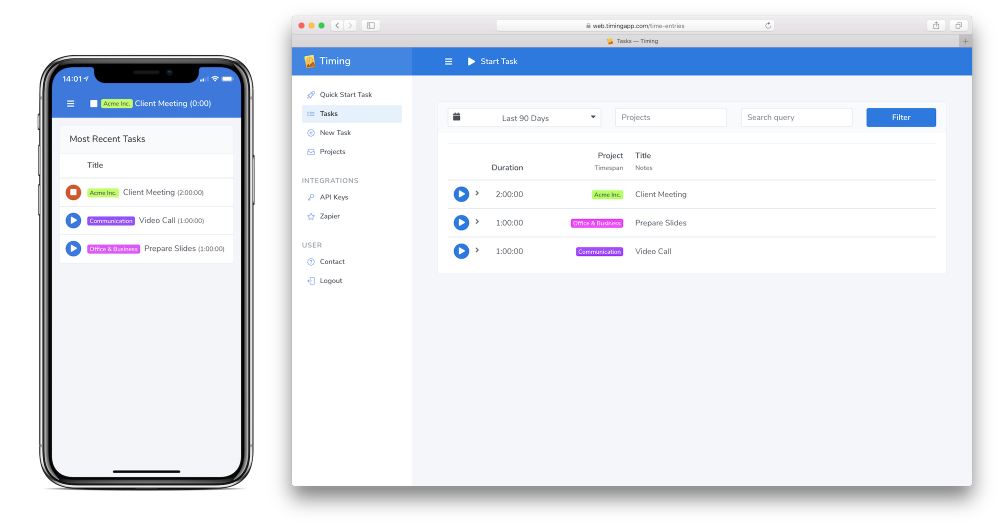
Track time from anywhere — even your phone
Start and stop timers from your phone using our web app, or retroactively assign times imported from Screen Time back when you are on your Mac.
And if you need to integrate your Timing data with other services, our Web API and Zapier integration have you covered.
Features:
No More Start / Stop Timers
Don’t worry about forgetting to start or stop a timer for billing your clients – Timing is automatic timekeeping at its best.
Improve Your Productivity
Timing has automatic productivity tracking built right in.
You can assign productivity scores to all your projects and track how your productivity improves over time. If you need an app to improve your time management, Timing is the app to get.
Document-Based Tracking
Timing automatically tracks every app, document and website you use – including the full file path or URL. This makes assigning activity log data much easier and more accurate.
Manual Hours Tracking Included
When you spend time away from your Mac, you can still add it in Timing – in fact, Timing’s timeline makes it super easy to add those times retroactively! You can even keep a manual timer running during your work, for maximum accountability.
Sync Your Data
Timing can optionally sync tracking data across all your Macs, so you’ll never forget to log hours spent on the go.
CLOUD SYNC
And should your Mac ever break, all your data is stored safely in the cloud.
Calendar Integration
Timing’s calendar integration lets you assign any calendar event in a heartbeat, so you’ll never forget billing that client meeting again. In addition, Timing automatically asks you to record time after each video or audio call, making sure that all time gets accounted for.
As Many Projects As You Need
Simply drag and drop your activities into projects to categorize the time you spent, for super-accurate time management.
And if you ⌥-drag, Timing will create a rule to save you even more time.
⌥
drag to create rules
Track Time on the Go
Timing comes with a web app that syncs with the Mac app, letting you start and stop timers on the go – even on your iPhone.
WEB APP
Web API & Zapier
Connect Timing to your billing and project management systems with our Web API, or to other services with our Zapier integration, without writing code.
AI Agents via MCP
Ask your AI agent what you worked on, and let it file your activities into projects and set up rules for you. Works with Claude, Claude Code, Codex and more via MCP.
MCP
Supports Safari, Chrome and Firefox
Mostly working in the browser? No problem!
Websites you visit are tracked as well –
as are chat apps like Messages, Slack, WhatsApp, and others.
Protects Your Privacy
Your privacy is very important to us. That’s why Timing keeps all your data private:
PRIVACY FIRST
- Tracked times are stored locally and never leave your Mac (unless you opt into sync).
- Private/incognito browser tabs will automatically have their information discarded.
- You can add any activities to the exclusion list to prevent them from being tracked altogether.
Avoid Procrastination
Timing’s automatic time tracker widget can show how much time you spent in the menu bar. In addition, you can also have it show your productivity score in the menu bar, so you get real-time feedback on how you are doing. Challenge yourself to keep getting better and better scores over time!
Native macOS Application
Timing is a native Mac time tracker.
NATIVE
Not a slow web (or Electron) app that hogs your memory – just blazing speed.
Detailed Reporting: Ideal for Freelancers
See what you did in any week, day, or hour.
And when you are finished, export the data as PDF, XLSX, CSV or HTML to create timesheets and invoices.
We also offer a plug-in that lets you automatically import tracked hours as billable items in the GrandTotal invoicing app for Mac.
If you are freelancing, you’ll love it. We also have a dedicated page on how Timing helps lawyers track billable hours.
Stop stressing about time. Focus on your best work.
Try Timing free for 30 days. No credit card required.
Free Download