
-
How to Recognize Toxic Productivity With Time Tracking

Image source: cookie_studio
It is 8 AM on Saturday, and you already feel anxious because you have a lengthy list of tasks you want to complete. Your team told you to take some time off, but you can’t seem to slow down. Your mind is always racing, so you can’t relax.
This is what it’s like when toxic productivity takes over your life. Your mindset makes you believe that your worth is determined by how much you accomplish. If you are not constantly working, you feel useless. Suffering from toxic productivity can lead to depression, anxiety, and burnout.
Tracking how much time you spend on tasks and projects is a great way to reduce toxic productivity as you can ensure you’re not wasting time on unimportant work. It helps you reach your goals faster and with less stress. You can use your downtime to rest and recharge to become even more productive when you return to work.
Automatic time tracking tools, such as Timing for macOS users, help you track how much time you spend on various tasks to see which ones are taking up most of your time.
Timing helps you focus on what’s important instead of wasting time on non-essential tasks. It shows you a detailed breakdown of where your time goes throughout the day to identify any blind spots in your workflow, so you can adjust accordingly.
When you keep track of your time, you’ll be able to identify patterns in your work day and understand how to improve your productivity and efficiency.
Timing also helps you gain a sense of control over your work life and provides you time tracking data you can use for both personal and professional development. To see how it works, download Timing today and start your 30-day free trial.
Toxic productivity and being productive are two completely different things. In today’s article, we will provide the information you need to recognize and overcome this challenge. We will also explain how Timing helps you reduce the need for constant productivity. Let’s start with some basics.
Read More… -
The Importance of Time Recording for Team Efficiency
Many teams agree that time recording is essential in improving productivity and efficiency. However, they usually avoid tracking work hours. It feels like a burden to record time manually since it disrupts their work days, takes up additional time, and results in inaccurate reports.
In the long run, avoiding time recording will do far more harm than good for your team since the average employee faces more than 50 distractions daily, while multitasking makes them 40% less productive.
You can use automatic time tracking software such as Timing to overcome these challenges and improve operational efficiency and team effectiveness. This can facilitate team coordination in general.
Timing automatically tracks time for your team, helping them do their jobs without interruptions. They can freely switch between tasks without worrying about starting and stopping timers.
Timing enables you to understand team capacity, improve time, resources, project management, and increase project profitability by keeping your team on track.
Timing also preserves your team members’ privacy by showing the aggregate project time record without personal details. You can get an overview of the time spent on each project to make necessary improvements. To see how it works, download Timing and start tracking time with a 30-day free trial.
In today’s article, we will explain the importance of time recording for team efficiency and show how to use Timing to achieve your business goals. Let’s start with some general information on time recording.
Read More… -
How to Track Employee Time Effectively: Manual vs Automatic Time Tracking
To track or not to track… That was the question.
Not anymore.
To track manually or automatically – that is the question of today’s importance. Because of poor time tracking habits and, consequently, untracked time, US companies lose $8.8 billion per day.

Image author: Annie Spratt
Businesses still face burdensome disagreements around employee work hours and struggle to decide how to monitor the latter efficiently. Let’s take the controversy around old-fashioned paper timesheets vs digitally-driven solutions for worker time monitoring.
Are you still using paper timesheets or have you already switched to digital methods and productivity apps?
You’ll definitely change your mind in favor of automatic tools after reading this article. Dive in.
-
10 Ways to Improve Poor Time Management
Poor time management is detrimental to productivity and brings more stress to work. It is proven to affect work-life balance and relationships with colleagues. Statistics show that the average person tries to solve this problem using 13 different time management methods.
Timing, our automatic time tracking tool for macOS users, helps you overcome this issue. It records your time down to the second and helps you become more productive and efficient.
With Timing, you get reports on your activities which allow you to identify distractions and take measures to improve your time management. To start tracking your time automatically, without having to remember to start and stop timers manually, download Timing today and use a 30-day free trial to test all features.
Today we will discuss the signs that tell if you fall victim to common time management mistakes. We will also give you ten tips to fix these issues, become more productive and efficient, reduce stress, and improve your overall well-being.
We will also explain how time tracking helps identify time management problems and provides data-based insights on potential improvements. Finally, we will present nine ways Timing enables you to combat poor time management.
Before we share our ten tips to improve your time management, let’s explain why that is important.
-
10 Ways to Overcome Time Anxiety Using Time Tracking
Modern-day urban life can be hectic. Millions of people are constantly busy and always in a hurry. They race against time, which can have long-term effects on their physical and mental health.
A typical response to this situation is to feel overwhelmed, stressed out, and worried that there is not enough time for what we want to do. It is called time anxiety, affecting more or less everyone juggling multiple professional and personal activities.
Good time management is an antidote to time anxiety. To manage your time, you must first understand how you spend it throughout the day. Automatic time tracking tools, such as our Timing for macOS users, provide detailed reports of your activities. With Timing, you don’t have to remember to start, pause or stop timers since it records your time automatically.
You can track time to the second and use the recorded data to identify distractions and productivity issues in your daily work. Timing helps you understand where your time goes and gives you complete control over the deep-level data you can’t gather with manual time tracking. What’s best, you can download Timing and start a 30-day free trial today.
In this article, we’ll discuss the reasons for time anxiety and how it affects your mental health. We’ll also explain how time tracking helps you overcome time anxiety and focus on meaningful activities. Before we share our tips for overcoming time anxiety, let’s define what it is.
-
ActivTrak vs RescueTime: Which Productivity App is Better for You

When you have no control over your bad work habits, they affect your personal life and career. Browsing the internet, shopping online, and especially using social media during work hours can significantly reduce your productivity.
Statista reports that over 200 million people worldwide are addicted to social media. It can even destroy your otherwise successful career in extreme situations.
Luckily, there is an effective way to keep your professional life in order and win back some of the time you’re wasting every day on various online distractions. Spend it instead with family and friends or doing activities that make you happy!
While developing Timing, our premium time tracking tool for macOS users, we extensively researched other time tracking solutions and productivity apps such as ActivTrak and RescueTime to address most of the issues users are likely to have with these tools.
Our goal was to deliver the best possible solution to help our users cut down on bad habits that affect their productivity and efficiency.
We provide high-performing professionals with detailed time reports to help them understand how they spend their workdays and where they can make improvements. As a result, our users feel more in control and empowered in their personal and professional lives. Sign up today for a 14-day free trial, start tracking your time and see if Timing is a good fit for your needs.
Now, let’s go over the basics on RescueTime and ActivTrak and see why Timing is an excellent alternative to these tools.
-
RescueTime vs Freedom – Who Wins?

Productivity is vital in the 21st century, and it’s not a secret that people aren’t as productive as they could be. A Gallup study conducted just a few years ago showed that 53% of employees did only the bare minimum required by their job position.
Also, one clear conclusion from the pandemic’s impact on our lives is that remote work has become more important than ever. In today’s remote working environment, people struggle with distractions that affect their efficiency during the day. That makes it more and more challenging to complete all their work in time to meet their deadlines.
Distractions caused by social media and other web services are one of the leading causes of productivity issues. Luckily, there are ways to curb all this negativity. One easy fix is using time tracking software to ensure your team is working at maximum efficiency.
Timing, RescueTime, and Freedom are some of the popular solutions in this niche. It’s time you found out more about them!
You can start with Timing, our time tracking solution for Mac users, which is enjoyable to use and respects your employees’ privacy while helping you see how they spend their work hours. Activate a free 14-day trial we’re currently offering, and start tracking!
Now, let’s explore RescueTime and Freedom and see how they stack up against each other.
-
RescueTime vs TimeCamp vs Timing: Which Time Tracking App is Better for Small Teams
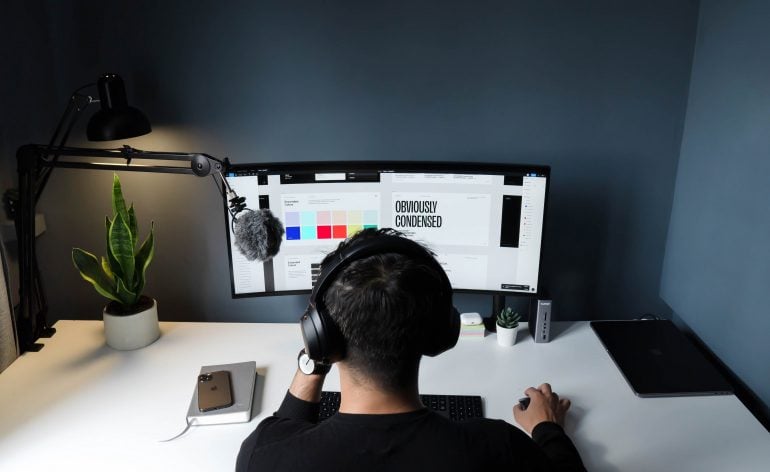
Employee productivity is essential for any successful business, and in the 21st century, there’s a myriad of different distractions that can affect it negatively. The main culprits here are – of course – social media and the Internet. An average American spends around 1300 hours a year on Facebook, Instagram and TikTok. Long story short – wasting time on various portals when your team is supposed to be working can be a severe problem, and it can be pretty hard to pinpoint and identify by yourself.
From a manager’s perspective, knowing precisely how much time your team members spend on different parts of a project is incredibly valuable, especially in the case of smaller teams, where each person’s contribution matters much more. It’s also crucial to know how their workload affects their work-life balance and if it has a negative impact on their personal lives. Thankfully, there’s a category of software that helps you with all that and more – time tracking tools.
While improving the Timing app, our intelligent automatic time tracking solution, and a premium product for Mac users, we did extensive research to compare our product with other tools on the market. We learned that there are quite a few different solutions out there, but RescueTime, TimeCamp, and our Timing seem to be some of the most interesting right now.
In this blog post, we will cover and compare each of these three tools, similar at first glance but with a different set of features and approaches to pricing. So, if you want to learn how they stack up against each other, our in-depth RescueTime vs TimeCamp vs Timing comparison is an excellent place to start!
In the meantime, if you are new to the time tracking tools, we strongly recommend you sign up for a 14-day free trial and download our Timing app to test all available features. The process is fast and easy, and it takes only a minute to set everything up.
-
Time Doctor vs. RescueTime: Which App Will Help You Achieve Your Goals the Most?

For a freelancer, time tracking is crucial for many reasons. Perhaps the most important one is that billing clients for the time you spend on a project is how you make your money. Time tracking tools also help you stay on top of your work and better manage your time.
Even though Time Doctor and RescueTime are some of the most commonly used time tracking software applications these days, there are also alternatives you should consider. Our Timing app is an excellent choice for Mac users looking for an intelligent automatic time tracking solution. It helps you quickly figure out how much time you spend on important projects with less effort, measuring your work activities and distractions simultaneously.
Today, we will compare Time Doctor, RescueTime and Timing to help you decide which one works best for you and your freelancing business. We strongly recommend you start a 14-day free trial and download Timing to try out all the available features if you need a fast start. It will help you save time and money and ensure you don’t leave any working hours accidentally unbilled.
-
Toggl vs RescueTime: Which One Should You Use?

As a freelancer, it is up to you to be productive and work efficiently. You have your clients and the tasks on your plate that need taking care of every day, so it’s easy for days to go by without getting anything done because it’s just too tempting to put off hard work. The solution? Invest in a time tracking tool that helps track how much time you spent on specific activities throughout the day!
Both Toggl and RescueTime are popular tools on the market. However, they have different features which set them apart from one another. In today’s article, we’ll make a general overview of both apps and break down some key features you should know about to make it easier to decide which tool fits your needs better.
In addition to that, we’ll compare Toggl and RescueTime with Timing, our premium time tracking tool for Mac users, as an excellent alternative. It offers some unique features that freelancers enjoy. If you want to test it out right away, use the 14-day free trial and download it now.
Let’s start by covering the basics of time tracking.
