
-
Die besten E‑Mail‑Apps für den Mac: Top‑10‑Clients im Test
Bild: Erstellt mit Dall-EEine Mac-E-Mail-App (oder E-Mail-Client) ist eine Software, mit der Sie E-Mails aus einem oder mehreren Konten lesen, schreiben und verwalten können. Anders als Webmail-Dienste wie Gmail.com läuft eine dedizierte E-Mail-App nativ auf Ihrem Mac – mit schnellerer Performance, Offline-Zugriff und tieferer Integration in macOS-Funktionen wie Spotlight, Kontakte und Kalender.
Erfüllt Ihre aktuelle E-Mail-App Ihre Anforderungen? Steigert sie Ihre Produktivität, optimiert sie Ihre Kommunikation und macht Ihren Arbeitsablauf schneller und effizienter? Oder behindert sie diese Prozesse und frustriert Ihren Fortschritt? Die richtige E-Mail-App in Ihrem Tool-Stack ist entscheidend für den Geschäftserfolg. Doch bei all den verfügbaren Optionen – welche sind die besten E-Mail-Apps für den Mac in 2026?
Hier stellen wir die Top 10 E-Mail-Clients für den Mac vor, erläutern ihre Besonderheiten und listen ihre Vor- und Nachteile auf. Ob Ihre Anforderungen relativ überschaubar sind oder Sie umfassende Ansprüche an Ihr E-Mail-Tool stellen – unsere Liste hat für jeden etwas dabei.
-
Die 11 besten Kalender-Apps für Mac – Vergleich 2026
Bild: Erstellt mit Dall-EOb Sie geschäftliche Meetings oder private Termine organisieren – die beste Kalender-App für Mac ist entscheidend für effektives Zeitmanagement. Die richtige Kalender-App hilft Ihnen dabei, Ihren Zeitplan zu organisieren, Ihre Produktivität zu steigern und effizient mit anderen zusammenzuarbeiten. Sie ist ein unverzichtbares Werkzeug, um die Kontrolle über Ihre Zeit zu behalten und sie sinnvoll zu nutzen.
Aber wie finden Sie bei der Vielzahl an Kalender-Apps auf dem Markt in 2026 die richtige für sich? Wir haben eine Liste der elf besten Kalender-Apps für Mac und MacBook zusammengestellt – darunter auch mehrere kostenlose Optionen. Jede App verfügt über wichtige Eigenschaften, auf die Sie achten sollten, sowie einige besondere Funktionen, die sie von den anderen unterscheiden. Egal ob Sie Freelancer, Kleinunternehmer oder Teil eines größeren Teams sind – hier finden Sie die passende Kalender-App für Ihren Workflow.
-
17 Mac-Systemeinstellungen für einen personalisierten Mac
Bild erstellt mit Dall‑E
Ihr Mac ist mehr als nur ein Computer – er ist Ihr digitales Zuhause. Arbeitsplatz, Kreativstudio und Produktivitätszentrale in einem. Das Erlebnis ab Werk ist beeindruckend, doch durch das Anpassen der Mac-Systemeinstellungen verwandeln Sie ihn in ein präzise abgestimmtes Werkzeug, das Ihre Bedürfnisse vorausahnt und so arbeitet, wie Sie es tun.
Die Systemeinstellungen sind das Kontrollzentrum Ihres Macs. Hier konfigurieren Sie praktisch jeden Aspekt Ihres Rechners, sodass er sich vertraut und intuitiv anfühlt.
Je nach persönlichen Vorlieben – und je nach Art Ihrer Arbeit – unterscheiden sich Ihre Bedürfnisse. Vielleicht hassen Sie Unterbrechungen durch Mitteilungen, Töne und Pings. Oder Ihnen gefällt die Voreinstellung des Trackpads nicht – scrollt es in die „falsche“ Richtung? Wenn Sie regelmäßig Fotos bearbeiten, achten Sie besonders auf die Displayhelligkeit. All das lässt sich in den Systemeinstellungen an Ihre Wünsche anpassen.
Hier stellen wir 17 Einstellungen vor, mit denen Sie Ihren Mac personalisieren. Nehmen Sie sich die Zeit für diese Änderungen – Sie werden effizienter und produktiver arbeiten.
-
Warum lasse ich mich so leicht ablenken? 8 Tipps für mehr Fokus
 Bild: Nubelson Fernandes
Kurze Antwort: Sie lassen sich leicht ablenken, weil interne Faktoren (Stress, Müdigkeit, Hunger, psychische Erkrankungen) oder externe Faktoren (Smartphone-Benachrichtigungen, Unterbrechungen am Arbeitsplatz, Hintergrundgeräusche) Ihren Fokus stören. Studien zeigen: Wir verbringen 47% unserer Zeit gedanklich abgelenkt und wechseln im Schnitt alle 3 Minuten die Aufgabe. Die Lösung: Identifizieren Sie Ihre persönlichen Ablenkungsquellen und setzen Sie gezielte Strategien ein – vom Flugmodus über gebündeltes E-Mail-Prüfen und Website-Blocker bis zur automatischen Zeiterfassung.
Sie öffnen Ihren Laptop, setzen Ihre Prioritäten und starten in den Arbeitstag. Alles läuft rund, und Sie haben das Gefühl, dass ein produktiver Tag vor Ihnen liegt. Dann meldet sich Ihr Smartphone mit einer Nachricht. Vier E‑Mails treffen in kurzer Folge ein. Und Sie werfen „nur kurz“ einen Blick auf Ihren Social‑Media‑Feed. Ehe Sie sich versehen, ist der Tag vorbei. Und mit nur wenigen abgehakten Punkten auf Ihrer To‑do‑Liste fragen Sie sich: „Warum lasse ich mich so leicht ablenken?“
Sie sind nicht allein, wenn Sie sich ab und zu ablenken lassen. Laut einer Harvard‑Studie verbringen Menschen im Schnitt 47% ihrer Zeit damit, über etwas anderes nachzudenken. Und im Büro wird eine typische Bürokraft alle drei Minuten unterbrochen oder wechselt die Aufgabe. Da es nach einer Ablenkung über 23 Minuten dauern kann, wieder in den Fokus zu kommen, führt das zu zerrissenen Arbeitstagen.
Die Folgen sind weitreichend: Ablenkungen erschweren es, fokussiert zu bleiben, in Deep Work zu kommen und produktiv zu sein. Wenn Sie nichts gegen Ihre Ablenkungen unternehmen, leidet am Ende Ihr Erfolg.
Sehen wir uns an, warum Sie sich leicht ablenken lassen – und welche Tipps helfen, Ablenkungen zu begrenzen.
-
Mac-Trackpad-Gesten: Schneller und flüssiger arbeiten
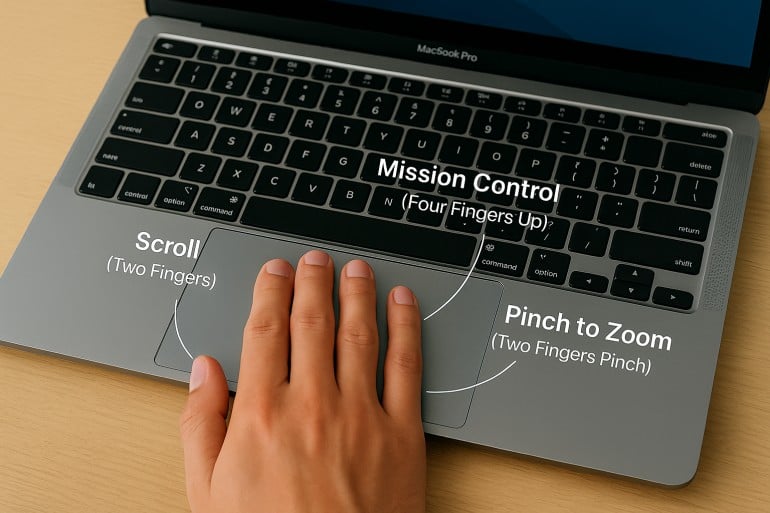 Bild erstellt von ChatGPT
Kurze Antwort: Mit Mac‑Trackpad‑Gesten navigieren, multitasken und steuern Sie Ihren Mac durch einfaches Wischen, Tippen und Zusammenziehen. Wichtige Gesten: Zwei‑Finger‑Scrollen und Rechtsklick, Pinch‑to‑Zoom, Vier‑Finger‑Wisch nach oben für Mission Control und Vier‑Finger‑Wisch nach links/rechts zum Wechseln zwischen Spaces. Alle Gesten lassen sich unter Systemeinstellungen > Trackpad anpassen.
Nutzen Sie Mac‑Trackpad‑Gesten bereits optimal? Neben der Navigation gibt es über ein Dutzend integrierte und benutzerdefinierte Multi‑Touch‑Gesten, die Ihren Workflow und Ihr Surferlebnis intuitiver, effizienter und persönlicher machen.
Ein gezieltes Tippen oder Wischen kann Aufgaben sofort ausführen und Ihnen die Navigation durch Menüs, das Minimieren von Apps und mehrstufige Befehle ersparen – und damit Zeit sparen.
In diesem Leitfaden finden Sie eine umfassende Einführung in Trackpad‑Gesten für den Mac – inklusive eines Abschnitts zu Magic‑Mouse‑Gesten. Von den Grundlagen bis zu fortgeschrittenen Tipps: Erfahren Sie, wie Sie Befehle an Ihren Workflow anpassen.
Read More… -
Bildschirmzeit am Mac: Alles, was Sie wissen müssen
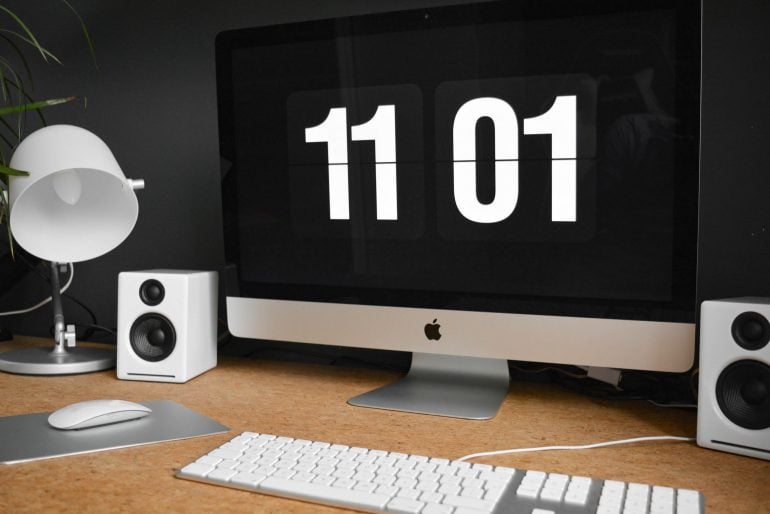 Bildquelle: Damian Patkowski
Wer weiß, wie er seine Zeit verbringt, kann produktiver und fokussierter arbeiten. Indem wir Verhaltensmuster erkennen, finden wir die richtige Balance zwischen verschiedenen Aktivitäten. Doch woher wissen wir, wohin unsere Zeit fließt? Ein Zeiterfassungstool wie Bildschirmzeit für Mac ist ein guter Anfang. (Aber nicht die einzige Option!)
Bildschirmzeit war zunächst eine Funktion für iPhone und iPad, ist aber schon seit einiger Zeit auf allen Apple-Geräten verfügbar, einschließlich Macs. Die Bildschirmzeit auf dem Mac erschien erstmals mit macOS 10.15 Catalina und ist in allen nachfolgenden Versionen enthalten, darunter macOS 11 Big Sur, macOS 12 Monterey und macOS 13 Ventura.
-
Zeitaudit: So finden Sie heraus, wo Ihre Zeit bleibt
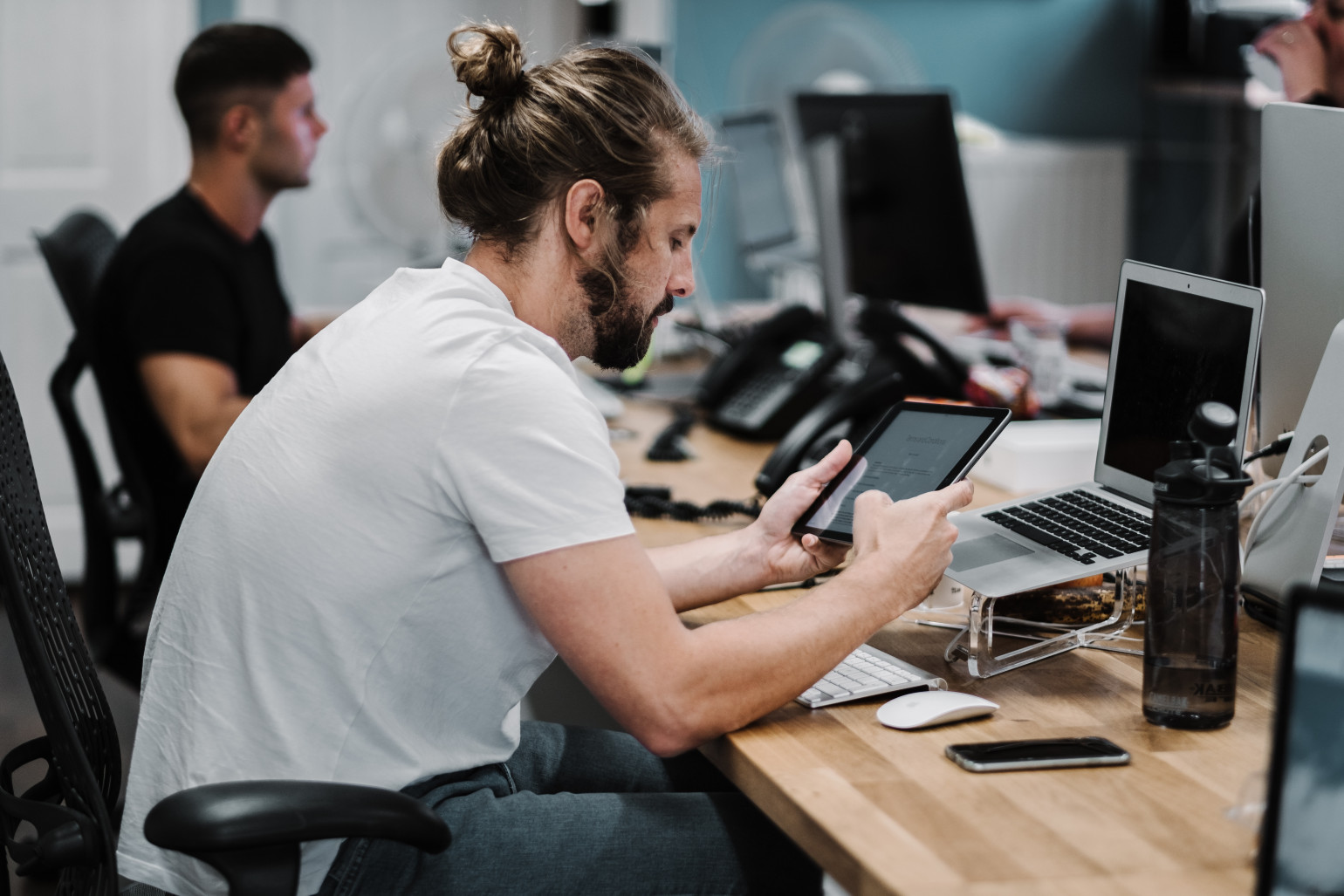 Bild: Studio Republic
Wo bleiben nur die Stunden? Warum haben Sie das Gefühl, den ganzen Tag konzentriert gearbeitet zu haben – und doch nur einen einzigen Punkt auf Ihrer To-do-Liste abgehakt? Hat diese Aufgabe wirklich nur ein paar Stunden gedauert, wie geplant? Oder waren es vielleicht mehr? Genau zu wissen, wie Sie Ihre Zeit an einem beliebigen Tag verbringen, ist gar nicht so einfach. Zum Glück hilft ein Zeitaudit.
Ein Zeitaudit bedeutet, die Stunden und Minuten Ihres Arbeitstags zu protokollieren. Es macht sichtbar, wofür Sie Ihre Zeit aufwenden, und liefert wertvolle Einblicke, mit denen Sie Fokus und Produktivität steigern, Burnout vorbeugen und Ihr Geschäft besser führen.
In diesem Artikel beleuchten wir die wichtigsten Aspekte von Zeitaudits – ihre Vorteile und wie Sie eines durchführen.
-
Screen Time for Mac: Everything You Need to Know
Image source: Damian PatkowskiBeing aware of how we spend our time can help us be more productive and focused. By revealing patterns of behavior, it can also help us to find a balance between the time we spend on different activities. But how do we know where our time is going? Using a time tracking tool such as Screen Time for Mac is a useful place to start. (But, it’s not the only option!)
Screen Time was an iPhone and iPad feature first, but it’s been available across all Apple devices, including Macs, for some time. Mac Screen Time first came out with macOS 10.15 Catalina, and has continued to be available on all subsequent versions, including macOS 11 Big Sur, macOS 12 Monterey and macOS 13 Ventura.
-
The 4 Day Week – Halfway Trial Results and Participating Countries

There is a lot of talk around the six-month trial of a 4-day work week in the United Kingdom. The trial is run by the 4 Day Week Global Foundation who funds research into 4-day week practices, the future of work and workplace wellbeing. The UK trial is in partnership with Autonomy and 4 Day Week UK.
What is the 4 Day Week?
The 4 Day Week Global Foundation is a not-for-profit community established by Andrew Barnes and Charlotte Lockhart. It aims to “provide a platform for like-minded people who are interested in supporting the idea of the 4 day week as a part of the future of work”. A future where workers get an extra day off per week with no reduction in pay. This is based on the 100-80-100™ model. Which stands for 100% pay, for 80% of the time and a commitment to maintain at least 100% of the output.
The UK Trial Halfway Results
The UK 6-month trial kicked off in June 2022 and will conclude in November 2022. The full pilot programme started in February this year with information sessions and a call to sign up. More than 70 UK organisations signed up for the 6-month trial with the halfway point results published last month. Some of these results include:
-
Time Management & Mental Health – Create the work-life balance you need

In support of this year’s World Mental Health Day theme ‘Making Mental Health & Well-Being for All a Global Priority’, we have a unique roundup of articles to help you create a healthy work-life balance and build the life you want.
You may be a freelancer, consultant, entrepreneur, part of a team or manage a team – whoever you are, life is busy. Our lives actually seem to be getting even more and more busy; and it’s getting more difficult to keep on top of everything we need to do.
Did you know that time management isn’t about getting everything done, but rather about getting the important things done? Psychology Today refers to time management as “a skill necessary for achieving a better quality of life. By managing your time in a more efficient way, not only will you get the right things done, but you’ll also have enough time to relax, de-stress and breathe more freely.”
Discover how you can improve your time management skills for a better quality of life with this collection of Timing articles.
- Timing Management Tips: How to Work Less?
- Time Scarcity Can Be Beaten! Here’s How to Break Free
- Mental Health Challenges as a Freelancer — and How to Cope
- How to Recognize Toxic Productivity With Time Tracking
- 10 Ways to Overcome Time Anxiety Using Time Tracking
- Why (and How) You Should Schedule Time For Your Relationship
These articles include tips on how to work less, understand what some of the biggest time management challenges are, as well as helpful references and apps that can help you create the life you want.
