
Release Notes
Since 2011, we've been lovingly building Timing, shipping steady updates, and providing personal support. We're here for the long haul so you can feel confident trusting Timing with your time tracking. Curious how your subscription keeps Timing thriving? Learn more in our pricing FAQ.
If you have an old license for Timing that is not compatible with the latest version, please contact us for a free trial of the latest update!
Version 2026.5 – September 16th, 2026
This update took a bit longer than usual, and there is a happy reason for that: we had a baby this summer. Thank you for your patience while things were quieter than normal around here.
New: connect AI agents to Timing on your Mac (beta). Timing now includes a local MCP server, so agents that run on your Mac, like Claude Code and OpenAI Codex, can review your tracked activities, file unassigned activities into projects, manage projects and rules, and log time entries, all from your conversation. The MCP server currently requires the Connect edition of Timing; existing subscribers can try Connect free for 14 days from the MCP settings. You can set up the MCP server under Settings > Integrations, then follow the setup guide. Note that the Timing web app also has a separate MCP server; we recommend using the desktop app's MCP server in nearly all cases.
Other improvements:
- Keyword rules now match regardless of capitalization and accents. Previously, a keyword rule containing an uppercase letter or an accented character (for example “Café” or “Müller”) could never match anything. Such rules now match as you would expect — a rule for “Müller” now also matches “muller” — so please review your project rules and your exclusions under Settings > Exclusions if you notice activities being filed or ignored differently.
- Dropping activities onto the project drop zone now creates a matching rule for more kinds of rows, such as websites, window titles, and devices. The drag feedback now only mentions a rule when the drop actually creates one.
- Fixed an issue where rules based on the time of day or the day of the week (e.g. "Safari on weekends") could assign activities to the wrong project.
- In "Advanced" reports that group by the exact project, sub-projects with the same name now show their parent projects so you can tell them apart, including in exports. Hovering over a project name also shows its full path.
- In "Easy" reports, the "… selected" figure in the header now respects rounding, so selecting all rows matches the displayed total.
- Improved tracking for the ChatGPT/Codex and Claude desktop apps after their latest updates, including conversation titles in ChatGPT mode and projects when the sidebar is hidden.
- Restored tracking for Spark 3.30. Timing now also records the recipients while you write an email, and names the recipient for messages in your Sent and Drafts folders.
- Fixed tracking of agent titles in Cursor and reduced the CPU usage of tracking it.
- Improved tracking for Apple Notes on macOS 27, Claude Code in the Terminal, and the Final Cut Pro version included in Apple Creator Studio.
- Disabled call detection for Granola.
- The menu bar item no longer appears dimmed while a timer is running, even when app tracking is paused.
- Keyboard shortcuts that you assign to projects in System Settings > Keyboard > App Shortcuts now work right after launch, without opening the Edit menu first.
- Fixed an issue where creating a time entry from a calendar event with a very long description could fail.
- Fixed an issue where Timing could stop importing Screen Time data from a rarely used iPhone or iPad.
- Importing large amounts of Screen Time data is much faster when many of those activities match your exclusions.
- Fixed an issue where printing a report put the header alone on the first page.
- Activating a license via a link no longer briefly shows the expired-trial screen first.
Please note: Timing now requires macOS 14 Sonoma or later; support for macOS 12 Monterey and macOS 13 Ventura has ended.
Version 2026.4 – June 15th, 2026
Changes in version 2026.4.1:
- Fixed-width columns now always size to fit their content; this should avoid issues where the date column could be cut off in "Advanced" reports when a text column such as Title or Notes was very wide.
- Restored tracking for tracking non-Code/-Cowork conversation titles in the Claude desktop app, and added support for tracking Cowork conversation titles.
- Updated WhatsApp chat name tracking for the latest version of WhatsApp Desktop.
- Fixed an issue where selecting "My Projects" could incorrectly include unassigned activities when the new "When selecting a project" sub-project option (added in 2026.4) was enabled.
- Worked around an issue where Timing could cause Tableau Desktop and Tableau Public to crash when publishing workbooks or data sources.
- The rounding-overlap warning in reports now explains the overlap when you hover over its warning icon.
Changes in version 2026.4:
- When you select a project in the sidebar, Timing can now include activities from all of its sub-projects — even ones that are collapsed or archived — via a new "When selecting a project" option in the Advanced preferences (on by default). When archived sub-projects contribute time, the header now also shows how much of the total comes from them, so nothing is silently hidden.
- The rule editor now displays file paths using "~" instead of your full home-folder path, and warns you when a rule's path contains your username — with a one-click "Use Tilde" fix-it — since such rules won't match on other Macs. This is especially useful when you share projects via Timing Sync or with your team.
- Added/improved support for tracking your work in the Claude, Codex, and Cursor desktop apps, capturing the conversation or agent title along with the project it belongs to when possible.
- Added a "Create Rules from Dropped Items" toggle to the project drop zone's context menu. If you prefer to manage rules yourself, turn it off and dropping activities, files, or folders will still create the project and assign the items — just without auto-generating a matching rule.
- Added support for tracking URLs in the Helium browser.
- Timing should no longer show two "call ended" notifications for some Microsoft Teams calls.
- Fixed tracking for the new Microsoft Outlook.
- Fixed ChatGPT conversation names no longer being tracked.
- Fixed the rule editor showing a bright background block in Dark Mode on macOS 13 Ventura and earlier.
- Fixed an issue where dragging a Google Search group built from a multi-line "AI mode" query would fail.
- Disabled call detection for Addictive Drums 2.
Please note: Timing now requires macOS 12 Monterey or later; support for macOS 11 Big Sur has ended.
The next feature update will also drop macOS 12 Monterey and macOS 13 Ventura, requiring macOS 14 Sonoma or later.
Version 2026.3 – April 21st, 2026
Changes in version 2026.3.1:
- You can now completely hide the project drop zone via the "View" menu. In return, the "New Project" toolbar button now doubles as a secondary drop target — dropping activities, files, or folders onto it creates a matching project, mirroring the sidebar drop zone. This is especially useful when the drop zone is hidden, or when your cursor happens to be closer to the toolbar.
- The rule editor now adapts its height to the number of rule rows, keeping the popover compact for short rules and automatically expanding once there are enough rows to benefit from the extra editing room.
- When you filter or re-group the activity list, manually expanded items now stay expanded after they reappear, rather than collapsing back to their default state.
- Timing now includes the current profile name in window titles tracked from the Dia browser, so you can create rules based on the profile.
- Fixed an issue where typing into an inline rename field on a selected row would have invisible text.
- Fixed a layout issue on the sync signup screen.
- Fixed a rare crash when evaluating invalid rules.
Changes in version 2026.3:
Introducing the project drop zone! The sidebar now has a persistent drop zone at the bottom that lets you create new projects from activities, files, or folders in a single drag. This combines project creation and content assignment into one action. When not dragging, clicking the drop zone opens a folder picker to quickly create a project from a folder.
- Drag activities, files, or folders onto the drop zone to create a matching project in a single step. If a project is selected in the sidebar, the drop creates a sub-project under it instead.
- Hold ⌘ when dropping multiple items to create separate sub-projects, or ⌥ to create a matching rule for activities already assigned elsewhere.
- A floating feedback panel near the cursor describes what will happen if you drop, and updates instantly as you press ⌘ or ⌥.
- You can hide the drop zone via View > Always Show Project Drop Zone or by right-clicking the drop zone. It still appears temporarily during a drag.
Introducing the Clio integration! Timing can now show your assigned Clio tasks on the timeline and suggest their titles when creating time entries, similar to how this already works for calendar events and other integrations. You can even sync your time entries back to Clio as Activities.
Also new: the Timing MCP integration (beta)! This is a brand-new way to interact with Timing: you can now connect a compatible AI assistant to Timing and have it review your activity, manage projects, and generate summaries using plain language on your behalf. The MCP server is currently integrated into the Timing web app, and for now you'll need an active Timing Sync account as well as a Timing Connect subscription to use it (just reply to this email for a free trial of that plan). It is still early days — we are actively working on bringing it to the Timing desktop app as well as expanding the scope of what is possible, so for now, please consider this more of a "technology preview" than a fully-fledged feature. We'd love your feedback on which workflows to prioritize next!
Additional improvements:
- The activity list now shows icons and a "Time Entry" badge to make different row types easier to tell apart at a glance. Window titles, in-app locations, devices, and time groups each get their own icon with hover tooltips.
- When a time entry is linked to an integration (Linear, ClickUp, Clio, Todoist, calendar events, reminders, ...), the integration's icon now appears in the activity list. This makes it easier to check whether a time entry is correctly linked to the desired integration. The integration link is also preserved across more time-entry creation paths, such as the Entry-O-Matic and resuming a stopped timer.
- You can now create rules that match using regular expressions! Just select the new "matches regex" operator in the rule editor. The rule optimizer's warnings also now descend into nested compound rules to surface more redundancies.
- When multiple time entries share the same title, they collapse under a single header row. These header rows now show their own distinguishing icon, and clicking them starts an inline rename that updates all the grouped entries at once — just like renaming a file in Finder.
- The toolbar now gracefully adapts to narrow windows, using shorter button labels and, if needed, only icons at the narrowest widths, so it is less likely for toolbar items to be hidden in the overflow menu.
- Disabled call detection for ClickUp Brain and Claude dictation.
- Call-based time entries now use just the extracted meeting title, dropping the redundant "Teams call: " / "Webex call: " prefix.
- Slightly improved title tracking for Mail.app.
- Fixed an issue where creating a new time entry could cause the start date to default to an old date.
- Fixed the X button and Escape key not clearing the toolbar search field on macOS versions prior to 26.
- Fixed rule optimizer fix-it changes not saving when they were the only edit to a project.
- Fixed an issue where Rules tab controls could become invisible for users who had previously collapsed the rule editor.
- Fixed "Order Sub-Projects Alphabetically" missing from the root-level "My Projects" context menu.
- Exported filenames now replace colons and slashes with dashes, so reports open reliably in Excel.
- Fixed a rare crash when evaluating rules relating to the application name.
Please note: This might be the last version of Timing to support macOS 11 Big Sur, macOS 12 Monterey, and macOS 13 Ventura.
The next feature update for Timing will likely require macOS 14 Sonoma or later.
Version 2026.2 – February 25th, 2026
Introducing the Linear integration! Timing can now show completed Linear issues on the timeline and suggest their titles when creating time entries, similar to how this already works for calendar events and other integrations. In addition, it is even possible to sync your time entries back to Linear as issue attachments!
- We've streamlined the project creation experience with a new "Quick Setup" view that lets you create a project with just a name and an optional matching rule. You can switch to the full editor via the "All Options" tab at any time. The rule editor has also received its own section to give it more space. In addition, when you cancel creating a project, there no longer will be a "New Project" left behind.
- The rule editor now shows diagnostic warnings when it detects issues with your rules, such as redundant or duplicate rules. Each warning includes a one-click fix-it button to automatically resolve the issue. We also renamed the "Path" field to "Any Path" for better clarity and reordered the field selection for more logical grouping ("coarser" fields come first).
- The project context menu has been reorganized and now includes additional options. New options include a "Rating" submenu to quickly set project productivity for one or more projects, a "Billing Status" submenu for a similar purpose, and a shortcut to directly edit its rules.
- You can now right-click activities in the activity list to "Open" the associated file or URL, or "Reveal in Finder".
- In the "Unified" activities mode, Timing now automatically determines the best URL grouping order for each website. For example, Google Docs will group by title first (since the URL changes with cursor position), while other sites where the title changes frequently even when on the same URL will group by path first.
- Improved tracking in terminal apps when used with AI coding assistants like Claude Code. Window title changes now create separate activities even within the same directory, and animated UI noise is automatically stripped.
- Improved support for recognizing calls in Microsoft Teams.
- Fixed an issue where using "Switch Task..." from the menu bar would create overlapping time entries.
- Fixed issues where importing Screen Time data or call history could fail due to duplicate entries.
Version 2026.1 – January 7th, 2026
- You can now type "$" in the time entry title field to quickly select a billing status for that entry. Just like using "@" to select a project, this allows you to set the billing status without leaving the keyboard. Icons are also now displayed for each billing status in the autocomplete list for better visual identification.
- In "Advanced" reports, you can now group by "Project (hierarchical)" to display any number of nested project levels in your reports, rather than being limited to just top-level or second-level projects.
- You can now apply a color scheme to all sub-projects by right-clicking a project and selecting "Reassign Sub-Project Colors". Hold Option to apply recursively to all nested sub-projects. This is useful when you have previously re-arranged your project hierarchy, causing the sub-project colors to no longer be consistent.
- Call ended notifications now include a "Don't Ask Again for This App" option, allowing you to disable call detection for specific apps individually without affecting other apps.
- Duration labels in stacked bar charts now show abbreviated format (e.g., "2h" instead of "2h 30m") when there are many items, making charts easier to read.
- Disabled call detection for Cursor.
Version 2025.9 – November 18th, 2025
Timing can now round time entry durations in reports for cleaner timesheets! This is especially useful when billing clients in fixed increments, such as rounding to the nearest 15 minutes or 6 minutes for easier invoicing.
Here's how it works:
- In the "Easy" reports view (and the web app), you'll find new rounding controls that let you choose how to round your time entries.
- Choose your rounding method:
- Up to – Round durations up to the next interval (e.g., 2 minutes becomes 5 minutes with 5-minute rounding)
- Down to – Round down to the previous interval (e.g., 4 minutes 59 seconds becomes 0 minutes with 5-minute rounding)
- To nearest – Round to the nearest interval (e.g., 2 minutes 30 seconds becomes 5 minutes with 5-minute rounding)
- Select your interval: Choose from 1, 5, 6, 10, 12, 15, or 30 minutes, or 1 hour.
- See original values: When rounding is enabled, hover over duration and timespan columns to see the original values before rounding.
- Timing will also warn you if rounding causes overlapping timespans between entries.
For complete details, check out the updated Reports documentation. Please note that rounding is currently only available in "Easy" reports and the web app, not in "Advanced" reports. If you have a pressing need for rounding in "Advanced" reports, please let us know!
Additional improvements in this version:
- Improved support for detecting calls in the latest version of Microsoft Teams.
- Improved tracking of email senders in Spark Mail.
- When you switch to Timing from another app, the app will now update more frequently to ensure its data is always up to date.
- Fixed an issue where selecting one of the suggestions when using "@" to search for projects in the time entry title editor, would not actually switch to the desired project.
- Addressed an issue that could cause Timing to download files from iCloud to show their icons in the activity list, which would cause unwanted downloads as well as stalling the app.
- Fixed a crash that could occur when Timing was starting up.
- Fixed the "advanced scripting support available" property in the AppleScript dictionary.
- A few performance optimizations.
Changes in version 2025.9.1:
- Fixed an issue with "No device ID" errors being shown repeatedly, especially when using Timing on a new Mac that was restored from a backup.
- Possibly improved compatibility slightly with menu bar managers such as Ice.
Version 2025.8 – October 20th, 2025
Timing can now track the billing status of your time entries, making it easy to see which work still needs to be invoiced, which has been billed (but not yet paid), and which has been paid.
Here's how it works:
- Make sure that billing status tracking is enabled in Timing's preferences under the new "Billing" tab. You can set a default billing status for new time entries (Not Billable, Billable, or None to disable the feature).
- A note about existing entries: Enabling billing status tracking only affects new time entries. Your existing time entries will keep their existing status (or show as "Undetermined" if they were created before billing status tracking was introduced). You can easily update them using the bulk right-click method described below.
- Track the lifecycle: Move time entries through the billing lifecycle with these status values:
- Not Billable – Internal tasks, learning, admin work
- Billable – Work that can be billed but hasn't been invoiced yet
- Billed – Work that has been billed but not yet paid
- Paid – Work that has been billed and paid for
- Undetermined – Time entries created before billing status tracking was enabled
- Bulk updates made easy: Select multiple time entries, right-click, and choose "Set Billing Status" to update them all at once. This is perfect for marking all "Billable" entries as "Billed" after creating an invoice, or later marking "Billed" entries as "Paid" once you've received payment. You can also use this to set an initial billing status for your existing "Undetermined" entries.
- Filter reports by billing status: In reports, you can now filter time entries by billing status. For example, generate a report showing only "Billable" entries that still need to be invoiced, or only "Billed" entries to see which invoices have outstanding payments.
- Automation support: Use the new
update billing status for time entriesAppleScript command or the batch update Web API endpoint to change billing status programmatically.
For complete details, check out the new Billing Status documentation.
Changes in version 2025.8.1:
- Added support for ChatGPT Atlas.
- The Billing Status column in "Easy" reports will now show colored pills, allowing you to more quickly identify which billing status a particular time entry has.
- Hopefully addressed an issue where the Timing tracker would not relaunch itself after installing an update.
Version 2025.7 – September 15th, 2025
This update adds full compatibility with macOS 26 Tahoe and its new Liquid Glass design!
We've carefully reworked many of Timing's views to seamlessly integrate with the new design, ensuring your time tracking experience feels right at home on the new OS. That being said, if you have not yet upgraded to macOS 26, we suggest you wait a few more weeks with upgrading macOS (e.g. until macOS 26.1 or 26.2), as the new OS still has a lot of rough edges.
Additional improvements in this version:
- Search history: The toolbar search now remembers your recent searches, making it easier to quickly find previously searched items. Note that only searches confirmed by pressing Enter will be remembered.
- Improved browser support: Timing now tracks URLs in Dia, Station, Stack and Shift browsers, as well as Chrome Progressive Web Apps (PWAs) and Safari Web Apps.
- Opt in to beta versions: You can now select between stable releases and beta versions in the Advanced settings, giving you the option to get early access to new features.
- Improved tracking of email addresses in Spark Mail.
- Worked around an issue where Timing would send two notifications about concluded Webex calls.
- Hopefully improved the stability of the Timing tracker relaunching itself after installing an update.
- Hopefully addressed an issue where Timing would ask you to sign back into sync because it thought you were using it on a new device.
- Updated the Spanish translation to use "Tiempo en pantalla" for consistency with Screen Time.
- System requirement update: Timing now requires macOS 11.0 or later.
Changes in version 2025.7.1:
- Disabled call detection for PlugData.
- Fixed a crash that could occur when dismissing the dialog for deleting activities.
- A few layout fixes related to the changes made to support macOS 26.
Changes in version 2025.7.2:
- Improved the design of Timing's HTML and PDF report exports.
- A few more UI improvements for macOS 26.
- Slightly improved the reliability of tracking the current chat in the ChatGPT Mac app.
- Fixed an issue where trying to clear the search field in the toolbar would have no effect.
- Fixed an issue where large amounts of times for a “com.apple.springboard.stand-by” app would be imported from Screen Time.
- Fixed a rare issue where day changes would not be reflected everywhere in the app.
- Fixed a rare crash.
Changes in version 2025.7.3:
- Fixed an issue where
noCurrentDeviceAvailableand similar errors were being shown.
Please note that this version of Timing requires macOS 11 Big Sur or later.
Version 2025.6 – August 4th, 2025
Please note: This is the last version of Timing to support macOS 10.15 Catalina.
The next version, Timing 2025.7, will require macOS 11 Big Sur or later.
The Screen Time integration is back! We have found another way to import your iPhone and iPad usage into Timing, so you can view and categorize these times on the timeline and in reports. You can set up this integration in Timing's integration settings.
That being said, please note that, as before, we can't guarantee that this way of importing iPhone usage will continue to work forever, and it may stop working without notice. But for the time being, you'll be able to view your iPhone and iPad usage right inside Timing again!
Version 2025.5 – July 28th, 2025
- Added support for copying activity list items to the clipboard:
- For "grouped" screens such as the "Activities" screen in "Unified" mode, this will copy a plain-text hierarchical version of the list. This format is suitable for e.g. summarizing your day using AI; try pasting it into e.g. ChatGPT or Claude and let us know what you think!
However, please note that this list can quickly get very long due to the amount of detail that Timing records; we recommend setting the "Collapse activities shorter than" option to e.g. 1 minute before copying to keep the amount of data manageable. - For tabular data (e.g. the "Reports" screen in "Easy Mode"), this will copy a tab-separated version of the list suitable for e.g. pasting into a spreadsheet.
- For "grouped" screens such as the "Activities" screen in "Unified" mode, this will copy a plain-text hierarchical version of the list. This format is suitable for e.g. summarizing your day using AI; try pasting it into e.g. ChatGPT or Claude and let us know what you think!
- Added the ability to drag folders from Finder onto the project list in the sidebar to create projects from them, including a rule that matches all files in the folder. This should make it easier to get started with new projects with less configuration. Note that if you drag a folder onto a project in the list, Timing will continue to add a rule for the existing project rather than creating a new one.
- Added support for tracking the active note in NotePlan.
Version 2025.4 – July 21st, 2025
- You can now secure your Timing Sync account with two-factor authentication (2FA). Activating 2FA will not log out any active sessions, but you will need to enter a code the next time you log in after activating 2FA. You can activate 2FA on the Timing web app.
- Added support for tracking the active conversation in Claude Desktop.
- Improved the reliability of call detection for Microsoft Teams.
- Auto-complete suggestions on the time entry will now also match on the notes of the corresponding projects when filtering.
Version 2025.3 – April 22nd, 2025
Changes in versions 2025.3.2 through 2025.3.4:
- 🇪🇸 Se habla español! Timing is now available in Spanish! We've done our best to review that all translations are correct, but if you find any mistakes or unusual wordings, please let us know!
- While at it, we also made a few small improvements to the German and French translations.
- Version 2025.3.3 fixes an issue with the Spanish translation that prevented signing in to an existing sync account.
- Version 2025.3.4 improves the display of non-unique project titles in the "Quick Start Timer" menu.
Changes in version 2025.3.1:
- When you select a collapsed project in the sidebar, the activity list will now include activities from the archived sub-projects of the selected project as well (in addition to the non-archived sub-projects, which were already included).
- When you hold down the Option key while clicking the "AI Summary" button in the time entry editor, the AI summary will now be written to the time entry's notes rather than the title.
- Added support for tracking the current activity in DEVONthink 4.
- Further reduced the frequency of showing notifications about intermittent sync failures due to e.g. your Mac not being connected to the Internet.
Changes in version 2025.3:
- You can now more quickly create rules that match multiple values by combining the desired values with the || (OR) operator in a single rule. For example, Title contains "value1 || value2" will match if the title contains either "value1" or "value2". This helps you create rules for multiple terms more quickly and with less visual clutter. If you'd like to learn more about this new feature, check out the documentation on nested rules.
- Updated the detection of meeting titles in Microsoft Teams calls for the latest version of Microsoft Teams.
- Fixed an issue where the time entry editor's auto-complete list would show up behind the editor itself.
- Fixed an issue where having the working hours span into the next day would cause the timeline to show the wrong working hours.
- Fixed an issue where rules like Title is "" would not match any activities.
- Fixed an issue where Timing would claim that you were using a new device and sign you out of sync.
Version 2025.2 – February 20th, 2025
Changes in versions 2025.2.3 through 2025.2.6:
- Improved support for tracking the current activity in ChatGPT and Mimestream.
- Fixed an issue where Timing would not generate suggestions for breaks on the timeline when the AI summary feature was enabled.
- Addressed an issue where Timing would record the wrong URL in Chrome 134.
- Timing should no longer show two notifications about ended FaceTime calls.
- Hopefully fixed an issue where time entry editors shown by the Timing tracker app could not be closed.
- Hopefully fixed an issue where Timing would no longer sync after the Mac woke up from sleep (versions 2025.2.4 through 2025.2.6 contain further changes to address this).
We've improved how you create and manage time entries with several new features! The highlight is the new project quick-select with the "@" symbol - just type "@" in any time entry title after the existing title to instantly search and select projects without interrupting your workflow.
Time entry improvements:
- You can now type "@" in the time entry title editor to quickly search for and select a project for that time entry as part of the time entry autocomplete. This is useful to quickly pick a project for a time entry, especially when you have already entered a title for it. Just type "@" after the title, then proceed with entering parts of the desired project's name, and Timing will offer you to select the desired project while keeping the title you already entered.
- The time entry autocomplete will also now highlight parts of the suggestion's title or project that match your search query in bold, making it easier to find the right suggestion.
- When you select an autocomplete suggestion as part of starting a timer, Timing will now re-use that previous timer's estimated duration (if available) for the new timer. This is e.g. useful if you have a frequent activity that usually takes about the same amount of time, such as 5-minute breaks.
- You can now resize the width of the time entry autocomplete window, and Timing will remember your preferred width. Note that the cursor currently won't indicate where to drag; you'll need to find the window's edge to resize it.
- Added a new "Keep the timer running" option when creating time entries from "What did you do?" idle time notifications. This is useful in cases when you have already started with an activity off your Mac, but aren't finished yet, and want to have Timing keep tracking time for that activity until you actually finish it.
- Enhanced the ranking of time entry suggestions to better prioritize the most relevant results.
- Timing will now split very long block suggestions on the timeline on hour boundaries, allowing you to view and track your time in greater detail.
Other improvements:
- Added support for tracking URLs in Zen Browser and Naver Whale.
- Added support for tracking information about the current email in Spark. However, please note that this functionality may break with future Spark updates, and it is not guaranteed that we will be able to maintain compatibility in the future.
- Improved tracking in the new Microsoft Outlook, especially when Microsoft Copilot is enabled.
On macOS Sonoma, if you have selected slightly larger text in your Mac's Accessibility preferences, Timing will now respect that setting in a lot of places.(Reverted in version 2025.2.1 due to layout issues.)
Minor changes:
- Version 2025.2.2: Fixed an issue where the highlighting of parts of the suggestion's project would cause layout issues in conjunction with long project names.
- Upgraded the library underlying our sync technology for improved performance and efficiency.
- Improved performance by optimizing how frequently accessed preferences are handled.
- Improved call detection reliability and added additional apps to not track calls for.
- Fixed an issue where timeline suggestion blocks for idle time weren't being generated correctly when AI summaries were active.
Version 2025.1 – January 16th, 2025
- It is now possible to create rules based on the day of the week! This allows you to e.g. create filters showing only times spent on weekends (or weekdays), or e.g. automatically funneling such times into a different project.
- Added an option to hide old devices in the device filter. This can be useful if you have a lot of devices and only want to see the ones listed for which there are activities in the currently selected date range.
- Hopefully improved the reliability of call detection for Cisco Webex. However, this might in turn cause more than one "Call ended" notification to show up for Webex calls. If you encounter this, please contact us for a fix!
- Improved support for tracking the current activity in Productive.io.
Version 2024.6 – December 10th, 2024
Version 2024.6.1:
- Added an option to show only time from productive projects in the menu bar.
- Added an option to group website URLs by path before grouping by title in the "Unified" mode of te "Activities" screen.
- Fixed an issue where generating a PDF from a report would only generate a blank page.
- It is now possible to create rules based on the time of day! This allows you to e.g. create a filter only showing overtime, or e.g. automatically funneling such times into a different project.
- We have improved the appearance of the color picker for projects and filters on recent versions of macOS. Rather than showing a bunch of color swatches, it now shows a single color picker that you can then expand to either select one of the built-in colors, or pick an arbitrary color using the color wheel.
- When creating a time entry, you can now click the new AI Summary button to have Timing automatically summarize your app usage in the new entry's time range.
- Similarly, Timing will now automatically generate AI summaries when you click and drag on the timeline to select a range of time.
- Accepting a time entry title suggestion using Cmd-Return will no longer incorporate the previous time entry's notes.
- Improved the reliability of meeting detection for calls made in Webex and Microsoft Teams.
- Slightly improved support for tracking the Kitty terminal.
- Resolved an issue where the duration field in time entry editors would sometimes show AM/PM qualifiers.
- Resolved an issue where the search field in the title bar would not find apps that have been renamed since they were first recorded (e.g. "System Preferences" to "System Settings").
- Resolved a rare issue (at least for activities tracked in the future) where Timing could end up showing multiple "groups" with the same title in the "Activities" screen when these titles contained Unicode characters.
- Resolved a rare issue where the call history integration could repeatedly show error messages.
- Fixed a few rare crashes.
- A few minor performance optimizations.
Version 2024.5 – October 28th, 2024
- When creating a new project, Timing now offers to automatically add a rule to match times containing the project's name in their title or path to the new project. This saves you time categorizing activities and/or creating rules manually, as e.g. all times spent in a folder for that project would automatically be assigned to the project, without any extra effort on your part.
- When you ⌥-click a time entry suggestion in the timeline, Timing will now not only instantly create a time entry for that suggestion, but also use the suggested title for the new time entry's title. So if you want to use Timing's new AI summaries to quickly group your entire day into time entries with meaningful titles, this is the way to go!
- After completing the initial onboarding, Timing will now offer to create your first project.
- When closing the "What did you do" idle time dialog, Timing will now switch back to the app that was used immediately before, rather than the one active when the dialog was shown.
- Timing now only keeps the latest backup of its sync database around, saving disk space.
- When opening the project editor, the rule editor will now be expanded by default.
- We have hopefully fixed a rare crash on launch.
- Timing will now remember when you select "Don't Remind Me" as the estimated duration when starting a timer.
- Version 2024.5.1: Added a few missing translations for the new welcome screen.
Version 2024.4 – September 23rd, 2024
We are excited to bring you Timing’s first AI feature:
Timing can now give you AI-generated summaries of your day on the timeline!
This feature augments Timing’s existing time entry suggestions in the vertical timeline with a summary of what you have been doing during that time:
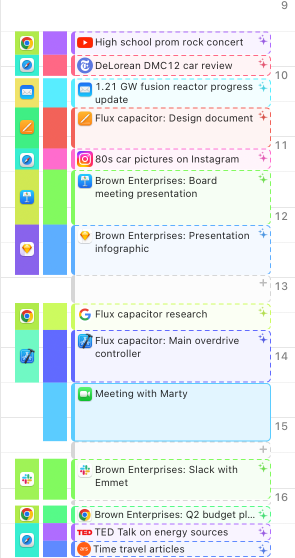
With this, you gain faster insights into how your day went and can create more accurate time entries.
This functionality is optional: It can only be activated if you have a Timing Sync account, and upon launching this new version for the first time, you will be asked whether you want to enable it. You can also enable or disable it at any time in Timing’s sync preferences.
This feature is part of Timing Expert, but we are making it available for free to all users until the end of October. It also requires macOS 12 or later. You can learn more in our knowledge base.
What do you think of this new feature? What other AI features would you like to see? Let us know!
Additional changes in this version:
- Option-clicking an autocomplete suggestion when creating a time entry will now use the suggested title for the time entry's notes field rather than the title field. This is particularly useful when you e.g. want to include the AI-generated summary in your time entry, but still want to use your own title for it.
- The "Activities" screen will now by default reflect your entire folder hierarchy rather than grouping only by the immediate parent folder.
- Improved the formatting of information tracked for Slack.
- Times imported from iPad will now show up with an iPad icon instead of an iPhone icon in the timeline.
- Improved performance of opening a rules editor for the first time when you have a large number of apps.
- The rules editor will now start off by suggesting "contains" rather than "is" rules as the first option, as that is generally more useful.
- Resolved compatibility issues with Aqua Data Studio and Gephi.
- Fixed an issue with logging into an existing sync account when using the French localization.
Version 2024.3 – August 12th, 2024
- Timing will now suggest recent calendar events when a meeting has ended, you return to your Mac after some idle time, or when you start a new timer from the Timing tracker app. This should make it easier to note down meeting details for e.g. Zoom meetings, for which Timing can't obtain meeting details directly from the Zoom app itself.
- Your project rules will now apply to calendar events. This means that Timing should more frequently suggest the correct project when you click a calendar event on the timeline to create a time entry for it.
- When displaying sub-tasks imported from ClickUp, Timing will now also show the parent task's title.
- The "+5m" button in the time entry editor will now stop at the current time. This allows you to quickly set a time entry's start or end time to the current time by clicking that button repeatedly until you arrive at the current time.
- Timing will no longer accidentally ask for meeting details when using any app made by Steinberg.
- Using the search field in the toolbar should now more reliably search file paths.
- Fixed an issue where the "now" button would not be disabled when editing a running timer.
- Hopefully avoided a few cases where the time entry duration picker would display "AM" or "PM".
- Reduced the CPU usage of Timing's tracking slightly further.
- Version 2024.3.1: Fixed a rare crash at launch.
Version 2024.2 – May 23rd, 2024
Changes in Timing 2024.2.2:
- A few call detection tweaks, hopefully improving support for RingCentral.
- In exports, file paths should no longer be exported with a "file://" prefix.
- Hopefully fixed an issue where the time entry duration picker would sometimes display "12AM" instead of "0" for the hour value.
- Improved the display of time entry suggestions in belonging to the currently selected project in the timeline.
- Ensure that changes to e.g. a project's name and color are immediately reflected in activity lists and the timeline.
Timing 2024.2.1 fixes a recent issue with Timing stopping to record activities under some circumstances, such as installing an update or waking your Mac from sleep. However, as this update is installed by the previous version of Timing, this issue might occur once more as part of installing this update. Therefore, we recommend rebooting your Mac after installing this update to ensure uninterrupted tracking. We are very sorry for any inconvenience caused by this issue.
Also, if you are missing tracking data due to this issue, there might be the possibility of instead importing the missing time with limited detail from your Mac's Screen Time database. If the missing times are very important to you, please contact us for further instructions.
Additional changes in Timing 2024.2.1:
- In the “Activities” screen in “Unified” mode, for activities that have both a path and a title, Timing will now also show an entry for the activity's title below the path. Previously, it would only show the path. To restore the old behavior, uncheck the “Create entries for titles in addition to paths” option in that screen’s settings.
- The “Quick Start Timer” menu will now show “pills” instead of “dots” for projects, for consistency with the time entry auto-complete list.
- Fixed a rare sync issue in conjunction with the ClickUp integration.
Introducing the ClickUp integration! Timing can now show completed ClickUp tasks on the timeline and suggest their titles when creating time entries, similar to how this already works for calendar events and phone calls. In addition, it is even possible to sync your times back to ClickUp!
Version 2024.1 – January 8th, 2024
Introducing the Reminders.app integration! Timing can now show completed reminders on the timeline and suggest their titles when creating time entries, similar to how it already works for calendar events and phone calls.
Changes in Timing 2024.1.9-2024.1.11:
- Added support for creating sub-projects of team projects in time entry editors.
- Improved Timing's window title sanitization to reduce the likelihood of removing meaningful numeric values from window titles.
- Improved tracking for Slack.
- Addressed a few rare DNS issues with our sync service.
- Added a few more exclusions for call tracking.
- Fixed a few rare crashes.
Changes in Timing 2024.1.8:
- Fixed a rare issue with syncing data in conjunction with the Reminders integration.
- Fixed an issue where Timing would only show e.g. "Chat" for the new Microsoft Teams instead of the actual contact name.
- Projects in the rule order list will now be dimmed not only when they themselves are archived, but also when any of their parents is archived.
- Ignore archived projects when sorting projects with rules to the top of the rule order list.
Changes in Timing 2024.1.7:
- Restored support for tracking the name of the current contact in the latest version of WhatsApp.
Changes in Timing 2024.1.5/2024.1.6:
- A few more preparations for our upcoming ClickUp integration, stay tuned!
- Replaced "<1m" with "0m" for durations that are exactly zero.
- Fixed an issue where the time entry editor's duration picker would sometimes display Japanese characters, and then fixed another issue where the duration picker would display durations in "AM" and "PM" instead.
Changes in Timing 2024.1.4:
- Fixed an issue where time entries spanning multiple days would be displayed and counted twice in Chronological mode.
- Added support for tracking Google Chrome Beta.
- Slightly improved tracking for MailMate.
Changes in Timing 2024.1.2 and 2024.1.3:
- Hopefully fixed a rare crash that occurred when assigning activities to projects using the context menu.
- Fixed an issue with the project picker in the time entry editor not working properly, which was caused by the above fix.
Changes in Timing 2024.1.1:
- Fixed an issue with uncompleted reminders not showing up in the time entry title suggestion list.
- Hopefully addressed a rare issue where setting up the Reminders integration could not be completed.
Additional new features and important changes:
- Added a "Notes" field to the project editor. You can use this field to store any information you want to keep about the project, e.g. a link to the project's website, a list of people involved, or a list of tasks to be completed. Note that this field will only be shown in the project editor, but nowhere else in the interface.
- Added a "Title or Path" rule, which can match either the title or the path. This is useful if you want to match e.g. both the title and the path of an app activity, but don't want to create two separate rules for that.
- Moved the name of the current profile in Safari window titles from the beginning to the end. This reflects where Chrome puts it, and also makes it easier to read the actual page title without having to scan past the profile name first. Please note that if you currently have a rule that matches the profile name using a "Title begins with" rule, you should update that rule to use "Title ends with" instead.
- Timing will now always list all devices in the device filter. Previously, it would only list devices for which times are available in the currently selected date range.
- Timing will now separate the vertical timeline by device by default. This mirrors the behavior of the horizontal timeline and should make it easier to see which device an activity belongs to.
- In order for tracking the window title of a few specific apps (such as Adobe After Effects and Premiere Pro), Timing requires a "Screen Recording" permission, even though it only obtains the window title and does not actually record your screen. To ensure that Timing can properly track these apps, it will now explicitly ask for this permission without sending a notification first.
- When editing a time entry, the set end date to start of "next time entry" button will now switch to "now" when appropriate.
- The "Activities" screen in "Unified" mode will now show each time entry's notes in addition to its timespan.
Bug fixes and other improvements:
- Slightly improved the performance of applying rules.
- Timing can now more reliably import usage from Screen Time on macOS Sonoma. Please let us know if you are still experiencing issues with this!
- When an app is presenting a modal window on top of a "regular" window (e.g. Photoshop displaying a filter settings dialog on top of the main editing window), Timing will now try to use the title and file path of the "main" window instead of the modal window. This should help allocate time towards the correct activity, unless you actually want to have the details of the modal window recorded. If you encounter any issues with this change, please let us know!
- Slightly increased the size of the rule editor in the project editor.
- Added experimental support for detecting call titles from the "New" Microsoft Teams; please let us know whether this works for you!
- Added support for extracting the title of the current email from Superhuman.
- Improved support for tracking WhatsApp conversations on old versions of macOS.
- Minor tracking improvements for Slack.
- Added a few more apps to the call tracking exclusion list.
Version 2023.5 – September 7th, 2023
Introducing the vertical timeline! This version of Timing introduces a vertical variant of the timeline that you have come to know and love. We are very excited about this feature, and look forward to hearing your feedback!
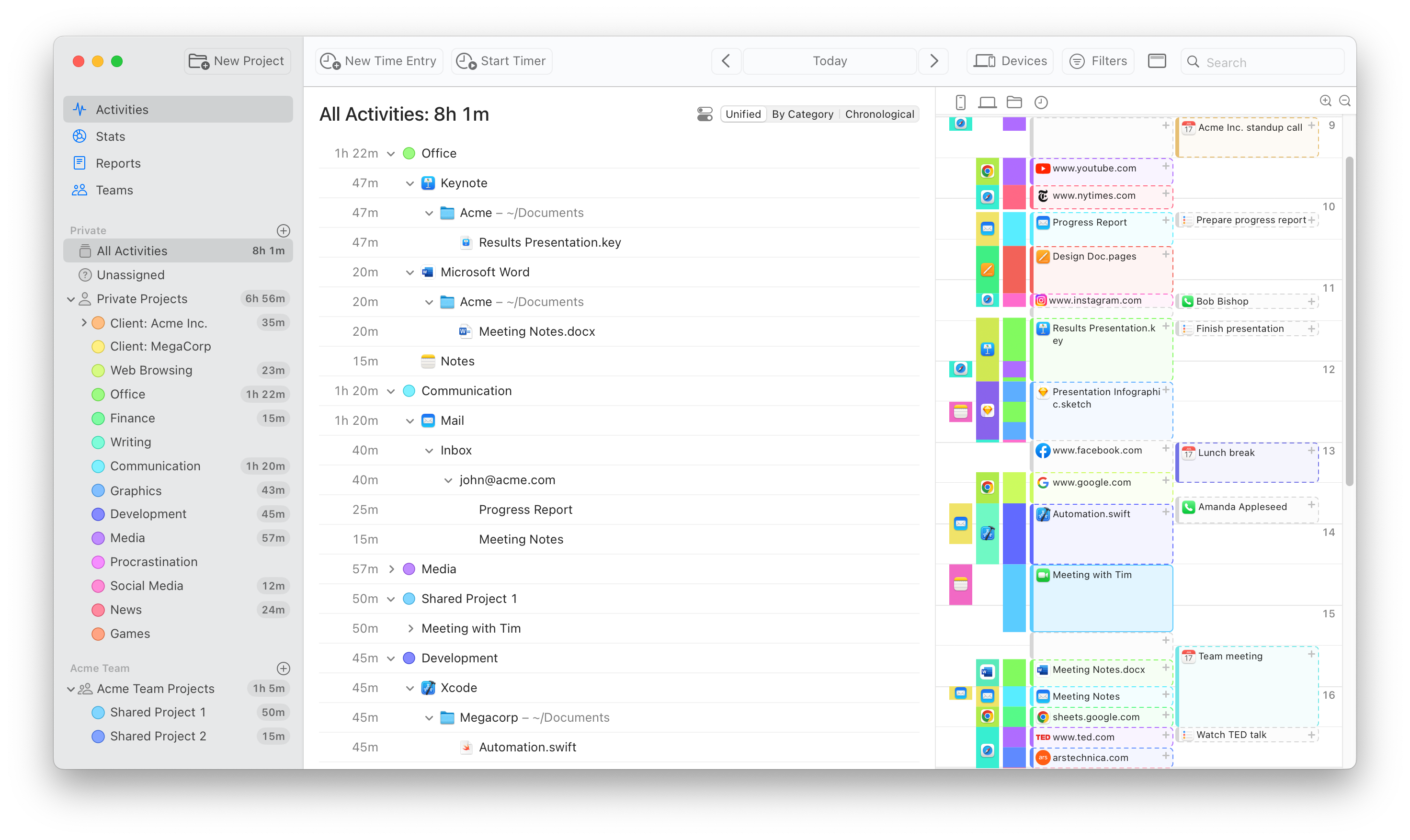
Notable advantages:
- All-new design: The vertical timeline feels more compact and easier to read than the horizontal timeline.
- Shows more information about how your day went. For example, you can now see more details about calendar events and phone calls on the timeline!
- Includes details about the most "prominent" activity in each block of time (the one that took up the most time), letting you more quickly see what each block was about.
- Automatically zooms in on your working hours when switching days, letting us show more details about the times that you are most interested in. You scan still scroll on the timeline and/or zoom out (by pressing the corresponding button, cmd-scrolling on the timeline, or pinching on a trackpad) to see the rest of your day, of course.
- Takes up less usable space than the horizontal timeline. This is because most of Timing's activity lists are already taller than wide, so the vertical timeline can use the same space more efficiently.
- Go back to the horizontal timeline at any time by clicking the corresponding button in the toolbar.
Additional changes:
- When you collapse or expand projects on the "Stats" screen, the pie chart next to the project list would automatically update to reflect the non-collapsed projects. Now, the "Time per project, per day" chart in the top right of that screen will also update accordingly.
- When clicking and dragging on the timeline, keeping the Shift key pressed will now snap the selection to time entries only, without snapping to app usage.
- Timing now better records the title of notes in the Notes app that e.g. have been opened in a separate window.
- Improved tracking for the Textual IRC client.
- The option to replace existing time entries when creating a new time entry is now again enabled by default.
- Timing will now better indicate when additional information for a particular app activity is not available because the activity was imported from Screen Time.
- Addressed a few more call tracking false positives.
Changes in Timing 2023.5.1:
- Colored suggestions are now available on the vertical timeline by popular demand! We hope that they better indicate which project the suggestion belongs to while still keeping them distinguishable from already-created time entries. Let us know what you think!
- Clicking a suggestion on the vertical timeline will now suggest the suggestion's title (i.e. the most prominent file name or window title during the block) as the time entry title, rather than suggesting an empty title.
- Added a mechanism for the Timing Tracker app to relaunch automatically in case of a crash. This should help avoid rare but sometimes unavoidable situations where the tracker app would stop tracking without you noticing.
While we strive to avoid crashes as much as possible, there are occasions where a crash can't be prevented (e.g. when it occurs in operating-system code). In those cases, the tracker app will now automatically relaunch itself, so you can continue tracking without interruption. - Tweaked the formatting of hour numbers on the vertical timeline in some locales.
- Fixed an issue where the sidebar would be very small at launch.
- Fixed an issue where the horizontal timeline would not correctly render overlapping time entries in separate rows.
Changes in Timing 2023.5.2:
- Reverted Timing auto-filling a suggestion's title into the time entry editor. Instead, there's now an autocomplete entry with the suggestion's title at the top of the autocomplete overlay.
- Fixed the option to not automatically zoom the timeline to working hours.
- Added basic support for tracking the current repository name in GitHub Desktop.
- Timing now removes noise such as memory usage from tracked Chrome window titles.
- Improved tracking support for Warp and iTerm2.
- Improved handling of "write-only" Calendar permissions on macOS Sonoma.
- Improved tracking of Notes.app while searching for a note.
- Updated onboarding animations for the new vertical timeline.
- Prevented the timeline from resetting its scroll position when trying to create a new time entry.
- Added a few more call tracking exclusions.
Changes in Timing 2023.5.3:
- Fixed a few rendering issues on macOS Sonoma introduced with version 2023.5.2.
- Fixed a few crashes on older versions of macOS, also introduced with version 2023.5.2.
Changes in Timing 2023.5.4:
- Fixed an issue with the Calendar permission dialog on macOS Sonoma not appearing.
- Timing will now display the correct icon and title for Web Apps on macOS Sonoma.
Changes in Timing 2023.5.5:
- Improved some aspects of meeting detection. If you are still encountering issues with notifications about calls that haven't happened, or are missing notifications about calls that have happened, please let us know.
- On days without any activity, Timing will still show an empty timeline, to more easily create new time entries on such "empty" days.
- Improved support for tracking the name of the active Chrome or Safari profile as well as "Named Windows" in Brave.
- Improved tracking support for Notion and Canva.
- Fixed an issue with e.g. "Application Title contains" exclusion rules leading to no new apps getting tracked at all.
- Fixed an issue with "New Time Entry" dialogs not appearing in some cases.
- Added support for undoing changes while editing time entry notes.
Version 2023.4 – July 13th, 2023
- Added support for importing iPhone calls into Timing! In the "Integrations" preferences tab, you can now enable the "Phone Calls" integration. This will import calls from your Mac's call history (which usually includes iPhone as well as FaceTime calls) into Timing, including the name of the caller (provided you grant Timing permission to access your address book) and the duration of the call. Afterwards, phone calls will show up on your Timing timeline, letting you click them to create a time entry — similar to calendar entries.
A few caveats apply:- This integration requires macOS Ventura or later.
- For incoming calls accepted on iPhone, the duration of the call does not get synced to your Mac, so those will show up as a "point-in-time" event without an end time. We hope you nevertheless find these useful as an orientation on what phone calls you made. Outgoing calls will be shown with the correct duration, as expected.
- Sorting projects by name will now sort archived projects last, to keep your active projects at the top.
- Timing will now ask for permission to use the Screen Recording API for apps that do not support tracking window titles using the Accessibility API, such as Adobe Premiere and After Effects.
- Improved tracking for Discord.
- Added support for tracking conversations in the new WhatsApp beta.
- Reduced false positives for Private mode detection in Chrome and Brave.
- Improved compatibility with tracking FaceTime Audio calls.
- Improved the amount of details available for (some) detected calls from Arc browser.
- Added browser tracking for Sidekick.
- Fixed an issue where the "Activities" screen in "Chronological" mode would show inflated times in conjunction with overlapping time entries.
- Version 2023.4.1: Fixed an issue with the phone call integration when multiple calls would start at the same time.
- Version 2023.4.2: Fixed a rare crash in the Timing tracker app.
- Version 2023.4.3: Added support for Orion Browser RC.
- Version 2023.4.4: The advanced date range picker pop-up will no longer move around while it is open when you change the date range.
- Version 2023.4.4: After a call has ended, changing the call's end date will now change the call's duration rather than moving the entire call around.
- Version 2023.4.4: Added Asana, Google Docs, Google Drive and Todoist to the "Office" domain lists.
Version 2023.3 – April 27th, 2023
- Added support for creating overlapping time entries. When creating a new time entry, if it overlaps with already existing time entries, you will have the option to either replace the existing entries or keep them, thus adding a new entry that exists "in parallel" to the existing ones.
- Improved time entry title suggestions for calls and calendar events. When you create a new time entry from a call or calendar event, Timing will now try to suggest titles and projects from previous calls or events with the same title, meeting service, or calendar. It will also try to auto-pick the appropriate project based on these criteria.
- Updated contact extraction for the latest version of WhatsApp.
- Updated the extraction of the note title in Notes.app on macOS Ventura.
- Slightly improved recipient extraction for Airmail.
- Added browser tracking for Chrome Dev and Edge Dev.
- Improved the extraction of Terminal window titles.
- Increased the number of entries in the Quick Start Timer menu to 10.
- Fixed a crash when trying to export XLSX files.
- Timing will no longer import time spent in Sidecar on iPad by default, as those times have already been recorded on your Mac.
- Fixed a few more call tracking false positives.
- Improved the formatting of some error messages.
- A few minor visual fixes.
- Version 2023.3.1: Updated a few translations.
- Version 2023.3.2: The "Start Timer" and "Edit Time Entries" dialogs now also have the option to replace existing time entries again, in addition to the "New Time Entry" dialog.
- Version 2023.3.2: Fixed an issue where new timers that overlapped with previous time entries would get "Auto-Stopped" right after starting.
Version 2023.2 – February 17th, 2023
- Added a device picker to the toolbar:
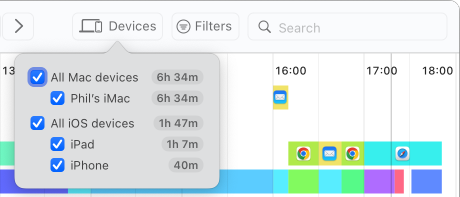
- Slightly tweaked the layout and appearance of the toolbar.
- Timing will now offer to use Screen Recording for Adobe Premiere Pro and After Effects, as Accessibility-based tracking no longer works for those apps.
- Fixed an issue where the Screen Time integration would continue to import data even after it was disabled.
- The "Chronological" mode of the Activities screen will now group its activities by day and month, for a better overview.
- Improved support for removing app version numbers from window titles. For example, Obsidian window titles will no longer end with "Obsidian v".
- Reduced app startup time, for an even snappier experience.
- Further reduced CPU usage of the Timing tracker app.
- Improved the reliability of showing up-to-date calendar events synced from e.g. Google Calendar into Calendar.app.
- Added support for tracking LibreWolf and a few other niche browsers.
- Fixed an issue with password autocomplete during sync login complaining about too few characters in the password.
- Further reduced the number of call tracking false positives.
- Improved compatibility with Journey by Moleskine.
- Version 2023.2.1: Fixed an issue with the icons of the "Devices" and "Filters" buttons in the toolbar.
Version 2023.1 – January 16th, 2023
- Timing can now import your iPhone and iPad usage from Screen Time!
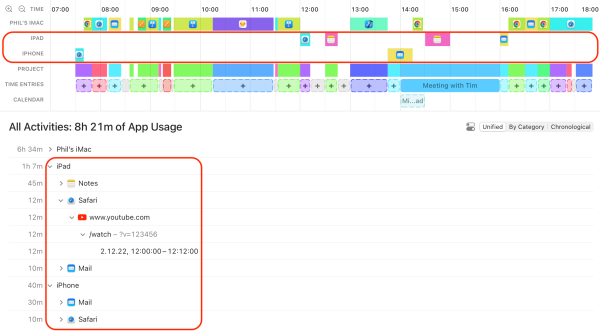
- A timeline that shows exactly when you used each device, and for what. No more guesswork, as opposed to Screen Time’s “hourly” granularity!
- Review any time range you want, rather than being limited to Screen Time’s day/week views.
- Archive Screen Time data for longer than the four weeks Apple allows.
- Categorize your mobile activities into projects using drag-and-drop.
- Timing can show even the full URLs of the websites you visited in Mobile Safari.
- You can quickly create manual time entries to annotate and categorize whole blocks of your mobile activity at once.
- You can now group your activities by device on the "Activities" screen as well as in advanced reports.
- You can now change the names of your devices in Timing. Simply click the device's name in the legend to the left of the timeline and enter a new name.
- Improved Arc tracking: Private browsing windows are now detected, and the name of the active space will be appended to the window title, just like with Chrome.
- Improved Firefox tracking: Private browsing windows are now detected again, and partial URLs are no longer recorded while you are typing into the URL field.
- Added an option to hide cancelled calendar events on the timeline, which is enabled by default.
- macOS can sometimes "forget" the permissions you have granted to Timing. When that happens, the Timing tracker will now automatically relaunch itself silently, which restores these permissions.
- Further reduced the CPU consumption of Timing's tracking.
- Improved the overall reliability of call detection.
- Addressed a few more call tracking false-positives.
- Added an "is archived" property to projects in the AppleScript dictionary.
- Changed the shortcuts for zooming into and out of the timeline to ⌃⌘+ and ⌃⌘-.
- Fixed the activity selection getting reset upon zooming the timeline.
- Version 2023.1.1: Fixed a crash of the Timing tracker app that could occur after setting up the Screen Time integration.
- Version 2023.1.2: Fixed a database error being presented after performing an activity that matches the exclusion list.
- Version 2023.1.3: Fixed an issue with the "Time tracked today" menu item not updating in Dark Mode when "Reduce Transparency" was enabled.
Please note that this version of Timing requires macOS 10.15 "Catalina" or later.
Version 2022.5 – September 6th, 2022
- Added buttons to the timeline for zooming into and out of it. As a reminder, you can also zoom the timeline by scrolling up and down on it while keeping the ⌘ key pressed. You can also achieve the same effect by pinching with two fingers on your trackpad.
- Added support for URL tracking in the Arc browser. Please note that tracking URLs in "Little Arc" is not currently possible due to a limitation in Arc.
- Added support for tracking the current invoice in GrandTotal.
- Removed a hint about improving Obsidian tracking with an extension, as that functionality is now built into Obsidian.
Please note: This might be the last version of Timing to support macOS 10.14 Mojave.
The next feature update for Timing will likely require macOS 10.15 Catalina or later.
If you have renewed your Timing license on or after September 1st, 2021, Timing 2022.5 is a free update.
If you’d like a free trial license to test the new version, please contact us.
Version 2022.4 – July 13th, 2022
- The "Quick Start Timer" menu now indicates the name of the project each timer is for.
- When starting a timer from the toolbar, the "Start Timer" dialog will now be pre-filled with the project selected in the sidebar, if available.
- The "Stop Timer" button in the toolbar will now include information about the running timer.
- You can now Option-click a project in the project list to also select all of its sub-projects.
- When you select "Don't Remind Me" for a started timer's estimated duration, Timing will now remember that value for next time.
- The "Timing can automaticaly create ... time entries ... to cover this app usage" message and button are now hidden unless a single project is selected in the sidebar, to reduce confusion. The same functionality is still available via the "Entry-O-Matic" option in the "Edit" menu, however.
If you have renewed your Timing license on or after July 1st, 2021, Timing 2022.4 is a free update.
If you’d like a free trial license to test the new version, please contact us.
Version 2022.3 – June 22nd, 2022
- Added a new "Easy" mode for reports, with the following advantages:
- Live preview: The report screen shows exactly the columns that are going to end up in the exported report.
- Sort by any column: You are no longer limited to sorting by duration. Instead, you can also sort by e.g. title or project.
- Simplified grouping: Easily group by top or second level project as well as by day, week, month, or year.
In addition, we hope that the "Easy" mode will make it easier for us to add additional features in future updates, such as the following (no promises, though!):- Rounding: round up each report entry to the next 5, 6 or 15 minutes (for example).
- Hourly rates: get a report that includes the total amount due in addition to time spent.
- Team reports: view your team members' times right in the Timing Mac app rather than having to use the web app.
- Added an option to play a sound when a timer's estimated duration has ended.
- Timing will now hide calendar events longer than 20 hours, as those can make other entries on the timeline look very small.
- "Hide activities shorter than" now defaults to "Never Collapse", to avoid confusion caused by "(Activities shorter than 15s)" entries.
- Improved VoiceOver/Accessibility support for picking date ranges.
- Add basic support for tracking URLs in Orion browser and SigmaOS.
- Slightly improved the reliability of AppleScript-based tracking.
- Improved the wording of a few rare error messages.
- Fixed an extremely rare crash when applying sync data.
- Removed a few more call detection false positives.
If you have renewed your Timing license on or after June 15th, 2021, Timing 2022.3 is a free update.
If you’d like a free trial license to test the new version, please contact us.
Version 2022.2 – May 17th, 2022
-
Added support for Hook.app to obtain links for reproducing the current project selection in Timing.
This means that you can now save and open a specific set of Timing projects from anywhere. For example, when you view a project in OmniFocus, you could invoke Hook to open the corresponding project in Timing as well. If you would like to learn more, you can find a detailed explanation of this process over on the Hook blog. - Added limited URL scheme support for Timing Expert and higher. You can now use the URL scheme to start and stop timers, create time entries, edit existing time entries, and select projects. See the corresponding help article for full documentation and examples.
- Added support for detecting meeting titles of Teams calls.
- Improved support for recording file paths in Android Studio.
- Improved detection of Private Mode for Brave browser.
- Added support for tracking the Gener8 browser.
- The Timing main app will now update with fresh data even when it is not the active app.
- Fixed a rare crash when extracting activity details for the "new" Outlook.
- Removed a few additional rare call tracking false positives.
If you have renewed your Timing license on or after May 1st, 2021, Timing 2022.2 is a free update.
If you’d like a free trial license to test the new version, please contact us.
Version 2022.1 – February 21st, 2022
By the way, if you had recently received Timing notifications about Zoom calls that did not actually take place, those were due to a bug in Zoom that can be fixed by updating Zoom to the latest version.
- Instead of showing all parent directories on the "Activities", Timing will now only show a file's immediate parent directory. You have the option to show all or none of the parent directories instead.
- Improved file path tracking for apps that include the file path in the window title, particularly Adobe Premiere Pro and Adobe After Effects.
- Timing now supports tracking email metadata in Microsoft Outlook. Please note that this support depends on Outlook, and can thus break at any time.
- Added basic support for tracking information from "Catalyst" apps.
- Reduced the amount of noise in window titles for many apps, particularly Slack, Terminal, Adobe Photoshop, Drafts, Visual Studio, and Unity.
- Improved support for Ecosia, Bing, and Yahoo searches.
- Improved how files in iCloud Drive are displayed.
- The "Activities/Chronological" activity list will now be sorted chronologically by default.
- Time entries without a title will now show the corresponding project's name in the timeline.
- Hovering a device name in the timeline will now show a tooltip with the device's full name.
- The blocks on the timeline will now show "pointing hand" cursors, making them more obvious to click.
- When migrating projects to a team, Timing will now try merging into an existing project with the same name, if one exists.
- After you e.g. start a timer, the Timing tracker will now automatically return focus to the application that was focused before starting the timer.
- Improved date formatting in a few exports.
- Slightly improved performance while reducing memory and energy usage.
- Changes in Timing 2022.1.1/2022.1.2:
- On the "Unified Activities" screen, Timing now shows "(Activities without detailed information)" for activities that it could not record a title or path for (e.g. in the case described above). We hope this helps avoid confusion about the elements below an app not adding up to the total shown on the app itself.
- Fixed an issue where the timeline would show "No Data", even when data was present.
- Re-added support for detailed tracking in Skype.
- Fixed an issue with entry editors overlapping with the timeline, instead of being anchored below it.
- Added support for creating team projects via AppleScript.
- Improved the editing of date ranges for time entries not currently visible on the timeline.
- Prevented call tracking false positives for several more apps.
- Improved Timing's automatic cleaning of window titles.
If you have renewed your Timing license on or after February 1st, 2021, Timing 2022.1 is a free update.
If you’d like a free trial license to test the new version, please contact us.
Version 2021.7 – December 17th, 2021
- Added items to the "View" menu to directly select one of the three modes of the "Activities" screen.
- The "View" menu now indicates which screen and date range are currently selected.
- When app usage was recorded on multiple Macs for a given point in time, hovering the timeline will now show all of these instead of just one.
- Fixed links in e.g. the onboarding and the "Teams" screen not being clickable on macOS Monterey.
- Fixed sorting of the "Chronological" activity list.
- Slightly improved the layout of the time entry autocomplete form on macOS Monterey.
- Removed a few more call detection false positives.
If you have renewed your Timing license on or after December 1st, 2020, Timing 2021.7 is a free update.
If you’d like a free trial license to test the new version, please contact us.
Version 2021.6 – October 27th, 2021
-
Timing 2021.6 replaces the "Review" and "Details" screens with one unified "Activities" screen. We believe that this screen combines the best of both worlds, but we would love to hear your thoughts on it, too.
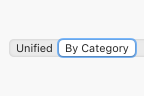
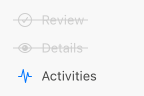 The contents of the old "Review" screen are still available by selecting the "By Category" mode.
 In addition, you can customize the appearance of the Activities screen by clicking the button next to the mode picker.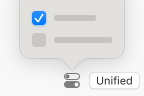
- You can now start and stop timers right from the toolbar of the main Timing app.
- You can now also start timers via the right click context menu of a project.
- On macOS Big Sur, toolbar buttons now show labels next to their icons to make their purpose more clear.
- Completely reworked the app's onboarding. If you would like to give the new onboarding a try, you can access it via the "Replay Introduction" item in the "Help" menu. Maybe you'll learn a trick or two that you didn't know about yet!
- Timing will now warn when creating a time entry causes other entries to get overwritten.
- Slightly increased the width of time entry editors, giving you more space to enter details.
- When starting a new timer, Timing will now suggest the most recently used project by default.
- By default, Timing will stop any running timers when your Mac goes to sleep or when you quit the Timing tracker app. You can now customize this behavior in the app's "Tracking" preferences.
- In addition to drag and drop, you can now assign activities to projects via the activities' right-click context menu.
- We have renamed "All Projects" to "My Projects", to avoid confusion with "All Activities". "My Projects" does not include activities that are not assigned to any project.
- Reduced the app's overall bundle size.
- Fixed a rare crash that could occur when quickly switching the current day.
- Tweaked the design of the app's sync preferences.
- Changes in Timing 2021.6.1:
- Fixed a bug that could cause a crash when hovering the timeline.
- Fixed a bug that could cause a crash in the Timing tracker app at launch.
- Changes in Timing 2021.6.2:
- Adjusted the size of icons in the preferences on macOS Monterey.
- Removed a few more call detection false positives.
If you have renewed your Timing license on or after October 15th, 2020, Timing 2021.6 is a free update.
If you’d like a free trial license to test the new version, please contact us.
Please note that this version of Timing requires macOS 10.14 "Mojave" or later.
Version 2021.5.2 – September 16th, 2021
- Improved the display of durations in the sidebar on macOS Big Sur.
- Improved the tool tips shown when hovering time entry suggestions in the timeline.
- Fixed an issue with generating time summaries via AppleScript.
- Fixed a layout issue when signing up for sync in the French localization.
- Fixed a display issue with the "Cut" symbol when selecting part of an existing time entry on the timeline.
- Fixed a minor layout issue with the time entry editor when some projects had very long titles.
- Fixed a minor layout issue with the rule order settings when some projects had very long titles.
- Eliminated another call tracking false positive.
Please note: This might be the last version of Timing to support macOS 10.13 High Sierra.
The next feature update for Timing will likely require macOS 10.14 Mojave or later.
If you have renewed your Timing license on or after August 1st, 2020, Timing 2021.5.2 is a free update.
If you’d like a free trial license to test the new version, please contact us.
Version 2021.5 – August 11th, 2021
-
In this update, Timing's "tasks" have been renamed to "time entries".
The new name better reflects what this concept actually represents; we hope that it reduces the potential for confusion.
If you are using Timing's AppleScript functionality, please note that you might need to replace "task" with "time entry" and/or "timer" in your scripts. - Timing 2021.5.1 fixes an issue with generating reports via AppleScript.
-
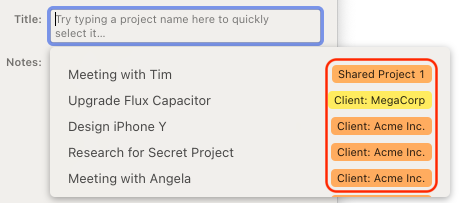
The entry editor's suggestion list now shows projects in a more efficient way:
- Further reduced the number of false positives for call tracking.
- Timing no longer cuts off numbers at the start or end of a Terminal window title.
- Fixed a rare crash related to tracking app window titles.
Version 2021.4 – June 15th, 2021
This update focuses on quality of life improvements, particularly for the timeline, call tracking, and the preferences.
We are planning to add more improvements and interface simplifications over the course of the summer. If there is a particular thing that you'd like to see streamlined, please let us know!
If you have renewed your Timing license on or after June 1st, 2020, Timing 2021.4 is a free update.
If you’d like a free trial license to test the new version, please contact us.
-
Quality-of-life improvements for the timeline:
- The timeline will now always cover your "Working hours". This lets you more easily enter tasks for time ranges that do not contain any activities yet.
- Made it easier to add tasks for idle time.
- You can now resize timeline selection ranges across the full height of the timeline — no need to aim for the tiny half-circles.
- When you select a time range, you can now add a task even when one already exists in that range. The existing task will be "cut out" as necessary by the new one.
- Hovering a task or task suggestion will now show its duration, letting you quickly gauge its length.
- You can now hover the timeline to see what you did back then even while editing a task.
- Improved the visibility of "selected activity" highlights on the timeline.
-
We have re-worked the preferences to make them more
accessible and useful:
- Added a preference to configure the "Working hours" mentioned above.
- The new "Working hours" preference will now also be used for the "Restrict tracking to specific hours" preference.
- Timing no longer shows the productivity score in the status bar by default. And when the productivity score is shown, it will no longer be colored by default.
- Reduced the default threshold for collapsing short activities.
- Days now start at 12am instead of 5am by default.
- Added options to disable automatic update checks as well as analytics and crash reporting.
- Moved a few preferences to more appropriate locations.
- Removed the option to (not) include tasks when calculating the productivity score.
-
Call tracking is now available for many more apps.
- This includes Cisco WebEx, GoToMeeting, BlueJeans, and many more.
- However, this might lead to a few false positives; the "Call ended" notification now includes an option to notify us when a call was detected erroneously.
- Timing 2021.4.1, Timing 2021.4.2 and Timing 2021.4.3 all reduce the number of false positive call detections.
- Increased the length limit for calls that can be detected to 4 hours (from 2 hours).
- Added support for recording the contact names of phone calls forwarded from iPhone.
- When notifications are disabled, Timing now falls back to presenting the task editor for finished calls. Call tracking can still be disabled altogether in the preferences.
-
Other useful changes:
- We have increased the number of suggestions shown when entering a task title.
- Added support for tracking window titles of Progressive Web Apps (PWAs) in Chromium-based browsers (except Brave).
- You can now select a single day by double-clicking it in the date range picker.
- The list of keywords can now include words with a "#" such as "#hashtags". If you have project rules that check for "hashtag", you might want to add another rule for "#hashtag" to that project now.
- Clicking the +5/-5 buttons will now round to the nearest 5-minute mark by default. You can avoid this by ⇧-clicking the buttons instead.
- Added URL tracking support for the Wavebox browser.
- Increased the maximum number of "Quick Start Task" suggestions to 8.
-
The
timing2://editTask/<taskID>URL scheme now supports a/latestpath, letting you edit the latest task without knowing its ID.
-
Miscellaneous tweaks:
- The button to automatically create tasks with the Entry-O-Matic is now available more often.
- Timing will now use custom date formats from your Mac's Language & Region system preferences in more places.
- Re-enabled idle time detection for Final Cut.
- Slightly improved the appearance of the tracker app's status item (tweaked colors, shortened its contents, etc.).
- Further reduced the number of cases in which a warning is displayed about re-assigning app activities that are part of a task.
- Improved the reliability of tracking Mail.app.
- Improved the visuals of the deletion confirmation screen on macOS Big Sur.
-
Bug fixes:
- Fixed an issue where projects added to an empty team would not open the project editor.
- Worked around an issue in Brave that would cause "apps" created with Brave to crash while Timing was running.
- A few more cosmetic fixes.
Version 2021.3 – February 22nd, 2021
If you have renewed your Timing license on or after February 1st, 2020, Timing 2021.3 is a free update.
If you’d like a free trial license to test the new version, please contact us.
- Timing 2021.3.2: Added experimental call tracking support for Cisco Jabber. Contact us if you'd like to see support for more meeting services!
- Timing 2021.3.2: Fixed call tracking and meeting title detection for Slack.
- Timing 2021.3.2: Fixed "Call Ended" notifications when the Mac's screen went to sleep.
- Timing 2021.3.2: Timing will now sync your data right after you quit the main Timing app.
- Timing 2021.3.1: Fixed an issue that could cause the Timing Tracker to become unresponsive and consume excessive amounts of CPU.
- Timing 2021.3.1: Fixed the layout of the task editor with the French localization.
-
Call Tracking: Most of us spend a lot of time in video calls these days.
And keeping track of how much time we actually spend in all these meetings can be challenging.
To help you with that, Timing Timing now automatically offers to create tasks for video calls!
Once a call has ended in any of the apps listed below, you will receive a notification like this: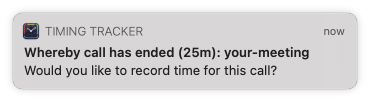 If you click that notification, you'll see a task editor to enter your meeting details.
In addition, Timing's automatic idle detection is disabled for the duration of the call.
If you click that notification, you'll see a task editor to enter your meeting details.
In addition, Timing's automatic idle detection is disabled for the duration of the call.
If you have allowed Timing to send notifications, there is nothing to set up – it just works!
Call tracking is compatible with the following apps (audio-only calls are tracked as well):- Whereby
- Zoom
- Slack
- Microsoft Teams
- Google Meet
- Skype
- FaceTime
- TeamViewer
-
Improved Date Range Picker: The date range picker in the Timing toolbar now requires one less click to select the most common date ranges:
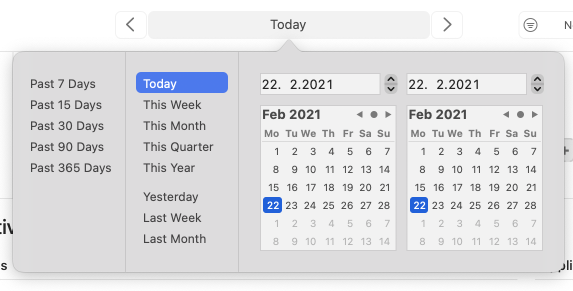
-
Improved Task Time Editing: The task editor now offers buttons to shift a task's start and end times by +/-5 minutes. You can also use the ⌘ and ⌥ modifier keys to adjust the step size (to +/-15m and +/-1m, respectively), or press the ⇧ key to round to the current interval.
In addition, you can also set a task's start time to the previous task's end time, filling any gaps in your timeline. -
When you start a task, you can now adjust its start time right away:
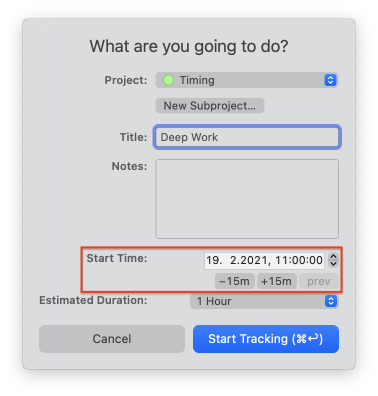
- Better Tracking for Airmail: Timing will now record the sender and subject when you read incoming messages. Note that tracking outgoing messages is limited to the email subject.
- More Accurate Entry-O-Matic: The Entry-O-Matic now creates much more detailed task suggestions when "(Auto-select projects)" is selected.
- We have also tweaked the font size of the Timing status bar item on macOS 10.15 and earlier.
Version 2021.2 – January 25th, 2021
If you have renewed your Timing license on or after January 1st, 2020, Timing 2021.2 is a free update.
If you’d like a free trial license to test the new version, please contact us.
- Updated a few more icons in the sidebar.
- When you hover a single task in the activity list, Timing will now display that task's notes in a tooltip.
- Fixed an issue with tracking URLs and Incognito Mode in Google Chrome and other Chromium-based browsers.
- Improved compatibility with Datavyu.
Version 2021.1 – January 5th, 2021
Introducing Timing for Teams!
You can now share projects with team members and view their time entries in the Timing web app.
Read this article, check out the "Teams" tab in the Timing sidebar, or contact us for more information. And if you do not have a team to use Timing with, you can hide the sidebar entry with a right-click.
Other changes in this version:
- Improved the pixel-alignment of several icons, resulting in a more "crisp" look.
- Increased the Timing window's initial size at launch.
- Timing's status icon will now update its colors (if needed) when switching spaces.
- Worked around a rare issue that could cause intermittent "Foreign key constraint" errors when deleting projects.
- Fixed a minor issue that could misplace the Timing tracker's menu or make it too wide.
- Fixed a sync issue related to undoing the deletion of app usage or tasks.
Version 2020.13 – December 18th, 2020
If you have purchased Timing on or after November 1st, 2019, Timing 2020.13 is a free update.
If you’d like a free trial license to test the new version, please contact us.
- Added a shortcut to edit the current task. This shortcut will always be the "start task" shortcut, plus the "shift" modifier key. (The default shorcut thus is ⌃⌥⌘⇧T.)
- You can now drag files, apps and elements from the "Review" screen onto rule editors (useful for e.g. quickly filling the "exclusions" list in the Timing preferences using drag-and-drop).
- Removed most popover animations, resulting in less friction for power users.
- Added support for tracking the version of WhatsApp released on the Mac App Store.
- Removed e.g. "1 new item" from paths tracked in Slack.
- Fixed an issue where "Today" would still show yesterday's data.
- Fixed a crash when e.g. signing into Sync on macOS Big Sur.
- Fixed an issue with syncing very large sets of data.
- Added a "with subprojects included" option to reports generated via AppleScript.
- A few minor Accessibility improvements.
Version 2020.12 – November 21st, 2020
- Fixed a crash on macOS High Sierra.
- Fixed a rare crash on macOS Big Sur.
- Made the high CPU usage fix on macOS Big Sur more reliable.
Version 2020.11 – November 20th, 2020
- Added support for Apple Silicon.
- Fixed an issue that could lead to high CPU usage on Macs running Big Sur with a bright desktop image (i.e. dark menu text).
- The project list can again be made as wide as you want.
- Fixed a minor display issue with the '+' button in the project list.
- Ensured that the "New Task" button is always wide enough for its contents.
- Removed the percent sign after the productivity score by default on English locales.
Version 2020.10 – November 12th, 2020
This version of Timing requires macOS 10.13 "High Sierra" or later.
-
Timing has an all-new design, optimized for macOS Big Sur:
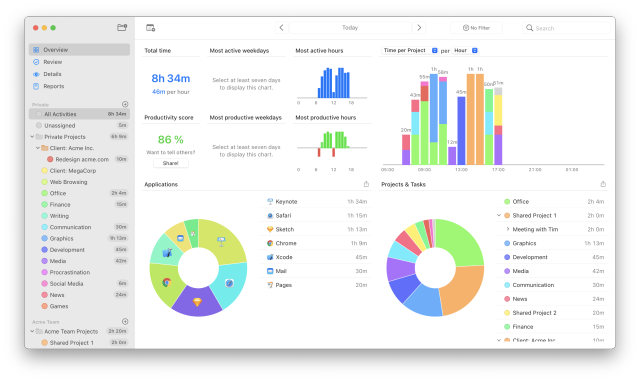
- Timing has a new app icon, designed by Matthew Skiles:
While Timing is running, its Dock icon will show the current time. -
Timing has a new status bar icon that shows the current time:

- Full compatibility with macOS Big Sur.
- Timing will now remember your most recently used tab at launch.
- Timing's title field now grows to multiple lines when entering long titles.
- The task editor's title field now grows to multiple lines when entering long titles.
- Added an option to stop tasks when going idle to the tracker preferences.
- You can now resume tasks from the "Task Stopped" notification.
- The timeline now always displays its scroll bar while zoomed. This should make dragging the handles for a task's end time much easier.
- You can now ⌥-click the date range picker in the toolbar to immediately jump to "Today".
- Added support for showing Dropbox Paper documents on the "Paths" card on the Review screen.
- Improved the detection of YouTube videos for the "Paths" card on the Review screen.
- Added support for tracking Messages conversations on macOS Big Sur.
- Updated support for tracking WhatsApp conversations.
- Added support for tracking the Ghost browser.
- Slightly improved startup performance and memory usage for the main Timing app.
- Timing will now ignore notification count prefixes like "(20) " from website titles for e.g. YouTube, Facebook, and LinkedIn.
- Renamed the "Accessibility" preferences to "Tracking".
- Renamed "TimingHelper/Timing menu item" to "Timing Tracker".
- Added support for editing tasks via a
timing2://editTask/<taskID>URL scheme. - Fixed an issue that would cause the Timing window to not show up at launch.
- Fixed a few issues with displaying the filter list.
- Fixed a few compatibility issues with Matlab and RStudio.
Version 2020.9 – August 5th, 2020
If you have purchased Timing on or after August 1st, 2019, Timing 2020.9 is a free update.
If you’d like a free trial license to test the new version, please contact us.
- Fixed a few French translations, especially in the onboarding.
- Further performance improvements.
Version 2020.8 – August 3rd, 2020
- Bienvenue! Timing is now available in French.
- Timing will now keep tracking time on YouTube.com, even when you don't touch the mouse and keyboard while watching.
- Improved performance and reduced memory usage.
- Improved window title tracking for e.g. Visual Studio Code.
- Reduced the size of Timing's app bundle.
- Added a bunch of browsers to the "Web Browsing" application list.
- Fixed an issue with the cursor when editing project keywords.
- Fixed a stability issue with MATLAB.
- Hopefully fixed a stability issue under macOS Big Sur.
Version 2020.7 – July 3rd, 2020
If you have purchased Timing on or after June 1st, 2019, Timing 2020.7 is a free update.
If you’d like a free trial license to test the new version, please contact us.
-
Snapping to app usage is back by popular demand! Well, it was never really gone, it just required keeping the ⌘ key pressed.
We had no idea how popular this feature was until we changed it; thank you for letting us know!
Snapping will now work as follows:- Just dragging will snap to app usage and 5-minute intervals. Let us know if you need a different interval.
- ⌘-dragging will snap to 5-minute intervals only. Let us know if you prefer this to be the default.
- ⌥-dragging will not snap at all.
- Fixed an issue where the "New Filter" button was not shown.
-
Added rudimentary support for creating projects with rules via AppleScript.
If you are interested in creating rules via AppleScript, please let us know.
Version 2020.6 – June 29th, 2020
This version of Timing requires macOS 10.12 "Sierra" or later.
- Entry-O-Matic (requires Timing Expert): Timing can now automatically create tasks to cover your app usage. This is great if you need tasks for your billing, but find manually creating them cumbersome.
Timing will automatically suggest to create tasks when you select a specific project, but you can also trigger this functionality via the "Edit" menu. - Visual Improvements: Improved crispness of app icons in the activity lists and on the timeline.
- Clicking and dragging on the timeline will now snap to 5-minute intervals by default. To also snap to app usage (the existing behavior), keep the ⌘ key pressed while dragging. To disable snapping altogether, keep the ⌥ key pressed instead.
- When you click and drag on the timeline, you can now also ⌥-click the resulting '+' button to immediately create a task for it.
- You can now ⌥-click "Quick Start Task" menu entries to re-use the previous task's notes.
- Added support for tracking Slack calls.
- Enabled spell checking in the task notes field.
- Reduced the frequency of "This activity is already part of a task" popovers.
- Added a potential workaround for slowdowns when using AirDrop.
- Fixed an issue with "Save" dialogs in Google Chrome that could cause it to hang.
- Improved the compatibility of PDF report file names.
- Renamed the "Blacklist" to "Exclusions".
- Updated our Chinese translation.
- Disabled advanced accessibility tracking for Skype by default because it caused problems.
- Hopefully removed the "Input Monitoring" permission dialog that might appear on launch.
- A few other minor usability and performance improvements.
Version 2020.5 – 23.4.2020
If you have purchased Timing on or after February 1st, 2019, Timing 2020.5 is a free update.
If you’d like a free trial license to test the new version, please contact us.
This will be the last version of Timing to support macOS 10.11 "El Capitan".
The next feature update for Timing will require macOS 10.12 "Sierra" or later.
- Fixed an issue introduced with Timing 2020.2 where some notifications (e.g. about the Timing web app) could accidentally be displayed every day.
Once you have dismissed a notification once or twice via the "Close" button, it should not appear again. - Improved the readability of muted label text on macOS 10.13 and earlier when the containing row was selected.
Version 2020.4 – 25.3.2020
- Added support for tracking the current team and channel name in Microsoft Teams.
Please note that tracking the names of e.g. call participants is not possible.
Version 2020.3 – 24.3.2020
- Added support for tracking URLs in the Beta version of Microsoft Edge.
- You can now launch the main Timing app by clicking the Timing tracker app with the ⌥ key pressed.
- When dragging on the timeline, you can now hold the ⇧ key to have the cursor snap to 15-minute intervals.
Keep the ⌥ key pressed to disable snapping altogether. - Fixed an issue with changing the most recent task's end time from the Timing tracker app.
- Slightly improved the clarity of the colored bars on the timeline.
- Timing will now ignore changes in the paths of tracked applications by default. This avoids creating "duplicate" apps in the future when an application is moved.
- Improved the readability of muted label text in dark mode when the containing row was selected.
- Hopefully avoided a very rare error message related to tasks running for longer than 24 hours.
- Hopefully worked around a few issues where Timing's main window would not appear on macOS 10.15.
Please let us know if you are still encountering this issue.
Version 2020.2 – 9.3.2020
- Fixed an issue in Timing 2020.1 with displaying notifications on macOS Mojave and macOS Catalina.
- Task notes in HTML and PDF exports now include newlines.
Version 2020.1 – 25.2.2020
- Added support for re-applying rules to past activities. You can either re-apply
all rules via the "Edit" menu or only a specific project's rules by right-clicking that project in
the project list. Note that rules will only be re-applied to all visible activities, so make sure
to select the desired date range first. And if you would like to re-apply rules only for activities that
have not been assigned a project yet, select "Unassigned" rather than "All Activities" before re-applying
the rules.
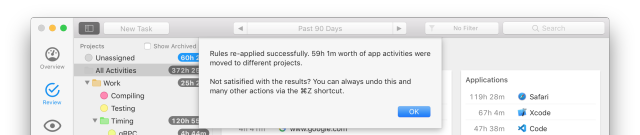
- Timing now shows an indicator for the current time on the timeline.
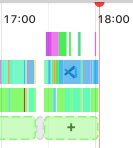
- You can now view time spent per app and per unit of time (e.g. per
hour/day/week/month) on the Overview screen's large bar chart.
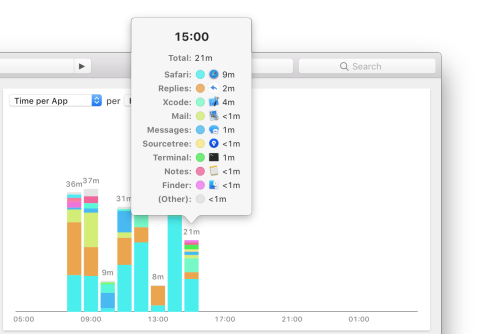
- Added support for tracking the current URL and incognito mode for Microsoft Edge.
- Wish you could re-use a previous task's notes when using the "Task suggestions" auto-complete pop-up? You now can! Simply keep ⌥/Alt pressed while accepting the desired suggestion.
- Reduced Timing's app launch time in case you have the calendar integration enabled.
- Improved the performance of applying rules, resulting in even lower CPU usage and speeding up Timing's filter functionality.
- Some overall performance improvements, making e.g. the "Review" screen even snappier when a long date range is selected.
- When Timing detects a full-screen activity, video playback, or a Skype or Zoom conversation, it automatically increases the idle time threshold to 3 hours as long as that app is active.
- The "What did you do" pop-up will now appear only if you have been idle for at least 5 minutes, potentially reducing the amount of distractions.
- Merged the "Task Title" column with the app usage "Title" column in reports.
- Timing now lets you know when the timeline can't be shown because more than one day is selected.
- De-cluttered the display of date ranges when hovering the timeline.
- Timing should no longer accidentally request permission to monitor your input events when you have e.g. a Wacom tablet installed. Note that Timing never records your keystrokes; it only uses the time since the last keystroke to detect idle time.
Version 2019.4 – 9.12.2019
If you have purchased Timing on or after December 1st, 2018, Timing 2019.4 is a free update.
If you’d like a free trial license to test the new version, please contact us.
-
Timing will now show Google and DuckDuckGo search queries, Google Docs and YouTube videos in the "Paths" card on the "Review" screen:
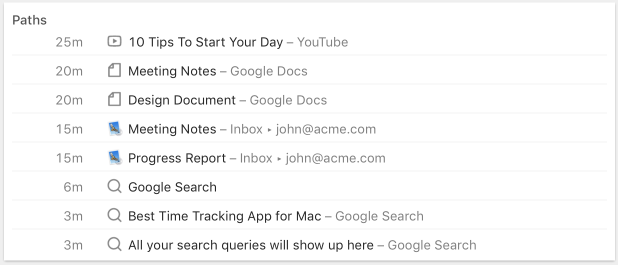
-
You can now duplicate projects by right-clicking them, including their title, color, rules and sub-projects.
This is very useful for e.g. creating a "Client template" that you simply duplicate for every new client.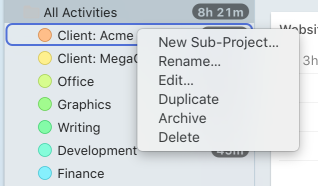
-
Color schemes for projects: Top-level projects can now be created with light, dark or very dark colors, selectable on the "Advanced" preference pane. In addition, sub-projects will now be created with colors similar to the parent project’s, with additional options for identical or rainbow colors.
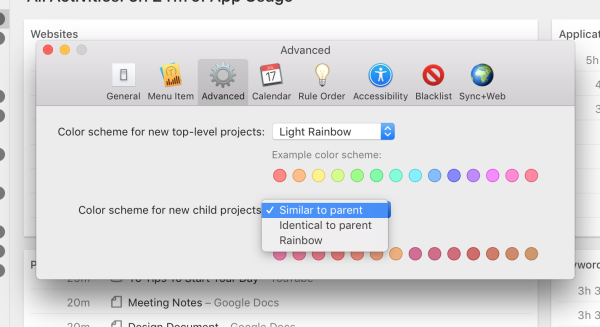
- You can now unclutter the "Keywords" card on the "Review" screen: Right-click a keyword, then click "Hide keyword".
- You can now click a "Task Stopped" notification to immediately edit the task that was stopped.
- Updated/added path/URL tracking for Slack, Notion, BBEdit, Firefox 71, and WhatsApp.
- Improvement: Timing no longer immediately shows the task title auto-complete window when editing an existing task, letting you more easily access the task’s time and notes.
- Improvement: Added an importer for Timings by Mediaatelier. Simply have Timings create a database backup, then drag the resulting ".timingsbackup" file onto the Timing icon in your Dock.
- Improvement: Improved the reliability of determining which calendars to show on the timeline in a few rare cases.
- Bugfix: Fixed a small bug when using the "fractional hours" format in JSON reports.
Version 2019.3 – 25.10.2019
If you have purchased Timing on or after October 1st, 2018, Timing 2019.3 is a free update.
If you’d like a free trial license to test the new version, please contact us.
-
More Detailed Tracking: Added or improved path extraction for the following apps:
- Mail.app (now tracking emails being written, too)
- Safari 13 (private window detection)
- Notes.app
- Slack
- Notion
- Spark by Readdle
- DEVONthink
- JetBrains apps (e.g. IntelliJ, PhpStorm, etc.)
- Device Rules: You can now create rules that apply only to specific devices. If you want to see all app usage recorded on one particular device, you can now create a filter for that. Have a look at our rules documentation to learn more.
- Application Title Rules: You can now create rules that match application titles instead of specific applications – useful if you are e.g. using several different instances of the same app.
-
Data Sanitization: Timing will now remove redundant information like the application name from window titles. This makes the data shown more meaningful and reduces clutter.
This might affect some of your existing rules; let us know if that is the case. - Idle-Time Detection: Time spent in Zoom.app (e.g. on video calls) will now never be considered idle time.
Smaller quality of life improvements in Timing 2019.3:
- Improvement: Further improved compatibility with macOS 10.15 "Catalina".
- Improvement: Timing will now warn when trying to create keyword rules containing characters that would cause the rule to never match.
- Improvement: Improved performance in a few places.
- Improvement: Made the duration figures in chart popovers more precise.
- Improvement: Task suggestion buttons in the timeline can now be tabbed through with the keyboard if you have enabled "Full Keyboard Access" in System Preferences. In addition, you can now select the project list to move between projects using the keyboard (macOS 10.13 and later only).
- Bugfix: Fixed a scrollbar issue with the timeline.
Version 2019.2 – 14.8.2019
If you have purchased Timing on or after August 1st, 2018, Timing 2019.2 is a free update.
If you’d like a free trial license to test the new version, please contact us.
To learn more about this update, you can also read the corresponding announcement blog post.
- Web/iPhone App: You can now track time on the go via web.timingapp.com, which is fully phone-optimized.
- Archiving projects: You can now archive projects, which hides them in various parts of the interface and disables their rules.
- Siri shortcuts: We have created a few Siri shortcuts to quickly start and stop tasks from your iPhone. You can install them from the Timing API documentation.
- Web API and Zapier integration: These let you integrate Timing with other services like Google Sheets, Toggl, Harvest, Quickbooks, and many more. Check out the API documentation for instructions on how to use them.
- Batch-editing task titles: Double-click a task title in Timing to quickly edit all tasks with the same title rather than just one.
- Stop tasks started on other devices: If you e.g. start a task on your iMac, that task will also show up as running on your MacBook, letting you quickly edit or stop it from there.
- Tip: You can make the web app feel like a native app by pressing the “Share” button in Safari, then tapping “Add to Home Screen”.
Smaller quality of life improvements in Timing 2019.2:
- Improvement: You can now double-click domains on the "Review" screen to open them in your browser.
- Improvement: You can now press ⌘↓ on any activity list item rather than double-click it.
- Improvement: Hovering the timeline will now show actitivies from all devices active at that time, not just one.
- Improvement: Improved clickability of the blue timeline handle to change a task’s end date.
- Improvement: Added a command to delete projects via AppleScript.
- Improvement: A few performance improvements.
- Bugfix: Fixed an issue where the contents of the "New Subproject" text field would temporarily disappear.
- Bugfix: Fixed an issue where diacritics could cause rendering issues in the activity list.
Version 2019.1 – 6.5.2019
If you have purchased Timing on or after May 1st, 2018, Timing 2019.1 is a free update.
If you’d like a free trial license to test the new version, please contact us.
To learn more about this update, you can also read the corresponding announcement blog post.
- Undo Support: You can now revert almost any edit you make in the Timing main app (e.g. edit project or task, move project, delete project, task or app usage, etc.).
- Drag-and-drop of multiple projects or filters at once to re-order them.
- ⌘⌫ shortcut to delete the currently selected activities.
- And several more usability improvements:
- An "Order Sub-Projects Alphabetically" context menu option when right-/ctrl-clicking a project.
- Per-project grouping. The project list on the Overview screen and the Details screen will now show the full project hierarchy instead of listing sub-projects on the same level as their parent projects. The "App Usage" mode on the Details screen is now also grouped per app.
- Group by reports "top-level project" or "second-level project". For example, if you have a project called "Project A" as a sub-project of "Client X", "Client X" would be the top-level project and "Project A" the second-level project. This should make it easier to generate reports spanning multiple sub-projects. (Requires Timing Expert.)
- Option (⌥)-click task suggestions to immediately "accept" them. This timeline feature also works for calendar entries.
- Edit the current task right from the Timing tracker app. If no task is running, you can edit the most recent task instead.
Smaller quality of life improvements in Timing 2019.1:
- New Feature: You can now drag apps from Finder onto projects to create rules for them.
- Improvement: Added a "New Sub-Project" option to each project’s context menu (accessible via right-clicking or Ctrl-clicking the project).
- Improvement: Timing will no longer select the first task title suggestion by default. That should avoid mistakes where one would accidentally select that suggestion.
- Improvement: Timing will no longer add a calendar entry’s ID to the task notes field.
- Improvement: Improved the text of the dialog that asks you to confirm deletion of a project or activity. (And the deletion can be undone, of course.)
- Improvement: Timing will no longer use power management assertions for idle detection; this should make idle detection more reliable.
- Improvement: Timing will now also show project suggestions in the task title editor for projects that do not yet contain any tasks.
- Improvement: Increased the width of the rule editor for improved usability.
- Improvement: A few miscellaneous usability improvements and glitch fixes.
- Bugfix: Fixed a tracking issue with Java-based apps.
Version 2018.4.6 – 12.4.2019
If you have purchased Timing on or after Dec 1st, 2017, Timing 2018.4.6 is a free update.
If you’d like to try out the new calendar integration with a free trial license for Timing Expert, please contact us. We can also help you upgrade your license to the Expert tier. Here’s how the calendar integration looks in practice:
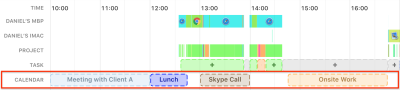
To learn more about this update, you can also read our blog post with more details.
- Bugfix: Last version’s fix for updating the timeline task buttons accidentally reintroduced an issue with the timeline’s scroll bars. That has been fixed again now. Sorry for the noise!
Version 2018.4.5 – 9.4.2019
- Improvement: Timing can now detect private mode for Safari 12.1 on macOS 10.14.
- Bugfix: Fixed an issue on macOS 10.11 and 10.12 where the task buttons on the timeline would not update.
Version 2018.4.4 – 11.3.2019
- Improvement: Improved the behavior of the timeline’s horizontal scroll bars when scroll bars are set to always show.
- Improvement: You can now double-click projects in the project rule order preference pane to edit them.
- Improvement: Updated tracking to improve compatibility with the latest versions of Skype.
- Improvement: Updated tracking to improve compatibility with the latest versions of Slack.
- Improvement: Improved compatibility with Microsoft Office apps.
- Bugfix: Added two missing AppleScript report settings, namely "include app activities covered by a task" and the "hours" duration format.
- Bugfix: Fixed task editor suggestions overriding the selected project if a new project was supposed to be created.
- Bugfix: Timing now avoids expanding your timeline over several days when your calendar contains very long events.
- Bugfix: Having a task running while app tracking is paused will now keep updating the menu item.
Version 2018.4.3 – 11.1.2019
- Bugfix: Timing 2018.4.1 and 2018.4.2 accidentally showed the 'Upgrade to Timing Expert' option on the status icon's menu, instead of just in the 'Timing' menu of the main app. We never intended to show that option on the status icon's menu, and have accordingly removed it now.
Version 2018.4.2 – 10.1.2019
- Bugfix: Fixed an issue where opening a task editor would automatically focus its 'Project' field instead of the 'Title' field.
Version 2018.4.1 – 9.1.2019
- Improvement: Made the calendar integration's preference pane scrollable when needed.
- Improvement: Improved tracking capabilities for Skype calls.
- Bugfix: Fixed an issue that could keep the Timing app running after its last window was closed, at which point you'd need to manually quit and re-open the app to show the Timing window again.
- Bugfix: Fixed an issue that could lead to 'Database is locked' error messages.
- Bugfix: Fixed an issue where the timeline's horizontal scrollbar could overlap with the timeline's contents.
- Bugfix: Restored snapping to quarter-hour boundaries and activity start/end times when dragging on the timeline.
Version 2018.4 – 20.12.2018
- New Feature – 📅 Calendar Integration: Timing Expert now shows meetings and other events in the timeline!
- New Feature: 😎 You can now disable tracking on weekends.
- New Feature: 🌈 Choose any color you want with the new project color picker.
- New Feature: 💡 URL tracking support for Brave and Firefox Nightly.
- New Feature: When you select activities in the activity list, the header will now show their total duration.
- New Feature: You can now drag files, folders and websites onto projects to add rules for them. Note that existing activities which would match these rules will not be moved into that project; these rules only apply to future activities.
- Improvement: We tweaked the size of the task editor's suggestion window and notes field such that the start/end date fields no longer get obscured by the suggestion window.
- Improvement: Newly created projects now start out with a productivity score of 100%.
- Improvement: Mitigated the effects of the operating system accidentally launching the Timing tracker app twice.
- Improvement: A few minor cosmetical improvements and glitch fixes.
Version 2018.3.2 – 29.10.2018
If you have purchased Timing on or after Sep 1st, 2017, Timing 2018.3.2 is a free update.
- Improvement: Hovering a pie chart slice will now show that slice's percentage of the total instead of its (redundant) value in minutes.
- Improvement: Moved AppleScript-based info extraction into a separate XPC service. This should increase the reliability of the tracking system, especially under macOS Mojave. Accordingly, the Timing tracker app should hang or crash even less frequently now.
- Improvement: A few small usability improvements.
- Bugfix: A few minor improvements to Safari and Chrome time tracking.
- Bugfix: Fixed a crash at launch when a very long time range was selected.
- Bugfix: Fixed a crash when trying to use non-existent objects when scripting the Timing tracker app via AppleScript.
- Bugfix: Fixed a few other very rare crashes.
Version 2018.3.1 – 27.9.2018
- Bugfix: Fixed some display issues with weird shadows.
- Bugfix: Fixed a few rare crashes.
Version 2018.3 – 20.9.2018
If you'd like to learn more about this huge update, have a look at our blog post with more details
- New Feature: Support for Dark Mode under macOS Mojave!
- New Feature: Minor redesign for light mode as well. In particular, Timing will now use macOS Mojave's accent color for a few interface elements.
- New Feature: 你好! Timing is now available in Chinese.
- New Feature: Integration with the Mac invoicing app GrandTotal (requires Timing Expert). If you have installed the Timing plugin for GrandTotal, all your Timing tasks will now show up in GrandTotal and can be added to invoices. In addition, you can now select tasks in one of Timing's lists and drag or copy/paste them into a GrandTotal invoice.
- New Feature: Support for tracking the current account and message title in Mailplane.
- New Feature: Support for tracking the current note title in Bear.
- New Feature: Added support for tracking the current URL in Opera.
- New Feature: Added experimental support for exporting data in JSON format.
- Improvement: Improved compatibility with macOS 10.14 "Mojave".
- Improvement: Added support for tracking the current tab's URL in the redesigned Chrome 69.
- Improvement: Added support for tracking the current conversation in the latest Slack version.
- Improvement: Added support for tracking the current conversation in the latest Skype version.
- Improvement: Timing will now remember the last estimated duration when starting a task.
- Improvement: Added an option to format durations as fractions of hours in exports, and changed the HH:MM:SS format to get parsed properly by Excel.
- Improvement: Tweaked the way durations are displayed in the project and activity lists. Instead of showing "Xh Ym" mixed with "Ym Zs", Timing will now always show "Xh Ym" (or just "Ym") and drop the seconds part. Durations shorter than one minute are shown as "<1m", but can be hovered in the activity list to view their exact value.
- Improvement: Significantly reduced the number of animations, for a less distracting experience.
- Improvement: Tweaked the layout of the "Review" screen.
- Improvement: "Pause App Activity Tracking" has been replaced with "Pause Until Tomorrow", to avoid forgetting to re-enable tracking. If you want to suspend tracking for longer, simply quit the Timing tracker app.
- Improvement: When selecting app activities on the "Review" screen, the corresponding times will now be highlighted on the timeline.
- Improvement: Clicking and dragging on the timeline will now more easily snap to app activities and tasks, and will also snap to the full hour as well as to 15, 30 and 45 minutes past the full hour. If you'd like to temporarily disable snapping, keep the option key pressed while dragging.
- Improvement: Task and project editors are detachable now. If they occlude some of your tracking data, simply drag them out of the way!
- Improvement: Clicking "New Task" will now create a task for the currently shown day, instead of for today.
- Improvement: Made it easier to change a task's start and end dates by increasing the clickable area of the drag handles. The mouse cursor will also change when you are hovering these handles.
- Improvement: When clicking "New Task" to create a task for today, changing its duration will move the new task's start date instead of its end date.
- Improvement: Timing should no longer try to sync (and in some cases even display error messages) without an active Internet connection.
- Improvement: Running tasks will now automatically get stopped once your Mac is put to sleep.
- Improvement: On macOS 10.12 and later, Timing will now keep your selection between data refreshes.
- Improvement: Timing will no longer close task editors when the timeline updates.
- Improvement: Timing will no longer ask what you did when you lock your screen for just a few seconds, but only after the idle time configured in the preferences has elapsed.
- Improvement: Improved performance of the "Details" screen when showing large amounts of data.
- Improvement: Added menu items to quickly show the past 90 and 365 days.
- Improvement: Several more minor interface tweaks.
- Improvement: Added a hidden option to change the CSV delimiter from "," to e.g. "Tab".
- Bugfix: Fixed some cases where the timeline could get partially covered by a scroll bar.
- Bugfix: Fixed a few rare cases where the current device ID could not be found.
- Bugfix: Took some extra steps to (hopefully) avoid a crash when quickly moving the mouse over the timeline.
- Bugfix: Improved the reliability of showing/hiding the "autocomplete" overlay in the "What did you do?" pop-up by displaying that pop-up in a different fashion.
- Bugfix: Fixed a few smaller issues that only affected very few users.
Version 2018.2 – 11.7.2018
- Bugfix: Timing 2018.1 had an issue where signing up for sync would reset your project rule order.
Timing 2018.2 fixes this for future sync signups. However, if you have already signed up for sync, please check your rule order in the Timing preferences and fix it if needed!
We are very sorry for the inconvenience; to make reordering rules faster in the future, we have slightly increased the height of the rule order preference pane and added a button to move all irrelevant projects with zero rules to the bottom of the list, to make it easier to ignore those when editing.
Also, keep in mind that the order of rules that do not overlap does not make any difference; you only need to re-order rules that could match the same activity. - Improvement: Changed the behavior of projects in task suggestions:
If Timing automatically suggested a project for your task (e.g. when created via the timeline), picking a suggestion from a different project will override the suggested project. This is the pre-Timing 2018.1 behavior.
If you have specifically selected a project in the Task editor, Timing will now never override your selected project. This is the behavior that we had in Timing 2018.1.
We hope this combines the best of both worlds; if you do not like this behavior, please let us know. - Bugfix: Fixed some very rare "no device ID available" errors.
- Improvement: Slightly improved the usability of the project editor on very small screens.
Version 2018.1 – 3.7.2018
- New feature: Sync! Read all about this feature on the Timing blog.
- Improvement: The headers of PDF and HTML reports have been improved; we removed the distracting report settings header and replaced them with a nicer title and subtitle.
- Improvement: Timing will now automatically back up your data locally once per week.
- Improvement: AppleScript exports now support selecting whether to include task title, notes, and timespan in the report.
- Bugfix: We removed an annoying "feature" where changing a task's start or end time would also mess with its other field.
- Bugfix: We also fixed several bugs that only affected a small fraction of users.
- Change: The AppleScript property "description" for tasks has been renamed to "title".
- Change: The AppleScript property "rule string" for tasks has been replaced with "rule data".
Version 2.2.7 – 23.1.2018
- Bugfix: Clicking "Done" on notifications about tasks whose estimated duration has expired did not stop those tasks in Timing 2.2.5/2.2.6. This has been fixed.
- Bugfix: Fixed tracking for the Mac App Store version of Slack, as well as for direct messages and private channels inside Slack.
- Bugfix: Fixed a menu item crash while using Outlook.
- Bugfix: Fixed titles on task buttons for dark projects in the timeline being unreadable.
Version 2.2.6 – 21.12.2017
This update fixes a rare crash on startup in Timing 2.2.5, as well as an issue where right-clicking to delete activities or tasks would not work.
Version 2.2.5 – 20.12.2017
- New Feature: Timing will now track the current Slack channel in addition to the team!
- New Feature: Timing will now track the selected email in Outlook!
- New Feature: You can now hide the Timing icon from your menu item while keeping e.g. today's tracked time and Productivity Score.
- Improvement: Improved performance and memory usage, especially on the Details screen. In general, Timing should feel even snappier now.
- Improvement: More reliable path tracking for Firefox, especiall version 57 and up.
- Improvement: More reliable path tracking for Terminal.app and iTerm.
- Improvement: Added support for path tracking in the new version of Skype.
- Improvement: Improved compatibility with Bartender.
- Improvement: Made the timeline overlay display long paths with multiple lines, so you can better see what you worked on.
- Improvement: Added a "Timesheet (Week + Day + Notes)" preset to Timing Professional so you can better generate Task reports that contain your Task notes.
- Bugfix: Fixed a rare condition where Timing would not resume tracking after the screensaver has stopped.
- Bugfix: Fixed the Task suggestion overlay not appearing for "What did you do?/What are you going to do?" popovers on secondary monitors.
- Bugfix: Made the "What did you do?/What are you going to do?" popovers movable, so you can now use them even when macOS misplaces them.
- Bugfix: Fixed a minor issue with generating reports via AppleScript.
- Bugfix: Made the "Don't include Tasks when computing Productivity Score" optional functional again.
- Bugfix: Fixed tracking for fullscreen YouTube videos in fullscreen Safari windows (yes, double fullscreen!).
- And several more smaller improvements to further improve Timing's usability and reliability. (Seriously, there have been more than 100 changes in this version in total.)
Version 2.2.1 – 2.10.2017
- Improvement: Added support for Yandex Browser.
- Improvement: Added a few more logging options (deactivated by default) to better investigate any possible tracking problems.
- Bugfix: Worked around a bug where macOS would temporarily "forget" your Timing preferences, including your license. This could occur from time to time on macOS Sierra, and for some reason much more frequently on macOS High Sierra.
- Bugfix: Fixed a few rare crashes.
- Bugfix: Reduced tracking for StarCraft. This should help avoid a bug in StarCraft where the menus would become unusable.
Version 2.2 "Task Edition" – 11.9.2017
- ✅ Significant improvements to Timing's Task system:
- 💡 Revamped the way Timing suggests properties for new Tasks:
Timing will now make better suggestions for a new Task's Title and Project. In particular, the suggestion list will no longer overwrite the capitalization of the current input. Let us know how this works for you! - ℹ️ Tasks with the same title will now be aggregated in the interface and in some reports.
If you e.g. have ten individual blocks of time labeled "Research", Timing will now group them and show their total duration. - ⌨️ Added a shortcut to start a Task from the Timing status item. (⌃⌥⌘T by default.)
- 🔧 Pro tip: To re-start the most recent task, hit ⌃⌥⌘T to start a new Task, then ↩ to accept the first suggestion (which is for the latest Task), then ⌘↩ to start the Task and close the dialog. Combined: ⌃⌥⌘T, ↩, ⌘↩.
- In addition, you can now quick-start your most recent Tasks from the status item's menu.
- 🗒 Added a "Notes" field to Tasks.
This lets you e.g. list all the stuff you worked on, without cluttering the "Title" field. - Added several snooze options to the notification when a Task's estimated duration has elapsed. Long-click the "Snooze…" button on the notification to access them.
- Multiple "What did you do?" popovers for adjacent times will now be merged into one as soon as you return to your Mac, letting you better allocate all that time at once.
- You can now reach the Project selector in the Task editor by pressing ⇥.
- 💡 The Timing status item will now show today's tracked time and productivity score by default, as well as the title and Project color of the current Task (if there is one). This can be customized in the Preferences, including an option to hide the status item completely.
- 📁 The "Folders" card on the Review screen has been changed to "Paths". In particular, it will now contain a more comprehensive list of all folders and file paths you have been using, for even easier categorization and rule creation.
- 🖥 🔄 💻 Script-based "Sync" of projects and tasks (but not app usage). (Timing Expert only.)
- ⏱ 🔄 📅 Added scripts to import events as tasks from or export tasks as events to Apple Calendar and Microsoft Outlook. (Timing Expert only.)
- 💪 We also have a new side project: Faviconographer! This app combines several technologies already implemented in Timing to display Favicons for your Safari tabs.
- ⚠️ Dozens of minor improvements that make Timing easier to use, faster, and more stable, including:
- Idle tracking will now work across sleeping and waking your Mac, etc..
- When working in a full-screen app, Timing will no longer use your idle time to detect whether you were idle. This avoids counting e.g. time spent reading or watching a video as idle.
On the other hand, invoking the screensaver will now count as idle time. - Added support for Firefox Nightly and improved the reliability of Firefox tracking in general.
- Improved tracking for Final Cut Pro X.
- Added support for tracking the current conversation in Amazon Chime.
- App Usage in incognito browser windows will now be tracked with title "Private" and no path. This lets you add a "Title equals 'Private'" rule to the exclusion list to avoid tracking these activities at all.
- Speaking of incognito windows – Timing will now also detect full-screen incognito Safari windows.
- Added keyboard shortcuts to quickly select the past 7 and past 30 days as the current date range.
- The Overview screen makes much better use of large window sizes now.
- Added an option to group reports by hour.
- Timing now uses a nicer font (Lato) with a smaller size in PDF and HTML exports.
- The popover that shows up when hovering the timeline will now show above it when possible, to avoid obscuring the information below the timeline.
- If you press the button to show the project list on the Overview screen, it will not be collapsed by switching to another screen and back to Overview until you close Timing.
- Timing will no longer create Tasks longer than 24 hours or App Activities longer than 8 hours – this avoids weird results when e.g. your Mac's date suddenly changes by a year.
- While editing a Task on the timeline, you can now drag the handle for its end date even if when the task is very short.
- Timing will now let you know when many of your activities are not assigned to a project, so you know that you can improve your results by assigning them to projects.
- The timeline overlay will now show the duration of the hovered app activity and/or task.
- Fixed a crash on the Review screen when your Safari Favicon cache is corrupted (which Timing is not responsible for).
- Improved compatibility with macOS High Sierra.
- And much more!
Version 2.1.1 – 14.6.2017
Version 2.1.1 fixes a possible menu item crash when using application or domain list rules in the exclusion list. Sorry about that!
Version 2.1 – 12.6.2017
- 🚫 Exclusions: Ignore activities, or restrict tracking to specific apps.
- ⚡️ Import: Added support for creating projects via AppleScript. This now lets you import activities from Toggl and Tyme as well as projects from OmniFocus – see our sample scripts.
- 👍 Many quality-of-life improvements, such as:
- 🖖🔍 Pinch-to-zoom on the timeline.
- 🌍 Expanded browser tracking: Timing now tracks the current website URL in Safari Technology Preview and Vivaldi. (Opera does not support this kind of tracking, unfortunately.)
- ⌨️ ⌘-A/C/V shortcuts now work in the menu item.
- ⌨️ ⌘-N now creates a new project in the main app.
- ⌨️ We did not (and will not) add ⌘-T to show today's data. However, you can use ⌘-⌥-1 for that, or override it yourself.
- 📅 You can now select start dates past the current end date – the end date will be adjusted accordingly.
- ⏱ Added a 25-minute expected duration to the menu item's "Start Task" screen. You can use this as a kind of mini-Pomodoro.
- 📊 You can now share a pie chart of your time distribution across projects from the "Projects & Tasks" section on the "Overview" screen.
- ⏰ Changing a task's duration will now by default change its end time instead of its start time.
- 💻 Re-added support for the Touch Bar.
- Added a few more apps to the sample project rules.
- Slightly improved the visuals of the menu item's "Start Task" and "What did you do?" screens in Dark Mode.
- 🐞 Bug fixes:
- One that caused weird squares to appear on the screen.
- Improved the visuals of the menu item when dark mode and high contrast were enabled.
- The project editor will no longer be too tall for small screens.
Version 2.0 – 9.5.2017
Timing 2.0 is a completely new version – rewritten from scratch, and with a completely new interface.
Click here for more information.
Version 1.8.1 - 9.5.2017
- Bugfix: Fixed an issue where Timing would prevent Xcode Playgrounds from running properly.
- Bugfix: Fixed an issue where exports generated via AppleScript would only contain parts of a day.
Version 1.8 - 16.11.2016
If you are using macOS Sierra and have downloaded Timing from our website, but not moved it to the /Applications folder, Timing might not notify you about this update. In that case, please re-download the app from our website and move it from the applications folder. Thank you!
- New feature: Timing now supports the Touch Bar on the new MacBook Pros. Try the duration slider (also available from the bottom right of the app's window) to quickly filter out short activities!
Version 1.7.5 - 17.10.2016
- Improvement: Timing will no longer detect idle time when the frontmost app prevents the screen from going dark, e.g. because you are playing a video.
- Improvement: Improved reliability of automatic updates on macOS Sierra by providing the app in a signed DMG file.
- Bugfix: Further reduced AppleScript tracking. This should ensure that no apps behave differently when running Timing, in particular for Chinese users.
- Bugfix: Dragging multiple activities that started with the same text onto a project will now add all these activities to the project.
- Bugfix: In non-App Store versions of Timing, clicking recap notifications will now open the main app as expected.
- Bugfix: Fixed a crash in the menu item for Timing 1.7.4 (which was only available for a short time).
Version 1.7.2 - 22.8.2016
- Improvement: Timing now has a short onboarding flow that introduces new users to the app.
- Improvement: Timing will now track the title of emails that you are writing in Mail.app. It used to only track the previously selected incoming mail in that case.
- Improvement: The "Add Custom Activity" popover now lets you specify the activity time in seconds.
- Improvement: Timing now doesn't discard all activity information anymore if an app-specific extractor failed.
Version 1.7 - 23.2.2016
- New Feature: A pseudo-timeline! If you select "By Hour" in the title bar, Timing will now group activities by hour. That's not yet "down to the second", but much more detailed than before already. A "real" timeline will require a rewrite of the database and thus take a while, but we hope this helps bridge the gap.
- New Feature: Recap notifications. Timing will now notify you of the time spent in the past week at the start of each new week. This can be customized in the app's preferences.
- Improvement: The timeline graph will now hide e.g. empty hours at the beginning and end of the day. This makes that graph much clearer.
- Improvement: "Pause for an hour" will now pause for an hour of wall time rather than system time, so it won't accidentally pause until e.g. tomorrow.
- Improvement: Removed the "Troubleshooting" preference pane as Timing does not cause trouble anymore. Just kidding - these settings have become unnecessary over time and caused some confusion, so we removed them.
- Improvement: Pressing Cmd+T will now jump to today's data. Let us know if you would like to see shortcuts for other features as well!
- Improvements to the custom activity popover:
- The task list will now suggest tasks in a case-insensitive fashion.
- It can now be dismissed with the Esc key.
- After closing it, the focus will automatically be returned to the previous application.
- It looks better now if you are using Yosemite's dark menu bars.
- "Improvement": You will now be asked (but only once!) to rate the app after some time (or tweet about it, if you bought the app directly). We hope this is not too obtrusive and really appreciate every time you review Timing or tweet about it. It really helps!
- Bugfix: CSV entries with spaces will again be correctly escaped in "double quotes".
- Bugfix: Fixed recognition of file paths in Xcode.
- Bugfix: The minimum delay after which idle time kicks in is now 30 seconds. This avoids no activities being tracked due to the delay accidentally being set to zero.
Version 1.6.4 - 18.12.2015/23.12.2015
This update fixes the new date range picker on OS X Mavericks. Apologies for the inconvenience!
Version 1.6.3 - 18.12.2015
This update fixes an issue where Timing would not respect Safari's private mode browsing properly.
Version 1.6.2 - 7.12.2015
- Improvement: The date picker has been reworked completely! It is now located in the app's toolbar and much easier to use.
- Improvement: Timing now does not track the title and URL in Safari private windows on El Capitan and Yosemite.
- Bugfix: Fixed a crash when creating a custom activity that contained e.g. slashes or dashes.
Version 1.5.2/1.5.3 - 12.10.2015
This update of Timing improves support for OS X El Capitan, including App Transport Security and a few changes to use the new San Francisco font where it wasn't used automatically. In addition, a few minor glitches have been fixed.
Version 1.5 - 3.8.2015
Version 1.4.8 - 1.12.2014
Version 1.4.7 - 20.10.2014
This version of Timing properly removes support for OS X Lion. Version 1.4.6 already didn't support it, but that was unfortunately not displayed on the App Store.
Version 1.4.6 - 11.10.2014
This version of Timing improves compatibility with OS X Yosemite. In particular, the sidebar and graphs now have a "vibrant" look on Yosemite. A few bugs (e.g. some repeated log messages and translations not working properly) have also been fixed. If you encounter any remaining compatibility issues, please let me know!
Version 1.4.2 - 29.5.2014
Version 1.4.1 - 22.4.2014
Version 1.4 - 4.4.2014
Version 1.3.4 - 28.10.2013
Version 1.3.3 - 28.10.2013
Version 1.3.2 - 10.10.2013
Version 1.3.1 - 15.6.2013
Version 1.3 - 3.6.2013
Version 1.2.2 - 25.5.2012
This update fixes a few bugs with the custom activity popover and fades the menu item when tracking is suspended due to idleness.
Version 1.2 - 25.2.2012
- New feature: Added a dialog to manually enter custom activities (Lion only). It's available from the menu item's menu.
- New feature: Added an option to the menu item to automatically ask you to manually create activities after having been idle (Lion only).
- New feature: Timing now has an option to track whole URLs rather than just domains. See the preferences for details.
- Improvement: Significantly improved performance for large databases.
- Bugfix: Timing will now stop tracking time if another user is active via Fast User Switching.
- Bugfix: Timing won't force discrete GPUs to be enabled on newer MacBook Pros anymore.
Version 1.1.5 - 9.1.2012
- Bugfix: Fixed an issue that could lead to projects not showing the new data after activities have been dragged onto them.
- Bugfix: Fixed a possible crash.
Version 1.1.4 - 6.12.2011
- Bugfix: This version should fix a bug that might cause data loss when upgrading from an earlier version of Timing.
Version 1.1.3 - 30.11.2011
- Bugfix: Fixed an issue that lead to no data being shown at all.
Version 1.1.2 - 29.11.2011
- Bugfix: Fixed a few crashes that might occur during startup or when closing the preferences window.
- Bugfix: Made path extraction for individual files work again in Xcode 4.2.
- Improvement: Added support for Chrome canary builds..
Version 1.1.1 - 22.9.2011
- Improvement: Added a "Troubleshooting" pane to the preferences. If an application behaves strangely after installing Timing (e.g. Photoshop, InDesign, Scrivener, Intaglio etc.), use that pane to disable AppleScript tracking for that application.
- Improvement: Improved the reliability of document tracking for Photoshop.
- Bugfix: Fix a possible crash when trying to export CSV data.
Version 1.1 - 20.8.2011
- New feature: CSV export!
- Improvement: Add a preference to change or disable idleness detection.
- Improvement: Add a help article for the "General Preferences" window.
- Improvement: Hide applications with a project from the "Unassigned" project by default (see the help file mentioned above for details).
- Improvement: Add support for iTerm 2.
- Bugfix: Fix several issues with custom Terminal tracking on Lion.
- Bugfix: Fix a bug that could cause the menu item to crash on some occasions.
- Bugfix: Fix a bug that could cause the helper application not to track time at all.
- Bugfix: Fix a bug that could lead to some tracked data only be displayed properly after restarting the main application.
- Bugfix: Improve column resizing behavior, especially on Lion.
Version 1.0.1 - 27.7.2011
- Improvement: Add some more applications to the sample projects (only affects new users!).
- Improvement: Add the application icon to the menu item.
- Bugfix: Fix a bug that could cause the menu item to crash on some occasions.
- Bugfix: Fix a bug in the code that enables Terminal support.