
-
RescueTime vs Freedom – Who Wins?

Productivity is vital in the 21st century, and it’s not a secret that people aren’t as productive as they could be. A Gallup study conducted just a few years ago showed that 53% of employees did only the bare minimum required by their job position.
Also, one clear conclusion from the pandemic’s impact on our lives is that remote work has become more important than ever. In today’s remote working environment, people struggle with distractions that affect their efficiency during the day. That makes it more and more challenging to complete all their work in time to meet their deadlines.
Distractions caused by social media and other web services are one of the leading causes of productivity issues. Luckily, there are ways to curb all this negativity. One easy fix is using time tracking software to ensure your team is working at maximum efficiency.
Timing, RescueTime, and Freedom are some of the popular solutions in this niche. It’s time you found out more about them!
You can start with Timing, our time tracking solution for Mac users, which is enjoyable to use and respects your employees’ privacy while helping you see how they spend their work hours. Activate a free 14-day trial we’re currently offering, and start tracking!
Now, let’s explore RescueTime and Freedom and see how they stack up against each other.
-
RescueTime vs TimeCamp vs Timing: Which Time Tracking App is Better for Small Teams
Employee productivity is essential for any successful business, and in the 21st century, there’s a myriad of different distractions that can affect it negatively. The main culprits here are – of course – social media and the Internet. An average American spends around 1300 hours a year on Facebook, Instagram and TikTok. Long story short – wasting time on various portals when your team is supposed to be working can be a severe problem, and it can be pretty hard to pinpoint and identify by yourself.
From a manager’s perspective, knowing precisely how much time your team members spend on different parts of a project is incredibly valuable, especially in the case of smaller teams, where each person’s contribution matters much more. It’s also crucial to know how their workload affects their work-life balance and if it has a negative impact on their personal lives. Thankfully, there’s a category of software that helps you with all that and more – time tracking tools.
While improving the Timing app, our intelligent automatic time tracking solution, and a premium product for Mac users, we did extensive research to compare our product with other tools on the market. We learned that there are quite a few different solutions out there, but RescueTime, TimeCamp, and our Timing seem to be some of the most interesting right now.
In this blog post, we will cover and compare each of these three tools, similar at first glance but with a different set of features and approaches to pricing. So, if you want to learn how they stack up against each other, our in-depth RescueTime vs TimeCamp vs Timing comparison is an excellent place to start!
In the meantime, if you are new to the time tracking tools, we strongly recommend you sign up for a 14-day free trial and download our Timing app to test all available features. The process is fast and easy, and it takes only a minute to set everything up.
-
Time Doctor vs. RescueTime: Which App Will Help You Achieve Your Goals the Most?

For a freelancer, time tracking is crucial for many reasons. Perhaps the most important one is that billing clients for the time you spend on a project is how you make your money. Time tracking tools also help you stay on top of your work and better manage your time.
Even though Time Doctor and RescueTime are some of the most commonly used time tracking software applications these days, there are also alternatives you should consider. Our Timing app is an excellent choice for Mac users looking for an intelligent automatic time tracking solution. It helps you quickly figure out how much time you spend on important projects with less effort, measuring your work activities and distractions simultaneously.
Today, we will compare Time Doctor, RescueTime and Timing to help you decide which one works best for you and your freelancing business. We strongly recommend you start a 14-day free trial and download Timing to try out all the available features if you need a fast start. It will help you save time and money and ensure you don’t leave any working hours accidentally unbilled.
-
Toggl vs RescueTime: Which One Should You Use?

As a freelancer, it is up to you to be productive and work efficiently. You have your clients and the tasks on your plate that need taking care of every day, so it’s easy for days to go by without getting anything done because it’s just too tempting to put off hard work. The solution? Invest in a time tracking tool that helps track how much time you spent on specific activities throughout the day!
Both Toggl and RescueTime are popular tools on the market. However, they have different features which set them apart from one another. In today’s article, we’ll make a general overview of both apps and break down some key features you should know about to make it easier to decide which tool fits your needs better.
In addition to that, we’ll compare Toggl and RescueTime with Timing, our premium time tracking tool for Mac users, as an excellent alternative. It offers some unique features that freelancers enjoy. If you want to test it out right away, use the 14-day free trial and download it now.
Let’s start by covering the basics of time tracking.
-
Introducing Timing for Teams: Share Projects and Time Entries with Your Entire Team!
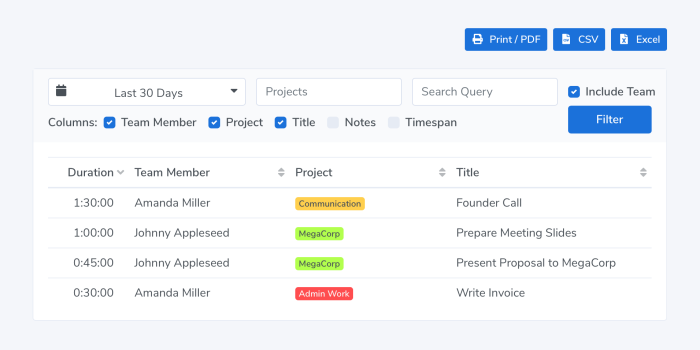
We are happy to announce the release of Timing 2021.1, featuring Timing for Teams!
Timing for Mac has always been a great way to track your time as an individual.
However, so far it has been cumbersome to coordinate your Timing projects across multiple team members.
Gathering timesheets from all team members has also been a difficult task, with a lot of emailing to collect all the needed reports.That’s where the brand-new Timing for Teams comes in.
It lets you share projects with team members and view their time entries in the Timing web app.
And with the year having just started, now is the ideal time to get your team’s time tracking in order!Read on for more information on how the new feature works, and how you can get the most out of it! Read More…
-
Timing 2020.10: Completely New Design & Ready for macOS Big Sur!
We are happy to announce the release of Timing 2020.10, featuring a whole new design and full compatibility with macOS Big Sur!
This summer, when Apple announced sweeping design changes coming to macOS Big Sur, we took the opportunity to refresh the design of Timing on all versions of macOS. This is the result:
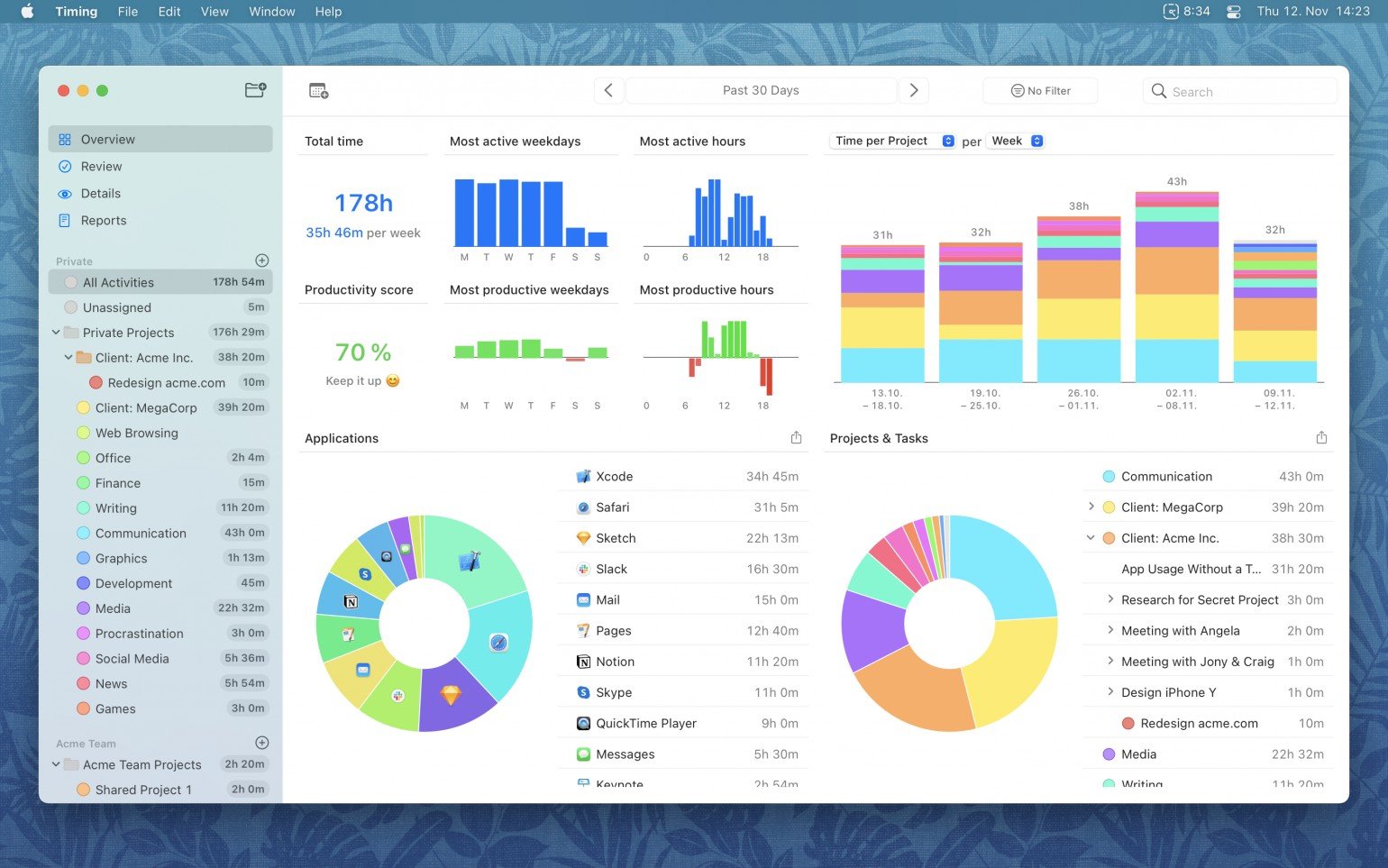
As you can see, we touched every bit of Timing’s interface, reducing visual noise and focusing on the stuff that you are here for: what you spent your time on.
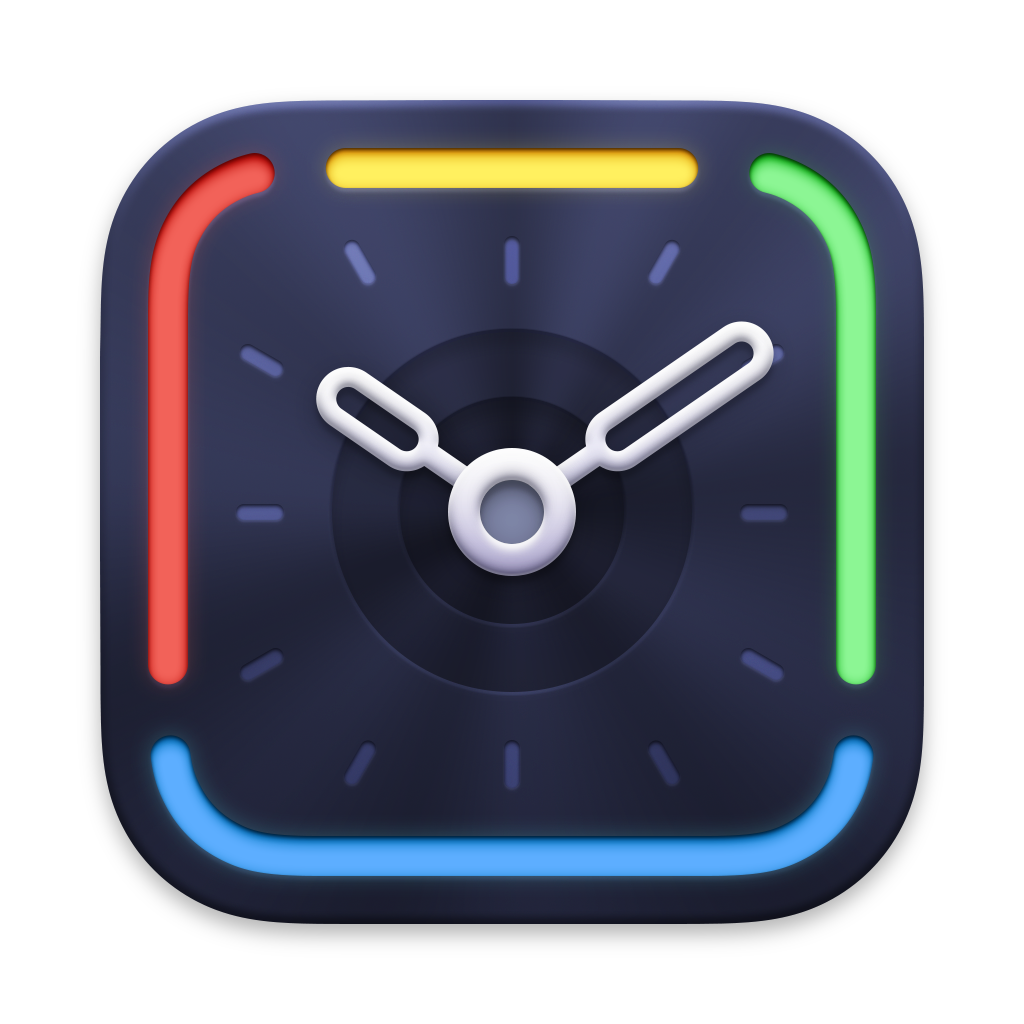
But that’s not all — Timing has an all-new icon, created by Matthew Skiles:
-
Time Management Hacks for Self-Employed Professionals

Kayla Matthews, a productivity-obsessed writer from Pittsburgh, has been writing for nearly a decade about self-improvement and business efficiency. You can see her articles on sites like MakeUseOf, Inc.com, Information Age, and her blog, ProductivityTheory.com.
Are you managing your time in the best ways? Self-employment and remote work can come with an abundance of benefits. But they can also come with the pesky issue of time management.
Time management isn’t just about time, either. It overflows into productivity, profits, stress, planning and so much more. Finding a balance in it all is the most important thing you can do.
Whether you have been freelancing for years or just started working from home due to the current crisis, read on for hacks that will help you with time management!
-
10 Signs You Need to Start Tracking Your Time

Kayla Matthews, a productivity-obsessed writer from Pittsburgh, has been writing for nearly a decade about self-improvement and business efficiency. You can see her articles on sites like MakeUseOf, Inc.com, Information Age, and her blog, ProductivityTheory.com.
When you wake up every day, you know what you can expect based on your schedule. You might need to take notes at meetings or present to your team. Blocking off time for big events is easy, but how good are you when it comes to narrowing down what you’ll do in shorter periods?
Imagine you have two hours to work on assignments before your next meeting. You might tackle your duties by jumping in and not stopping for breaks, but then time slips by. Before you know it, you’ve barely accomplished anything and you have to leave.
This is one of the common ways people realize they aren’t as productive as they’d like to be. If you think that might be you, here are 10 signs that prove you need to start tracking your time. Once you try a few of these tips and start tracking time, you’ll breeze through your daily schedule and accomplish more than ever before.
