
-
The Best Timeboxing Apps for Mac in 2026: Plan, Block, and Focus Your Day
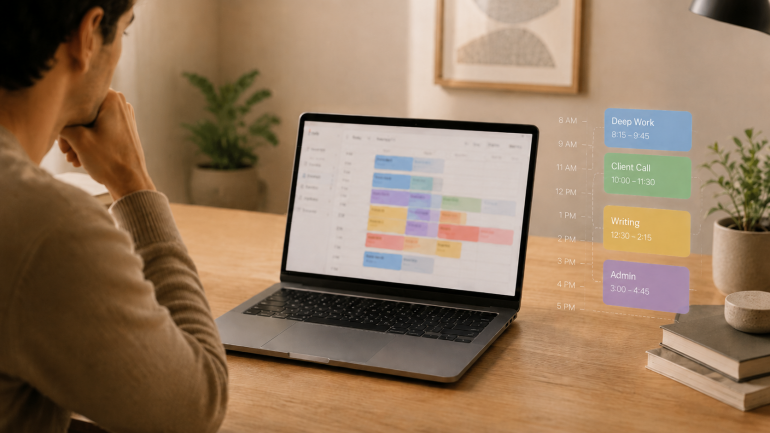
Image: Generated with ChatGPT
The best timeboxing apps for Mac fix the part of productivity that planning alone never solves. Most productivity advice tells you to “plan your day.” Planning is the easy part — a list of intentions takes ten minutes. The hard part is doing the work in the slot you set aside for it, and that is where these apps earn their keep.
Timeboxing means assigning one specific task to a specific slot on your calendar with a fixed end time. It is different from the Pomodoro technique (a repeating 25/5 cycle for whatever is in front of you) and broader than time blocking (which groups similar tasks into longer activity blocks). For the wider category map, our guide to block scheduling covers all four approaches side by side.
Timeboxing builds the plan. Automatic time tracking provides the proof — the part most planners skip. We will cover eight timeboxing apps for Mac, then show how pairing one with Timing closes the loop between what you intended to do and what you actually did.
-
The Best Apps for Time Management on Mac in 2026: A 4-Stage Toolkit
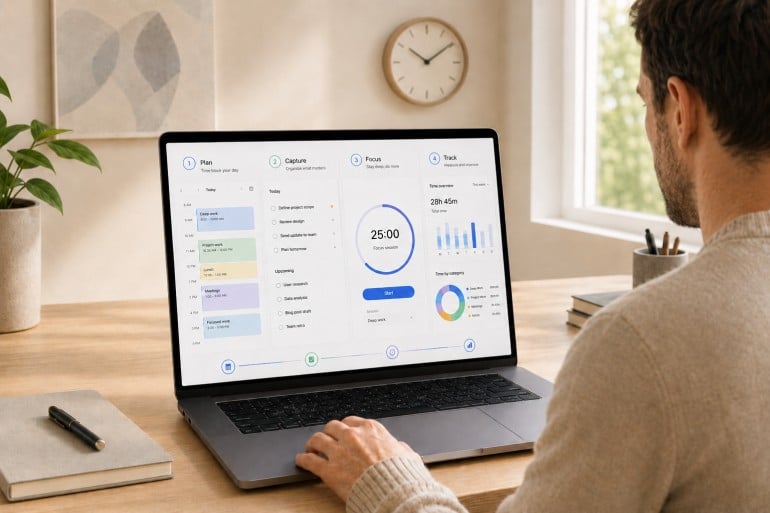
Image: Generated with ChatGPT
Most “best time management apps” lists pick fifteen random apps and rank them as if they’re solving the same problem. They aren’t. Time management isn’t one job. It’s four. The best apps for time management on Mac are the ones that fit cleanly into the four stages of a workday: plan, capture, focus, and track.
Mac users assemble their stack from specialists for a reason. The right calendar won’t make your day distraction-free. The strictest distraction blocker still won’t tell you where last Tuesday actually went. Each stage answers a different question, and trying to cover all four with one app usually means doing all four poorly. If you’re already looking at your habits, our guides on time management tips and how to limit distractions are good companion reads.
This guide is a curated stack rather than a feature list. We reviewed thirteen of the strongest apps for time management on Mac across the four stages, drawing on deep dives we’ve published this year on calendar apps, Pomodoro timers, distraction blockers, and time tracking apps.
-
The Best Pomodoro Apps for Mac in 2026: Focus Timers for Every Workflow

Image: Generated with ChatGPT
Looking for the best Pomodoro apps for Mac? We evaluated seven focus timers for macOS and picked the ones that go beyond a simple countdown — with distraction blocking, task management, Apple ecosystem sync, and session analytics. Whether you need a polished Apple-native timer, a strict website blocker, or a free open-source option, this guide covers it.
The Pomodoro technique has survived for nearly four decades because it solves a universal problem: you sit down to do deep work, and twenty minutes later you’re reading about the history of the Suez Canal on Wikipedia. The formula is simple — work for 25 minutes, break for 5, repeat. But when every timer app looks the same, the real value is in what happens around the countdown: blocking, tracking, syncing, and reporting.
We also explain how pairing a Pomodoro app with automatic time tracking gives you the complete picture of your workday — not just when you focused, but what you focused on.
-
The 11 Best Calendar Apps for Mac in 2026

Image: Generated with Dall-EWhether you’re arranging work meetings or personal engagements, having the best calendar app for Mac is critical to managing your time effectively. The right calendar app can help you organize your schedule, improve your productivity, and collaborate well with others. It’s an essential value-add in maintaining control of your time and spending it wisely.
But with so many calendar apps on the market in 2026, how do you find the one that’s right for you? We’ve drawn up a list of the eleven best calendar apps for Mac and MacBook — including several free options. Each app has a few important characteristics that we recommend you look out for, as well as a couple of defining features that separate them from the rest. Whether you’re a freelancer, a small business owner, or part of a larger team, there’s a calendar app here that fits your workflow.
-
Die 11 besten Kalender-Apps für Mac – Vergleich 2026
Bild: Erstellt mit Dall-EOb Sie geschäftliche Meetings oder private Termine organisieren – die beste Kalender-App für Mac ist entscheidend für effektives Zeitmanagement. Die richtige Kalender-App hilft Ihnen dabei, Ihren Zeitplan zu organisieren, Ihre Produktivität zu steigern und effizient mit anderen zusammenzuarbeiten. Sie ist ein unverzichtbares Werkzeug, um die Kontrolle über Ihre Zeit zu behalten und sie sinnvoll zu nutzen.
Aber wie finden Sie bei der Vielzahl an Kalender-Apps auf dem Markt in 2026 die richtige für sich? Wir haben eine Liste der elf besten Kalender-Apps für Mac und MacBook zusammengestellt – darunter auch mehrere kostenlose Optionen. Jede App verfügt über wichtige Eigenschaften, auf die Sie achten sollten, sowie einige besondere Funktionen, die sie von den anderen unterscheiden. Egal ob Sie Freelancer, Kleinunternehmer oder Teil eines größeren Teams sind – hier finden Sie die passende Kalender-App für Ihren Workflow.
-
Time Management Matrix: What It Is, How It Works, and Examples
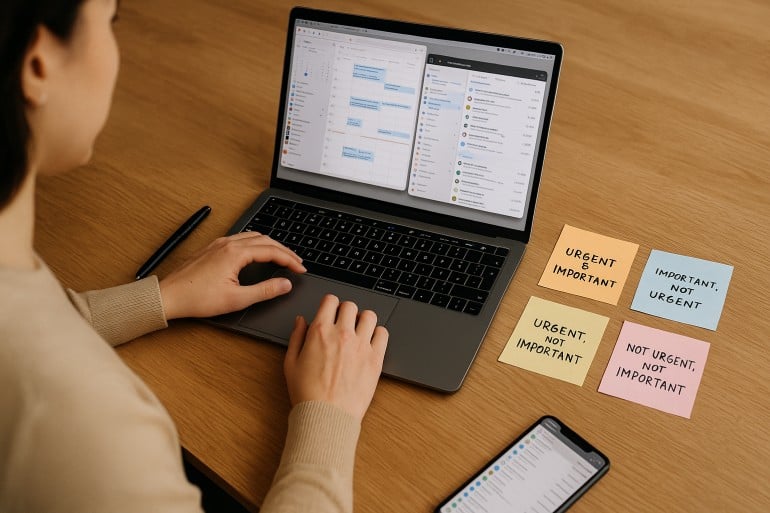 Image: ChatGPT
The time management matrix is one of the most effective prioritization frameworks available — and if you’ve been struggling to separate what truly matters from what just feels urgent, it might be exactly what you need in 2026. Also known as the Eisenhower Matrix, this simple four-quadrant grid helps you organize every task based on its urgency and importance.
Take a look at your to-do list. It probably holds pesky chores of little value, a few must-get-done-today tasks, medium-sized jobs that need planning, and heavy-duty projects that are time and resource intensive. Whether you manage to tackle the right activities in the right order depends on how you prioritize. The time management matrix gives you a clear, repeatable system for making those decisions — helping you focus on the activities that drive your personal and professional success, while identifying and reducing the time spent on those that get in the way.
Here, we define what a time management matrix is, explore its advantages and features, and offer a step-by-step guide on creating one of your own.
TL;DR: Time Management Matrix in 2026
The time management matrix (also known as the Eisenhower Matrix or Covey Matrix) is a four-quadrant framework that categorizes every task by two criteria: urgency and importance. Quadrant 1 holds urgent and important tasks you must do now. Quadrant 2 holds important but not urgent tasks — the key to long-term success. Quadrant 3 holds urgent but unimportant tasks to delegate. Quadrant 4 holds neither urgent nor important tasks to eliminate.
- The matrix helps you shift from reactive firefighting to proactive planning
- Spending more time in Quadrant 2 is the single biggest lever for productivity
- Pair the matrix with automatic time tracking to see where your time actually goes
- Works for freelancers, solopreneurs, and small teams alike
-
Time Constraints: 8 Pro Tips to Help You Manage Tight Deadlines

Image: Antoni ShkrabaOur professional lives are governed by one time constraint after another. Client and self-imposed deadlines, access to resources, and our operational processes influence what we prioritize when. This isn’t necessarily a bad thing. It’s an inevitability. Every task has to be completed at some point. And if we can plan our schedules realistically and manage our workloads effectively, we can leverage these limitations properly,
Here, we offer eight useful strategies to help you navigate demanding deadlines. Their intention is to reduce the potential negative effects of time constraints, such as stress, decreasing work quality, and an inability to think creatively. And instead ensure you structure your time in a way that helps you feel in control, focused and productive.
-
The Flowtime Technique: Find Your Flow for a More Productive and Enjoyable Workday

Image: Andrea PiacquadioHave you ever felt so immersed in a task, so wholly focused, that the minutes slip by unnoticed? Rather than watching the clock, anxious that you’re not working as productively as you should, or eagerly anticipating your next break, you simply lose yourself in your work? The world around you disappears. The project you’re working on is all there is. Now, what if there was a time management strategy that helped you lean into this state of flow? Enter the Flowtime technique.
The Flowtime technique encourages you to get in the flow. It’s all about working in a deep, focused way, and taking breaks when your body and mind give you the necessary cues, rather than at specific intervals. It’s also known as the “Flowmodoro” because it’s related to the Pomodoro technique, though it differs in some important ways.
Here, we’ll discuss what Flowtime is all about, compare it to the Pomodoro technique, and offer a step-by-step guide on how to implement it into your daily life to improve your productivity and work satisfaction.
-
How a Block Schedule Can Improve Your Focus, Productivity and Work Satisfaction

Image: fauxelsIn our working lives, time reigns supreme. We’re governed by our priorities and by what we can reasonably accomplish on any given day. But working to the best of our ability with the time available to us doesn’t happen by chance. Instead, we need to have an effective time management technique in place if we’re going to maximize every hour and minute. One of the most productive solutions available is the block schedule.
Block scheduling involves dividing your day into broad but distinct blocks of time. Each of these blocks is then dedicated to certain types of tasks. The idea is that, rather than multitasking or haphazardly jumping between projects, you allocate dedicated time to different responsibilities. This helps you stay focused, boosts your productivity, and improves your work satisfaction.
While block scheduling is similar to time blocking, there are some important differences — we’ll explore these in a minute.
-
The Modern Freelancer: Freelance Time Tracking Tips, Tricks & Tools
 Image: Generated with Dall-E
Freelance time tracking is the backbone of a profitable freelancing business — yet most freelancers struggle to do it well.
How often do you find yourself:- Undercharging for projects because you lost track of hours
- Overwhelmed by your to-do list
- Guesstimating your hours on invoices
Research shows that 80% of manually updated timesheets contain errors, and delayed time entries can cost professionals up to 70% of their billable revenue.
What you need is a proper freelance time tracking system — one that helps you work smarter, not harder.
Whether you’ve tried time-tracking solutions in the past or you’re just getting started, you’re in the right place.
Below, you’ll find proven freelance time tracking methods, common pitfalls, and tools to make sure no billable minute gets left behind.
Read More…
