
-
Declutter Your Mind with the 19 Best Note-taking Apps for Mac in 2026
Image generated by ChatGPT
There’s just no knowing when inspiration will strike. On a train in rush hour, in the middle of making dinner, or like a bolt out of the blue at 3am. And when it does, you’re going to need to note it down. As David Allen, productivity guru and creator of the Getting Things Done time management method, famously says: “The mind is for having ideas, not holding them”. Fortunately, our list of the best note-taking apps for Mac in 2026 is here to help.
The list below is designed to help you record valuable information for a later date. It will also help you clear out unnecessary mental clutter and distill your thoughts, and become your most focused and productive self. Whether you prefer to represent your ideas as mind maps or charts, handwrite your notes on a digital canvas, or use AI to do all the organizing for you, we’ve got a macOS note-taking app that’s right for you.
-
The Best Email Apps for Mac in 2026: Top 10 Mail Clients Reviewed

Image: Generated with Dall-EA Mac email app (or email client) is software that lets you access, read, write, and organize emails from one or more email accounts. Unlike webmail services like Gmail.com, a dedicated email app runs natively on your Mac, offering faster performance, offline access, and deeper integration with macOS features like Spotlight, Contacts, and Calendar.
Is your current email app serving you? Is it boosting your productivity, streamlining your communication, and making your workflow quicker and more efficient? Or is it hindering these processes and frustrating your progress? Having the right email app in your tool stack is critical for business success. But amid all the options available, what are the best email apps for Mac in 2026?
Here, we’ll explore the top 10 Mac email clients, outlining what makes them unique, and listing their pros and cons. Whether your needs are relatively straightforward, or you have in-depth demands of the email tool you use, our list has you covered.
-
The 11 Best Calendar Apps for Mac in 2026
Image: Generated with Dall-EWhether you’re arranging work meetings or personal engagements, having the best calendar app for Mac is critical to managing your time effectively. The right calendar app can help you organize your schedule, improve your productivity, and collaborate well with others. It’s an essential value-add in maintaining control of your time and spending it wisely.
But with so many calendar apps on the market in 2026, how do you find the one that’s right for you? We’ve drawn up a list of the eleven best calendar apps for Mac and MacBook — including several free options. Each app has a few important characteristics that we recommend you look out for, as well as a couple of defining features that separate them from the rest. Whether you’re a freelancer, a small business owner, or part of a larger team, there’s a calendar app here that fits your workflow.
-
The 17 Best Freelance Apps for Mac in 2026

Image: Andrea PiacquadioAs a freelancer, having the right tools at your fingertips can make all the difference between securing clients and having opportunities slip away. Whether you’re working from a home office or working remotely, your success depends on apps that help you manage your time, streamline your workflow, boost your productivity, and keep you focused. Wondering where to start? We’ve created a list of the best freelance apps for Mac users. These solutions are designed to support you, helping you work efficiently and effectively so that you dedicate your attention to your goals.
Before you decide which tool is best for you, we recommend examining your needs closely. What specific problem are you trying to solve? Are you wondering where your time goes every day? Is a particular task taking you longer than it should? Are you battling to stay on top of your projects and meet your deadlines? Is it taking you too long to convert your quotes to invoices? Once you know exactly what issue you’re tackling, you’ll find it easier to identify the right solution from our list.
One last thing before we dive in. If you’re a Mac user, we recommend trying to use Mac native apps as much as possible. Apps that have been specifically designed with macOS in mind almost always offer a superior user experience. You get more stability, better performance and an intuitive design. They’re also sure to integrate well across all your Apple devices.
If you can’t find truly Mac native apps, make sure you look for solutions that are at least Mac friendly. All of the apps we’ve listed below fall into one of these two camps. With that, let’s take a look at some of the freelance apps for Mac you can’t live without.
TL;DR: Best Freelance Apps for Mac in 2026
Timing is the must-have freelance app for Mac — it automatically tracks your time so you can bill accurately without starting and stopping timers. This guide covers:
- 17 apps across 4 categories: Time/task management, productivity, focus, and invoicing
- Top pick for time tracking: Timing — automatic tracking, AI summaries, call detection, Screen Time import
- Top pick for invoicing: GrandTotal + Timing integration for seamless time-to-invoice workflows
- Best free options: ClickUp (project management), Todoist (tasks), Thaw (menu bar), ChatGPT (AI)
-
Best Habit Tracker Apps for iPhone and Mac (2026)
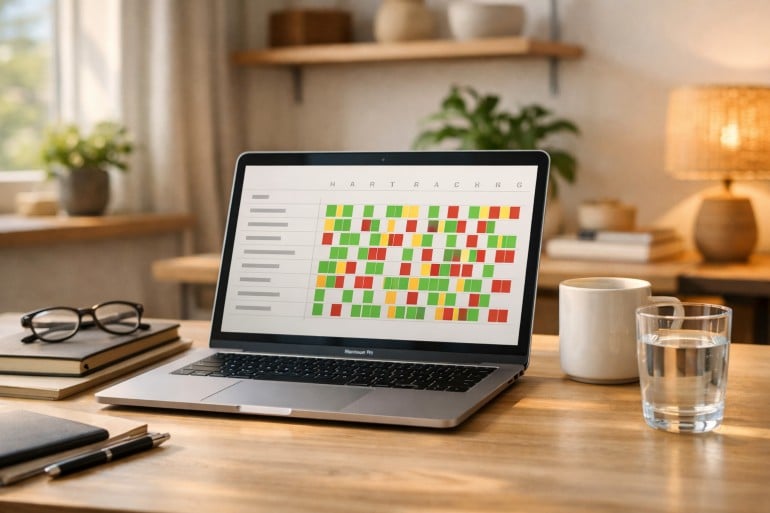
Image by: ChatGPTShifting the trajectory of our lives from stagnation to success often depends on one, seemingly simple, thing: pursuing the small daily habits that help us achieve our goals. This work can feel monotonous at times, even a little tedious, and as a result, difficult to remember and prioritize. But the impact of dismantling our negative habits and nurturing those that are positive can be enormous. Fortunately, we don’t have to do it alone. In 2026, there are a number of excellent habit tracker apps for iPhone and Mac we can use to help us along the way.
The right habit tracking app provides structure, motivation and accountability, ensuring you build consistency over time. Whether you’re trying to establish a morning routine, maintain client relationships or simply remember to step away from your desk, a strong habit tracker Mac app makes it easier to show up for yourself every day.
We’ve reviewed the leading habit trackers to help you find one that best suits your needs. Our list includes apps that can be used across both your Mac and iPhone, as well as a handful that are exclusively for one or the other.
Let’s dive in.
-
The Best Mac AI Meeting Note Takers in 2026

Image generated by Nano Banana ProTaking your own notes during a meeting has been a thing of the past for some time. But so is having to sift through a full transcript of every word that was said. In 2026, AI meeting note takers help freelancers, hybrid teams and remote workers accurately capture calls and meetings, distilling only the most important information into useful, actionable insights. With the right solution in your tool stack, you can stay fully present in your meetings as they happen, and ensure you know exactly what is expected of you once they’re done.
Here, we review some of the best AI meeting assistants for Mac on the market. We’ve divided our list into three categories on Mac-native, cross-platform and built-in solutions. And within each category, we explore both the key advantages and disadvantages of each solution. A comprehensive table has also been included so that you can compare them easily.
Let’s get started.
-
Why Do It Yourself When Your Mac Can? Mac Automation from Basics to AI

Image generated by Nano Banana ProRoutine and repetitive tasks are inevitable — we all have to complete them, often several times a day. Copying the same phrase into emails. Hunting for our most-used folders and documents. Sifting through desktop clutter. Rearranging windows. These activities sap our time, slow our productivity, and draw our attention away from the tasks that really matter. Fortunately, many of them can be automated through a host of Mac automation tools.
Mac automation solutions have a bit of a reputation for being overly complex and technical, better suited for coders and power users than everyday knowledge workers. But times have changed. Today, these tools range from easy-to-install apps that offer daily wins to powerful AI agents that can operate your Mac for you. It’s a ladder that anyone can climb.
To show you how this works, we’ve divided our list of the best Mac automation tools into five levels that increase in complexity and impact. The apps in every level take a little more time to set up, but reward you with greater functionality:
- Level 1: Quick wins with low effort and instant payoff
- Level 2: Power launchers and built-in automation
- Level 3: Dedicated “do this one job for me” tools
- Level 4: Custom macros, system scripting and full workflow orchestration
- Level 5: AI or “have my computer just do it for me”
You don’t need to progress through the different levels if they don’t suit your purposes. Simply select the apps that meet your needs and stop at the level that feels appropriate to your skill set. Of course, if either changes, you can always dive back in and layer in more automation as your needs grow.
Start with Timing
Before you install anything, start with an automatic time tracking solution like Timing. Run it for a week before you install your chosen tools and keep it running after you install them, too. When you conduct a time audit, Timing will be able to show you how much time you’re saving as a result of using them, and whether the setup effort was worth it.
And with that, let’s break down each level and the tools within them.
-
11 Best Time Tracking Apps for Mac in 2026: A Comprehensive Market Overview
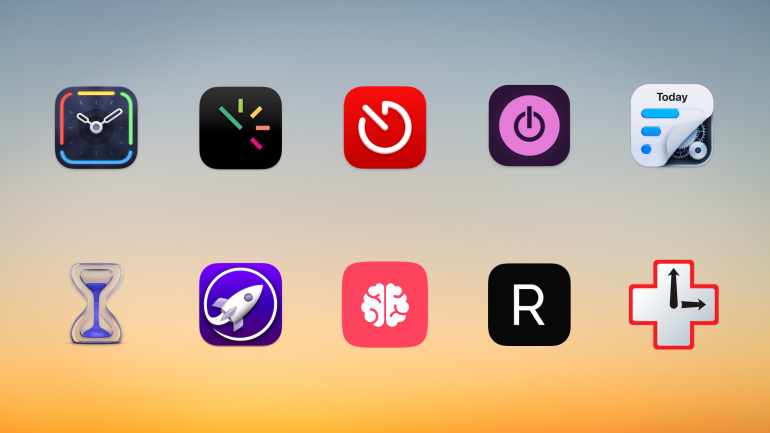
Background image: César Couto; Icons: respective app developersDo you really know how you spend your time? As you look back on a project you’ve just completed, did it take you the three hours you think it did, or was it probably two? Plus, an hour of responding to emails? The only way to know for sure is to use a dedicated time tracker for Mac. We’ve tested and compared the eleven best time tracking apps on the market to help you find the right one.
Choosing the right app for you depends on what you need — every app is slightly different. While some tally your activities automatically, carefully keeping track of which web pages and documents you spend the most time on, others allow you to log your time manually. Some are ideally suited for freelancers and small businesses, while others are tailored to larger companies.
TL;DR: Best Mac Time Tracking Apps in 2026
Timing is the best time tracking app for Mac — it automatically records every app, document, and website you use without manual timers. This guide covers:
- 11 apps compared: Automatic vs. manual time trackers, with prices from free to $23.99/month
- Top pick for automation: Timing — AI summaries, call detection, Screen Time import, idle tracking
- Best free option: Toggl + Timery — generous free tier with an excellent native Mac client
- What to look for: Automatic tracking, Mac-native design, team features, and AI capabilities
Read the rest of this buyer’s guide for an overview of the entire Mac time tracking apps in 2026!
-
Dictation on Mac: How to Use Talk-to-Text & the Best Dictation Apps (2026)

Image: MART PRODUCTION
If efficiency and productivity are high on your list of priorities, you should be talking to your Mac, not typing on it. In recent years, dictation on Mac has evolved from a novelty feature to an essential time hack. Apple Dictation comes built into every Mac, and today everything from simple to-do notes to large emails and reports can be drafted with dictation software.
Here, we help you navigate this growing trend. How do you enable Apple Dictation? Should you stick with the built-in tool or invest in a third-party solution? And what are some of the best Mac dictation apps on the market?
Let’s get started.
-
Time Management Matrix: What It Is, How It Works, and Examples
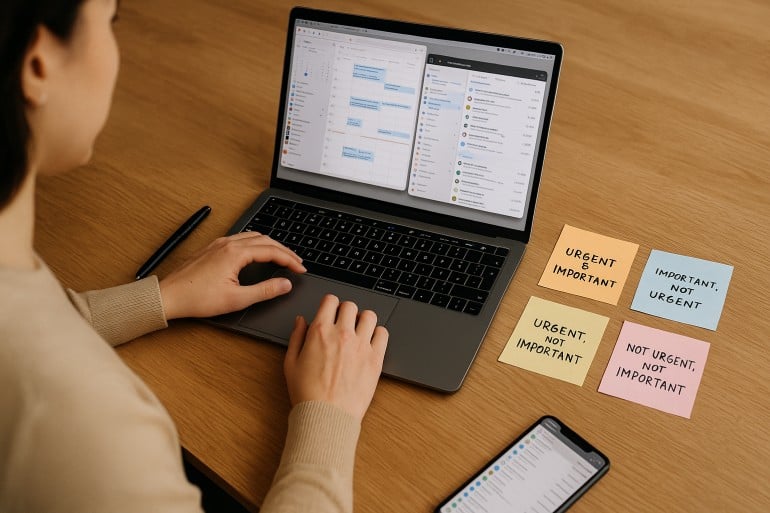 Image: ChatGPT
The time management matrix is one of the most effective prioritization frameworks available — and if you’ve been struggling to separate what truly matters from what just feels urgent, it might be exactly what you need in 2026. Also known as the Eisenhower Matrix, this simple four-quadrant grid helps you organize every task based on its urgency and importance.
Take a look at your to-do list. It probably holds pesky chores of little value, a few must-get-done-today tasks, medium-sized jobs that need planning, and heavy-duty projects that are time and resource intensive. Whether you manage to tackle the right activities in the right order depends on how you prioritize. The time management matrix gives you a clear, repeatable system for making those decisions — helping you focus on the activities that drive your personal and professional success, while identifying and reducing the time spent on those that get in the way.
Here, we define what a time management matrix is, explore its advantages and features, and offer a step-by-step guide on creating one of your own.
TL;DR: Time Management Matrix in 2026
The time management matrix (also known as the Eisenhower Matrix or Covey Matrix) is a four-quadrant framework that categorizes every task by two criteria: urgency and importance. Quadrant 1 holds urgent and important tasks you must do now. Quadrant 2 holds important but not urgent tasks — the key to long-term success. Quadrant 3 holds urgent but unimportant tasks to delegate. Quadrant 4 holds neither urgent nor important tasks to eliminate.
- The matrix helps you shift from reactive firefighting to proactive planning
- Spending more time in Quadrant 2 is the single biggest lever for productivity
- Pair the matrix with automatic time tracking to see where your time actually goes
- Works for freelancers, solopreneurs, and small teams alike
