
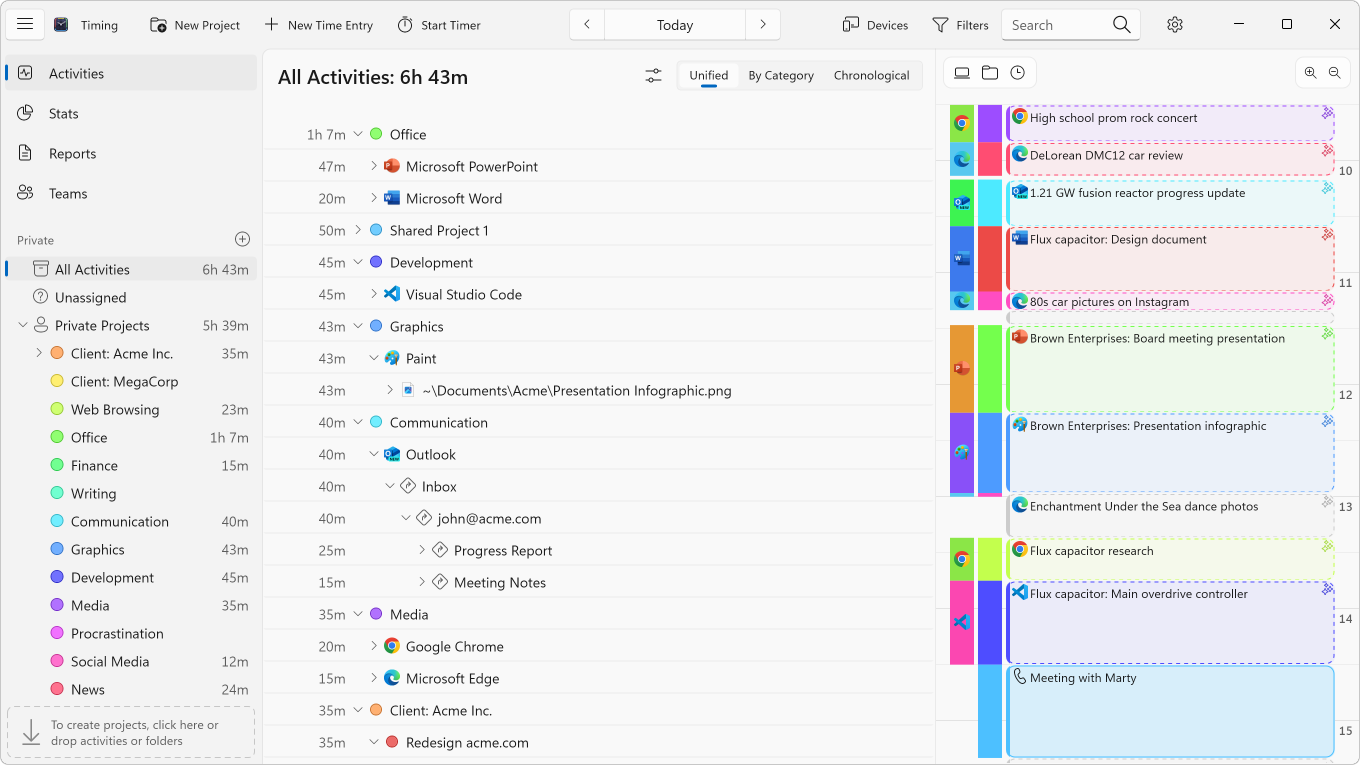
Timing even automatically detects when you stop using your PC, letting you exclude idle time.
Timing for Windows
Stay on Top of Your Time.
Without Timers.
Just keep focusing on your work while Timing records your time automatically, then review your time when you want to.
Record time faster than ever with just a few clicks.
See when you worked on what and how productive you were.
For Windows 11 (version 24H2 or later) on 64-bit Intel and AMD PCs.
30-day free trial, no credit card needed.
Understand your day at a glance
Stop reviewing raw activity logs. Timing's AI summaries instantly reveal what you worked on and highlight key patterns — so you always know where your time went.
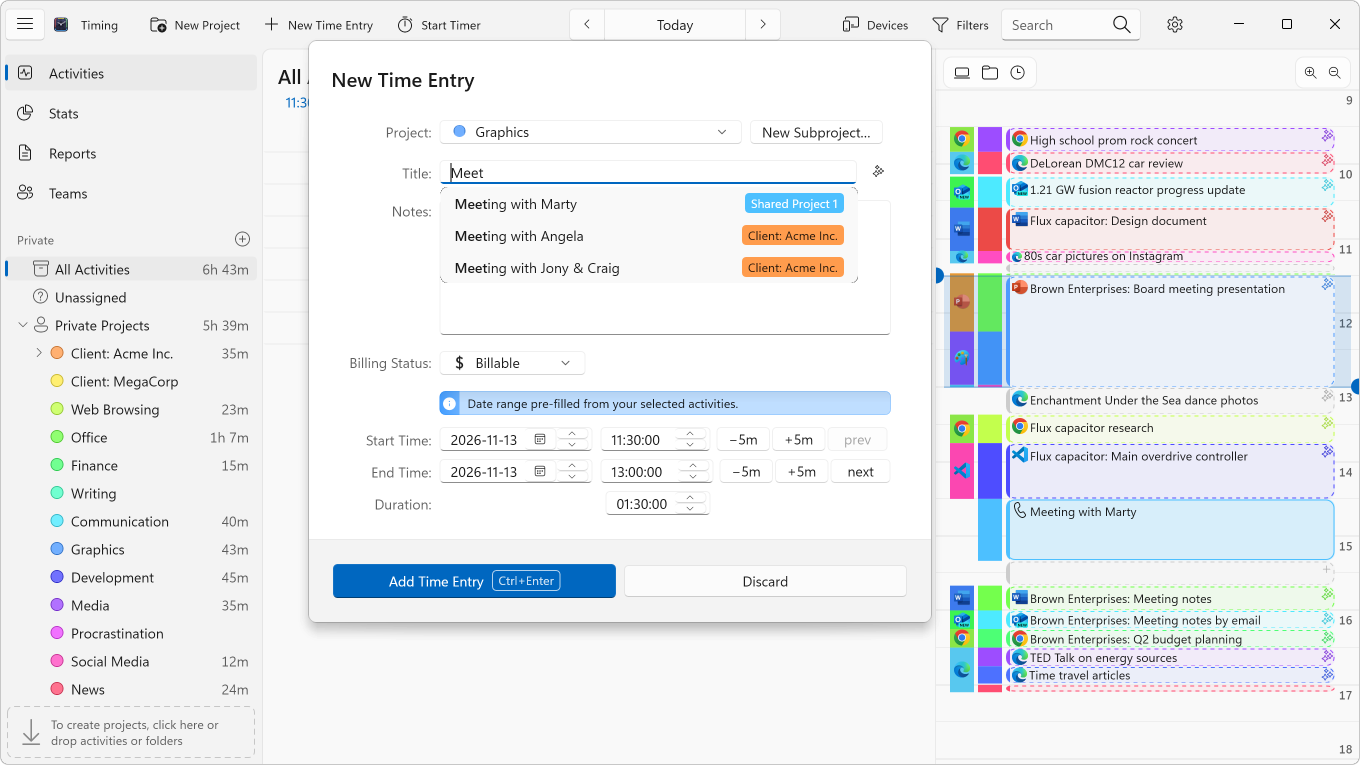
Create accurate time entries in just a few clicks, powered by AI that automatically groups related activities and surfaces the topics that matter most.
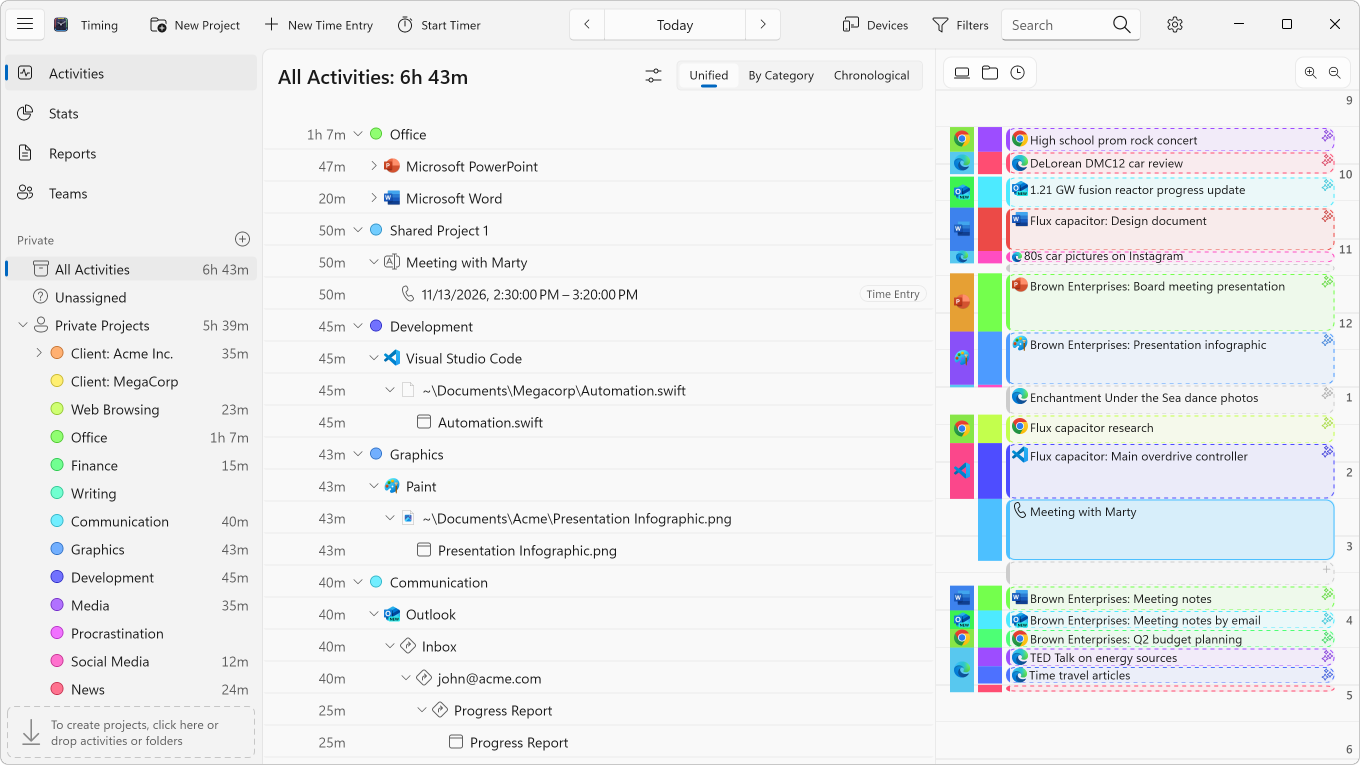
Save hours every week on time tracking
Timing is built from the ground up to eliminate busywork. Automatic tracking, smart suggestions, and customizable rules mean you spend less time logging and more time doing.
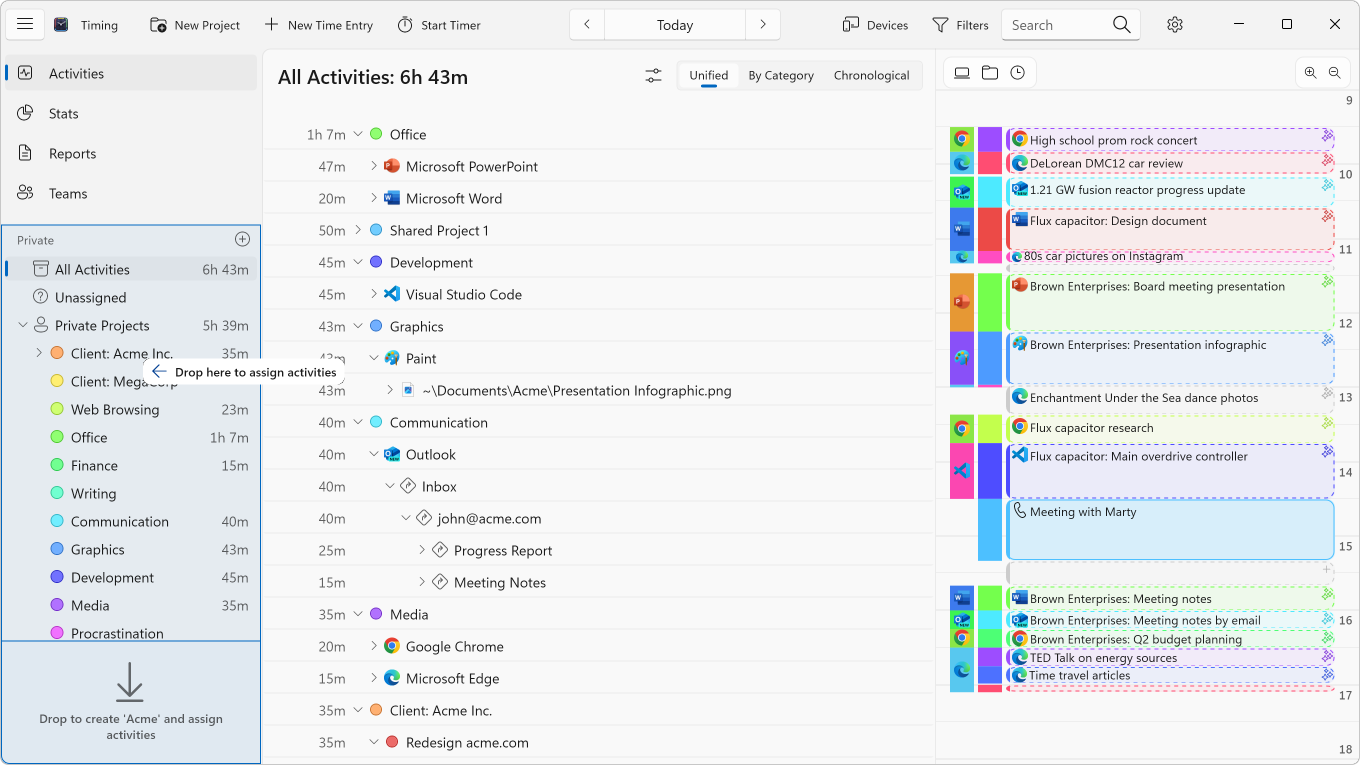
Drag activities onto a project, and Timing can turn that into a rule that sorts matching activities into it automatically from then on. You set it up once, and it keeps working for you.
Over time, Timing saves you hours of manual categorization, not to mention the time you'd normally spend starting and stopping timers.
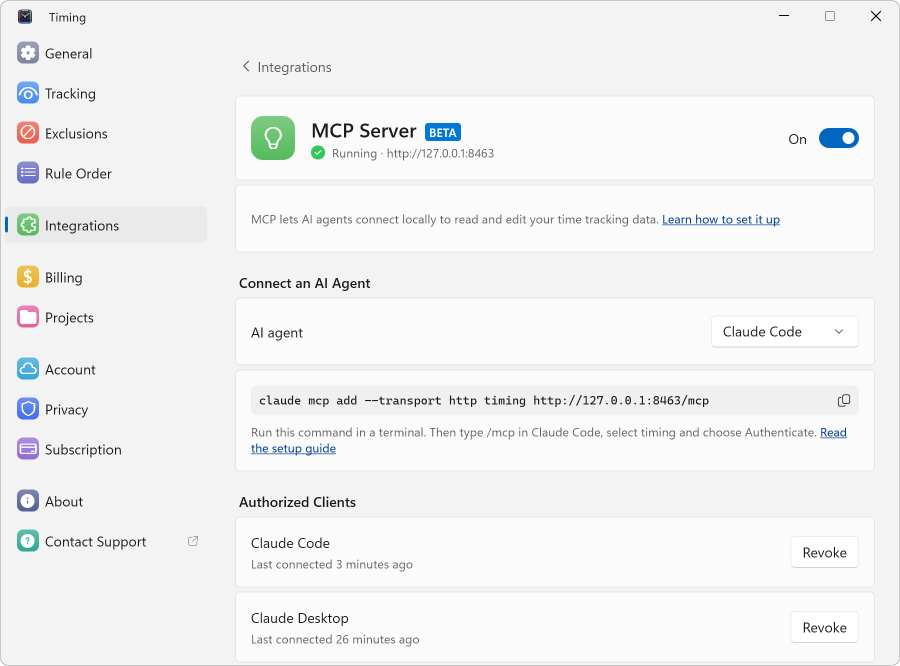
Let your AI agent sort your time
Connect Claude, ChatGPT or another AI agent to Timing via MCP, and hand it the tedious parts of time tracking.
Ask what you worked on, and it answers from the time you actually tracked. Let it sort the activities that are still unassigned, or set up rules so the same work gets filed automatically next time. It also remembers how you work, so you don't have to explain your setup again.
Try asking:
- "Which of last week's activities are still unassigned? Sort them into my projects."
- "Make sure my time in Google Docs always goes to Writing."
- "How much time did I spend in meetings last week?"
Stay organized without the effort
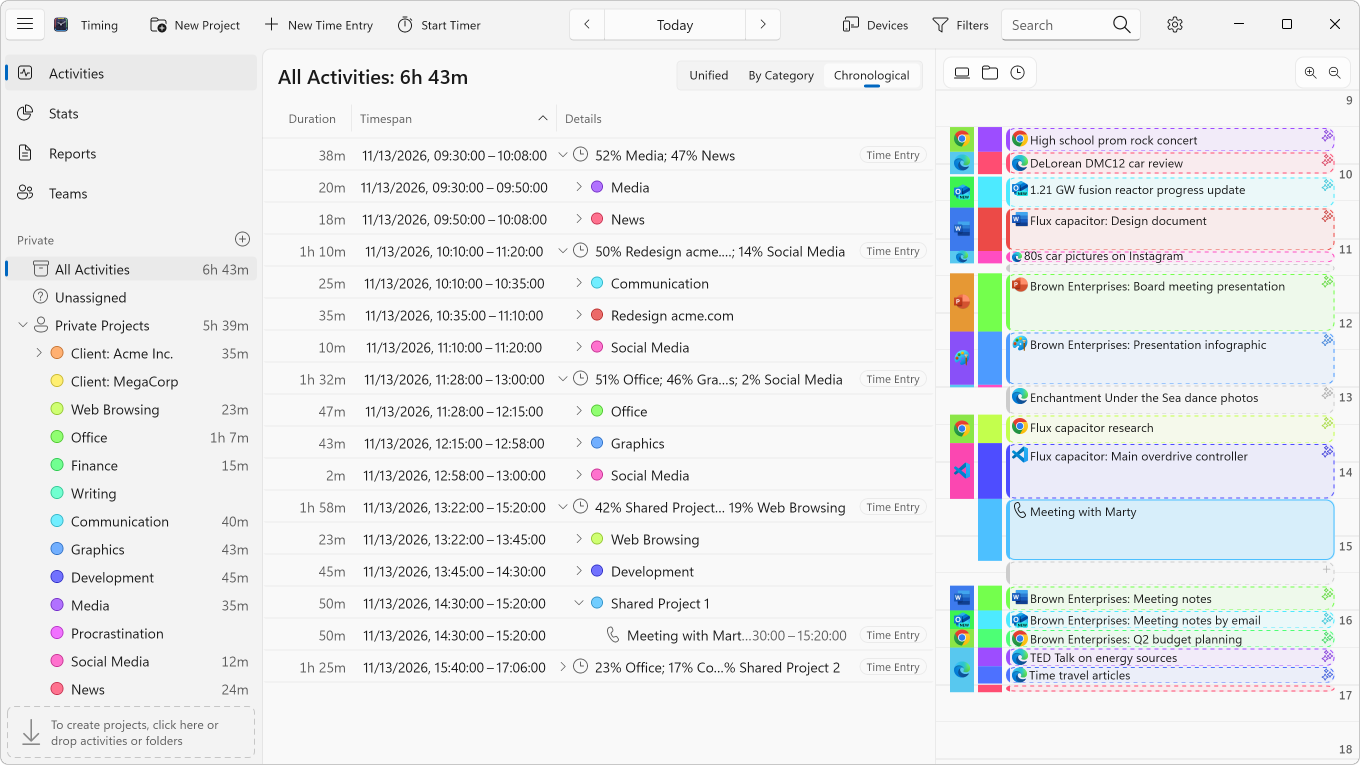
Assign time with simple drag and drop while Timing's intelligent timeline keeps everything organized for you.
Timing automatically combines related time blocks, giving you a clear, organized view of your day — more accurate tracking with less effort.
Your day, one click away
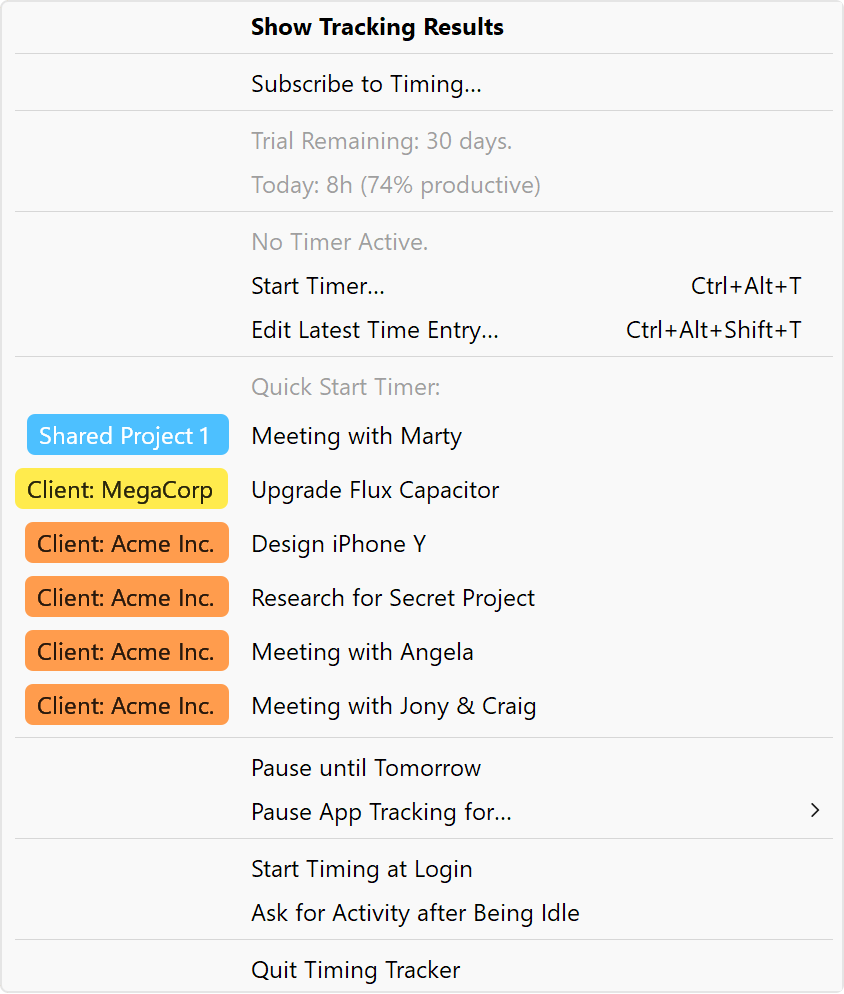
Timing's icon in the notification area shows how much you've worked today and how productive you were.
Start a timer for one of your recent tasks with a single click, or pause tracking whenever you need a break.
Timesheets you can actually trust
Timing automatically captures every minute of your work, so you can reproduce exactly what you did at any given time.
Bill with confidence — even when you forget to start a timer, your timesheets will be accurate and complete.
See what still needs an invoice
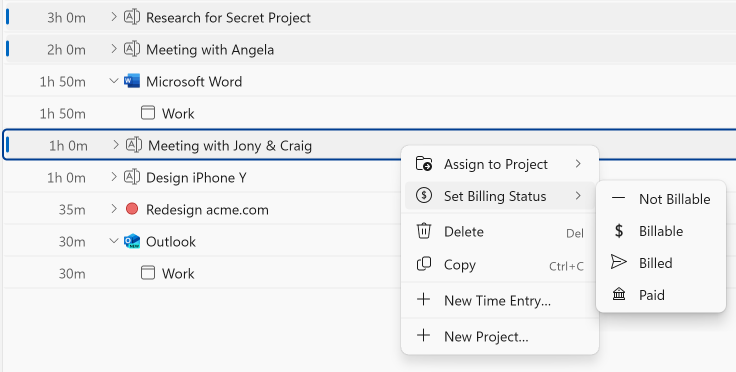
Mark your time as billable, billed or paid as you go, and Timing shows you which work you haven't invoiced yet and which invoices are still unpaid.
No more digging through last month's timesheets to find what you forgot to bill. Learn more
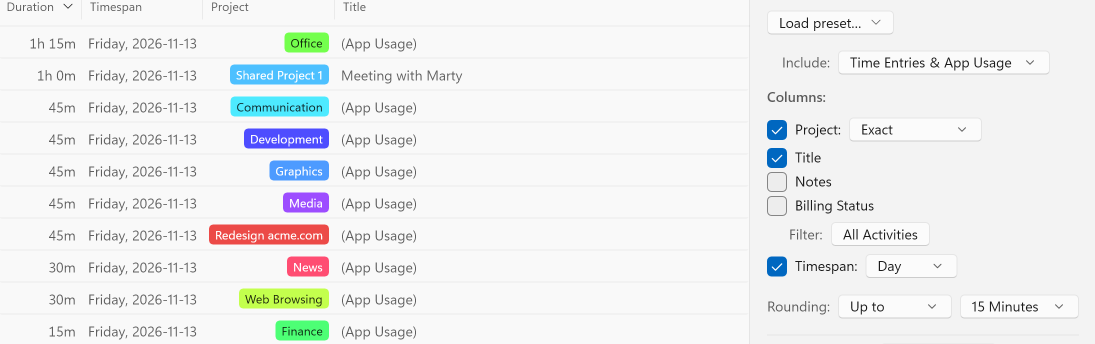
Timesheets that match how you bill
Bill in 6- or 15-minute increments? Timing's reports can round your hours to match, so your timesheets and invoices add up without any manual math.
Your tracked time stays exact. Only the report is rounded.
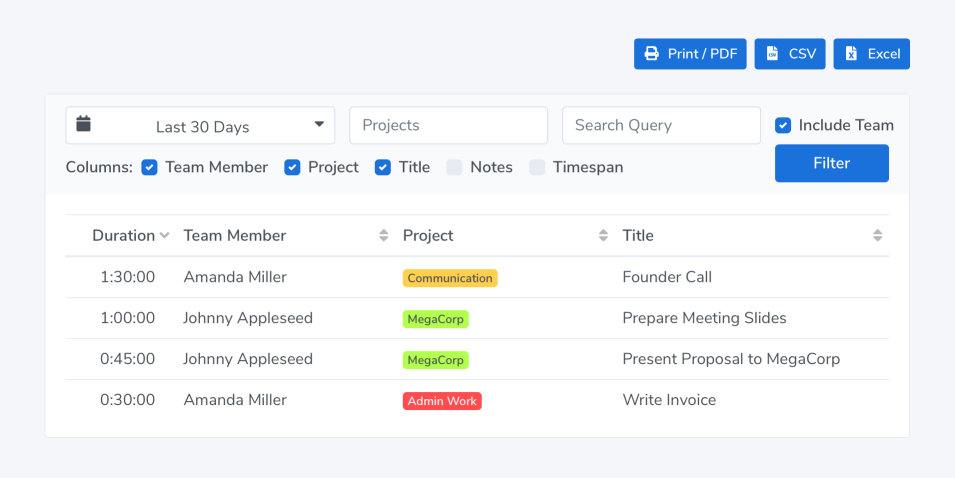
Keep your team on track — without micromanaging
Your team members report time towards shared projects; you view their reports in the Timing web app.
Team admins only see aggregate times associated with team projects. No personal times or private details are shared.
Features:
No More Start / Stop Timers
Don’t worry about forgetting to start or stop a timer for billing your clients – Timing is automatic timekeeping at its best.
Improve Your Productivity
Timing has automatic productivity tracking built right in.
You can assign productivity scores to all your projects and track how your productivity improves over time. If you need an app to improve your time management, Timing is the app to get.
Document-Based Tracking
Timing automatically tracks every app, document and website you use – including the full file path or URL. This makes assigning activity log data much easier and more accurate.
Manual Hours Tracking Included
When you spend time away from your PC, you can still add it in Timing – in fact, Timing’s timeline makes it super easy to add those times retroactively! You can even keep a manual timer running during your work, for maximum accountability.
Sync Your Data
Timing can optionally sync tracking data across all your computers, so you’ll never forget to log hours spent on the go.
CLOUD SYNC
And should your PC ever break, all your data is stored safely in the cloud.
Every Meeting Counts
When a call on your PC ends, Timing offers to record it. And when you step away for a meeting, Timing can ask what you did once you're back, so that time gets recorded too.
As Many Projects As You Need
Simply drag and drop your activities into projects to categorize the time you spent, for super-accurate time management.
And if you Alt-drag, Timing will create a rule to save you even more time.
Alt
drag to create rules
Track Time on the Go
Timing comes with a web app that syncs with Timing on your PC, letting you start and stop timers on the go – even on your phone.
WEB APP
Web API & Zapier
Connect Timing to your billing and project management systems with our Web API, or to other services with our Zapier integration, without writing code.
AI Agents via MCP
Ask your AI agent what you worked on, and let it file your activities into projects and set up rules for you. Works with Claude, Claude Code, Codex and more via MCP.
MCP
Tracks Your Browsers
Mostly working in the browser? Timing records the websites you visit in Chrome, Edge, Firefox, Brave, Opera and Vivaldi, without a browser extension.
In other browsers, it still records the app and the window title.
Protects Your Privacy
Your privacy is very important to us. That’s why Timing keeps all your data private:
PRIVACY FIRST
- Tracked times are stored locally and never leave your PC (unless you opt into sync).
- Privatebrowser windows are never recorded.
- You can add any activities to the exclusion list to prevent them from being tracked altogether.
- Your data is never used for AI training.
Avoid Procrastination
Timing's icon in the notification area always has today's time and your productivity score one click away, so you get real-time feedback on how you are doing. Challenge yourself to keep getting better and better scores over time!
Native Windows Application
Timing is a native Windows time tracker, built with Windows 11’s own controls, in light and dark mode.
NATIVE
Not a slow web (or Electron) app that hogs your memory – just blazing speed.
Detailed Reporting: Ideal for Freelancers
See what you did in any week, day, or hour.
And when you are finished, export the data as PDF, XLSX, CSV or HTML to create timesheets and invoices.
See which work you haven't billed yet, and round your hours to the increments you bill in.
If you are freelancing, you’ll love it.
Stop stressing about time. Focus on your best work.
Try Timing free for 30 days. No credit card required.
Free DownloadBeta