

Clio 自动时间追踪……
……以及所有其他应用!
Timing 与 Clio 集成,让你清楚地看到何时完成了任务并为其分配时间。
然后你可以毫不费力地将这些时间作为活动无缝同步回 Clio。
这与 Timing 的自动时间追踪功能完美结合,让你了解在每个应用、文档和网站上花费了多少时间。
下载 Timing 应用,立即开始追踪你在 Clio 中的时间!
免费试用 Timing 30 天,无需信用卡。
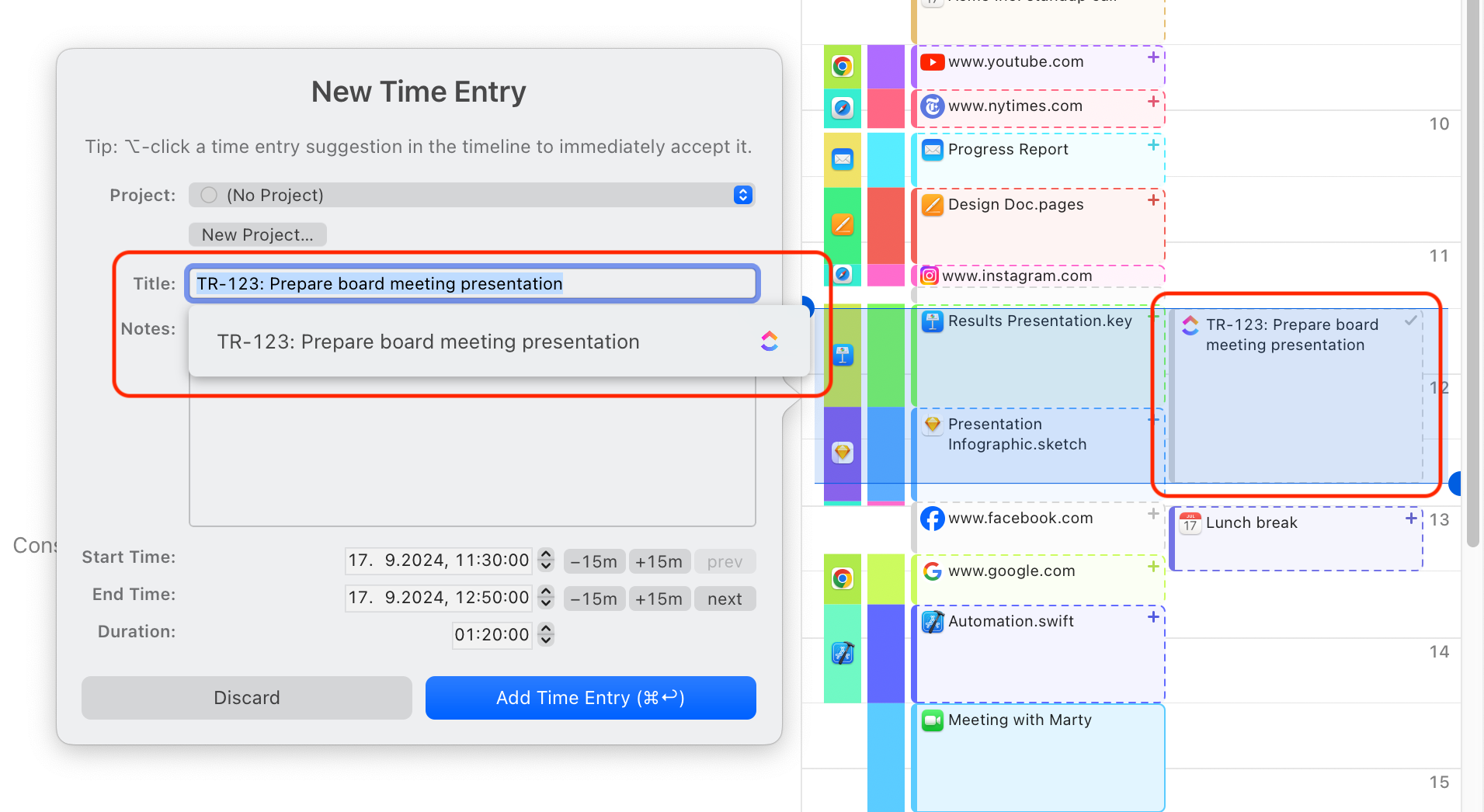
Clio 自动时间追踪:工作原理
只需将 Timing 网页应用连接到 Clio 即可开始。
几分钟内,Mac 上的 Timing 应用就会在时间线上显示分配给你的 Clio 任务。此外,当你在 Timing 中创建新的时间条目时,可以在自动补全列表中选择你的 Clio 任务。
几分钟后,Timing 会自动将这些时间条目作为活动同步回 Clio。如需了解更多信息,请查看我们知识库中的相关文章。
Assign your time to projects.
Simply assign your time via drag and drop, then use the timeline's smart suggestions to combine blocks of time that belong together.
You have never accounted for so much time with so few clicks!
Manual time entries: Giving you full control.
Not all your work happens in front of the computer. Timing’s interactive timeline makes it easy to add “offline time” such as meetings with just a few clicks.
And when you want to focus on a specific task, Timing lets you start and stop timers just like any other time tracking app.
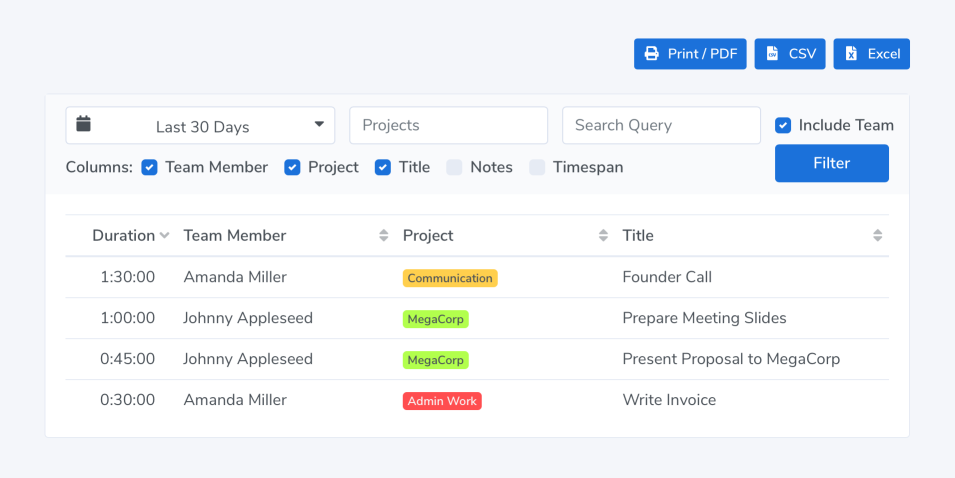
Privacy-friendly time tracking for teams.
Timing also supports working in groups. Your team members can report time towards shared projects; you view their reports in the Timing web app. No personal times or private details are shared.
开始使用
只需几个步骤即可将 Timing 连接到 Clio,开始针对你的任务追踪时间。
- 如果尚未设置,请先设置一个 Timing 同步账户。
- 使用你的同步凭据登录 Timing 网页应用。
- 导航到集成页面,点击 "Connect with Clio"。
- 选择你的 Clio 账户所在的区域,然后在 Clio 中完成身份验证。
- 选择要从哪些案件导入任务。你还可以启用将时间条目同步回 Clio 的功能。
- 等待几分钟,让初始导入完成。之后,分配给你的 Clio 任务将显示在 Timing 时间线上,并在创建时间条目时作为建议提供。
有关更多详情和故障排除提示,请查看我们的完整 Clio 集成指南。