





Track How Much Time You Spend in Your Browser
Between research, email, meetings, social media and countless open tabs, your browser can be a productivity black hole — or your most important work tool.
Timing automatically tracks every website and URL you visit, across all your browsers, without any browser extension.
Download the Timing app and find out where your web time actually goes!
Try Timing free for 30 days. No credit card required.
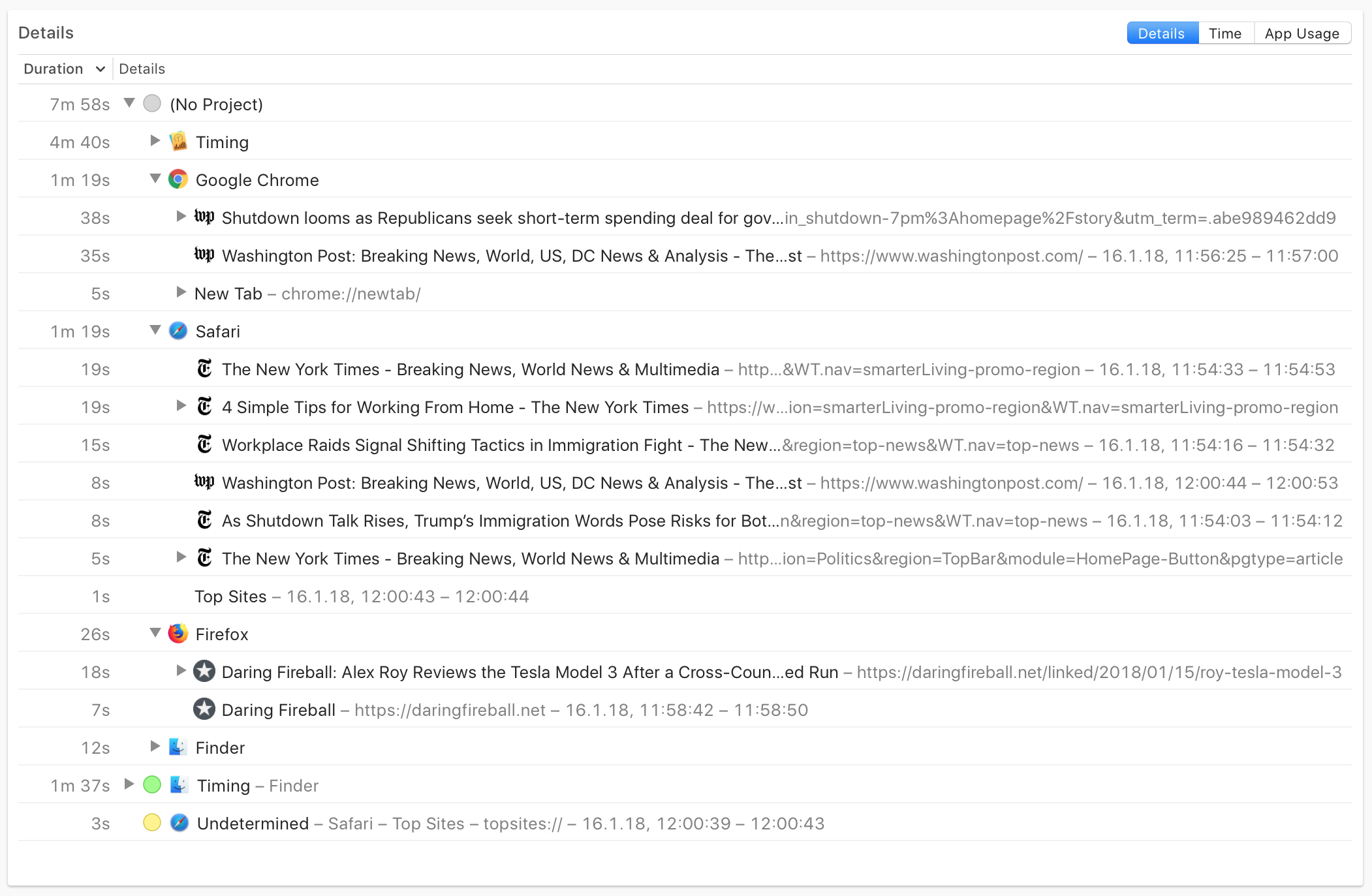
Per-website tracking across all your browsers.
Timing records exactly which websites and URLs you visit in Google Chrome, Safari, Arc, Firefox, and most other Mac browsers — without installing any browser extension.
Unlike browser extensions that only work in a single browser, Timing tracks all your browsers simultaneously. Switch from Chrome to Safari to Arc throughout the day, and Timing captures it all. You see exactly how much time went to each individual website, not just broad categories.






Bill for the research you actually do.
Web research is real, billable work — but it's almost impossible to reconstruct from memory. If you're a freelancer, consultant, or lawyer, a large part of your billable time happens in the browser.
Timing captures every URL so you can prove exactly how long you spent on that legal research session or competitive analysis. No more leaving money on the table because browser time felt like "just browsing."
Understand your distractions.
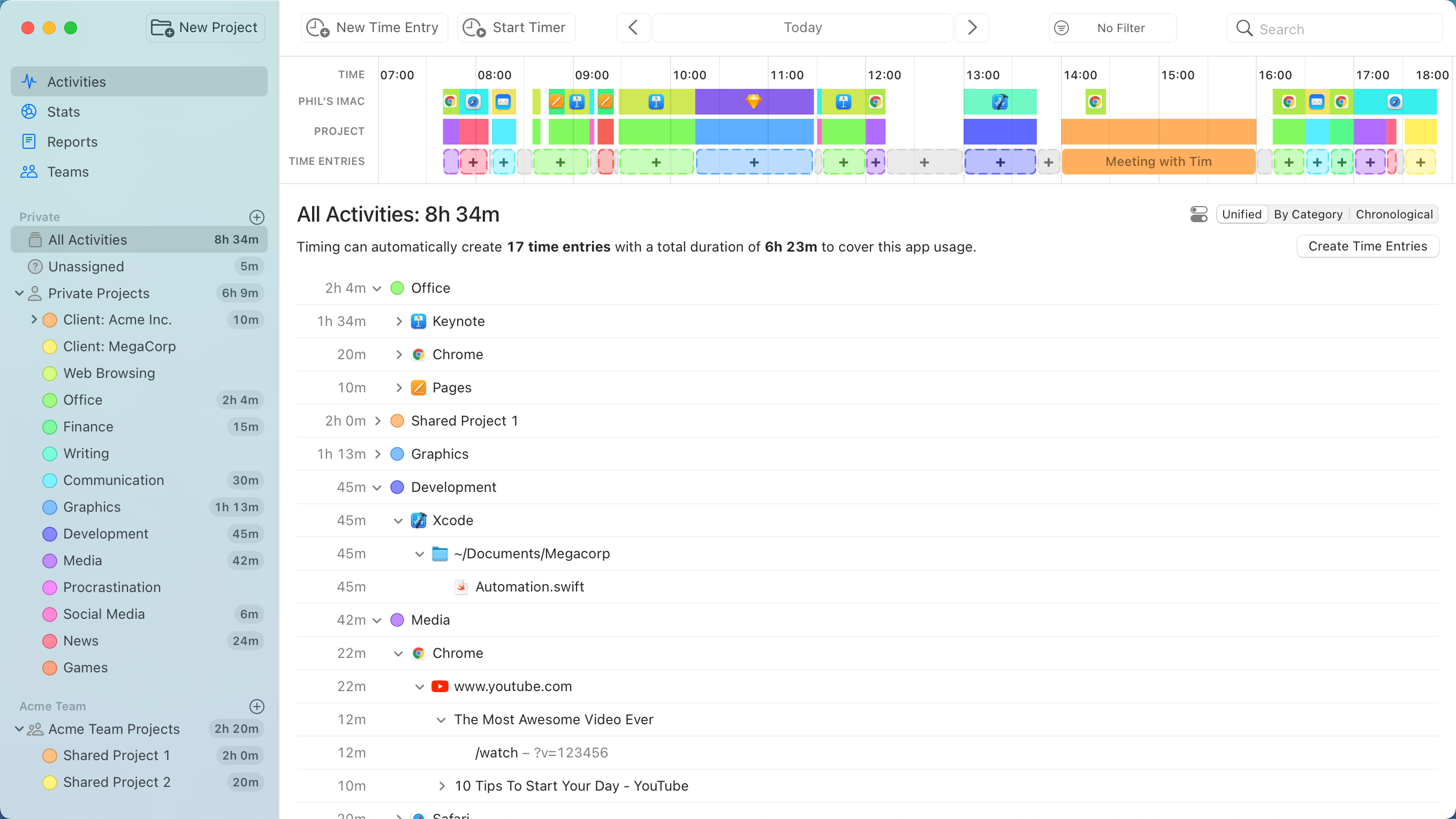
Timing shows you a clear breakdown of where your browser time goes. You might discover that you spend two hours a day on email, 45 minutes on social media, or that your "quick check" of the news routinely turns into 30 minutes.
With this data, you can make informed decisions about your habits — not guesses based on how productive you felt.
Assign your time to projects.
Simply assign your time via drag and drop, then use the timeline's smart suggestions to combine blocks of time that belong together.
You have never accounted for so much time with so few clicks!
Manual time entries: Giving you full control.
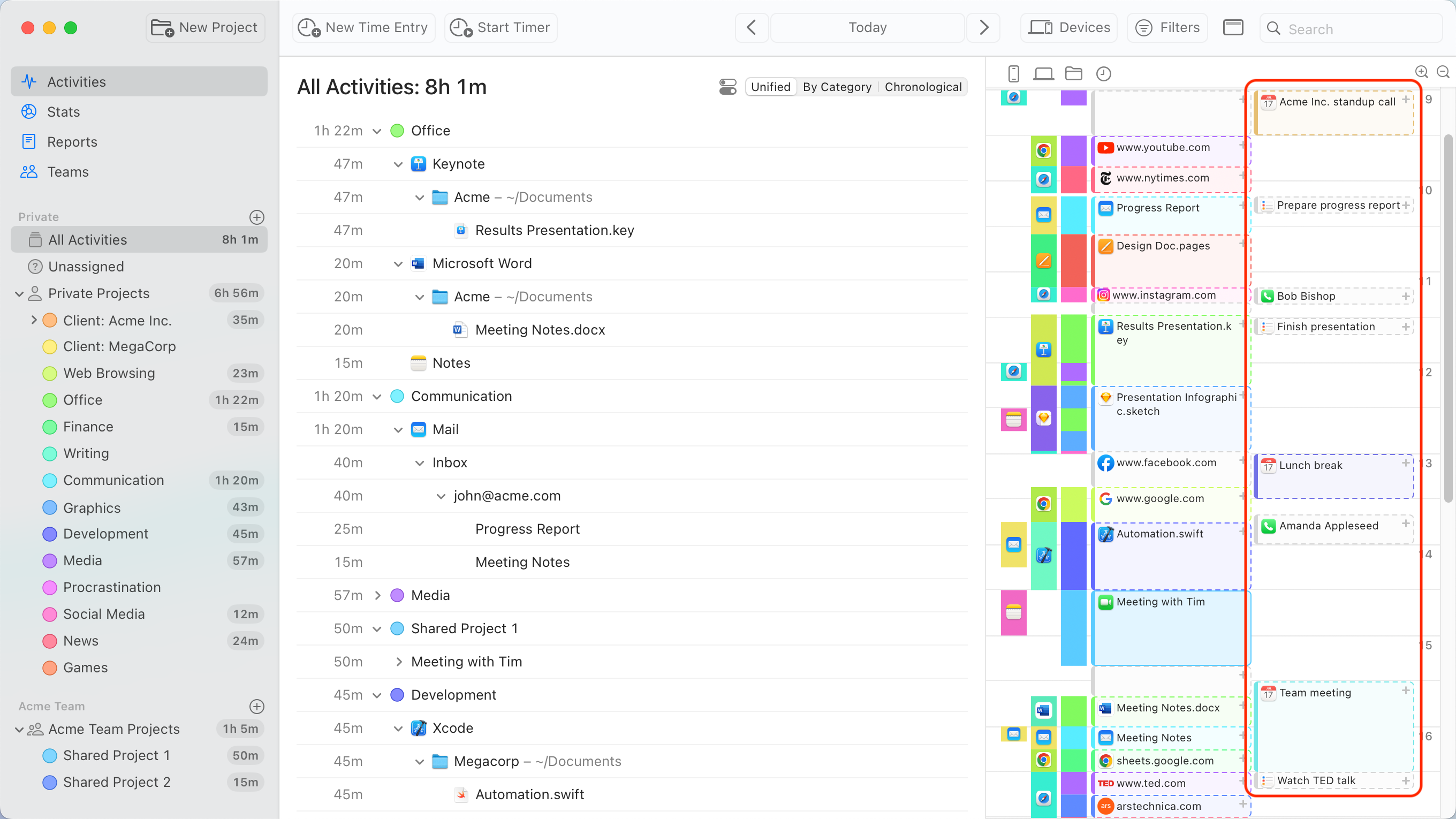
Not all your work happens in front of the computer. Timing’s interactive timeline makes it easy to add “offline time” such as meetings with just a few clicks.
And when you want to focus on a specific task, Timing lets you start and stop timers just like any other time tracking app.
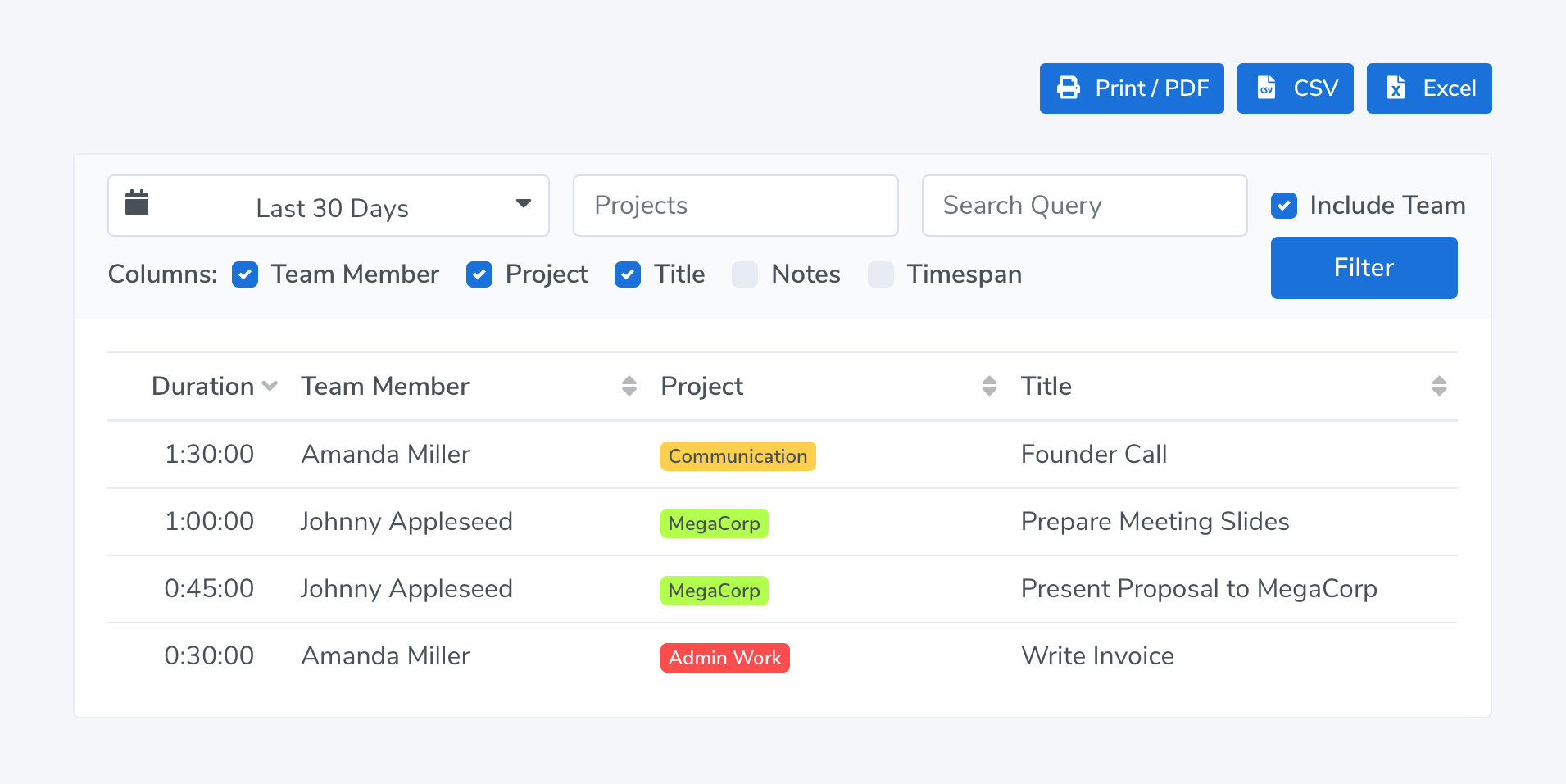
Privacy-friendly time tracking for teams.
Timing also supports working in groups. Your team members can report time towards shared projects; you view their reports in the Timing web app. No personal times or private details are shared.
Frequently Asked Questions: Browser Time Tracking
Timing supports all major Mac browsers including Google Chrome, Safari, Arc, Mozilla Firefox, Brave, Microsoft Edge, Vivaldi, Opera, Orion, and Firefox Developer Edition. If a browser runs on macOS, Timing can almost certainly track it — no configuration required.
No. Timing tracks your browser activity at the macOS level, not through an extension. This means it works across all your browsers simultaneously, never breaks with browser updates, and doesn't require any special permissions within the browser itself.
Timing records the page title and URL of every website you visit, along with how long you spend on each page. Incognito/private browsing tabs are automatically excluded — their URL and title are replaced with "Private" to protect your privacy.
Apple's Screen Time shows you how much total time you spent in a browser app, but not which websites you visited or for how long. RescueTime categorizes websites into broad groups (productive, distracting) but doesn't let you assign time to specific client projects for billing.
Timing gives you per-URL detail and lets you assign browsing time to projects with drag-and-drop, making it useful for both productivity insights and accurate invoicing.
Yes. You can create rules that automatically assign time spent on certain domains to specific projects. For example, time on your client's project management tool can be auto-assigned to that client's project. You can also manually drag browsing sessions onto projects for one-off assignments.
Absolutely. Timing tracks 130+ Mac apps including Slack, Zoom, Microsoft Word, Figma, and VS Code. When you switch from a Chrome tab to a Word document to a Zoom call, Timing captures the full picture of your day — not just the browser portion.
Try the leading website time tracker for Mac!
Stop stressing about time. Focus on your best work.
Free DownloadTry Timing free for 30 days. No credit card required.