
-
9 Best RescueTime Alternatives in 2026 [Tested & Compared]
The best RescueTime alternative is Timing, which automatically tracks every app, document, and website you use on your Mac and lets you assign time to specific projects and clients for accurate billing — something RescueTime simply cannot do. But Timing is not the only option: depending on your workflow, platform, and budget, other tools may be a better fit.
In this guide, we compare nine of the best RescueTime alternatives side by side — covering features, pricing, privacy, and real user feedback — so you can find the right time tracker for the way you actually work.
Last reviewed and updated: March 11, 2026
-
The 17 Best Freelance Apps for Mac in 2026

Image: Andrea PiacquadioAs a freelancer, having the right tools at your fingertips can make all the difference between securing clients and having opportunities slip away. Whether you’re working from a home office or working remotely, your success depends on apps that help you manage your time, streamline your workflow, boost your productivity, and keep you focused. Wondering where to start? We’ve created a list of the best freelance apps for Mac users. These solutions are designed to support you, helping you work efficiently and effectively so that you dedicate your attention to your goals.
Before you decide which tool is best for you, we recommend examining your needs closely. What specific problem are you trying to solve? Are you wondering where your time goes every day? Is a particular task taking you longer than it should? Are you battling to stay on top of your projects and meet your deadlines? Is it taking you too long to convert your quotes to invoices? Once you know exactly what issue you’re tackling, you’ll find it easier to identify the right solution from our list.
One last thing before we dive in. If you’re a Mac user, we recommend trying to use Mac native apps as much as possible. Apps that have been specifically designed with macOS in mind almost always offer a superior user experience. You get more stability, better performance and an intuitive design. They’re also sure to integrate well across all your Apple devices.
If you can’t find truly Mac native apps, make sure you look for solutions that are at least Mac friendly. All of the apps we’ve listed below fall into one of these two camps. With that, let’s take a look at some of the freelance apps for Mac you can’t live without.
TL;DR: Best Freelance Apps for Mac in 2026
Timing is the must-have freelance app for Mac — it automatically tracks your time so you can bill accurately without starting and stopping timers. This guide covers:
- 17 apps across 4 categories: Time/task management, productivity, focus, and invoicing
- Top pick for time tracking: Timing — automatic tracking, AI summaries, call detection, Screen Time import
- Top pick for invoicing: GrandTotal + Timing integration for seamless time-to-invoice workflows
- Best free options: ClickUp (project management), Todoist (tasks), Thaw (menu bar), ChatGPT (AI)
-
Time Theft Is Real – And It’s Costing You More Than Time

Image by: ChatGPTYou may not realize it, but time theft is costing your business and not in small change. The phenomenon manifests in the gaps between tasks, getting stuck in your inbox, and all the small administrative time sinks that never make it onto your invoice.
Unlike traditional workplaces, where time theft implies you’re deliberately slacking off, as a freelancer or solopreneur, it’s the opposite. Time theft is usually unintentional. Instead of shirking your responsibilities, you might find yourself guilty of falling into a cycle of performative productivity or context switching.
Both reduce your capacity for impactful input. Without visibility into how you’re spending your time, you risk loss of revenue — and miss out on opportunities for sustainable business growth and the freedom to step away from your laptop without guilt.
Below, we’ll walk you through what time theft really looks like when you’re working for yourself, and how to get your time back by building a healthy accountability system without invasive micromanagement methods.
-
Work From Anywhere: Top Remote Work Tools for Mac Users in 2026

Image: Tima MiroshnichenkoDoes your office regularly shift between your kitchen table, your local coworking space and your favorite coffee shop? If so, it’s likely that your external working environment matters less to you than the technology at your fingertips. In teaching yourself to work from anywhere, in other words, you’ve realised the importance of creating a private digital space that feels familiar and intuitive. You’ve learnt that all you really need to do your work is the right remote work tools.
But what are the best remote work apps you should have in your arsenal? How do you find the exact tools you need to work productively, autonomously, and asynchronously with your colleagues and clients? How do you ensure you have all the support you need? We’re here to help.
We’ve drawn up a practical guide to Mac-friendly software that specifically caters to freelancers and small teams who regularly (or always) work remotely. All of our suggested remote work tools are macOS optimized, so they integrate seamlessly across the Apple ecosystem. And they’re designed to help you be more intentional in how you work — no matter where you are.
Let’s get started.
Read More… -
Best Mac Apps in 2026: 50+ Essential Tools We Use and Recommend

Image: Olia DanilevichIf you want to transform your Mac from a capable computer to a productivity powerhouse in 2026, you’re in the right place. We’ve curated a list of the best Mac apps to revolutionize how you work, without the need to upgrade any of your hardware.
From sophisticated time tracking tools and intuitive project management solutions, to powerful email clients and innovative note-taking apps, each recommendation has been carefully selected to solve real problems and enhance your Mac experience. Our list includes reviews of large and established apps, some beloved classics, and a few hidden gems you may not have heard of before.
Whether you’re a creative freelancer, a small business owner, or an ordinary Mac user eager to unleash your machine’s full potential, you’re sure to find valuable solutions in our comprehensive guide to the best Mac apps.
Let’s get started.
Read More… -
The Best Mac Time Tracking Software for Architects

Image: energepic.com
Architects face the constant challenge of managing complex projects with tight deadlines and balancing creativity with practicality. Poor time management can lead to missed deadlines, budget overruns, and lost opportunities for architects who need to focus on both the big picture and the finer details.
Moreover, architects who work on a Mac need time tracking software that integrates seamlessly into their workflow, offering reliability, security, and ease of use.
With the right time tracking tool, time management becomes effortless and directly impacts the quality of your work, client satisfaction, and your bottom line.
In this article, we’ll discuss why time tracking for architects is essential and the top time tracking apps you can use to get a more accurate picture of how you spend your work day.
Before we start with our top picks, let’s dive into the challenges architects face.
-
Hybrid Work Schedule: How to Blend Office and Remote Work for Maximum Efficiency

Image: Generated with Dall-EThe hybrid work schedule is a blend of remote and in-office environments.
It gives employees the flexibility to work from home, save money on commuting, and focus on work with fewer distractions without losing the social and collaboration advantages of going into the office every day.
While the advantages of remote work seem great (flexibility, no commute, more time with family), the realities of working from home soon emerge. It’s lonely, can lead to work overload, and makes it difficult to maintain an engaged workforce and company culture.
In response, hybrid work strives for a more balanced approach between both models.
Let’s explore how it’s shaping the way we work, how you can implement it, and why you need the right tool stack to ensure its success.
-
Asynchronous Work: How to Stay Focused and Productive in the New World of Work
 Image: Al ghazali
Working environments aren’t what they used to be. The days of masses of people huddled in cubicle farms has largely become a thing of the past. Teams are now increasingly decentralized, with a growing number working in various locations, across different time zones, and according to their own schedules. The former synchronous working model we used to live by has been replaced with a new one. Welcome to the world of asynchronous work.
While this trend was gaining traction before the pandemic, there’s no doubt that Covid helped it to become an international phenomenon. Leaders and employees who thought their companies couldn’t work asynchronously were proven wrong. And after working remotely or on a hybrid basis in the years since then, many aren’t going back. A massive McKinsey study has revealed that 58% of employees work today remotely at least part of the time.
Of course, if you’re a freelancer, you’re probably familiar with async work. Some freelancers are expected to work specific hours, be available during certain windows, or even work from a client’s office occasionally. These cases are rare, however. Many dictate their own working hours and habits.
But this doesn’t mean that synchronous work is pointless or outdated. There are plenty of good reasons to work at the same time as, and alongside, other people. Let’s take a look at asynchronous work vs. synchronous work. The pros and cons of each. And how you can stay productive no matter how or where you work.
-
How Flex Time Can Improve Work-Life Balance and Job Satisfaction
 Image: Christine Hume
Flex time, flexitime or flexible hours. It’s often one of the things that draws freelancers to self-employment in the first place, and especially since the pandemic, has become increasingly common among larger companies, too. It refers to the ability (as the name suggests) to be flexible in how you manage your time. It offers some important benefits.
Studies have shown, for example, that flextime decreases work-related stress, boosts job satisfaction, and leads to a greater work-life balance. This is because it can often be difficult to deal with domestic responsibilities like caring for your home, looking after children, and attending to health concerns if your working hours are cast in stone. A little flexibility, however, makes it easier to stay on top of your different commitments. If you’re an employer, there are advantages for you, too, such as increasing productivity and reducing absenteeism and employee turnover.
Let’s take a closer look at what flex time means, and answer some of your questions. What are the pros? Are there any cons? And how can you make a flexible working arrangement part of your business?
-
How Deep Work Can Help Increase Your Productivity
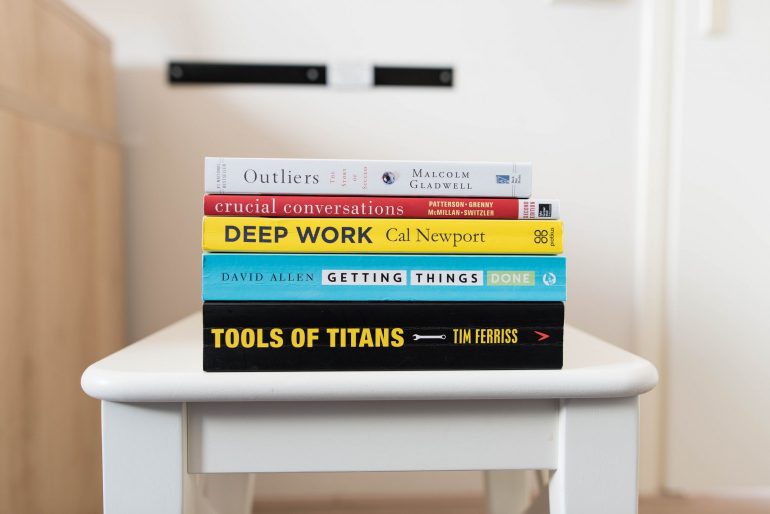
In our age of constant distraction, true productivity is never quite within our reach. This is a huge issue for knowledge workers, who are often distracted from their main tasks by administrative work, emails, chat notifications, and, of course, social media.
But what’s the answer to this issue? According to writer and computer science professor Cal Newport, the solution is ‘deep work’. Newport believes that by reducing or eliminating ‘shallow work’ and prioritizing ‘deep work’, we can regain our lost focus and improve our productivity, skills, and even our happiness.
In this article, you’ll discover how deep work can benefit your professional and personal life and how you can implement a deep work strategy. As an entrepreneur, you’ll learn how deep work can help your business grow and develop, and if you have employees, these tips can be passed down to benefit your whole organization.
