
-
Die besten E‑Mail‑Apps für den Mac: Top‑10‑Clients im Test
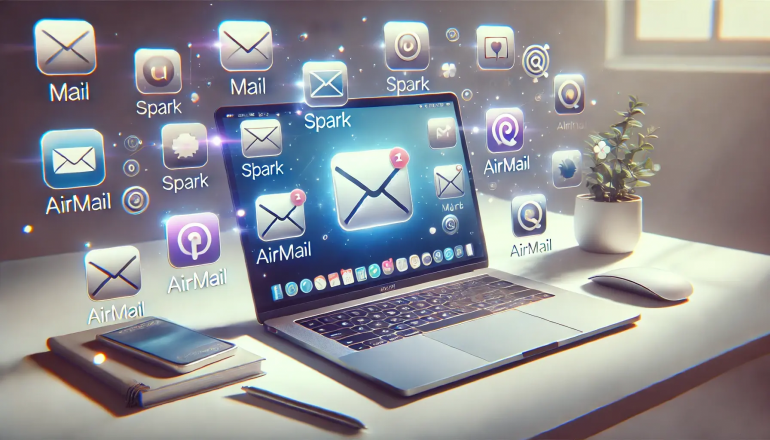
Bild: Erstellt mit Dall-EEine Mac-E-Mail-App (oder E-Mail-Client) ist eine Software, mit der Sie E-Mails aus einem oder mehreren Konten lesen, schreiben und verwalten können. Anders als Webmail-Dienste wie Gmail.com läuft eine dedizierte E-Mail-App nativ auf Ihrem Mac – mit schnellerer Performance, Offline-Zugriff und tieferer Integration in macOS-Funktionen wie Spotlight, Kontakte und Kalender.
Erfüllt Ihre aktuelle E-Mail-App Ihre Anforderungen? Steigert sie Ihre Produktivität, optimiert sie Ihre Kommunikation und macht Ihren Arbeitsablauf schneller und effizienter? Oder behindert sie diese Prozesse und frustriert Ihren Fortschritt? Die richtige E-Mail-App in Ihrem Tool-Stack ist entscheidend für den Geschäftserfolg. Doch bei all den verfügbaren Optionen – welche sind die besten E-Mail-Apps für den Mac in 2026?
Hier stellen wir die Top 10 E-Mail-Clients für den Mac vor, erläutern ihre Besonderheiten und listen ihre Vor- und Nachteile auf. Ob Ihre Anforderungen relativ überschaubar sind oder Sie umfassende Ansprüche an Ihr E-Mail-Tool stellen – unsere Liste hat für jeden etwas dabei.
-
The 15 Best Mac Productivity Apps in 2026

Image: Generated with Dall-EAs a Mac user, you’re likely tech-savvy, quality-conscious, and expect high performance from your tools. With increasing demands for efficiency, remote work, and task management, finding the best productivity apps for Mac is essential to optimizing your workflow and making the most of macOS’s seamless integration.
Mac apps aren’t just about functionality—they are designed to feel native, leveraging Apple’s robust system capabilities to deliver unmatched stability, performance, and a refined user experience. Alongside these powerful apps, mastering Mac keyboard shortcuts can further boost your efficiency, helping you execute tasks swiftly and navigate your Mac with ease.
The growing ecosystem of Mac productivity apps makes it easier than ever to build a personalized tech stack that supercharges your workflow. Innovative tools like Timing’s automatic call tracking and Screen Time tracking across devices, or BetterTouchTool’s Mac window management, allow you to customize your setup, making your workday smoother and more intuitive.
To help you navigate the best options, here’s our curated list of the best productivity apps for Mac in 2026 that will elevate your efficiency and help you work smarter.
-
17 Mac-Systemeinstellungen für einen personalisierten Mac
Bild erstellt mit Dall‑E
Ihr Mac ist mehr als nur ein Computer – er ist Ihr digitales Zuhause. Arbeitsplatz, Kreativstudio und Produktivitätszentrale in einem. Das Erlebnis ab Werk ist beeindruckend, doch durch das Anpassen der Mac-Systemeinstellungen verwandeln Sie ihn in ein präzise abgestimmtes Werkzeug, das Ihre Bedürfnisse vorausahnt und so arbeitet, wie Sie es tun.
Die Systemeinstellungen sind das Kontrollzentrum Ihres Macs. Hier konfigurieren Sie praktisch jeden Aspekt Ihres Rechners, sodass er sich vertraut und intuitiv anfühlt.
Je nach persönlichen Vorlieben – und je nach Art Ihrer Arbeit – unterscheiden sich Ihre Bedürfnisse. Vielleicht hassen Sie Unterbrechungen durch Mitteilungen, Töne und Pings. Oder Ihnen gefällt die Voreinstellung des Trackpads nicht – scrollt es in die „falsche“ Richtung? Wenn Sie regelmäßig Fotos bearbeiten, achten Sie besonders auf die Displayhelligkeit. All das lässt sich in den Systemeinstellungen an Ihre Wünsche anpassen.
Hier stellen wir 17 Einstellungen vor, mit denen Sie Ihren Mac personalisieren. Nehmen Sie sich die Zeit für diese Änderungen – Sie werden effizienter und produktiver arbeiten.
-
Time Theft Is Real – And It’s Costing You More Than Time

Image by: ChatGPTYou may not realize it, but time theft is costing your business and not in small change. The phenomenon manifests in the gaps between tasks, getting stuck in your inbox, and all the small administrative time sinks that never make it onto your invoice.
Unlike traditional workplaces, where time theft implies you’re deliberately slacking off, as a freelancer or solopreneur, it’s the opposite. Time theft is usually unintentional. Instead of shirking your responsibilities, you might find yourself guilty of falling into a cycle of performative productivity or context switching.
Both reduce your capacity for impactful input. Without visibility into how you’re spending your time, you risk loss of revenue — and miss out on opportunities for sustainable business growth and the freedom to step away from your laptop without guilt.
Below, we’ll walk you through what time theft really looks like when you’re working for yourself, and how to get your time back by building a healthy accountability system without invasive micromanagement methods.
-
17 Cool Mac System Settings to Personalize Your Mac
Image generated by Dall-E
Your Mac is more than just a computer — it’s your digital home. Your workspace, creative studio, and productivity hub all rolled into one. While its out-of-the-box experience is impressive, customizing your Mac System Settings can transform it into a finely-tuned instrument that anticipates your needs and works the way you do.
Your machine’s System Settings (formerly called System Preferences) is your Mac’s control center. It’s the central hub where you can configure virtually every aspect of your computer so that it works in a way that feels familiar and intuitive.
Depending on your personal preferences, and perhaps on the kind of work you do, you’ll likely have different needs to those around you. For example, you might hate being interrupted by notifications, beeps and pings. Or maybe you don’t like the way your Mac’s trackpad has been pre-programmed — does it scroll the wrong way? If you regularly edit photographs, you might be selective about the brightness of your display. All of these features can be adjusted to your liking in System Settings.
Here, we’ll explore 17 settings that can help you personalize your Mac. Take the time to make these changes, and you’re likely to work more efficiently and more productively.
-
The Best Mac Time Tracking Software for Architects

Image: energepic.com
Architects face the constant challenge of managing complex projects with tight deadlines and balancing creativity with practicality. Poor time management can lead to missed deadlines, budget overruns, and lost opportunities for architects who need to focus on both the big picture and the finer details.
Moreover, architects who work on a Mac need time tracking software that integrates seamlessly into their workflow, offering reliability, security, and ease of use.
With the right time tracking tool, time management becomes effortless and directly impacts the quality of your work, client satisfaction, and your bottom line.
In this article, we’ll discuss why time tracking for architects is essential and the top time tracking apps you can use to get a more accurate picture of how you spend your work day.
Before we start with our top picks, let’s dive into the challenges architects face.
-
Hybrid Work Schedule: How to Blend Office and Remote Work for Maximum Efficiency

Image: Generated with Dall-EThe hybrid work schedule is a blend of remote and in-office environments.
It gives employees the flexibility to work from home, save money on commuting, and focus on work with fewer distractions without losing the social and collaboration advantages of going into the office every day.
While the advantages of remote work seem great (flexibility, no commute, more time with family), the realities of working from home soon emerge. It’s lonely, can lead to work overload, and makes it difficult to maintain an engaged workforce and company culture.
In response, hybrid work strives for a more balanced approach between both models.
Let’s explore how it’s shaping the way we work, how you can implement it, and why you need the right tool stack to ensure its success.
-
17 Examples of Work Goals That Will Boost your Career

Image: Andrea PiacquadioWhat do you really want out of your professional life? Better time management? Increased revenue? A greater public profile? Setting work goals is one of the most important ways to help you achieve your short, medium and long-term objectives in 2026. They can help you stay focused and motivated, providing you with a roadmap that guides you on the decisions you make and the actions you take.
TL;DR: Work Goals in 2026
Work goals are specific objectives you set to advance your career—from improving time management to boosting revenue. Research shows people who write down goals are 42% more likely to achieve them. This guide covers:
- Goal-Setting Theory: Locke and Latham’s 5 principles (clarity, challenge, commitment, feedback, task complexity)
- SMART framework: Making goals specific, measurable, achievable, relevant, and time-bound
- 17 practical examples: From time management and productivity to revenue generation and leadership
- Time tracking integration: Using automatic time tracking to measure progress and stay accountable
A lot of the theory around setting goals comes from the work of American psychologist Edwin Locke. Together with his colleague, Gary Latham, Locke developed Goal-Setting Theory, which laid the foundation for understanding the significance of setting specific and challenging goals. If done effectively, Locke and Latham found, setting goals helps to enhance motivation and boost performance.
In the workplace, having clear goals can help to instill a sense of purpose and determination. It can encourage you to eliminate the distractions that pull you away from your vision. And to invest in the habits and activities that help you achieve it. Time management is a critical part of this process. It’s important you know exactly how you’re spending your time and whether you’re using the hours available to you effectively.
Here, we define work goals. Provide a practical guide on how to set them. Offer 17 work goals examples you might find useful. And demonstrate how using an automatic time tracking tool like Timing will fuel your success.
-
Time Tracking for Consultants: Pro Tips and Top Apps in 2026

Image: Bruce MarsAs a consultant, you know the value of time. The hours and minutes you have available to you likely influence what you prioritize, what you’re able to accomplish, and probably what you earn, too. But even if you know how important your time is, are you accurately tracking how you spend it? The best way to go about this is with consultant time tracking software.
While it’s possible to monitor your time manually by jotting down how much time you spend on each job on a notepad or spreadsheet, this is a notoriously unreliable method. Especially in consultancy work, which tends to involve juggling multiple projects and tasks simultaneously. Are you sure you only spent an hour on a particular client? Did you do anything else in between? Can you reliably use this data to inform your quotes and invoices?
Automatic time tracking for consultants, on the other hand, gives you access to detailed, accurate information you can trust. This helps you to boost your productivity, manage your work-life balance, and improve your bottom line. Let’s explore how it works.
-
Time Tracking Software for Small Business: The Ultimate Guide
 Image: DISRUPTIVO
If time is money for your business, then your profitability and success depend on you being able to account for the hours and minutes of your day. Where does your time go? Are you working efficiently? Are you estimating the time you spend on your projects accurately? You’ll only know these answers for sure if you’re using time tracking software for small business.
Time tracking software can help you improve your focus and boost your productivity. Allocate work effectively. Quote and invoice accurately. And it can help your business scale and grow. As a small business, optimizing these metrics is critical. In many instances, it can be the very thing between failure and success.
Here, we answer some of your most important questions about finding the right time tracking software for your small business. We’ll take a look at why time tracking matters in the first place. How to choose the right option. And what key features you should look out for. We also recommend five solutions you should consider.
