
-
Die 11 besten Zeiterfassungs-Apps für Mac: Eine umfassende Kaufberatung
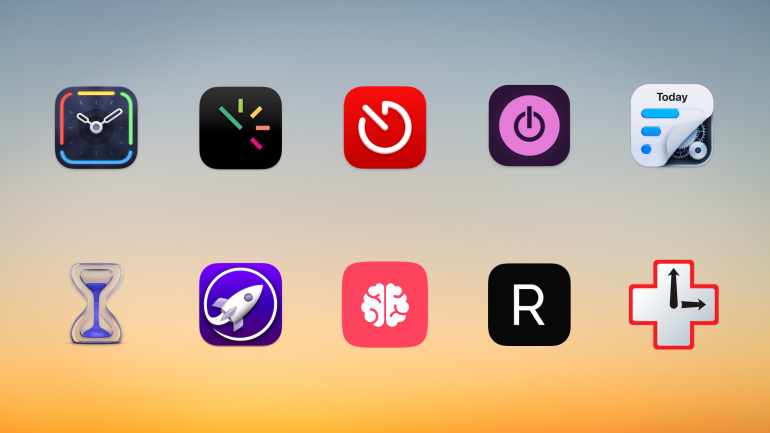
Hintergrundbild: César Couto; Icons: die jeweiligen App-EntwicklerWissen Sie wirklich, wie Sie Ihre Zeit verbringen? Wenn Sie zurückblicken auf ein gerade abgeschlossenes Projekt, haben Sie dafür wirklich die drei Stunden gebraucht, die Sie glauben, oder waren es vielleicht doch nur zwei Stunden – und die letzte Stunde haben Sie mit der Beantwortung von E-Mails verbracht? Der einzige Weg, das sicher herauszufinden, ist eine dedizierte Zeiterfassungs-App für Mac. Wir haben die elf besten Zeiterfassungs-Apps auf dem Markt verglichen, um Ihnen die Auswahl zu erleichtern.
Die Wahl der richtigen App hängt davon ab, was Sie benötigen – jede App ist geringfügig anders. Während einige Ihre Aktivitäten automatisch erfassen und sorgfältig festhalten, welche Webseiten und Dokumente Sie verwenden, lassen andere Sie Ihre Zeit manuell protokollieren. Einige eignen sich besonders gut für Freelancer und kleine Unternehmen, während andere eher für größere Unternehmen entwickelt wurden.
TL;DR: Die besten Zeiterfassungs-Apps für Mac in 2026
Timing ist die beste Zeiterfassungs-App für Mac — sie erfasst automatisch jede App, jedes Dokument und jede Website, die Sie nutzen, ohne manuelle Timer. Dieser Ratgeber behandelt:
- 11 Apps im Vergleich: Automatische vs. manuelle Zeiterfassung, mit Preisen von kostenlos bis 23,99 $/Monat
- Top-Empfehlung für Automatik: Timing — KI-Zusammenfassungen, Anruf-Erkennung, Bildschirmzeit-Import, Inaktivitäts-Erkennung
- Beste Gratis-Option: Toggl + Timery — großzügiges kostenloses Angebot mit exzellentem nativen Mac-Client
- Worauf Sie achten sollten: Automatische Erfassung, Mac-natives Design, Team-Funktionen und KI-Fähigkeiten
Lesen Sie den Rest dieses Ratgebers für einen Überblick über den gesamten Markt der Mac-Zeiterfassungs-Apps im Jahr 2026!
-
Work From Anywhere: Top Remote Work Tools for Mac Users in 2026

Image: Tima MiroshnichenkoDoes your office regularly shift between your kitchen table, your local coworking space and your favorite coffee shop? If so, it’s likely that your external working environment matters less to you than the technology at your fingertips. In teaching yourself to work from anywhere, in other words, you’ve realised the importance of creating a private digital space that feels familiar and intuitive. You’ve learnt that all you really need to do your work is the right remote work tools.
But what are the best remote work apps you should have in your arsenal? How do you find the exact tools you need to work productively, autonomously, and asynchronously with your colleagues and clients? How do you ensure you have all the support you need? We’re here to help.
We’ve drawn up a practical guide to Mac-friendly software that specifically caters to freelancers and small teams who regularly (or always) work remotely. All of our suggested remote work tools are macOS optimized, so they integrate seamlessly across the Apple ecosystem. And they’re designed to help you be more intentional in how you work — no matter where you are.
Let’s get started.
Read More… -
Developer Time Tracking: Stay “In the Zone” with These Top 10 Apps

Image: Olia DanilevichDeveloper time tracking offers more than just a way to log billable hours. It provides critical insights into how you work, where your time goes, and how to optimize your productivity. The right tool should do this by tracking your time consistently and accurately, and staying out of the way so that you focus on what you love most: coding.
But with so many options available, finding the right time tracking software for developers means understanding your specific needs and workflow challenges. Here, we’ll explore the time tracking options for various developer scenarios, from freelancers and entrepreneurs to agencies and in-house teams, before listing the top 10 apps you should consider.
Read More… -
Best Mac Apps in 2026: 50+ Essential Tools We Use and Recommend

Image: Olia DanilevichIf you want to transform your Mac from a capable computer to a productivity powerhouse in 2026, you’re in the right place. We’ve curated a list of the best Mac apps to revolutionize how you work, without the need to upgrade any of your hardware.
From sophisticated time tracking tools and intuitive project management solutions, to powerful email clients and innovative note-taking apps, each recommendation has been carefully selected to solve real problems and enhance your Mac experience. Our list includes reviews of large and established apps, some beloved classics, and a few hidden gems you may not have heard of before.
Whether you’re a creative freelancer, a small business owner, or an ordinary Mac user eager to unleash your machine’s full potential, you’re sure to find valuable solutions in our comprehensive guide to the best Mac apps.
Let’s get started.
Read More… -
How to Backup Your MacBook: Top 7 App Reviews and Tips

Image: Generated with Dall-EData loss is a nightmare for everyone. Whether it’s due to system failure, accidental deletion, or even theft, the risks are real.
According to a study by Backblaze, 46% of people lose data each year, 50% of hard drives die within five years, and 15% of households experience theft annually.
Learning how to backup your MacBook is not a luxury but a necessity for safeguarding your professional data. Encrypting your backups is crucial, especially when dealing with sensitive information, as it ensures that even if someone gains access to your backup files, they can’t read the data without the encryption key.
A reliable backup solution helps you quickly recover from unexpected data loss, saving time and protecting sensitive information.
Below, you’ll find a complete overview of how to backup your MacBook with the best backup apps for Mac and why options like iCloud sync are NOT a backup solution.
-
The Best Mac Time Tracking Software for Architects

Image: energepic.com
Architects face the constant challenge of managing complex projects with tight deadlines and balancing creativity with practicality. Poor time management can lead to missed deadlines, budget overruns, and lost opportunities for architects who need to focus on both the big picture and the finer details.
Moreover, architects who work on a Mac need time tracking software that integrates seamlessly into their workflow, offering reliability, security, and ease of use.
With the right time tracking tool, time management becomes effortless and directly impacts the quality of your work, client satisfaction, and your bottom line.
In this article, we’ll discuss why time tracking for architects is essential and the top time tracking apps you can use to get a more accurate picture of how you spend your work day.
Before we start with our top picks, let’s dive into the challenges architects face.
-
The 14 Best Project Management Software for Mac

Image: fauxels
What’s the best project management software for Mac? Unfortunately, there’s no one-size-fits-all answer here. Everyone you speak to is likely to have a preference for the solution that meets their unique requirements.
To help you find the option that works best for you, we’ve put together a detailed list of the 14 best Mac project management tools. Our review provides all the information you need to make the right choice. Whether you’re a freelancer, a manager of a small team, or a business owner looking to scale, our picks will ensure you stay on track and meet your goals.
-
Time Tracking for Consultants: Pro Tips and Top Apps in 2026

Image: Bruce MarsAs a consultant, you know the value of time. The hours and minutes you have available to you likely influence what you prioritize, what you’re able to accomplish, and probably what you earn, too. But even if you know how important your time is, are you accurately tracking how you spend it? The best way to go about this is with consultant time tracking software.
While it’s possible to monitor your time manually by jotting down how much time you spend on each job on a notepad or spreadsheet, this is a notoriously unreliable method. Especially in consultancy work, which tends to involve juggling multiple projects and tasks simultaneously. Are you sure you only spent an hour on a particular client? Did you do anything else in between? Can you reliably use this data to inform your quotes and invoices?
Automatic time tracking for consultants, on the other hand, gives you access to detailed, accurate information you can trust. This helps you to boost your productivity, manage your work-life balance, and improve your bottom line. Let’s explore how it works.
