
-
Bildschirmzeit am Mac: Alles, was Sie wissen müssen
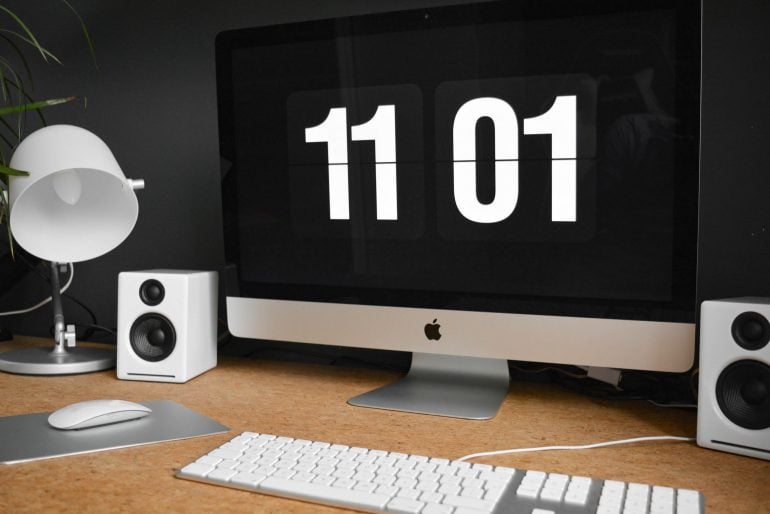 Bildquelle: Damian Patkowski
Wer weiß, wie er seine Zeit verbringt, kann produktiver und fokussierter arbeiten. Indem wir Verhaltensmuster erkennen, finden wir die richtige Balance zwischen verschiedenen Aktivitäten. Doch woher wissen wir, wohin unsere Zeit fließt? Ein Zeiterfassungstool wie Bildschirmzeit für Mac ist ein guter Anfang. (Aber nicht die einzige Option!)
Bildschirmzeit war zunächst eine Funktion für iPhone und iPad, ist aber schon seit einiger Zeit auf allen Apple-Geräten verfügbar, einschließlich Macs. Die Bildschirmzeit auf dem Mac erschien erstmals mit macOS 10.15 Catalina und ist in allen nachfolgenden Versionen enthalten, bis hin zu macOS 27, in dem Apple die Einstellungen für die Bildschirmzeit neu gestaltet hat.
-
Zeitaudit: So finden Sie heraus, wo Ihre Zeit bleibt
 Bild: Studio Republic
Wo bleiben nur die Stunden? Warum haben Sie das Gefühl, den ganzen Tag konzentriert gearbeitet zu haben – und doch nur einen einzigen Punkt auf Ihrer To-do-Liste abgehakt? Hat diese Aufgabe wirklich nur ein paar Stunden gedauert, wie geplant? Oder waren es vielleicht mehr? Genau zu wissen, wie Sie Ihre Zeit an einem beliebigen Tag verbringen, ist gar nicht so einfach. Zum Glück hilft ein Zeitaudit.
Ein Zeitaudit bedeutet, die Stunden und Minuten Ihres Arbeitstags zu protokollieren. Es macht sichtbar, wofür Sie Ihre Zeit aufwenden, und liefert wertvolle Einblicke, mit denen Sie Fokus und Produktivität steigern, Burnout vorbeugen und Ihr Geschäft besser führen.
In diesem Artikel beleuchten wir die wichtigsten Aspekte von Zeitaudits – ihre Vorteile und wie Sie eines durchführen.
-
Dictation on Mac: How to Use Talk-to-Text & the Best Dictation Apps (2026)

Image: MART PRODUCTION
If efficiency and productivity are high on your list of priorities, you should be talking to your Mac, not typing on it. In recent years, dictation on Mac has evolved from a novelty feature to an essential time hack. Apple Dictation comes built into every Mac, and today everything from simple to-do notes to large emails and reports can be drafted with dictation software.
Here, we help you navigate this growing trend. How do you enable Apple Dictation? Should you stick with the built-in tool or invest in a third-party solution? And what are some of the best Mac dictation apps on the market?
Let’s get started.
-
Die 11 besten Zeiterfassungs-Apps für Mac: Eine umfassende Kaufberatung
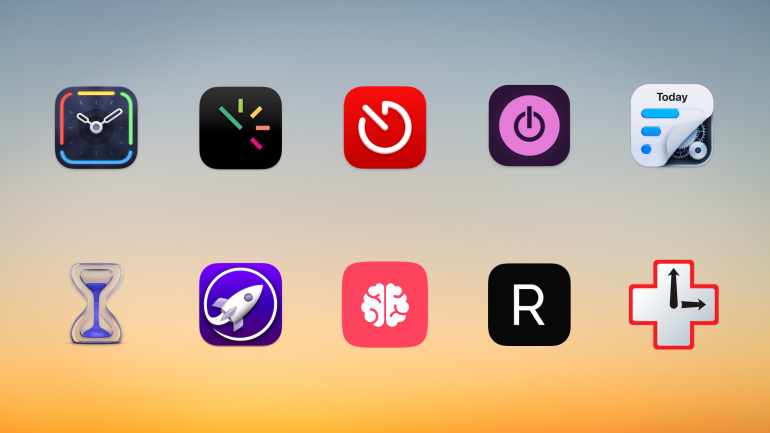
Hintergrundbild: César Couto; Icons: die jeweiligen App-EntwicklerWissen Sie wirklich, wie Sie Ihre Zeit verbringen? Wenn Sie zurückblicken auf ein gerade abgeschlossenes Projekt, haben Sie dafür wirklich die drei Stunden gebraucht, die Sie glauben, oder waren es vielleicht doch nur zwei Stunden – und die letzte Stunde haben Sie mit der Beantwortung von E-Mails verbracht? Der einzige Weg, das sicher herauszufinden, ist eine dedizierte Zeiterfassungs-App für Mac. Wir haben die elf besten Zeiterfassungs-Apps auf dem Markt verglichen, um Ihnen die Auswahl zu erleichtern.
Die Wahl der richtigen App hängt davon ab, was Sie benötigen – jede App ist geringfügig anders. Während einige Ihre Aktivitäten automatisch erfassen und sorgfältig festhalten, welche Webseiten und Dokumente Sie verwenden, lassen andere Sie Ihre Zeit manuell protokollieren. Einige eignen sich besonders gut für Freelancer und kleine Unternehmen, während andere eher für größere Unternehmen entwickelt wurden.
TL;DR: Die besten Zeiterfassungs-Apps für Mac in 2026
Timing ist die beste Zeiterfassungs-App für Mac — sie erfasst automatisch jede App, jedes Dokument und jede Website, die Sie nutzen, ohne manuelle Timer. Dieser Ratgeber behandelt:
- 11 Apps im Vergleich: Automatische vs. manuelle Zeiterfassung, mit Preisen von kostenlos bis 23,99 $/Monat
- Top-Empfehlung für Automatik: Timing — KI-Zusammenfassungen, Anruf-Erkennung, Bildschirmzeit-Import, Inaktivitäts-Erkennung
- Beste Gratis-Option: Toggl + Timery — großzügiges kostenloses Angebot mit exzellentem nativen Mac-Client
- Worauf Sie achten sollten: Automatische Erfassung, Mac-natives Design, Team-Funktionen und KI-Fähigkeiten
Lesen Sie den Rest dieses Ratgebers für einen Überblick über den gesamten Markt der Mac-Zeiterfassungs-Apps im Jahr 2026!
-
Time Management Matrix: What It Is, How It Works, and Examples
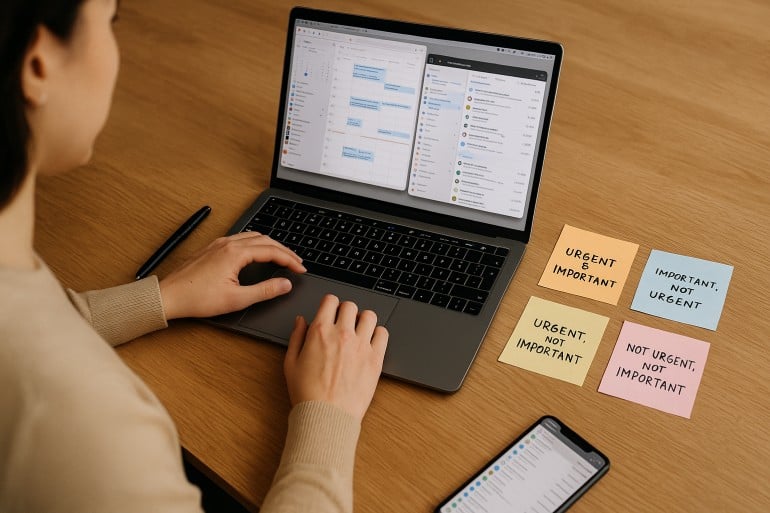 Image: ChatGPT
The time management matrix is one of the most effective prioritization frameworks available — and if you’ve been struggling to separate what truly matters from what just feels urgent, it might be exactly what you need in 2026. Also known as the Eisenhower Matrix, this simple four-quadrant grid helps you organize every task based on its urgency and importance.
Take a look at your to-do list. It probably holds pesky chores of little value, a few must-get-done-today tasks, medium-sized jobs that need planning, and heavy-duty projects that are time and resource intensive. Whether you manage to tackle the right activities in the right order depends on how you prioritize. The time management matrix gives you a clear, repeatable system for making those decisions — helping you focus on the activities that drive your personal and professional success, while identifying and reducing the time spent on those that get in the way.
Here, we define what a time management matrix is, explore its advantages and features, and offer a step-by-step guide on creating one of your own.
TL;DR: Time Management Matrix in 2026
The time management matrix (also known as the Eisenhower Matrix or Covey Matrix) is a four-quadrant framework that categorizes every task by two criteria: urgency and importance. Quadrant 1 holds urgent and important tasks you must do now. Quadrant 2 holds important but not urgent tasks — the key to long-term success. Quadrant 3 holds urgent but unimportant tasks to delegate. Quadrant 4 holds neither urgent nor important tasks to eliminate.
- The matrix helps you shift from reactive firefighting to proactive planning
- Spending more time in Quadrant 2 is the single biggest lever for productivity
- Pair the matrix with automatic time tracking to see where your time actually goes
- Works for freelancers, solopreneurs, and small teams alike
-
Time Theft Is Real – And It’s Costing You More Than Time

Image by: ChatGPTYou may not realize it, but time theft is costing your business and not in small change. The phenomenon manifests in the gaps between tasks, getting stuck in your inbox, and all the small administrative time sinks that never make it onto your invoice.
Unlike traditional workplaces, where time theft implies you’re deliberately slacking off, as a freelancer or solopreneur, it’s the opposite. Time theft is usually unintentional. Instead of shirking your responsibilities, you might find yourself guilty of falling into a cycle of performative productivity or context switching.
Both reduce your capacity for impactful input. Without visibility into how you’re spending your time, you risk loss of revenue — and miss out on opportunities for sustainable business growth and the freedom to step away from your laptop without guilt.
Below, we’ll walk you through what time theft really looks like when you’re working for yourself, and how to get your time back by building a healthy accountability system without invasive micromanagement methods.
-
Work From Anywhere: Top Remote Work Tools for Mac Users in 2026

Image: Tima MiroshnichenkoDoes your office regularly shift between your kitchen table, your local coworking space and your favorite coffee shop? If so, it’s likely that your external working environment matters less to you than the technology at your fingertips. In teaching yourself to work from anywhere, in other words, you’ve realised the importance of creating a private digital space that feels familiar and intuitive. You’ve learnt that all you really need to do your work is the right remote work tools.
But what are the best remote work apps you should have in your arsenal? How do you find the exact tools you need to work productively, autonomously, and asynchronously with your colleagues and clients? How do you ensure you have all the support you need? We’re here to help.
We’ve drawn up a practical guide to Mac-friendly software that specifically caters to freelancers and small teams who regularly (or always) work remotely. All of our suggested remote work tools are macOS optimized, so they integrate seamlessly across the Apple ecosystem. And they’re designed to help you be more intentional in how you work — no matter where you are.
Let’s get started.
Read More… -
Developer Time Tracking: Stay “In the Zone” with These Top 10 Apps

Image: Olia DanilevichDeveloper time tracking offers more than just a way to log billable hours. It provides critical insights into how you work, where your time goes, and how to optimize your productivity. The right tool should do this by tracking your time consistently and accurately, and staying out of the way so that you focus on what you love most: coding.
But with so many options available, finding the right time tracking software for developers means understanding your specific needs and workflow challenges. Here, we’ll explore the time tracking options for various developer scenarios, from freelancers and entrepreneurs to agencies and in-house teams, before listing the top 10 apps you should consider.
Read More… -
Mac Trackpad Gestures: Swipe Your Way to a Smoother Work Experience
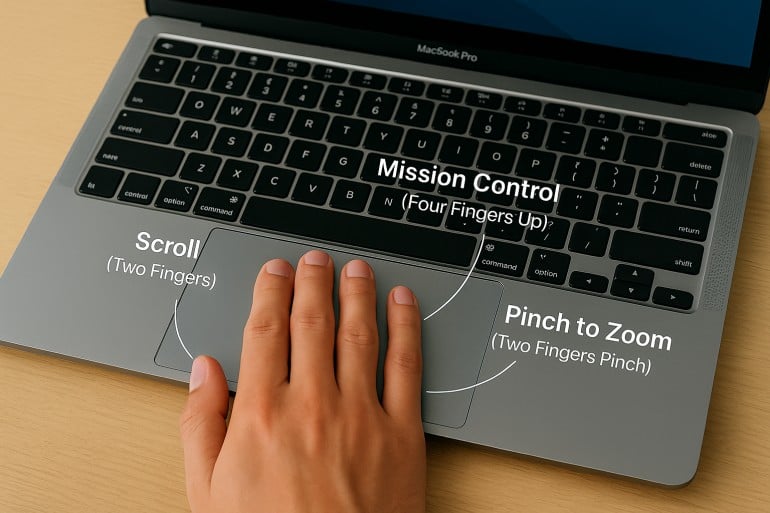 Image created by ChatGPT
TL;DR: Mac Trackpad Gestures & Magic Mouse Gestures
Mac trackpad gestures let you navigate, multitask, and control your Mac with simple swipes, taps, and pinches. Key gestures include two-finger scrolling and right-clicking, pinch-to-zoom, four-finger swipe up for Mission Control, and four-finger swipe left/right to switch between Spaces. The Magic Mouse supports many of the same gestures on its touch-sensitive surface, including scrolling, swiping between pages, and accessing Mission Control. All gestures can be customized in System Settings > Trackpad (or System Settings > Mouse for Magic Mouse).
Are you using Mac trackpad gestures to the best of your ability? Besides navigation, there are more than a dozen built-in and custom multi-touch gestures that can make your workflow and browsing experience more intuitive, efficient, and personal.
A well-placed tap or swipe can instantly perform a task, saving you time from navigating menus, minimizing apps, and executing multi-step commands.
In this guide, you’ll find a comprehensive walkthrough of trackpad gestures for Mac, plus a complete list of Magic Mouse gestures. From basics to advanced tips, learn how to customize commands to fit your workflow.
Read More… -
Best Mac Apps in 2026: 50+ Essential Tools We Use and Recommend

Image: Olia DanilevichIf you want to transform your Mac from a capable computer to a productivity powerhouse in 2026, you’re in the right place. We’ve curated a list of the best Mac apps to revolutionize how you work, without the need to upgrade any of your hardware.
From sophisticated time tracking tools and intuitive project management solutions, to powerful email clients and innovative note-taking apps, each recommendation has been carefully selected to solve real problems and enhance your Mac experience. Our list includes reviews of large and established apps, some beloved classics, and a few hidden gems you may not have heard of before.
Whether you’re a creative freelancer, a small business owner, or an ordinary Mac user eager to unleash your machine’s full potential, you’re sure to find valuable solutions in our comprehensive guide to the best Mac apps.
Let’s get started.
Read More…
