
-
The Best Apps for Lawyers in 2026: Top Mac Tools

Image: Sora Shimazaki
TL;DR: Best Apps for Lawyers in 2026
The best apps for lawyers on Mac in 2026 are those that help to streamline your daily tasks and workflow. They should capture your billable hours, like Timing; keep your case files searchable and local, like DEVONthink; and manage your PDFs, like PDF Expert. Clio is a solid practice-management baseline for firms that want one hub, but it’s also worth building up a toolstack that serves your needs exactly.
Every hour a lawyer can’t account for is money left on the table. The time lost to unlogged calls, spent hunting for contracts across folders, and navigating cluttered calendars all adds up. The best apps for lawyers are the ones that help you work quicker, more effectively and more intuitively. They should free up your time and energy from the tedious and mundane so that you can get on with the billable work at hand.
Our list of the top apps for attorneys is specifically for Mac users. It covers the best software for lawyers across every part of the working day: tracking time, drafting and managing documents, handling PDFs, meeting deadlines and issuing invoices. And since confidential client data runs through everything you do, these apps prioritize privacy and data protection, too.
While Clio remains the practice-management standard many firms use as a foundation, it doesn’t solve every pain point. In fact, we recommend a combination of focused tools, with or without Clio, to help you meet your needs. Here’s the full 2026 line-up.
-
Best Receipt Scanner Apps for Mac in 2026: 7 Picks for Every Workflow

Image: Kaboompics
TL;DR
The best receipt scanner app should cater for Mac users who want a proper desktop workflow, from capturing a receipt to handing it to your accountant. Our review features Mac-native tools like Receipts Space, industry heavyweights like Expensify and accountant favorites like Dext. Consider your most pressing needs and find the solution that’s right for you.
Receipt management tends to be a grudge task. Receipts pile up in wallets, inboxes and the bottom of bags until, one day, an expense report or a tax return forces you to pay attention to them. A good receipt scanner app solves this problem, helping you to scan and extract data in an instant. The best receipt scanner app takes this further by storing, organizing and exporting your information into a useful format. Use the right tool to your advantage, and managing your receipts quickly becomes a breeze.
In this guide, we’ve looked at some of the best receipt scanner apps for Mac users. We’ve explored tools that work well on macOS and iOS, covered the full receipt pipeline from capture to accountant hand-off, and included options at every price point. Each app has its own unique characteristics and benefits so it’s worth taking the time to think about what would best fit your workflow before giving one a try.
Let’s get started.
Read More… -
The Best Accounting Software for Mac: 9 Honest Picks for 2026
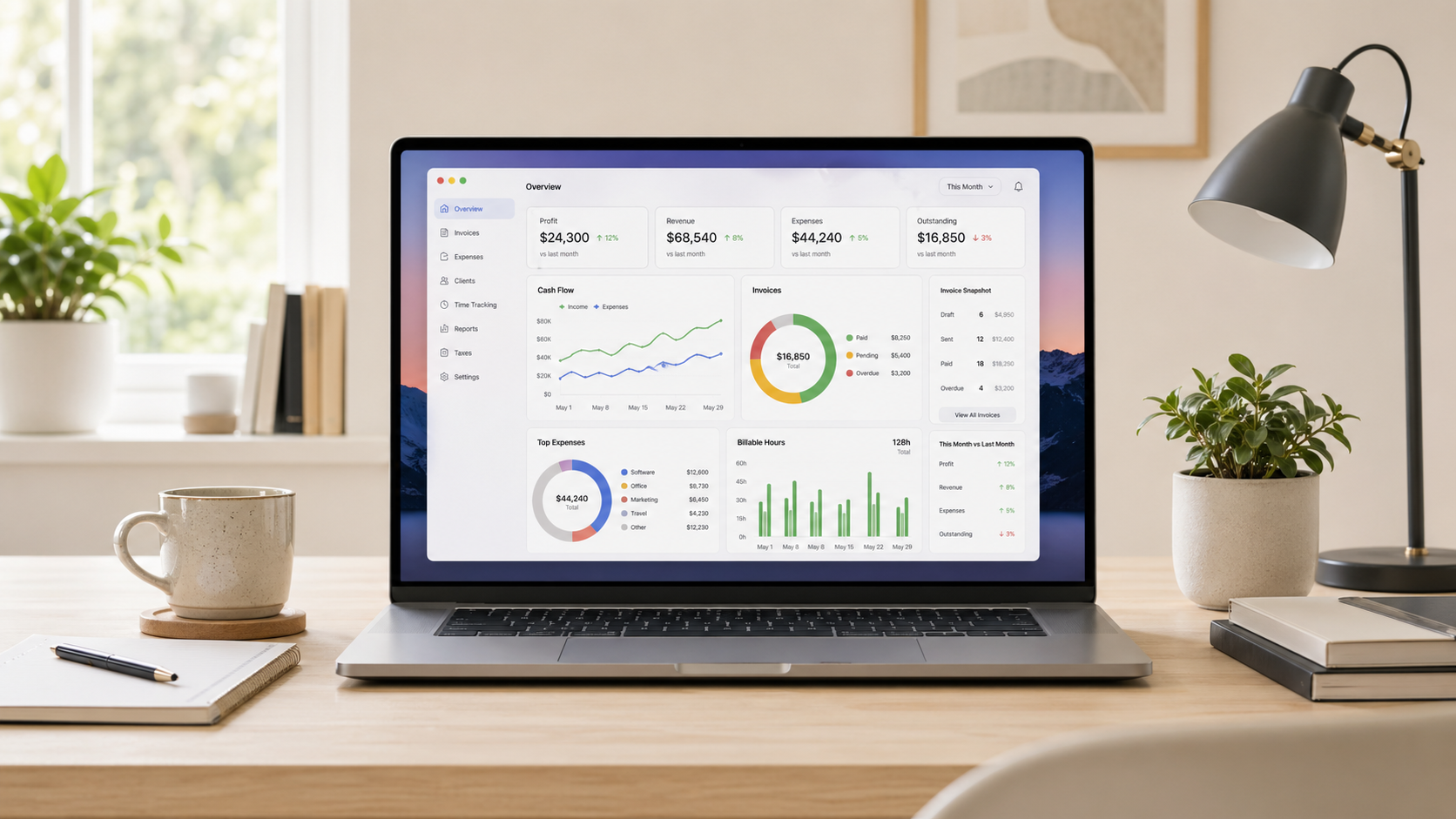
Image generated by ChatGPT
TL;DR
The best accounting software for Mac depends on what your business needs. QuickBooks Online is the US standard, Xero is the best all-round alternative and FreshBooks is the top pick for freelancers. All of the apps in this guide work on Mac — but they’re not all created equal. Here, we review them in detail so that you can find the one that’s right for you.
Finding the best accounting software for Mac can be a frustrating experience. It’s a crowded market, the feature sets tend to overlap, and not every app that claims Mac compatibility feels seamless and intuitive on Apple devices. Of course, there’s the added pressure that your chosen tool has the responsibility of managing your business’s finances. It’s got to be a solution you love — a tool that’s easy to use and meets your unique financial, tax and reporting needs.
To help you narrow your options, we’ve assessed nine of the leading Mac accounting software for freelancers, small businesses and growing teams. Take a look at our handy comparison table if you want to see a quick overview or dive into our reviews for a more detailed comparison.
-
The Best Journaling Apps for Mac: 10 Digital Diaries Compared (2026)

Image: Matheus Bertelli
TL;DR
If you’re trying to establish a journaling practice or improve your existing one, finding the right digital diary can take a little research. This roundup covers the 10 best journaling apps for Mac in 2026. It includes powerful all-rounders like Day One, structured tools like Grid Diary, and free, built-in solutions like Apple Journal. Take a look at our honest reviews and handy comparison to find the solution that best suits how you think and write.
The benefits of journaling are no longer anecdotal — the science speaks for itself. Maintaining a regular writing habit has been shown to alleviate depression, reduce the stress hormone cortisol, promote neuroplasticity, and even boost your immune function and physical health. If you’re looking for some or all of these advantages, our list of the best journaling apps for Mac is here to help.
Our reviews include everything from powerful heavyweights to minimal writing tools. And every app has been considered with Mac users specifically in mind. This means we’ve factored in how native the experience feels, how well it syncs between devices, and how it handles privacy. Whatever kind of journaler you are, or want to become, there’s something here for you.
-
Best Mac Menu Bar Apps in 2026: Tiny Utilities That Save You Hours
 Image generated by ChatGPT
TL;DR: Best Mac Menu Bar Apps in 2026
The best Mac menu bar apps help you do more with fewer clicks. What that means is up to you. Hiding cluttered icons, keeping key system stats visible, or joining meetings faster. Since menu bar space is limited (especially on notched MacBooks), every icon should earn its place with real information or quick actions. In this guide, we focus on tools that deliver meaningful value from the menu bar, not apps that simply take up space. We’ll also show how automatic time tracking, like Timing, fits into a power-user setup for tracking your work without constant manual timers.
If you’re hunting for the best menu bar apps for Mac, you’re probably trying to reduce friction in your workflow. You’re likely looking to minimize distractions, complete certain tasks quicker or get at-a-glance visibility. The menu bar can serve as a contained command center, but only if you keep it lean and filled with handy, regularly used tools. Here, we explore Mac menu bar apps that are designed to improve your menu bar experience, whatever your needs.
-
The Best Text Expansion Tools for Mac: Save Hours with Snippets and Smart Autocomplete

Image credit: Mikhail Nilov
Text expansion tools are designed to save you hours of typing on your Mac. They work by monitoring your keystrokes and watching for specific trigger patterns you’ve defined. When you type a particular abbreviation, the app recognizes the trigger and expands to insert your specified content. Imagine typing entire paragraphs in seconds. Sounds life-changing? It is!
If you spend your days with your fingertips on your keyboard — and especially if you repeatedly type the same words and phrases — you’ll likely find a text expansion tool forever alters the way you work.
Here, we’ll explore the advantages of text expanders. Define the sectors and roles that tend to get the most out of them. Provide detailed reviews of the text expander solutions you should consider. And help you identify where autocomplete solutions like Cotypist might be better suited instead.
Let’s dive in.
TL;DR: Best Text Expansion Tools for Mac
- Best for teams: TextExpander — powerful snippet sharing, analytics and cross-platform sync (free plan available, paid from $6/mo)
- Best for speed: Typinator — blazingly fast expansion with a redesigned UI, iOS app and Apple Intelligence integration (from $49.99 one-time or $29.99/yr)
- Best free option: Espanso — open-source, cross-platform and endlessly customizable via YAML config
- Best budget pick: aText — solid text expansion at just $4.99/yr or $29.99 lifetime
- Different approach — AI autocomplete: Cotypist — predicts what you’d write next, ideal for unique prose that can’t be templated
-
The 12 Best Apps Mac Power Users Leverage to Supercharge Their Productivity in 2026

Image generated by Dall-EYour Mac is a powerful machine — are you using it to its full potential? Mac power users are aware of the force beneath their fingertips. They know that by understanding the deeper capabilities of their system and leveraging the right tools, they can supercharge their workflow and boost their productivity. While casual users might be content with basic functionality, power users seek to optimize every action so that they can work quicker and smarter.
The key difference often lies in an arsenal of specialized apps. These tools aren’t just nice-to-have additions; they’re game-changing solutions that fundamentally alter how you interact with your machine. They include everything from automatic time management tools to lightning-fast app launchers and powerful automation software.
Here, we define what a Mac power user is, outline some of their key character traits, and explore 12 apps designed to elevate your computing experience.
-
How to Block Websites on Mac (2026): Top Apps and Tips for Focus and Deep Work

Image: Anna TarazevichTL;DR You can block websites on a Mac using Screen Time (built-in), or a dedicated website blocker like Freedom, Cold Turkey or SelfControl. Screen Time is great for setting simple limits. But you might need a dedicated blocker for scheduling, multiple-browser coverage, or stricter sessions that are harder to bypass. If you’re wondering how to block websites on Mac, there are several options available to you. You can opt for Apple’s built-in Screen Time if you’re after a free, pre-installed solution that offers basic blocking. Or you can install a dedicated website blocker for Mac like Freedom, Cold Turkey Blocker or SelfControl. These solutions provide features Screen Time can’t match, including scheduled sessions, cross-device syncing, unbreakable enforcement, and the ability to block both websites and desktop apps.
Wondering where to start? We’ve reviewed the best Mac focus tools and website blockers for 2026. They range from gentle friction approaches that encourage you to focus, to hardcore lockdown modes that won’t let your distraction impulses win.
Let’s dive in.
-
The Best AI Apps for Mac in 2026: 21 AI Tools for Productivity and Creativity

Image generated by Dall-EShort Answer: The best AI apps for Mac in 2026 are ChatGPT and Claude for general AI chat, Elephas for system-wide writing assistance, Superwhisper for dictation, Draw Things for image generation, and Timing for AI-powered time tracking. Most are available as free trials or have free tiers.
When it comes to boosting your productivity, there’s one (increasingly universal) truth: AI is a powerful ally. Even former skeptics have become converts in recent years. AI’s ability to automate repetitive tasks, deliver solutions to challenges, and offer inspiration has made it an indispensable part of any tool stack. But in the ever-expanding world of AI, what are the best AI apps for Mac?
We’re here to help.
Our list of the top 21 AI apps for Mac is designed to equip you with the apps you need to streamline your workflow and improve how efficiently you work. Looking for quick answers to niche questions? Need writing or coding support? On the hunt for beautiful images? These apps have you covered.
This article is best read in conjunction with our guide on the best Mac apps. Together, they’ll equip you with all the solutions you need to make your systems simple, seamless and intuitive.
-
The Best Writing Apps for Mac in 2026: Tools That Make Writing Easier

Image: William Fortunato
Writers write, so the saying goes. It’s overused advice, but if you’ve ever tried to produce an original piece of writing of any length, you’ll be familiar with its accuracy. While it can be tempting to focus on researching and planning your work, or exploring your publishing options, ultimately, the most important thing you can do is put pen to paper — or rather, fingertips to keyboard. Writers write: without the writing, none of the other pursuits matter. Fortunately, there are several tools designed to help you do exactly that. And our review of the best writing apps for Mac in 2026 is here to help.
If you’ve only ever used word processors like Word and Google Docs, you may think that they’re sufficient. And they certainly have their place for day-to-day tasks and short pieces of work. However, if you’re venturing into the land of long-form fiction or non-fiction, you’ll quickly find that you need a more comprehensive solution. Something that helps you store and access your research. That allows you to plot out your narrative and character development. That gives you a place to jot down useful ideas. And helps you structure your story into easy-to-navigate chapters or scenes.
You need a proper writing tool. Not a word processor or a research or note-taking app. But rather a Mac-native solution that is designed to help you bring your creative vision to life.
