
-
Best Habit Tracker Apps for iPhone and Mac (2026)
Image by: ChatGPTShifting the trajectory of our lives from stagnation to success often depends on one, seemingly simple, thing: pursuing the small daily habits that help us achieve our goals. This work can feel monotonous at times, even a little tedious, and as a result, difficult to remember and prioritize. But the impact of dismantling our negative habits and nurturing those that are positive can be enormous. Fortunately, we don’t have to do it alone. In 2026, there are a number of excellent habit tracker apps for iPhone and Mac we can use to help us along the way.
The right habit tracking app provides structure, motivation and accountability, ensuring you build consistency over time. Whether you’re trying to establish a morning routine, maintain client relationships or simply remember to step away from your desk, a strong habit tracker Mac app makes it easier to show up for yourself every day.
We’ve reviewed the leading habit trackers to help you find one that best suits your needs. Our list includes apps that can be used across both your Mac and iPhone, as well as a handful that are exclusively for one or the other.
Let’s dive in.
-
The Best Mac AI Meeting Note Takers in 2026

Image generated by Nano Banana ProTaking your own notes during a meeting has been a thing of the past for some time. But so is having to sift through a full transcript of every word that was said. In 2026, AI meeting note takers help freelancers, hybrid teams and remote workers accurately capture calls and meetings, distilling only the most important information into useful, actionable insights. With the right solution in your tool stack, you can stay fully present in your meetings as they happen, and ensure you know exactly what is expected of you once they’re done.
Here, we review some of the best AI meeting assistants for Mac on the market. We’ve divided our list into three categories on Mac-native, cross-platform and built-in solutions. And within each category, we explore both the key advantages and disadvantages of each solution. A comprehensive table has also been included so that you can compare them easily.
Let’s get started.
-
Why Do It Yourself When Your Mac Can? Mac Automation from Basics to AI

Image generated by Nano Banana ProRoutine and repetitive tasks are inevitable — we all have to complete them, often several times a day. Copying the same phrase into emails. Hunting for our most-used folders and documents. Sifting through desktop clutter. Rearranging windows. These activities sap our time, slow our productivity, and draw our attention away from the tasks that really matter. Fortunately, many of them can be automated through a host of Mac automation tools.
Mac automation solutions have a bit of a reputation for being overly complex and technical, better suited for coders and power users than everyday knowledge workers. But times have changed. Today, these tools range from easy-to-install apps that offer daily wins to powerful AI agents that can operate your Mac for you. It’s a ladder that anyone can climb.
To show you how this works, we’ve divided our list of the best Mac automation tools into five levels that increase in complexity and impact. The apps in every level take a little more time to set up, but reward you with greater functionality:
- Level 1: Quick wins with low effort and instant payoff
- Level 2: Power launchers and built-in automation
- Level 3: Dedicated “do this one job for me” tools
- Level 4: Custom macros, system scripting and full workflow orchestration
- Level 5: AI or “have my computer just do it for me”
You don’t need to progress through the different levels if they don’t suit your purposes. Simply select the apps that meet your needs and stop at the level that feels appropriate to your skill set. Of course, if either changes, you can always dive back in and layer in more automation as your needs grow.
Start with Timing
Before you install anything, start with an automatic time tracking solution like Timing. Run it for a week before you install your chosen tools and keep it running after you install them, too. When you conduct a time audit, Timing will be able to show you how much time you’re saving as a result of using them, and whether the setup effort was worth it.
And with that, let’s break down each level and the tools within them.
-
11 Best Time Tracking Apps for Mac in 2026: A Comprehensive Market Overview
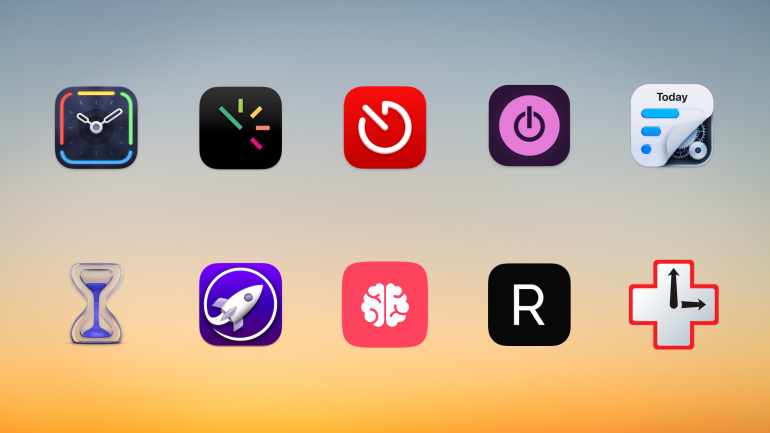
Background image: César Couto; Icons: respective app developersDo you really know how you spend your time? As you look back on a project you’ve just completed, did it take you the three hours you think it did, or was it probably two? Plus, an hour of responding to emails? The only way to know for sure is to use a dedicated time tracker for Mac. We’ve tested and compared the eleven best time tracking apps on the market to help you find the right one.
Choosing the right app for you depends on what you need — every app is slightly different. While some tally your activities automatically, carefully keeping track of which web pages and documents you spend the most time on, others allow you to log your time manually. Some are ideally suited for freelancers and small businesses, while others are tailored to larger companies.
TL;DR: Best Mac Time Tracking Apps in 2026
Timing is the best time tracking app for Mac — it automatically records every app, document, and website you use without manual timers. This guide covers:
- 11 apps compared: Automatic vs. manual time trackers, with prices from free to $23.99/month
- Top pick for automation: Timing — AI summaries, call detection, Screen Time import, idle tracking
- Best free option: Toggl + Timery — generous free tier with an excellent native Mac client
- What to look for: Automatic tracking, Mac-native design, team features, and AI capabilities
Read the rest of this buyer’s guide for an overview of the entire Mac time tracking apps in 2026!
-
Dictation on Mac: How to Use Talk-to-Text & the Best Dictation Apps (2026)

Image: MART PRODUCTION
If efficiency and productivity are high on your list of priorities, you should be talking to your Mac, not typing on it. In recent years, dictation on Mac has evolved from a novelty feature to an essential time hack. Apple Dictation comes built into every Mac, and today everything from simple to-do notes to large emails and reports can be drafted with dictation software.
Here, we help you navigate this growing trend. How do you enable Apple Dictation? Should you stick with the built-in tool or invest in a third-party solution? And what are some of the best Mac dictation apps on the market?
Let’s get started.
-
Die 11 besten Zeiterfassungs-Apps für Mac: Eine umfassende Kaufberatung
Hintergrundbild: César Couto; Icons: die jeweiligen App-EntwicklerWissen Sie wirklich, wie Sie Ihre Zeit verbringen? Wenn Sie zurückblicken auf ein gerade abgeschlossenes Projekt, haben Sie dafür wirklich die drei Stunden gebraucht, die Sie glauben, oder waren es vielleicht doch nur zwei Stunden – und die letzte Stunde haben Sie mit der Beantwortung von E-Mails verbracht? Der einzige Weg, das sicher herauszufinden, ist eine dedizierte Zeiterfassungs-App für Mac. Wir haben die elf besten Zeiterfassungs-Apps auf dem Markt verglichen, um Ihnen die Auswahl zu erleichtern.
Die Wahl der richtigen App hängt davon ab, was Sie benötigen – jede App ist geringfügig anders. Während einige Ihre Aktivitäten automatisch erfassen und sorgfältig festhalten, welche Webseiten und Dokumente Sie verwenden, lassen andere Sie Ihre Zeit manuell protokollieren. Einige eignen sich besonders gut für Freelancer und kleine Unternehmen, während andere eher für größere Unternehmen entwickelt wurden.
TL;DR: Die besten Zeiterfassungs-Apps für Mac in 2026
Timing ist die beste Zeiterfassungs-App für Mac — sie erfasst automatisch jede App, jedes Dokument und jede Website, die Sie nutzen, ohne manuelle Timer. Dieser Ratgeber behandelt:
- 11 Apps im Vergleich: Automatische vs. manuelle Zeiterfassung, mit Preisen von kostenlos bis 23,99 $/Monat
- Top-Empfehlung für Automatik: Timing — KI-Zusammenfassungen, Anruf-Erkennung, Bildschirmzeit-Import, Inaktivitäts-Erkennung
- Beste Gratis-Option: Toggl + Timery — großzügiges kostenloses Angebot mit exzellentem nativen Mac-Client
- Worauf Sie achten sollten: Automatische Erfassung, Mac-natives Design, Team-Funktionen und KI-Fähigkeiten
Lesen Sie den Rest dieses Ratgebers für einen Überblick über den gesamten Markt der Mac-Zeiterfassungs-Apps im Jahr 2026!
-
Work From Anywhere: Top Remote Work Tools for Mac Users in 2026

Image: Tima MiroshnichenkoDoes your office regularly shift between your kitchen table, your local coworking space and your favorite coffee shop? If so, it’s likely that your external working environment matters less to you than the technology at your fingertips. In teaching yourself to work from anywhere, in other words, you’ve realised the importance of creating a private digital space that feels familiar and intuitive. You’ve learnt that all you really need to do your work is the right remote work tools.
But what are the best remote work apps you should have in your arsenal? How do you find the exact tools you need to work productively, autonomously, and asynchronously with your colleagues and clients? How do you ensure you have all the support you need? We’re here to help.
We’ve drawn up a practical guide to Mac-friendly software that specifically caters to freelancers and small teams who regularly (or always) work remotely. All of our suggested remote work tools are macOS optimized, so they integrate seamlessly across the Apple ecosystem. And they’re designed to help you be more intentional in how you work — no matter where you are.
Let’s get started.
Read More… -
Developer Time Tracking: Stay “In the Zone” with These Top 10 Apps

Image: Olia DanilevichDeveloper time tracking offers more than just a way to log billable hours. It provides critical insights into how you work, where your time goes, and how to optimize your productivity. The right tool should do this by tracking your time consistently and accurately, and staying out of the way so that you focus on what you love most: coding.
But with so many options available, finding the right time tracking software for developers means understanding your specific needs and workflow challenges. Here, we’ll explore the time tracking options for various developer scenarios, from freelancers and entrepreneurs to agencies and in-house teams, before listing the top 10 apps you should consider.
Read More… -
Best Mac Apps in 2026: 50+ Essential Tools We Use and Recommend

Image: Olia DanilevichIf you want to transform your Mac from a capable computer to a productivity powerhouse in 2026, you’re in the right place. We’ve curated a list of the best Mac apps to revolutionize how you work, without the need to upgrade any of your hardware.
From sophisticated time tracking tools and intuitive project management solutions, to powerful email clients and innovative note-taking apps, each recommendation has been carefully selected to solve real problems and enhance your Mac experience. Our list includes reviews of large and established apps, some beloved classics, and a few hidden gems you may not have heard of before.
Whether you’re a creative freelancer, a small business owner, or an ordinary Mac user eager to unleash your machine’s full potential, you’re sure to find valuable solutions in our comprehensive guide to the best Mac apps.
Let’s get started.
Read More… -
How to Backup Your MacBook: Top 7 App Reviews and Tips

Image: Generated with Dall-EData loss is a nightmare for everyone. Whether it’s due to system failure, accidental deletion, or even theft, the risks are real.
According to a study by Backblaze, 46% of people lose data each year, 50% of hard drives die within five years, and 15% of households experience theft annually.
Learning how to backup your MacBook is not a luxury but a necessity for safeguarding your professional data. Encrypting your backups is crucial, especially when dealing with sensitive information, as it ensures that even if someone gains access to your backup files, they can’t read the data without the encryption key.
A reliable backup solution helps you quickly recover from unexpected data loss, saving time and protecting sensitive information.
Below, you’ll find a complete overview of how to backup your MacBook with the best backup apps for Mac and why options like iCloud sync are NOT a backup solution.
