
-
Best AI Writing Tools for Mac in 2026: Top Software by Task

Image: Ron Lach
TL;DR: Best AI Writing Tools for Mac in 2026
Here, we explore the best AI writing tools for Mac in 2026, including Cotypist, Jasper, Frase, Lex, Type, Grammarly, RewriteBar, Refine, Sudowrite and Novelcrafter. They’re defined by the specific challenge they solve, whether that’s drafting marketing copy, helping you rank for SEO, spotting typos or writing fiction from scratch. Ultimately, there’s no clear winner. Instead, we recommend you match your chosen tool (or tools) to the task at hand.
Even for an experienced writer, the blank page can be an intimidating space. The potential, the pressure, that blinking cursor. Fortunately, like so many other areas of our lives, AI is here to help. For writers, the best AI writing tools in 2026 solve specific, practical problems, like providing a solid first draft you can edit, keeping a brand’s voice consistent across your team, and catching typos before a client sees them.
No piece of software does all of these jobs equally well. To help you choose, we’ve identified each app’s stand-out features so that you can easily spot which one you should integrate into your tool stack.
-
The Best Apps for Lawyers in 2026: Top Mac Tools

Image: Sora Shimazaki
TL;DR: Best Apps for Lawyers in 2026
The best apps for lawyers on Mac in 2026 are those that help to streamline your daily tasks and workflow. They should capture your billable hours, like Timing; keep your case files searchable and local, like DEVONthink; and manage your PDFs, like PDF Expert. Clio is a solid practice-management baseline for firms that want one hub, but it’s also worth building up a toolstack that serves your needs exactly.
Every hour a lawyer can’t account for is money left on the table. The time lost to unlogged calls, spent hunting for contracts across folders, and navigating cluttered calendars all adds up. The best apps for lawyers are the ones that help you work quicker, more effectively and more intuitively. They should free up your time and energy from the tedious and mundane so that you can get on with the billable work at hand.
Our list of the top apps for attorneys is specifically for Mac users. It covers the best software for lawyers across every part of the working day: tracking time, drafting and managing documents, handling PDFs, meeting deadlines and issuing invoices. And since confidential client data runs through everything you do, these apps prioritize privacy and data protection, too.
While Clio remains the practice-management standard many firms use as a foundation, it doesn’t solve every pain point. In fact, we recommend a combination of focused tools, with or without Clio, to help you meet your needs. Here’s the full 2026 line-up.
-
Best Receipt Scanner Apps for Mac in 2026: 7 Picks for Every Workflow

Image: Kaboompics
TL;DR
The best receipt scanner app should cater for Mac users who want a proper desktop workflow, from capturing a receipt to handing it to your accountant. Our review features Mac-native tools like Receipts Space, industry heavyweights like Expensify and accountant favorites like Dext. Consider your most pressing needs and find the solution that’s right for you.
Receipt management tends to be a grudge task. Receipts pile up in wallets, inboxes and the bottom of bags until, one day, an expense report or a tax return forces you to pay attention to them. A good receipt scanner app solves this problem, helping you to scan and extract data in an instant. The best receipt scanner app takes this further by storing, organizing and exporting your information into a useful format. Use the right tool to your advantage, and managing your receipts quickly becomes a breeze.
In this guide, we’ve looked at some of the best receipt scanner apps for Mac users. We’ve explored tools that work well on macOS and iOS, covered the full receipt pipeline from capture to accountant hand-off, and included options at every price point. Each app has its own unique characteristics and benefits so it’s worth taking the time to think about what would best fit your workflow before giving one a try.
Let’s get started.
Read More… -
The Best Accounting Software for Mac: 9 Honest Picks for 2026

Image generated by ChatGPT
TL;DR
The best accounting software for Mac depends on what your business needs. QuickBooks Online is the US standard, Xero is the best all-round alternative and FreshBooks is the top pick for freelancers. All of the apps in this guide work on Mac — but they’re not all created equal. Here, we review them in detail so that you can find the one that’s right for you.
Finding the best accounting software for Mac can be a frustrating experience. It’s a crowded market, the feature sets tend to overlap, and not every app that claims Mac compatibility feels seamless and intuitive on Apple devices. Of course, there’s the added pressure that your chosen tool has the responsibility of managing your business’s finances. It’s got to be a solution you love — a tool that’s easy to use and meets your unique financial, tax and reporting needs.
To help you narrow your options, we’ve assessed nine of the leading Mac accounting software for freelancers, small businesses and growing teams. Take a look at our handy comparison table if you want to see a quick overview or dive into our reviews for a more detailed comparison.
-
The Best Text Expansion Tools for Mac: Save Hours with Snippets and Smart Autocomplete

Image credit: Mikhail Nilov
Text expansion tools are designed to save you hours of typing on your Mac. They work by monitoring your keystrokes and watching for specific trigger patterns you’ve defined. When you type a particular abbreviation, the app recognizes the trigger and expands to insert your specified content. Imagine typing entire paragraphs in seconds. Sounds life-changing? It is!
If you spend your days with your fingertips on your keyboard — and especially if you repeatedly type the same words and phrases — you’ll likely find a text expansion tool forever alters the way you work.
Here, we’ll explore the advantages of text expanders. Define the sectors and roles that tend to get the most out of them. Provide detailed reviews of the text expander solutions you should consider. And help you identify where autocomplete solutions like Cotypist might be better suited instead.
Let’s dive in.
TL;DR: Best Text Expansion Tools for Mac
- Best for teams: TextExpander — powerful snippet sharing, analytics and cross-platform sync (free plan available, paid from $6/mo)
- Best for speed: Typinator — blazingly fast expansion with a redesigned UI, iOS app and Apple Intelligence integration (from $49.99 one-time or $29.99/yr)
- Best free option: Espanso — open-source, cross-platform and endlessly customizable via YAML config
- Best budget pick: aText — solid text expansion at just $4.99/yr or $29.99 lifetime
- Different approach — AI autocomplete: Cotypist — predicts what you’d write next, ideal for unique prose that can’t be templated
-
Top Invoicing Software for Mac: Reviews, Ratings and Tips for the Best Tools in 2026

Image: Generated with Dall-EFinding the right invoicing software for Mac isn’t a minor detail; it’s a crucial step in streamlining your business operations. It can boost productivity, automate workflows, and help you get paid faster.
Mac users understand the importance of having software that’s as efficient and user-friendly as their devices. Ideally, that also means that these tools are implemented as native Mac apps tailored to the macOS interface rather than web apps that look out of place on your Mac.
So we’ve tried to focus on apps that are “good citizens” on macOS, such as GrandTotal whose menus and keyboard shortcuts are based on the intuitive ergonomics of macOS and fit seamlessly into your workflow. We have also included a few other market-leading options to provide a broad selection of options for you to choose from. (For recommendations on apps tailored to other needs, check out our roundup of the best Mac apps.)
The right invoicing app must be easy to use, integrate smoothly with other tools, offer value for money, and be customizable to suit your unique business needs.
To help you out, we’ve rounded up the best software options that tap into what Mac users want and need. Whether you’re looking for seamless integration, top-notch customization, or a straightforward, no-nonsense invoicing process, we’ve got you covered.
TL;DR: Best Invoicing Software for Mac
- Best overall: GrandTotal — Mac-native, now with e-invoicing support (XRechnung, PEPPOL), and it integrates with Timing to automatically import your billable hours.
- Best free option: Zoho Invoice — 100% free with professional invoicing, expense tracking, and payment reminders.
- Best Mac-native newcomer: Cakedesk — privacy-focused, one-time purchase, local data storage, and actively developed.
- Note: Billings Pro has been removed from this guide because Marketcircle has discontinued development and sales. The app is incompatible with macOS Ventura and later.
-
Apple Intelligence on Mac: Everything You Need to Know About Apple’s AI Features

Image by: Dall-EArtificial intelligence (AI) is changing how we interact with technology, each other, and how we work. With so much disruption across the board, it’s unsurprising that one of tech’s prominent innovators, Apple, has developed Apple Intelligence for Mac – the brand’s distinct approach to AI-powered features.
However, it’s not another AI system.
Apple Intelligence’s main goal is to improve user experience across macOS, iOS, and iPadOS in a way that feels natural, intuitive, and, most importantly, private.
First introduced in 2024, Apple Intelligence is built directly into macOS and iOS and focuses on delivering AI that is genuinely useful in everyday life. After initial delays in Europe due to regulatory compliance, Apple Intelligence became available to EU users in April 2025, and with macOS Tahoe 26 (released September 2025), it now supports 16 languages across more than 190 countries.
The rollout hasn’t been without controversy—Apple faced criticism for fabricated notification summaries and for overpromising on advanced Siri features that remain delayed into 2026. Meanwhile, a major Google Gemini partnership announced in January 2026 signals a new direction for Apple’s AI ambitions.
Despite the growing pains, Apple Intelligence continues to mature rapidly. From smarter writing assistance and AI-powered email management to creative tools and real-time translation, it is making your Mac more capable than ever.
In this guide, we’ll explore everything you need to know about Apple Intelligence on Mac in 2026, from the latest features to how it compares with AI tools like ChatGPT and Gemini, and what’s coming next.
-
The Best Writing Apps for Mac in 2026: Tools That Make Writing Easier

Image: William Fortunato
Writers write, so the saying goes. It’s overused advice, but if you’ve ever tried to produce an original piece of writing of any length, you’ll be familiar with its accuracy. While it can be tempting to focus on researching and planning your work, or exploring your publishing options, ultimately, the most important thing you can do is put pen to paper — or rather, fingertips to keyboard. Writers write: without the writing, none of the other pursuits matter. Fortunately, there are several tools designed to help you do exactly that. And our review of the best writing apps for Mac in 2026 is here to help.
If you’ve only ever used word processors like Word and Google Docs, you may think that they’re sufficient. And they certainly have their place for day-to-day tasks and short pieces of work. However, if you’re venturing into the land of long-form fiction or non-fiction, you’ll quickly find that you need a more comprehensive solution. Something that helps you store and access your research. That allows you to plot out your narrative and character development. That gives you a place to jot down useful ideas. And helps you structure your story into easy-to-navigate chapters or scenes.
You need a proper writing tool. Not a word processor or a research or note-taking app. But rather a Mac-native solution that is designed to help you bring your creative vision to life.
-
Declutter Your Mind with the 19 Best Note-taking Apps for Mac in 2026
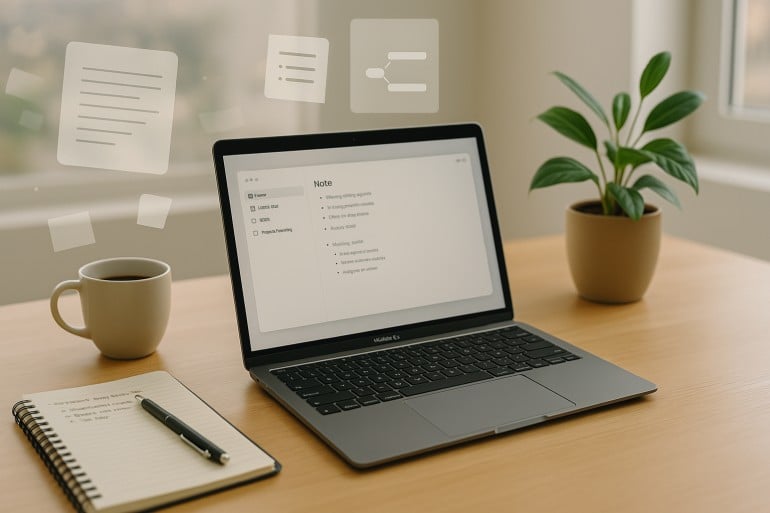
Image generated by ChatGPT
There’s just no knowing when inspiration will strike. On a train in rush hour, in the middle of making dinner, or like a bolt out of the blue at 3am. And when it does, you’re going to need to note it down. As David Allen, productivity guru and creator of the Getting Things Done time management method, famously says: “The mind is for having ideas, not holding them”. Fortunately, our list of the best note-taking apps for Mac in 2026 is here to help.
The list below is designed to help you record valuable information for a later date. It will also help you clear out unnecessary mental clutter and distill your thoughts, and become your most focused and productive self. Whether you prefer to represent your ideas as mind maps or charts, handwrite your notes on a digital canvas, or use AI to do all the organizing for you, we’ve got a macOS note-taking app that’s right for you.
-
The Best Email Apps for Mac in 2026: Top 10 Mail Clients Reviewed

Image: Generated with Dall-EA Mac email app (or email client) is software that lets you access, read, write, and organize emails from one or more email accounts. Unlike webmail services like Gmail.com, a dedicated email app runs natively on your Mac, offering faster performance, offline access, and deeper integration with macOS features like Spotlight, Contacts, and Calendar.
Is your current email app serving you? Is it boosting your productivity, streamlining your communication, and making your workflow quicker and more efficient? Or is it hindering these processes and frustrating your progress? Having the right email app in your tool stack is critical for business success. But amid all the options available, what are the best email apps for Mac in 2026?
Here, we’ll explore the top 10 Mac email clients, outlining what makes them unique, and listing their pros and cons. Whether your needs are relatively straightforward, or you have in-depth demands of the email tool you use, our list has you covered.
