
The Best Accounting Software for Mac: 9 Honest Picks for 2026
Image generated by ChatGPT
TL;DR
The best accounting software for Mac depends on what your business needs. QuickBooks Online is the US standard, Xero is the best all-round alternative and FreshBooks is the top pick for freelancers. All of the apps in this guide work on Mac — but they’re not all created equal. Here, we review them in detail so that you can find the one that’s right for you.
Finding the best accounting software for Mac can be a frustrating experience. It’s a crowded market, the feature sets tend to overlap, and not every app that claims Mac compatibility feels seamless and intuitive on Apple devices. Of course, there’s the added pressure that your chosen tool has the responsibility of managing your business’s finances. It’s got to be a solution you love — a tool that’s easy to use and meets your unique financial, tax and reporting needs.
To help you narrow your options, we’ve assessed nine of the leading Mac accounting software for freelancers, small businesses and growing teams. Take a look at our handy comparison table if you want to see a quick overview or dive into our reviews for a more detailed comparison.
Table of Contents
TOC
What to Look for in a Mac Accounting App in 2026
Before you begin your search for the best accounting software for Mac, make sure you keep the following points in mind. They’re the most important features that your chosen app should meet at a minimum.
Mac-native vs. Browser-based
Most modern accounting platforms are web-based and run perfectly well in Safari or Chrome on any Mac. Neither approach is inherently better, but it’s worth knowing which you’re getting, and making sure the Mac browser experience is friction-free.
Bank Feeds and Reconciliation
Automatic transaction imports and clean bank reconciliation are non-negotiable. For US users, many apps connect via providers like Plaid. Be aware that coverage and reliability vary, so make sure your bank is supported before signing up.
Expense Tracking and Receipt Capture
Look for apps that offer straightforward expense categorization, receipt attachment, and a clear separation of business and personal spending. The easier this is to manage, the more likely you are to keep things up to date. (Your CPA or future self will thank you when tax season rolls round.)
Tax Support for US Freelancers and Small Businesses
Useful features include 1099 contractor tracking, sales tax support, quarterly tax estimates, and reporting that simplifies Schedule C prep for sole proprietors. Not every app covers all of these, so consider what you’ll likely need.
Financial Reporting
Profit and loss, balance sheet, cash flow and accounts receivable reports are the essentials, especially if you work with a CPA who needs clean, exportable data at tax time.
Accountant Access
Make sure that your CPA can log in directly, review and reconcile your accounts, and pull the reports they need. For many small businesses, this feature alone can influence which software makes the shortlist.
Invoicing and Integrations
Most accounting apps come standard with invoicing capabilities. If invoicing is your primary need rather than a full accounting solution, it’s worth exploring dedicated Mac invoicing tools. If you’re looking for something more comprehensive, however, consider whether your chosen app connects with tools you already rely on, such as payment processors, CRM platforms, e-commerce tools and time-tracking workflows.
Speaking of time tracking, remember that while your accounting software helps you manage your financial record, you also need to be capturing the billable hours behind that revenue. An automatic time tracking solution, like Timing, ensures your invoices and accounting records reflect the full picture of the hours you’ve worked.
Image generated by ChatGPT
How We Chose the Best Accounting Software for Mac
Our recommendations below are based on published product information and independent research. We also drew from user feedback and review scores on Capterra, G2 and the App Store.
We assessed each app across Mac compatibility, US tax and compliance support, ease of use, support quality, and how well it integrates with the tools you might already rely on. Apps with poor performance on Mac didn’t make the cut.
The Best Accounting Software for Mac: A Quick Comparison
Looking for a high-level snapshot? Here’s an overview:
- Best overall accounting app for Mac: QuickBooks Online
- Best accounting app for Mac freelancers: FreshBooks
- Best for growing Mac-based small businesses: Xero
- Best free accounting app for Mac: Wave
- Best Mac accounting app for multi-currency: Zoho Books
- Best desktop-first accounting app for Mac: AccountEdge
- Best free desktop accounting app for Mac: Manager
- Best for growing Mac-based businesses in the Sage ecosystem: Sage Intacct
- Best all-in-one Mac accounting app for freelancers: Bonsai
| App | Best for | Mac-native | Pricing | Rating |
|---|---|---|---|---|
| QuickBooks Online | Most US small businesses | Web-based | Starting at $38pm | 4.3 (Capterra) |
| FreshBooks | Freelancers and invoicing | Web-based | Starting at $23pm | 4.5 (Capterra) |
| Xero | Growing businesses, multi-currency | Web-based | Starting at $25pm | 4.4 (Capterra) |
| Wave | Free for solopreneurs in the US and Canada | Web-based | Free and paid plan for $19pm | 4.4 (Capterra) |
| Zoho Books | Multi-currency | Web-based | Free and paid plans, starting at $15pm | 4.4 (Capterra) |
| AccountEdge | Desktop-first Mac accounting | Yes (Mac desktop) | Starting at $20pm | 4.3 (Capterra) |
| Manager | Free desktop, multi-platform | Yes (Mac desktop) | Manager is totally free to use | 4.8 (Capterra) |
| Sage Intacct | Growing businesses in the Sage ecosystem | Web-based | Custom quote | 4.3 (G2) |
| Bonsai | All-in-one freelancer suite | Web-based | Starting at $9pm | 4.3 (G2) |
The 9 Best Accounting Software for Mac in 2026
If you’re running your own business in 2026, these are the top Mac accounting tools you should be considering.
1. QuickBooks Online
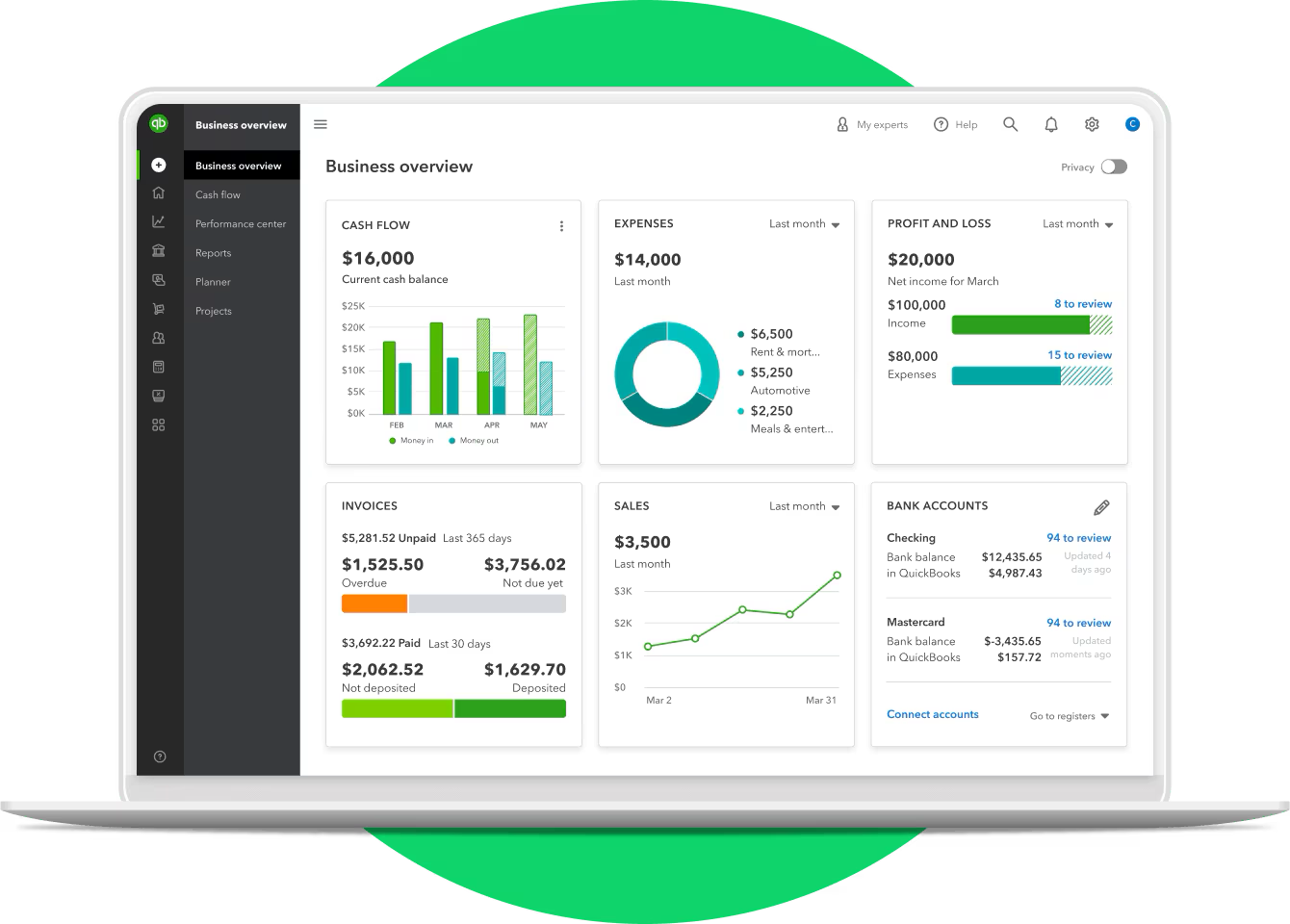
Image: QuickBooks Online
Best for: Small to mid-sized business owners who want the industry-standard accounting solution.
QuickBooks Online is the default choice for US-based small business accounting, and it’s earned its place. A cloud-based platform, it runs in any Mac browser with no dedicated app required, making it easy to access across your devices. The accountant network alone is a major draw. Finding a bookkeeper or CPA fluent in QuickBooks Online is rarely a challenge. It handles the tricky stuff too: 1099s, sales tax and payroll via an add-on. One important note for Mac users is that QuickBooks Desktop for Mac is being phased out — the Online version is the best way forward.
Key features:
- Cloud-based platform accessible through any Mac browser
- Handles 1099s, sales tax and payroll (via an add-on)
- Vast network of QuickBooks-certified accountants and bookkeepers
- Automated bank reconciliation and transaction categorization
- Extensive third-party app integrations across virtually every business category
Pros:
- The undisputed industry standard for US small business — your accountant almost certainly already knows it
- Handles complex tax requirements including 1099s and sales tax with minimal manual effort
- Excellent integration ecosystem, slotting into almost any existing business workflow
Cons:
- The interface can feel cluttered and busier than it needs to be, especially for straightforward tasks
- The learning curve is steep for first-time users unfamiliar with accounting principles
Pricing: QuickBooks Online has Simple Start, Essentials, Plus and Advanced plans for $38, $75, $115 and $275 per month respectively.
2. FreshBooks
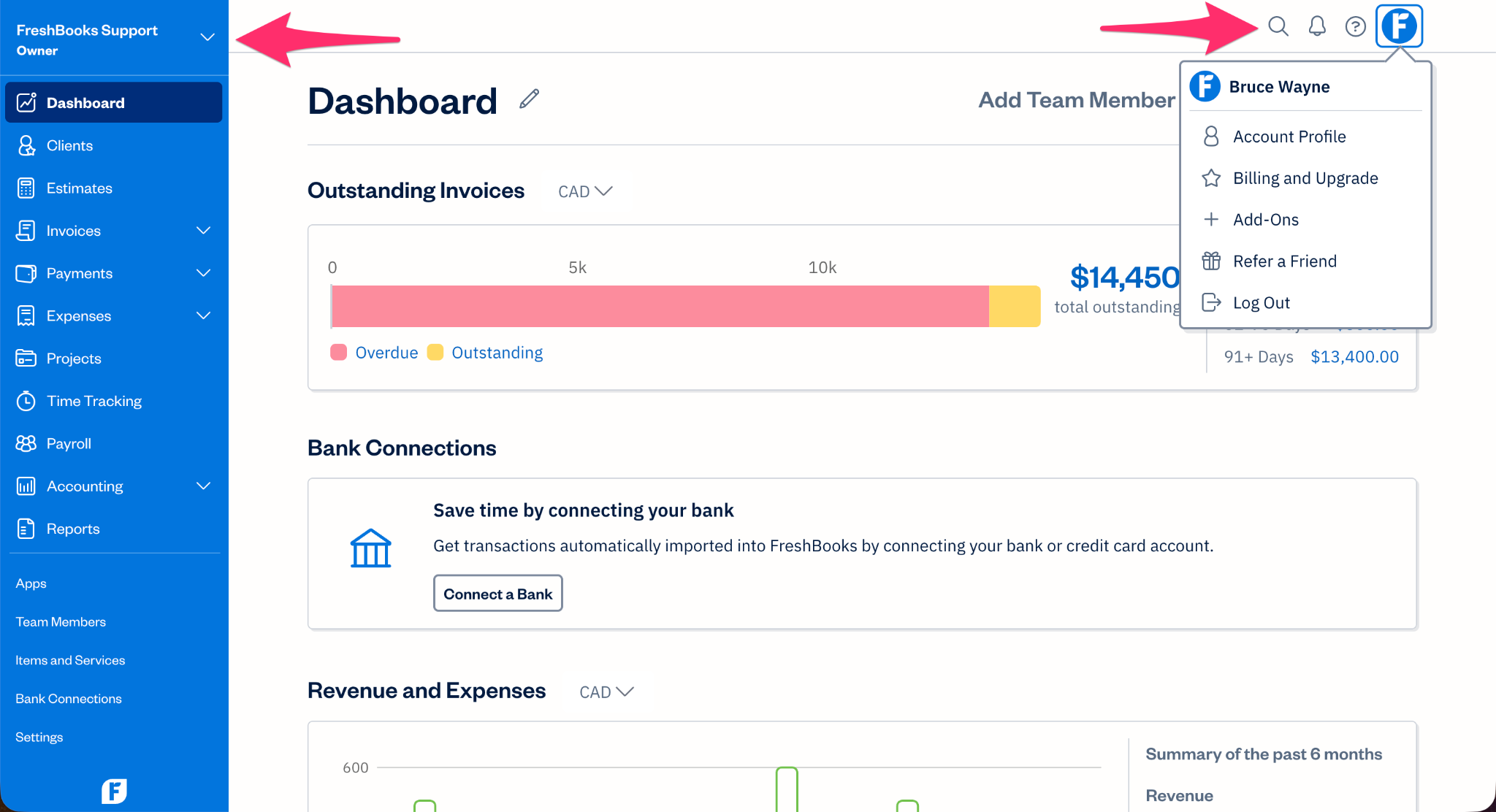
Image: FreshBooks
Best for: Freelancers and service-based business owners who want hassle-free invoicing.
FreshBooks has carved out a well-deserved niche by doing fewer things than QuickBooks, but doing them considerably better. The interface is clean and uncluttered, feeling right at home in the Mac ecosystem, and the invoicing process is polished, customizable and easy to automate. Built-in time tracking is a thoughtful addition, but it’s worth noting it covers the basics rather than serving as a replacement for dedicated time-tracking software. It’s also got excellent iOS apps that keep everything connected while you’re on the go. Be aware though that FreshBooks is very much designed around service-based businesses. Product-based companies will find its inventory management thin. And its underlying accounting framework isn’t built for complexity.
Key features:
- Clean, Mac-friendly interface designed around simplicity
- Best-in-class invoicing with automation and customization options
- Solid expense tracking with receipt capture
- Strong iOS apps that sync seamlessly across devices
- Client portal for estimates, invoices, and payments in one place
Pros:
- The invoicing experience is perhaps the most polished of any accounting app in this list
- Intuitive, uncluttered interface means minimal onboarding time
- Combined time tracking and invoicing is a workflow advantage, though third-party solutions often do this better
Cons:
- Inventory management and more complex accounting needs are poorly served — product-based businesses will quickly feel the constraints
- Significantly less flexible than QuickBooks for anything outside straightforward service-based work
Pricing: FreshBooks has a Lite plan for freelancers for $23 per month, a Plus plan for self-employed workers for $43 per month, and a Premium plan for businesses with contractors for $70 per month. A Select plan for businesses with employees can be drawn up to suit your unique needs.
3. Xero
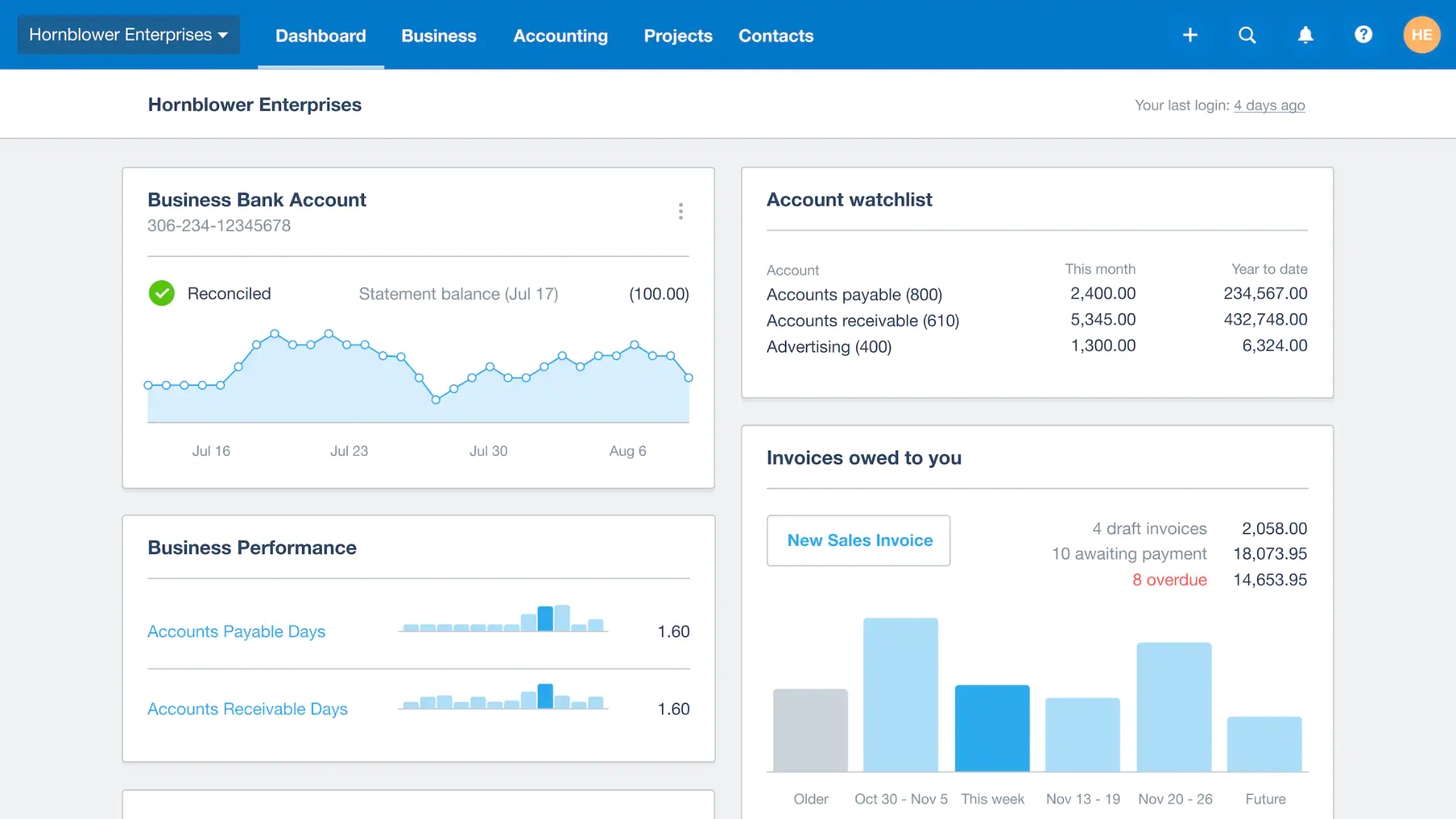
Image: Xero
Best for: Growing businesses and multi-entity operations that need unlimited user access in one clean platform.
Xero built its reputation as the accountant’s favorite alternative to QuickBooks through its dedicated partner program with certifications, training and rewards. Its cloud-first architecture also made collaboration between accountants and clients easier than legacy desktop software. Today, its standout differentiator is unlimited users across every plan. This is a rare feature that makes it especially compelling for growing businesses and collaborative teams. Xero’s web-based interface is clean and well-organized. And for businesses operating across borders, it’s one of the strongest multi-currency accounting options available, handling conversions and reporting with ease. Its app marketplace is extensive, with hundreds of integrations, although payroll requires plugging in Gusto as a separate add-on. US bank-feed connectivity has also historically lagged behind QuickBooks.
Key features:
- Unlimited users across all plan levels
- Sophisticated multi-currency accounting with real-time exchange rates
- Extensive app marketplace with hundreds of integrations
- Clean, well-organized dashboard with customizable reporting
- Strong accountant and bookkeeper network with dedicated partner program
Pros:
- Unlimited users at every level is a rare and significant advantage for growing or collaborative teams
- One of the most capable multi-currency accounting solutions in its class
- Popular with accountants and bookkeepers, making professional collaboration straightforward
Cons:
- Payroll functionality requires a separate Gusto integration
- US bank-feed coverage has historically been less reliable than QuickBooks, which can interrupt automated reconciliation
Pricing: Xero has three plans: Early for $25 per month, Growing for $55 per month, and Established for $90 per month.
4. Wave
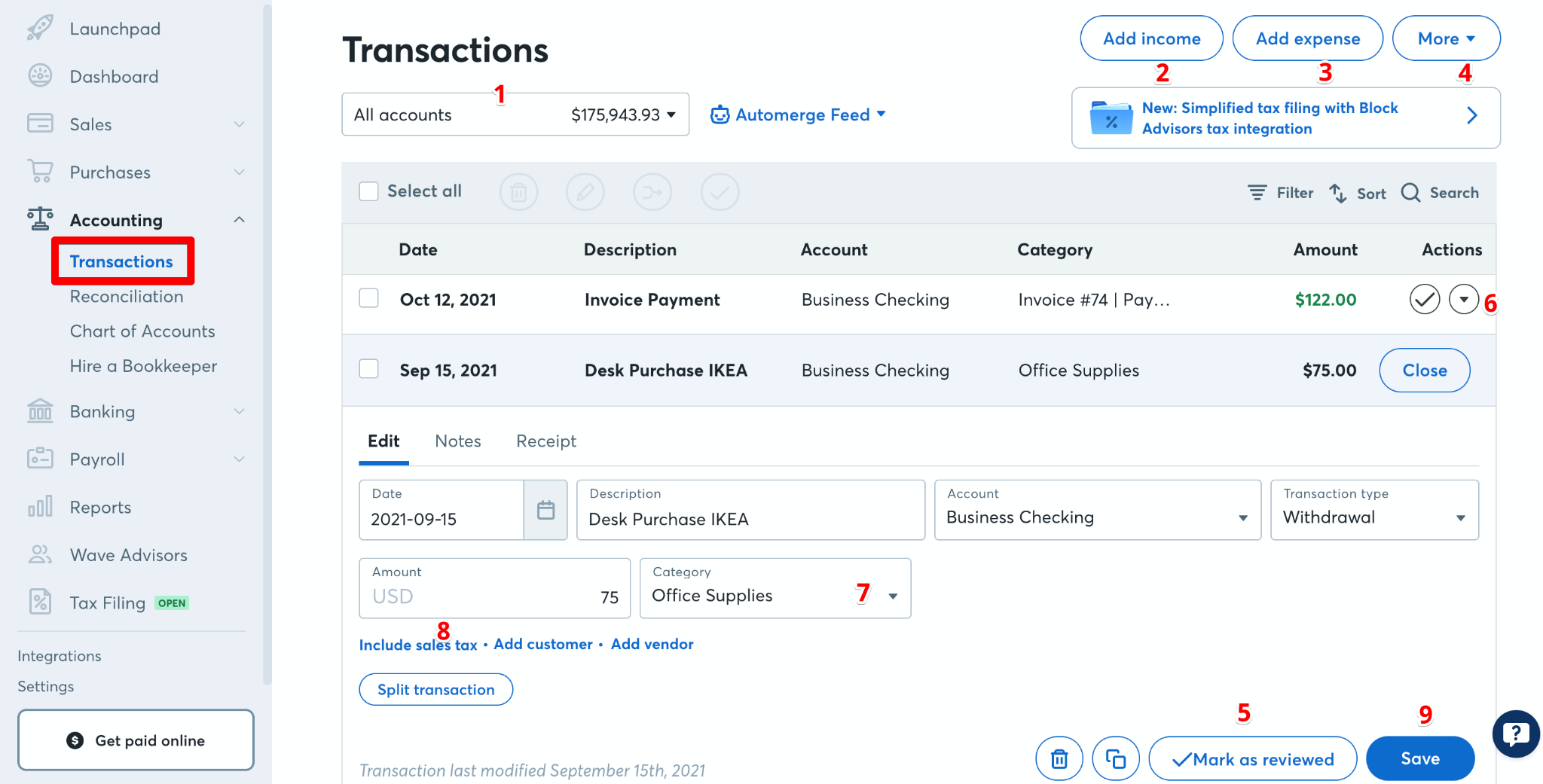
Image: Wave
Best for: Solopreneurs and micro-business owners in the US or Canada looking for capable core accounting without a paid subscription.
Wave occupies a unique corner of the accounting software market: its core accounting and invoicing features are completely free. For freelancers and small business owners, this makes it a legitimate option rather than a watered-down teaser. The interface is straightforward and web-based, accessible through any Mac browser, and more than adequate if your accounting needs are relatively simple. Payments and payroll come at an additional cost, but the fundamentals hold up well on their own. One hard limitation is that Wave is only available to US and Canadian users. Reporting is also limited, it doesn’t offer any inventory, and the feature set has evolved over time. It’s worth checking Wave’s current breakdown of features before you commit.
Key features:
- Cloud-based platform accessible through any Mac browser
- Core accounting and invoicing included at no cost
- Payment processing and payroll available as add-ons
- Customizable invoices with a clean, professional finish
- Available to US and Canada-based businesses only
Pros:
- Core accounting and invoicing tools are capable, not a stripped-back demo
- Perfectly scaled for solopreneurs who don’t need the complexity of QuickBooks or Xero
- Clean, unfussy interface with a minimal learning curve for non-accountants
Cons:
- Reporting is noticeably limited compared to competitors
- No inventory management and restricted customer support access
Pricing: Wave has a comprehensive Starter plan that is totally free to use. Its Pro plan costs $19 per month or $190 annually.
5. Zoho Books
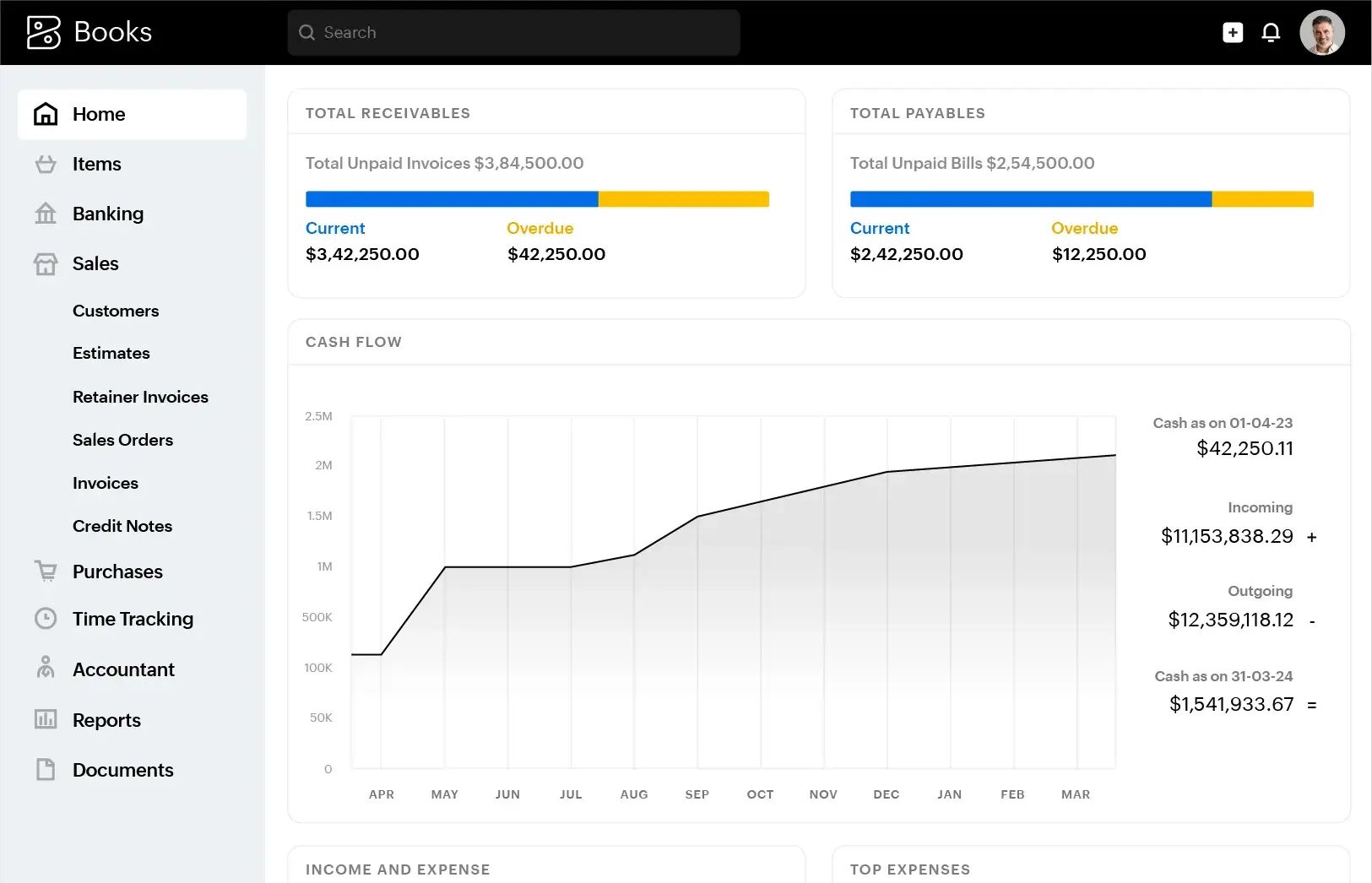
Image: Zoho Books
Best for: Small businesses handling multi-currency operations who want a deeply connected suite of business tools.
Zoho Books is an impressive accounting platform, but its full potential only reveals itself in the context of Zoho’s broader suite. Connect it to Zoho CRM, Inventory or Projects and the whole becomes greater than the sum of its parts, with data flowing cleanly between tools. Zoho Books’ multi-currency support is also excellent, making it a strong contender for businesses with international operations. And the API is also robust and well-documented if you need custom integrations. Zoho Books’ interface, however, is dense, and US payroll integration is an area where it hasn’t quite caught up with the competition.
Key features:
- Cloud-based platform accessible through any Mac browser
- Excellent multi-currency accounting with real-time exchange rates
- Deep integration across the Zoho suite: CRM, Inventory, Projects and more
- Robust, well-documented API for custom integrations
- Customizable invoicing and strong client portal
Pros:
- Part of the broader Zoho ecosystem
- Multi-currency support is comprehensive and well-executed
- A well-documented API makes it adaptable for businesses with specific technical requirements
Cons:
- The interface is noticeably dense and can feel overwhelming
- US payroll integration is limited compared to QuickBooks or Xero
Pricing: Zoho Books has a free plan and five paid plans. The Standard plan costs $15 per month, the Professional plan $40 per month, the Premium plan $60 per month, the Elite plan $120 per month and the Ultimate plan $240 per month, all billed annually.
6. AccountEdge
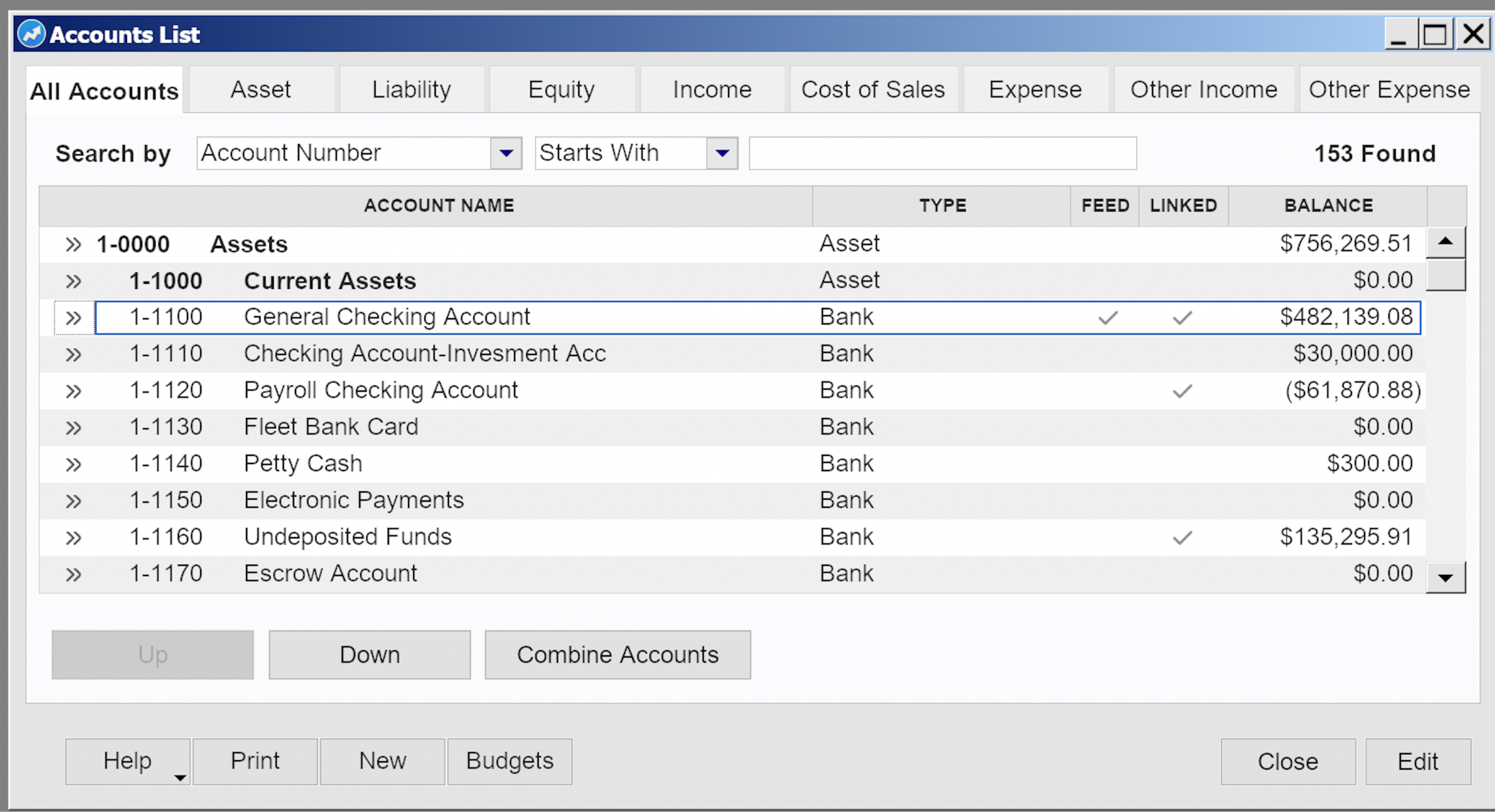
Image: AccountEdge
Best for: Small business owners who want a powerful, desktop-first Mac accounting app.
If you prefer a desktop accounting system over a fully cloud-based app, AccountEdge will likely appeal. It is a full-featured, desktop-first accounting platform with Mac support, and offers proper double-entry accounting depth, with general ledger tools, invoicing, inventory, time billing and payroll available as add-ons.
AccountEdge has several variations, including AccountEdge Pro for single-user desktop accounting, and AccountEdge Network Edition for multi-user desktop access. AccountEdge Hosted is also available if you want browser-based access to your company file. And AccountEdge Connect adds optional browser-based collaboration for tasks like sales, purchases and time billing, while syncing activity back to the desktop product.
The trade-off is that AccountEdge feels more traditional than modern cloud-first tools. The setup process can be more involved, the interface is less polished, and the integration ecosystem is smaller. But it’s worth considering if you specifically want desktop accounting software with inventory and time billing built in.
Key features:
- Desktop accounting software for Mac, with Pro and Network Edition desktop plans
- Listed support for Apple M1 through M5 chip Macs
- Local desktop/on-premise setup for Pro and Network Edition, with Hosted available for browser-based access
- Full double-entry accounting with general ledger and journal entries
- Inventory management, time billing and invoicing built in
Pros:
- One of the few desktop-first accounting options still available for Mac
- Full double-entry accounting with inventory and time billing built in
- Optional payroll, bank feeds, payments and browser-based collaboration add-ons
Cons:
- The interface is noticeably less refined than modern cloud-based competitors
- Setup is more involved than browser-based alternatives
Pricing: AccountEdge Pro starts at $20 per month, Network Edition starts at $30 per month, and AccountEdge Hosted starts at $50 per month per user. Payroll, bank feeds and AccountEdge Connect are paid add-ons.
7. Manager
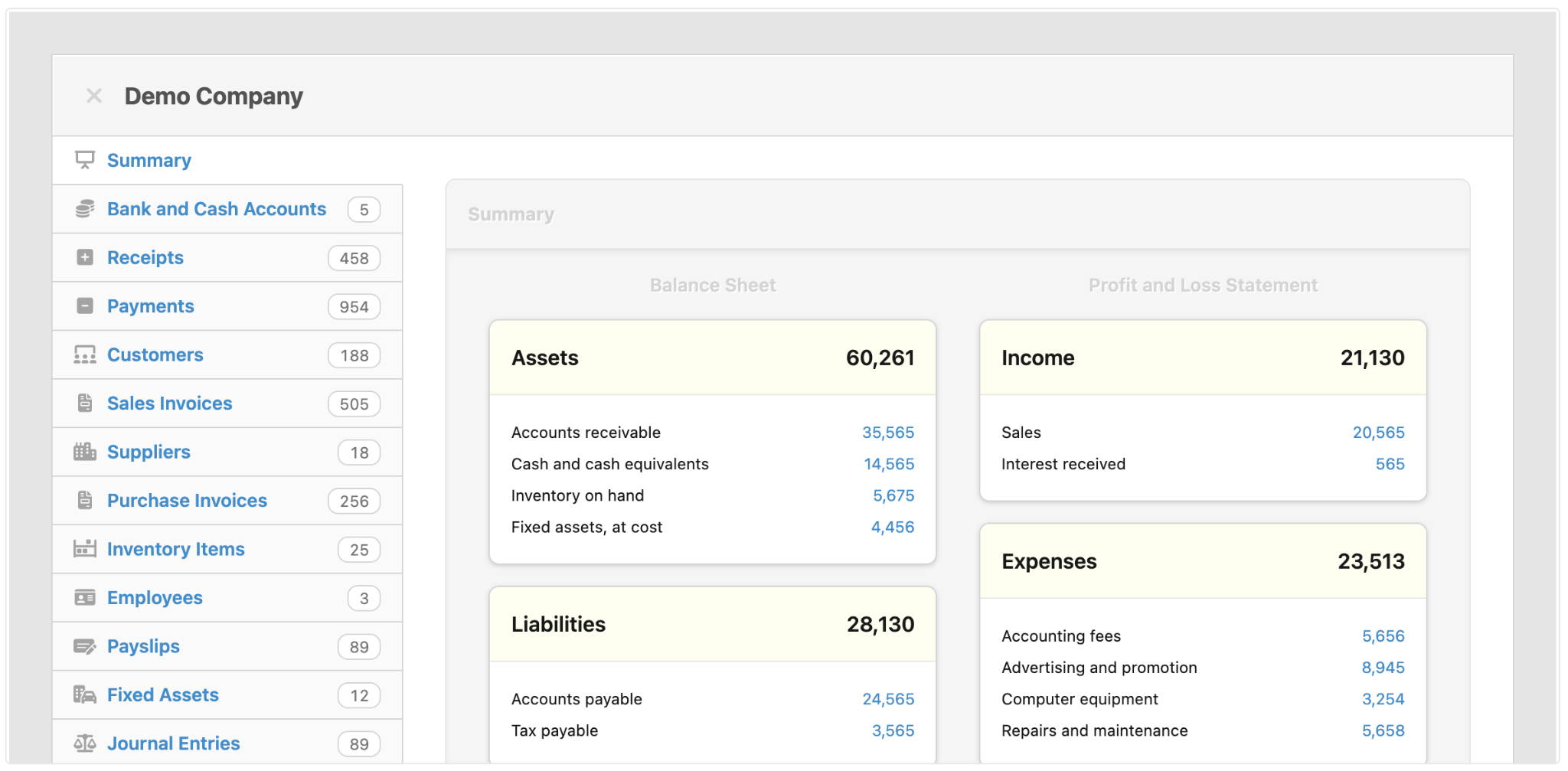
Image: Manager
Best for: Budget-conscious small business owners and sole traders who want full-featured desktop accounting.
Manager is a relatively small player in a crowded market, but one worth paying attention to. It’s a fully-featured, double-entry accounting application with a free desktop edition that runs natively on macOS. The feature set is impressively broad: bank reconciliation, multi-currency support, invoicing, inventory, payroll, fixed assets and more. All are organized through a modular interface that allows you to enable only what you need. A cloud edition is available if you need multi-user access or remote collaboration (at a subscription). There are shortcomings, though. There’s no mobile app, the third-party integration is thin compared to the big names, and the reporting functionality takes some configuring. But for sheer accounting depth on a Mac desktop, Manager punches well above its weight.
Key features:
- Native macOS desktop app with offline functionality
- Full double-entry accounting with general ledger and journal entries
- Multi-currency support with real-time transaction tracking
- Modular setup — enable only the features your business needs
- Cloud and server editions available for multi-user and remote access
Pros:
- The desktop edition is fully-featured as a complete accounting solution
- Modular design keeps the interface clean and relevant
- Multi-currency support is robust and well-implemented for a product at this level
Cons:
- Report customization has a steep learning curve and can feel cumbersome
- The interface is noticeably less refined compared to more polished competitors
Pricing: The desktop edition of Manager is totally free to use. The cloud edition costs $59 per month. There is also a server edition for self-hosting, but most Mac users will be choosing between the free desktop edition and the cloud edition.
8. Sage Intacct
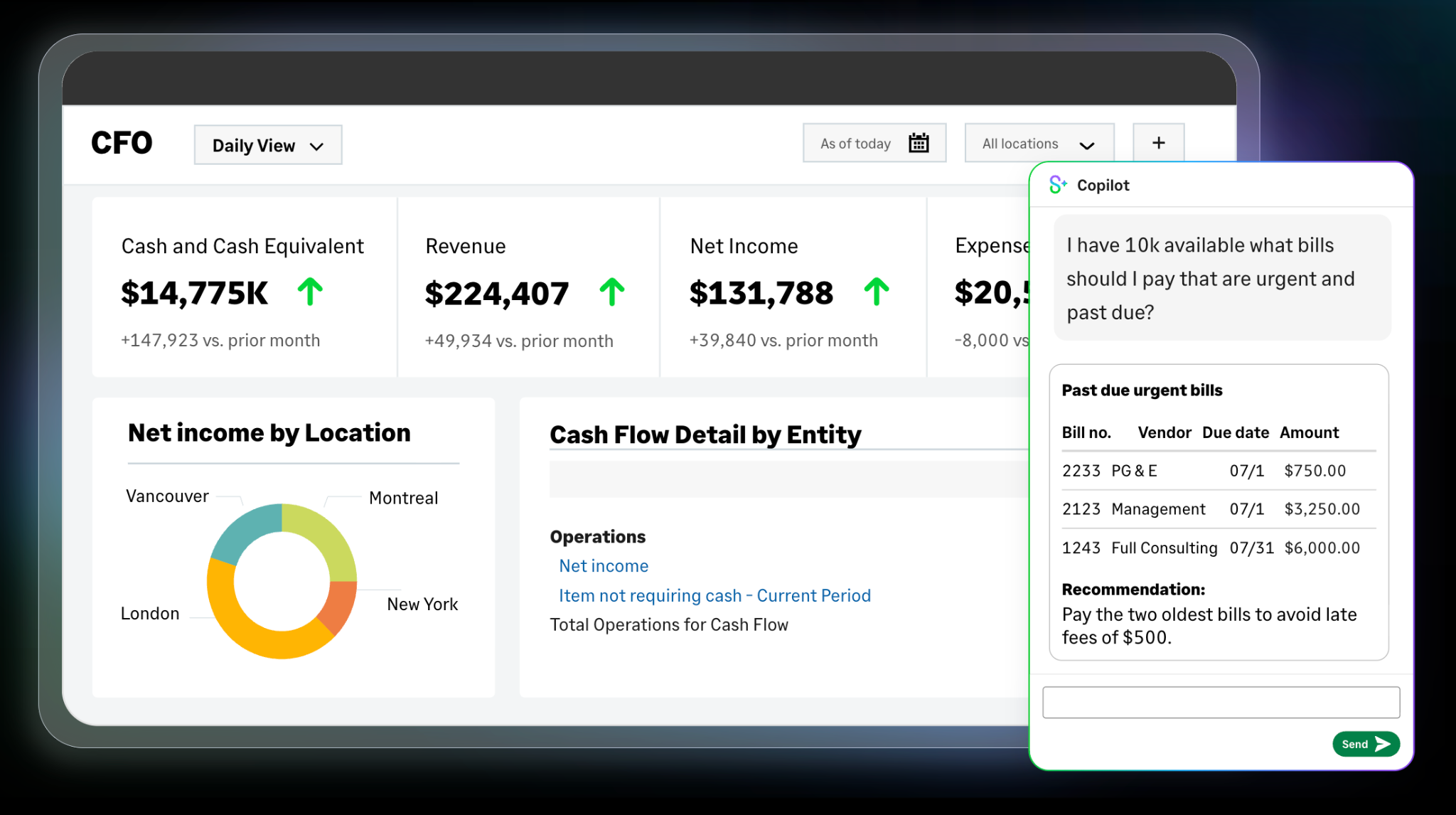
Image: Sage Intacct
Best for: Growing businesses that want cloud-based financial management from the Sage ecosystem.
A quick but important clarification for Mac users: Sage 50, the desktop product many accountants know, is Windows-focused and not the best fit for this guide. Sage Business Cloud Accounting has also been retired in the US. For Mac users, Sage’s own Mac-compatible accounting page points instead to Sage Intacct, a cloud-based accounting and financial management platform that runs in a browser.
Sage Intacct is more advanced than most everyday small-business accounting tools. It’s designed for growing organizations and finance teams that need deeper reporting, approvals, automation, multi-entity support and stronger financial controls. That makes it a better fit for established businesses than for freelancers or solopreneurs comparing simple bookkeeping apps.
As a result, Sage Intacct is likely more comprehensive than many small Mac-based businesses are likely to need. Pricing is quote-based, implementation is more involved, and the product is aimed at companies with more complex financial operations. But if you’re already in the Sage ecosystem, or you’ve outgrown tools like QuickBooks Online and Xero, then Sage Intacct is your go-to Sage Mac solution.
Key features:
- Cloud-based accounting and financial management accessible through a Mac browser
- Core financials, including accounts payable, accounts receivable, cash management and general ledger
- Advanced reporting, dashboards and real-time financial visibility
- Workflow automation for finance teams and month-end processes
- Scalable setup for growing businesses, multi-entity organizations and larger finance teams
Pros:
- Strong fit for growing businesses with more complex accounting needs
- Cloud-based access works well for Mac users
- More advanced reporting and financial controls than simpler small-business tools
Cons:
- Often quite advanced for many freelancers and very small businesses
- Quote-based pricing makes it harder to compare at a glance
Pricing: Sage Intacct pricing is available by custom quote, with plans tailored to your business size, industry and chosen modules.
9. Bonsai
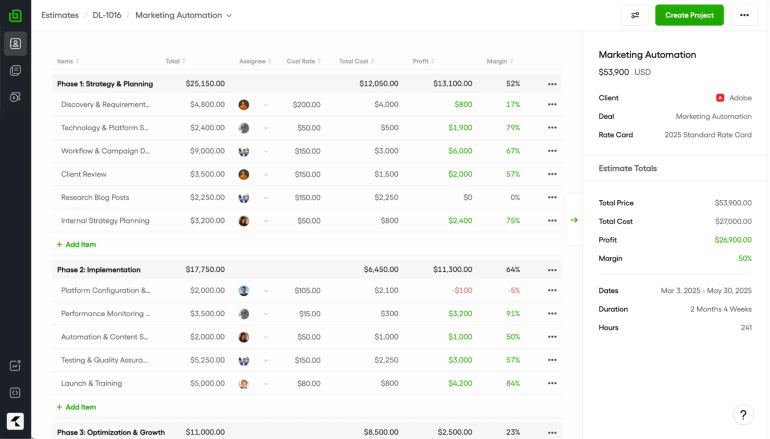
Image: Bonsai
Best for: Independent freelancers and small creative or consulting businesses who want everything in one place.
Bonsai’s pitch is compelling: rather than bolting accounting onto a business workflow, it builds its whole operation around it. From proposals and contracts through to time tracking, expense management, tax estimates and invoicing, everything connects in a clean, well-designed web app that works smoothly in any Mac browser. For a freelancer or small agency, the appeal of having a new client move from signed contract to tracked hours to paid invoice within a single platform is appealing. There aren’t many other tools that do it as well. Where Bonsai shows its limits is in the depth of its pure accounting: it’s a business management platform with solid bookkeeping built in, not a full accounting suite. Businesses with complex accounting needs will likely find it better used alongside QuickBooks or Xero than as a replacement.
Key features:
- Cloud-based platform accessible through any Mac browser
- Integrated contracts, proposals and client onboarding tools
- Expense tracking and bookkeeping with tax estimation
- Automated invoicing with recurring payments and retainer support
- Integrations with QuickBooks, Xero and a range of business tools
Pros:
- End-to-end workflow is seamless
- Clean, well-considered interface that feels at home in a Mac-centric setup
- Built-in tax estimation is a thoughtful, practical touch for freelancers managing their own finances
Cons:
- The bookkeeping and accounting features lack the depth of a dedicated accounting platform for anyone with complex financial requirements
- Businesses that have outgrown straightforward freelance finances may find they need a separate accounting solution running alongside it
Pricing: Bonsai has four plans. Its Basic plan starts at $9 per month, its Essentials plan $19 per month, its Premium plan $29 per month, and its Elite plan $49 per month (3 users minimum), all billed annually.
Best QuickBooks Alternatives for Mac
As the reviews above suggest, QuickBooks tends to dominate the market, often serving as a benchmark. While it’s popular, it’s not for everyone. If you’re looking for an alternative to QuickBooks, here are a few strong contenders:
- Xero: The closest direct alternative to QuickBooks on Mac. If you want everything QuickBooks offers but in a cleaner, more collaborative package, Xero should be your first stop. It matches QuickBooks almost feature for feature, adds unlimited users at every level, and is particularly well-regarded among accountants. Read our full Xero review.
- FreshBooks: Best QuickBooks alternative for Mac freelancers. For freelancers and service businesses, FreshBooks trades QuickBooks’ complexity for a streamlined experience built around invoicing and time tracking. It’s significantly easier to get up and running, and the interface feels far more at home for non-accountants. Read our full FreshBooks review.
- Wave: Best free QuickBooks alternative for Mac (US and Canada). Wave offers capable core accounting and invoicing at no cost, making it an appealing alternative for solopreneurs who don’t need QuickBooks’ depth. Available to US and Canadian users only. Read our full Wave review.
- Zoho Books: Best QuickBooks alternative for multi-currency. For businesses operating across borders, Zoho Books delivers multi-currency accounting that rivals QuickBooks at a fraction of the complexity. It’s especially powerful for businesses already in the Zoho ecosystem. Read our full Zoho Books review.
- AccountEdge: Best desktop QuickBooks alternative for Mac. AccountEdge is the go-to option for Mac users who want a desktop-first accounting app rather than a fully browser-based platform. It offers full double-entry accounting, inventory, time billing and listed compatibility with modern Apple Silicon Macs. Read our full AccountEdge review.
Accounting Software for Mac Outside the US (UK, Australia, Canada)
Accounting software relies on local tax regulations, compliance requirements and bank feed certifications. This means that what may work seamlessly for small businesses in the US may not work at all if you’re based elsewhere, like Canada, the UK or Australia. A few points to note here:
- In Canada: Goods and Services Tax (GST), Harmonized Sales Tax (HST) and Provincial Sales Tax (PST) handling is essential. Wave and FreshBooks are both Toronto-based and have strong Canadian support, alongside QuickBooks Online CA and Xero.
- In the UK: Making Tax Digital (MTD) is now mandatory for VAT and is extending to Income Tax Self Assessment. Look for MTD-recognised software: Xero, QuickBooks Online UK, FreeAgent, and Sage Accounting UK are all established options.
- In Australia and New Zealand: GST compliance and BAS lodgement (AU) or IRD reporting (NZ) are the key requirements. Xero is particularly dominant in this region, with MYOB Business and QuickBooks Online AU also worth considering.
If you’re outside the US, always confirm your solution’s tax-compliance certifications on its regional site before you sign up.

Image: Pavel Danilyuk
Use Timing to Capture the Billable Time Your Accounting Software Can’t See
Your accounting software helps you manage your invoices, expenses, reports, tax records and cash flow. But it doesn’t typically track the work that informs these amounts: the hours spent on emails, calls, research, writing, designing, coding and revising. For that, you need an automatic time tracking solution, like Timing.
Timing runs in the background while you work, automatically tracking the time you spend across apps, documents and websites, without you having to start or stop timers. You can turn that activity into time entries for accurate client billing, reporting and business records.
Timing also supports Billing Status for time entries, so you can mark work as not billable, billable, billed or paid. For accounting workflows, Timing supports tools like QuickBooks, FreshBooks and Xero via Zapier, while its GrandTotal plugin is better framed as an invoicing-specific workflow.
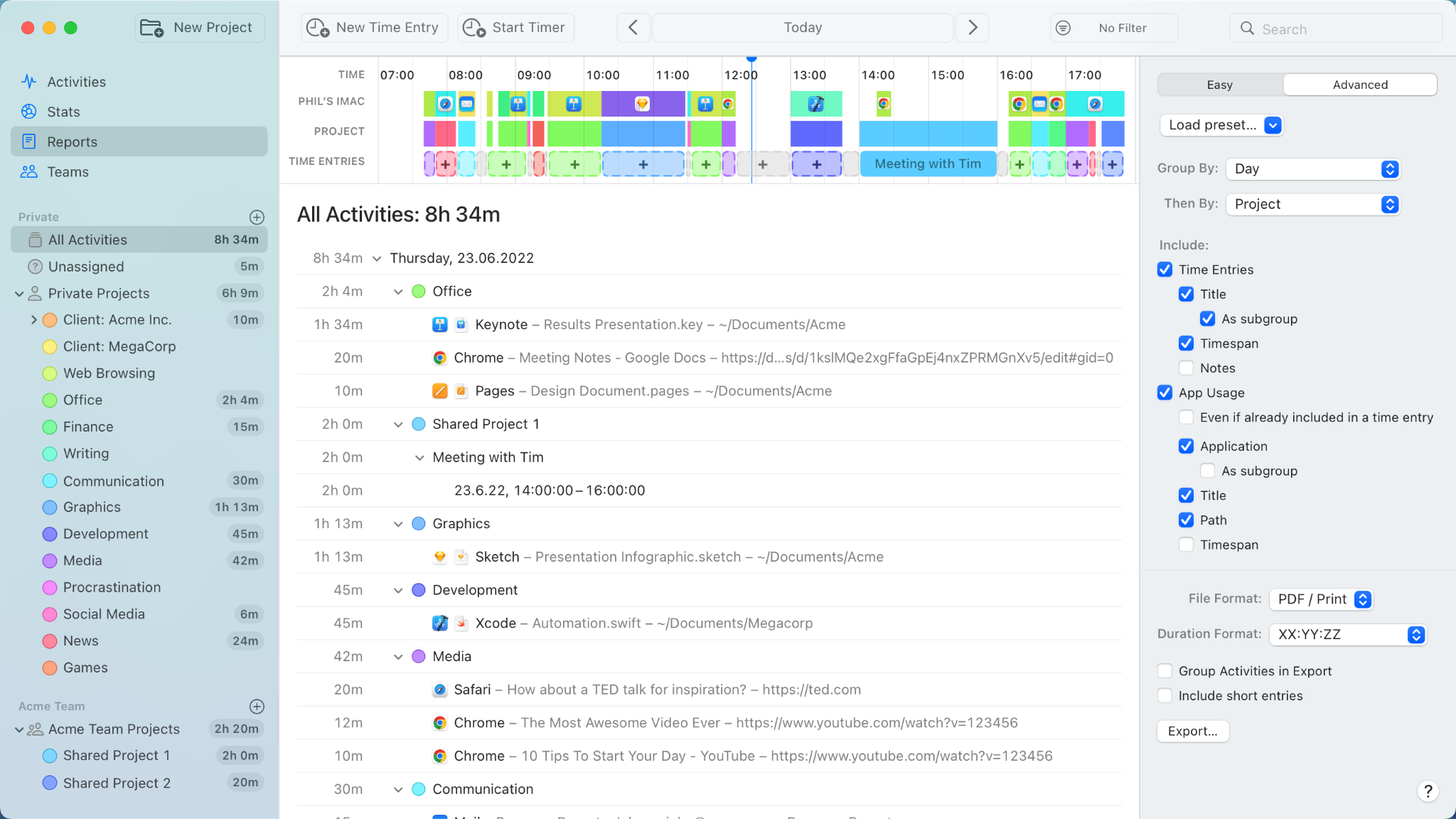
Timing has a free 30-day trial.
Summary: Choosing the Right Accounting Software for Your Mac
The apps in this list have earned their place for different reasons. QuickBooks remains the US small business standard. Xero is the strongest all-round alternative. FreshBooks wins on simplicity and invoicing elegance. Wave delivers capable core accounting for solopreneurs who want to keep things lean. Zoho Books rewards businesses already invested in its ecosystem. AccountEdge stands as the desktop-first Mac accounting option. Manager punches well above its weight for the budget-conscious. Sage Intacct brings Sage’s financial-management depth to growing businesses. And Bonsai offers a full freelance business workflow, with accounting built in.
Which one is right for you is a personal decision, and using some of the free trials available will help you decide.
Before you start, make sure you have an accurate and consistent handle on your billable hours with Timing. That way, your invoices and financial records will always reflect the work you’ve done. Whichever accounting software you choose from this list, use Timing alongside it to make sure nothing slips through the cracks. Download Timing’s free 30-day trial today.
Frequently Asked Questions: Best Accounting Software for Mac
What Accounting Software Works with Mac?
Most modern accounting platforms, including QuickBooks Online, Xero, FreshBooks, Wave and Zoho Books, are cloud-based and run in any Mac browser. AccountEdge and Manager are among the few that still offer Mac desktop apps.
What is the Best Financial Software for Mac?
For most small businesses, QuickBooks Online is the benchmark, but the best choice depends on your needs. Xero is a strong alternative for collaborative teams, FreshBooks suits freelancers, and AccountEdge is the top pick if you want a desktop-first Mac accounting app.
What’s the Difference Between Accounting Software and Invoicing Software?
Invoicing software handles billing and payments; accounting software does that and much more. It also tracks expenses, reconciles bank accounts, manages tax obligations, and produces financial reports. If you need a full picture of your business finances, accounting software is the more complete solution.
What is the Mac Equivalent of QuickBooks?
QuickBooks Online runs perfectly well on Mac via any browser, so there’s no need for a separate Mac equivalent. If you’re looking for a strong QuickBooks alternative for Mac, Xero is the closest comparison, especially for small businesses that want cloud accounting, accountant access and multi-user collaboration.